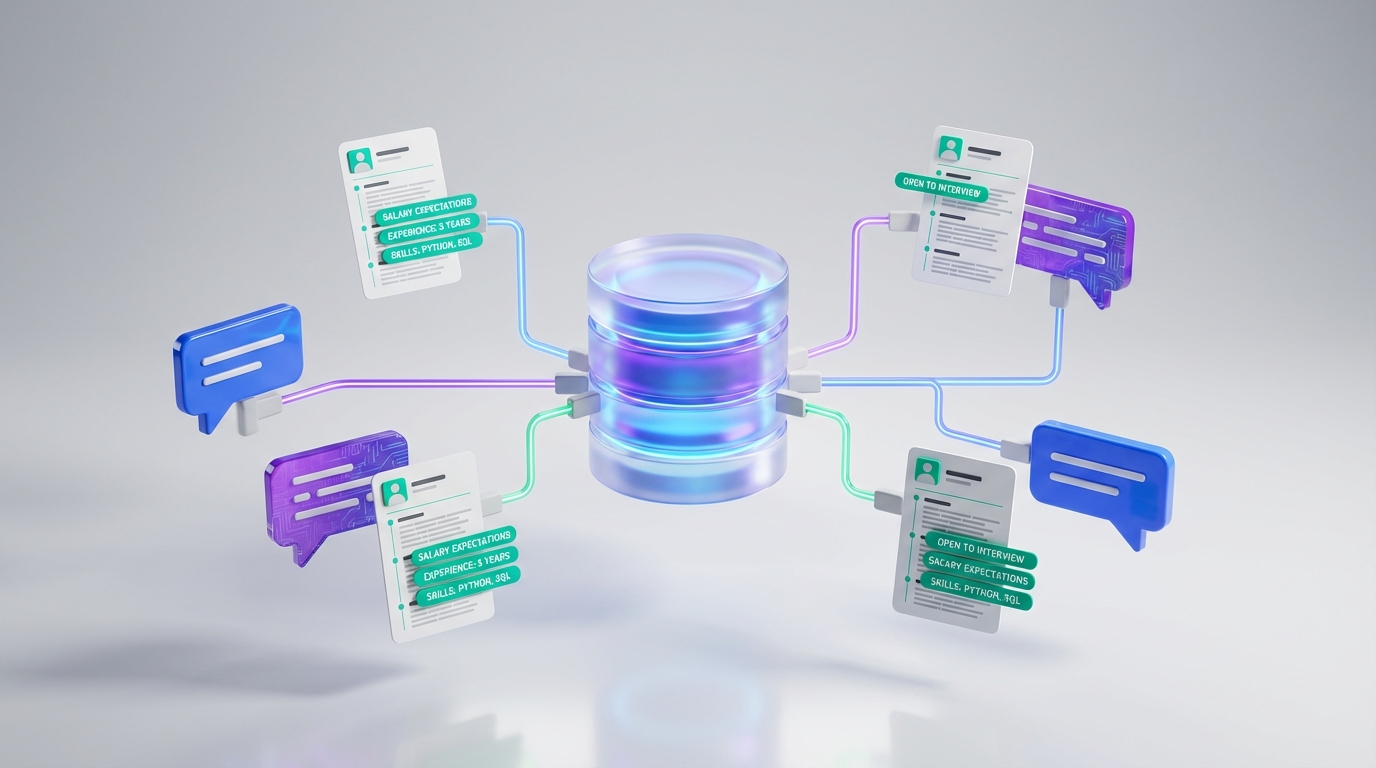
A candidate database for recruiters is shifting from a recruiter managed system of records into a conversation powered system of action. Instead of spending hours inside complex interfaces, recruiters increasingly expect the database to sit quietly behind messaging, capturing resumes, contact details, and intent signals as they happen. That matters for anyone trying to look at resumes for free because the real leverage is not a single “best resume database for recruiters” site. It is a workflow that turns everyday conversations into a continuously updated, searchable pool of candidates.
Table of Contents
- What “invisible ATS” means for a candidate database
- What we learned from Recruiting Future Episode 704
- Why this shift changes how recruiters access resumes
- A practical playbook to build a candidate database from conversations
- Where StrategyBrain AI Recruiter fits in
- Limitations and risk controls
- Quick comparison: traditional database vs conversational database
- FAQ
- Conclusion and next steps
What “invisible ATS” means for a candidate database
In this context, an ATS is an applicant tracking system, meaning the software used to manage candidates through a hiring process. An “invisible ATS” is not a new brand of ATS. It is a design direction where the system stops demanding attention and starts supporting the recruiter in the background.
Practically, that means your candidate database becomes less like a filing cabinet and more like an assistant that:
- Captures candidate data during outreach and replies
- Stores resumes and contact details automatically
- Tags intent signals such as open to interview, needs visa, salary expectations
- Surfaces the right candidate at the right time without extra admin steps
What we learned from Recruiting Future Episode 704
The source idea for this article comes from Episode 704 of Recruiting Future, featuring Michal Nowak, SVP of Engineering at SmartRecruiters. The episode frames a clear shift: recruiting is moving away from complex software interfaces and toward AI driven conversational interfaces that make talent acquisition feel more like relationship building and less like administration.
That framing is useful because it explains why “candidate database” is no longer only a storage problem. It is increasingly a communication design problem. If the conversation is where trust is built, then the database must be built from the conversation, not after it.
Why this shift changes how recruiters access resumes
Many recruiters search for the best resume database for recruiters because they want immediate access to qualified profiles. The hidden cost is what happens after you find a profile: outreach, follow up, answering questions, and collecting a resume often takes more time than the search itself.
When conversational systems become the front door, resume access changes in three ways:
- Resumes arrive earlier because the system can ask for them at the moment interest is confirmed.
- Data quality improves because contact details and context are captured in the same thread as the resume.
- Your database grows continuously because every conversation can become a new record, even if the candidate is not ready today.
This is also the most realistic way to interpret “look at resumes for free” in 2026. Free access is rarely unlimited at the source level, but you can reduce cost by building a pipeline that converts outreach into owned, searchable candidate records.
A practical playbook to build a candidate database from conversations
Below is the workflow we recommend when your goal is to build a durable candidate database for recruiters without turning your day into data entry. This is not a promise of free resumes from any specific platform. It is a process for capturing resumes efficiently once a candidate engages.
Step 1: Define what “database ready” means
Create a minimum record standard so your database stays searchable. A “database ready” candidate record should include:
- Full name
- Role or target role
- Location and work authorization notes when relevant
- Resume file or resume text
- Best contact method and contact details
- Conversation context such as compensation expectations and availability
Step 2: Move resume collection into the conversation
Instead of waiting until a later stage, ask for a resume when the candidate signals interest. This is where conversational systems outperform traditional workflows because the request is timely and contextual.
Step 3: Standardize follow up timing
Most candidate drop off happens in the gaps. Set a follow up rule you can actually execute, for example a first follow up within 24 hours and a second follow up within 72 hours. The exact timing depends on your market, but consistency matters more than perfection.
Step 4: Centralize resumes and contact details immediately
Once a resume is received, store it in one place with consistent tags. If you do not centralize quickly, you end up with resumes scattered across inboxes, messaging threads, and downloads folders, which makes “database search” feel impossible.
Step 5: Add lightweight tagging for future reuse
Use a small set of tags that match how recruiters actually search. Keep it simple:
- Seniority level
- Core skill cluster
- Industry domain
- Availability window
- Compensation range band
Where StrategyBrain AI Recruiter fits in
If the “invisible ATS” idea is that technology should fade into the background, then the most valuable automation is the part that happens before a recruiter ever sees a resume. That is exactly where StrategyBrain AI Recruiter is designed to operate, specifically for LinkedIn hiring workflows.
Based on our product documentation and internal implementation experience, StrategyBrain AI Recruiter focuses on three outcomes that directly strengthen a candidate database for recruiters:
- Automated LinkedIn outreach and qualification by connecting with candidates that match your search criteria, introducing the role, answering role and company questions, and confirming interview interest.
- Resume and contact capture by requesting resumes and collecting contact details once a candidate expresses interest, then marking the resume as received when it arrives.
- Always on multilingual communication so candidates can engage in their native language across time zones, which reduces delays and misunderstandings.
This is also a practical answer to the “look at resumes for free” intent. The lowest cost resume is the one you do not have to chase manually. When outreach and follow up are automated, recruiters can spend their time reviewing the resumes that were actually collected, not trying to get them.
Scope boundary: StrategyBrain AI Recruiter can identify willingness to communicate or interview, but it does not decide whether a resume fully matches job requirements. Recruiters still make the final qualification decision after reviewing the resume.
Limitations and risk controls
Conversational recruiting systems are powerful, but they are not magic. In our experience, the main limitations to plan for are operational, compliance related, and quality related.
Limitations
- Not every candidate will share a resume even if they are interested, so your workflow must support partial records.
- Automation does not replace recruiter judgment for fit, especially for nuanced roles.
- Messaging policies and privacy rules still apply across regions and platforms.
Risk controls we recommend
- Data minimization: collect only what you need for the hiring step you are in.
- Access control: limit who can export resumes and contact details.
- Auditability: keep conversation history tied to the candidate record so decisions are explainable.
From a trust perspective, StrategyBrain AI Recruiter states that customer provided data is not used to train AI models and that candidate information is encrypted and isolated per customer. Treat these as implementation requirements and verify them during procurement and security review.
Quick comparison: traditional database vs conversational database
| Dimension | Traditional resume database workflow | Conversational database workflow |
|---|---|---|
| Primary recruiter time cost | Manual outreach, follow up, and data entry | Conversation driven capture with less admin work |
| When resumes are collected | Often late in the process | At the moment interest is confirmed |
| Database freshness | Periodic imports and cleanup | Continuous updates from ongoing conversations |
| Global hiring support | Depends on recruiter coverage | Improves with 24/7 multilingual messaging |
| Example implementation | ATS plus manual LinkedIn messaging | LinkedIn messaging supported by StrategyBrain AI Recruiter for outreach and resume capture |
FAQ
What is a candidate database for recruiters?
A candidate database for recruiters is a searchable system that stores candidate profiles, resumes, and interaction history so you can re engage talent for current and future roles. In modern workflows, it also captures intent signals from conversations, not just static resume data.
Is there a way to look at resumes for free?
You can sometimes view limited candidate information for free depending on the source, but unlimited free resume access is uncommon. A more reliable approach is to reduce cost by automating outreach and collecting resumes directly from interested candidates, then storing them in your own database.
What makes the best resume database for recruiters?
The best resume database for recruiters is the one that stays current, is easy to search, and is built from real candidate engagement. Look for strong tagging, clean data capture, and a workflow that reduces manual follow up.
How does conversational recruiting change database quality?
It improves quality because resumes, contact details, and context are captured in the same interaction. That reduces missing fields and makes future searches more accurate.
How does StrategyBrain AI Recruiter help build a candidate database?
StrategyBrain AI Recruiter automates LinkedIn outreach, answers candidate questions, confirms interest, and collects resumes and contact details from candidates who want to proceed. Recruiters then review the collected resumes and move qualified candidates to interviews.
Does StrategyBrain AI Recruiter replace recruiter screening?
No. It can confirm willingness to communicate or interview, but it does not determine full job fit from the resume. Recruiters still make the final qualification decision.
Can StrategyBrain AI Recruiter support global hiring?
Yes, it is designed for 24/7 multilingual candidate communication so candidates can respond in their native language across time zones. This can reduce delays in early stage engagement.
How many LinkedIn accounts can be managed for scaling?
StrategyBrain AI Recruiter supports managing more than 100 LinkedIn accounts so organizations can build AI powered recruiting teams and expand outreach capacity.
What should I verify before using AI for candidate messaging?
Verify platform messaging policies, privacy compliance requirements in your hiring regions, and your internal security controls for storing resumes and contact details. Also confirm how the vendor handles encryption, data isolation, and whether customer data is used for model training.
Conclusion and next steps
The candidate database for recruiters is becoming less visible and more useful. The winning model is a conversational workflow where resumes and context are captured during real interactions, then organized into a searchable system that grows every day. If your goal is to look at resumes for free or reduce resume sourcing cost, focus on automating the steps that happen before the resume arrives.
Next steps: map your current outreach to resume capture process, define your minimum database ready record, and pilot a conversational workflow. If LinkedIn is a primary channel for you, evaluate whether StrategyBrain AI Recruiter can automate outreach, follow up, and resume collection so your team can spend more time on relationship building and final screening.