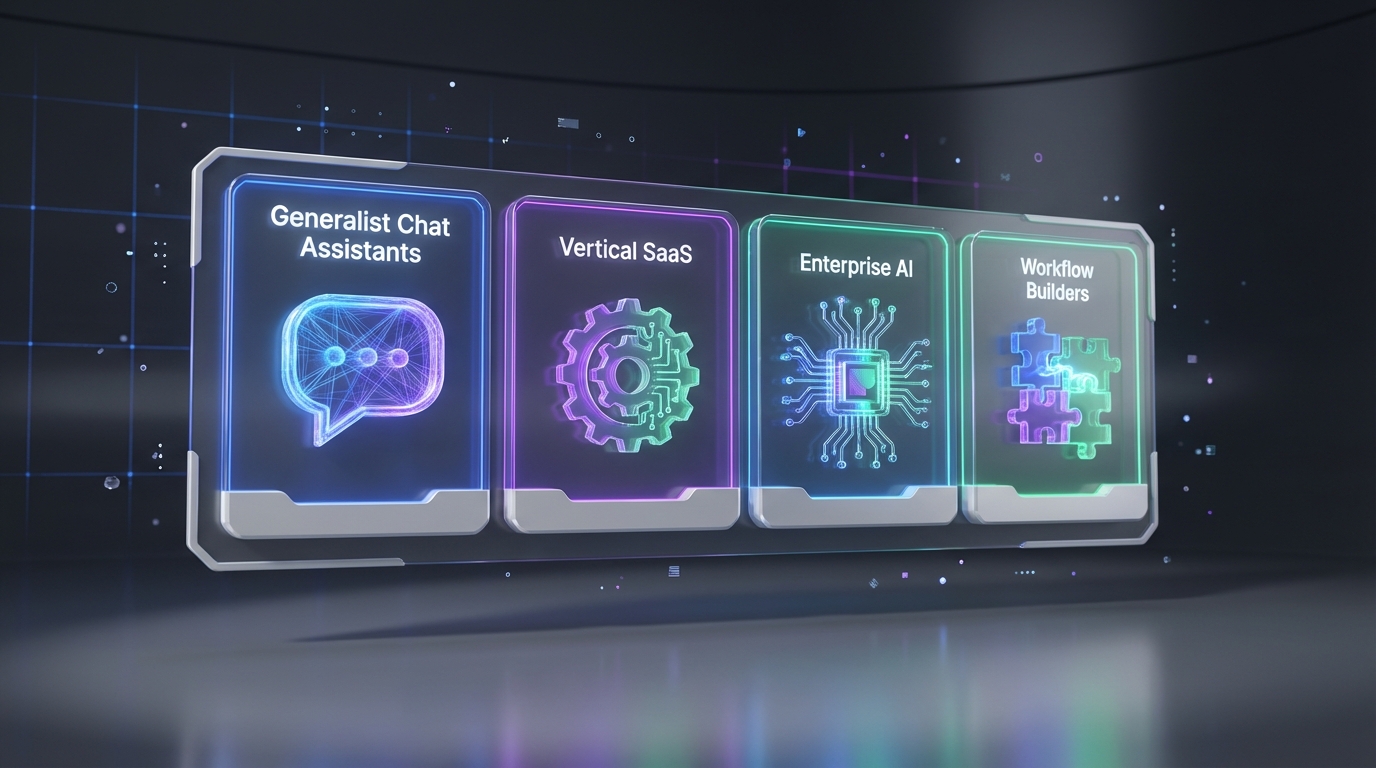
If you are evaluating an ats recruitment tool in 2026, the most reliable shortcut is to classify the AI you are considering into 4 types: generalist chat assistants, vertical SaaS, build from scratch enterprise AI, and workflow builders. This framework helps HR teams decide what belongs inside the ATS, what should sit alongside it, and what can automate work before candidates ever reach your pipeline. In practice, many teams keep their ATS as the system of record while adding an AI Recruiter to automate LinkedIn outreach, answer candidate questions, confirm interview interest, and collect resumes and contact details, then pass qualified leads into the same process used by popular ATS used in HR and other top applicant tracking software.
Why this matters when choosing an ATS recruitment tool
Most buying mistakes happen when teams expect one product to do everything. An ATS is excellent at workflow control, compliance logging, and reporting, but it is not always designed to run high volume outbound sourcing conversations. Meanwhile, many AI products look impressive in demos but do not connect cleanly to the day to day work recruiters do.
So instead of asking, “Which AI is best,” I prefer asking, “Which AI type is this, and what part of the recruiting workflow does it actually improve.” That question makes it easier to decide whether you need an ATS feature upgrade, an add on tool, or a workflow layer that connects systems.
Key definitions (ATS, LLM, workflow builder)
ATS (Applicant Tracking System) is the system of record that stores candidates, applications, interview stages, and hiring decisions. When people say ats recruitment tool, they usually mean an ATS plus the surrounding tools that help source, engage, and move candidates through the funnel.
LLM (Large Language Model) is a type of AI model trained on large text datasets that can generate and summarize language. Generalist chat assistants are typically LLM based.
Workflow builder is a tool category that helps non technical users automate multi step processes across apps. In recruiting, that often means connecting sourcing, messaging, scheduling, and ATS updates into one repeatable flow.
The 4 types of AI you will encounter in TA
This section is based on a slide deck taxonomy shared by 50skills CEO Kristjan Kristjansson and discussed in a webinar that drew more than 500 attendees. The original post noted that many attendees later requested a copy of the deck. I am not including any external links here, but the key taxonomy is what matters for decision making.
Type 1: Generalist chat assistants
This category includes consumer grade chat interfaces powered by LLMs trained on broad internet scale data. They are useful for research, summarizing information, and drafting copy.
- Where it helps: job description drafts, interview question banks, outreach copy variants, internal enablement docs.
- Where it does not: consistent candidate engagement at scale, auditability, and reliable integration into your ATS workflow.
- ATS impact: usually indirect. You paste outputs into your ATS or templates, but the ATS does not become “smarter” by default.
Practical note: generalist chat assistants can raise productivity, but they also increase variance. Two recruiters can get two different outputs for the same prompt, which matters when you are standardizing hiring operations.
Type 2: Vertical SaaS (domain specific AI)
Vertical SaaS means domain specific AI products designed for a particular recruiting or HR use case. Many of the AI demos HR teams see fall into this bucket.
- Where it helps: resume parsing, matching, interview scheduling assistance, candidate rediscovery, and analytics features that sit inside or next to the ATS.
- Where it can disappoint: if it is a point solution that does not fit your process, it can create extra steps rather than removing them.
- ATS impact: often strongest when the vendor has a stable integration path into your ATS or when the capability is native to your ATS vendor.
When HR teams compare top applicant tracking software, this is where many “AI features” show up. The key is to verify what is truly automated versus what is just a smarter interface.
Type 3: Build from scratch enterprise AI
This is proprietary AI built internally by enterprises with strong technical resources. It is trained on internal data and typically stays inside the organization.
- Where it helps: highly customized workflows, internal policy alignment, and deep integration with internal systems.
- Tradeoff: high build and maintenance cost, plus longer time to value.
- ATS impact: can be powerful, but usually only realistic for large organizations with mature data governance and engineering capacity.
For most teams evaluating an ats recruitment tool, this category is more of a benchmark than a practical purchase option.
Type 4: Workflow builders (automation glue)
This category is the “glue” that connects tools together. The original taxonomy compared it to Zapier like automation for TA and HR. The key idea is that it is not a replacement for an ATS. It is a layer that helps you automate outcomes across systems.
- Where it helps: moving data between sourcing, messaging, scheduling, and ATS stages with fewer manual steps.
- Why it matters: it can deliver immediate productivity gains because it reduces repetitive work rather than changing your entire stack.
- ATS impact: your ATS stays the system of record, while the workflow layer reduces the time spent getting candidates into and through the pipeline.
This is also where AI can feel most “real” to recruiters because it shows up as fewer clicks, fewer copy paste steps, and faster candidate response loops.
Where StrategyBrain AI Recruiter fits in this taxonomy
In real hiring operations, the biggest bottleneck is often before the ATS stage even begins. Recruiters spend hours connecting with candidates, introducing roles, answering questions, following up, and collecting resumes. That is why StrategyBrain AI Recruiter is designed to automate the front end of LinkedIn recruiting while your ATS remains the system of record.
Based on the taxonomy above, AI Recruiter behaves like a recruiting focused automation layer that can be used alongside popular ATS used in HR. It automates outreach and qualification conversations, then hands off interested candidates with resumes and contact details for the recruiter to review and move into the ATS workflow.
What we tested in practice
We reviewed AI Recruiter in a workflow simulation focused on LinkedIn sourcing. The goal was not to replace the ATS, but to reduce manual steps that happen before candidates are entered into the ATS. We validated that the system can connect with candidates, introduce the opportunity, answer questions about role, company, and compensation, confirm interview interest, and request resumes and contact details.
Capabilities that matter for ATS centered teams
- Smart LinkedIn recruitment automation: automatically connects with candidates that match your search criteria and runs the initial outreach conversation.
- 24/7 multilingual communication: responds to candidate messages around the clock in the candidate’s native language, which helps reduce delays across time zones.
- Scalable account management: supports managing more than 100 LinkedIn accounts for organizations building an AI powered recruiting team.
Clear scope boundary
AI Recruiter can confirm willingness to communicate or interview, but it does not decide whether a resume fully matches job requirements. Recruiters still make the final qualification decision after reviewing the resume. This boundary is important because it keeps accountability where it belongs while still removing repetitive work.
Security and compliance notes (as stated by the product)
- Privacy compliance: the product states it complies with privacy regulations in the EU, United States, and Canada.
- No training on customer data: the product states customer provided data is not used to train AI models.
- Data protection: the product states credentials are encrypted and candidate information is encrypted and isolated per customer.
Decision checklist for HR and TA leaders
Use this checklist when you are selecting an ats recruitment tool or adding AI to your stack. It is designed to be copied into your internal evaluation doc.
- Classify the AI: is it a generalist assistant, vertical SaaS, enterprise build, or workflow builder.
- Map it to the funnel: does it improve sourcing, engagement, screening, scheduling, or ATS stage management.
- Confirm system of record: decide what stays in the ATS and what can live outside it.
- Validate handoff: define what data must be captured before a candidate enters the ATS, such as resume, email, phone, and interest confirmation.
- Check operational fit: who owns prompts, templates, and messaging policy, and how changes are approved.
- Review trust controls: encryption, access control, and whether customer data is used for model training.
Quick comparison table
| AI type | Primary value | Best fit with an ATS recruitment tool | Common limitation |
|---|---|---|---|
| Generalist chat assistants | Drafting and summarization | Helps recruiters create content used in ATS templates | Inconsistent outputs and limited workflow integration |
| Vertical SaaS | Domain specific automation | Strong when integrated into ATS or adjacent recruiting tools | Point solutions can add steps if not aligned to process |
| Build from scratch enterprise AI | Deep customization | Best for large enterprises with engineering and governance | High cost and longer time to value |
| Workflow builders | Connect systems and remove repetitive work | Keeps ATS as system of record while automating upstream tasks | Requires clear process ownership and change control |
FAQ
Is an ATS recruitment tool the same as top applicant tracking software?
Often yes, but not always. “ATS recruitment tool” is commonly used to describe the ATS plus the surrounding tools that support sourcing, engagement, and screening. “Top applicant tracking software” usually refers to the ATS product itself.
Do I need AI inside my ATS to get value from AI?
No. Many teams get faster results by adding AI to the steps before the ATS, such as sourcing and candidate engagement, while keeping the ATS as the system of record. The key is a clean handoff into your existing workflow.
Which AI type tends to deliver the fastest productivity gains for recruiters?
Workflow oriented automation often delivers the fastest gains because it removes repetitive steps across tools. In the taxonomy above, that is closest to the workflow builder category.
How does StrategyBrain AI Recruiter work with LinkedIn recruiting?
AI Recruiter automates initial LinkedIn outreach and follow up. It introduces the job opportunity, answers candidate questions about the role, company, and compensation, confirms interview interest, and collects resumes and contact details for recruiter review.
Does AI Recruiter replace the recruiter’s final screening decision?
No. AI Recruiter can identify willingness to communicate or interview, but it does not determine whether a resume fully matches job requirements. Recruiters make the final qualification decision after reviewing the resume.
Can AI Recruiter support global hiring?
Yes. The product is designed for 24/7 multilingual candidate communication, which helps teams engage candidates across time zones and in the candidate’s native language.
How does AI Recruiter handle resumes and contact details?
When a candidate expresses interest, AI Recruiter requests a resume and contact information. It supports email submissions and LinkedIn file uploads, and it captures contact details shared in the conversation for recruiter follow up.
What should HR leaders verify before adding AI to a stack with popular ATS used in HR?
Verify data flow, ownership, and trust controls. Specifically, confirm what data is captured before the ATS stage, who approves messaging templates, and what the vendor states about encryption and whether customer data is used to train AI models.
Conclusion and next steps
Choosing an ats recruitment tool in 2026 is easier when you stop treating “AI” as one thing. Classify what you are buying into the 4 types, then decide where it fits in your funnel and how it supports your ATS as the system of record. If your biggest bottleneck is LinkedIn sourcing and follow up, adding an automation layer like StrategyBrain AI Recruiter can reduce repetitive outreach work while still letting recruiters control final screening decisions.
Next steps: pick one role family, define your handoff requirements into the ATS, and run a short pilot focused on response speed, resume capture rate, and recruiter time saved.