


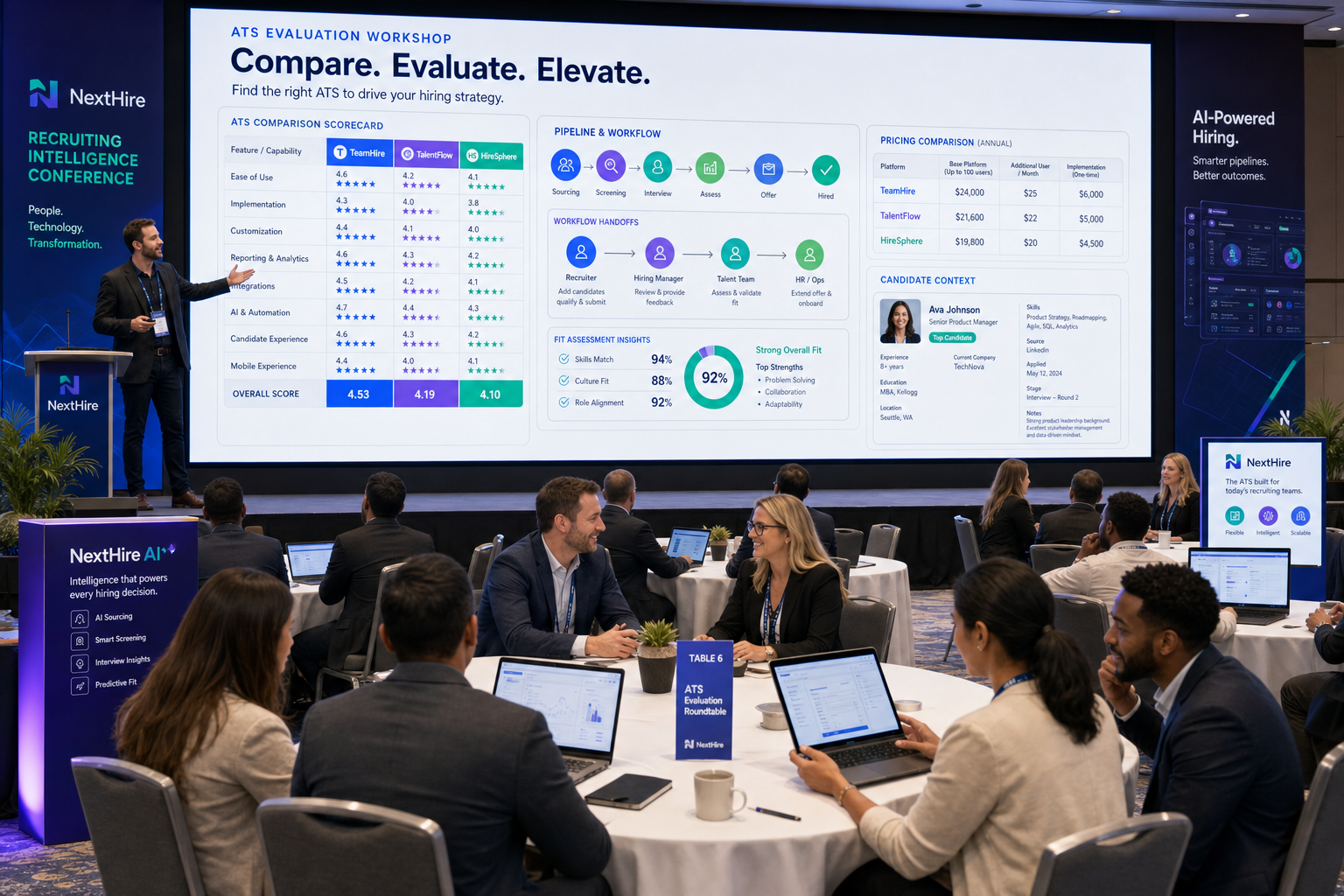
When recruiter handoffs keep breaking, this article helps you evaluate ats for recruiters by fit, workflow, and context capture.
That matters because recruiting breakdowns rarely start with a missing feature. They start when a recruiter cannot see what a candidate actually wants, what kind of team or manager will suit them, who owes the next step, or where prior conversations were stored. For agency owners, that means slower delivery and weaker repeat business. For solo recruiters, it means more after-hours follow-up and more candidates going cold. For in-house teams, it means avoidable friction with hiring managers and a hiring process that feels disjointed to candidates.
In my own workflow, tools that reduce repetitive outreach and keep conversations moving have been the most useful support layer before the ATS record is even complete. One example is StrategyBrain AI Recruiter, which can handle initial LinkedIn outreach, keep candidate conversations active across time zones, and collect resumes or contact details from interested people. What I like in practice is that it helps with communication volume without pretending to replace recruiter judgment. I still review the resume, assess actual fit, and decide who moves forward.
A useful way to frame software selection comes from a work-style and culture-fit lens. In a webinar hosted by a recruiting firm with an occupational psychology specialist, the central idea was simple: people do better when they understand their default work style, what energizes them, what drains them, and what kind of team, tasks, and leadership environment fit them best. That sounds candidate-focused, but recruiters see the operational version of this every day when they are trying to match more than a resume to an open role.
The moment this becomes a software problem is when that fit conversation has to survive real hiring activity. A recruiter speaks with a candidate about preferred work environment, notes what kind of manager they respond to, logs follow-up questions, and then has to coordinate with the hiring team without losing nuance. If your system cannot capture those signals clearly, compare pipelines cleanly, and support realistic communication flow, then even the best ATS systems look good in demos but fail in live recruiting. That is why this article focuses on the best recruiting software through the lens of fit, workflow, and ATS software price rather than feature count alone.
In this guide, you will learn:
- Why fit and work-style signals should shape ATS selection
- How to compare the best ATS systems by team type and workflow
- Which features matter most for recruiters managing real candidate conversations
- When AI-supported outreach helps before formal ATS evaluation begins
- How ATS software price usually scales by complexity, seats, and process depth
Table of Contents
- Why Fit Should Come Before Feature Count
- What Is an ATS for Recruiters?
- Quick Comparison of Best ATS Systems
- How to Choose the Best Recruiting Software by Team Type
- Features That Matter Most in an ATS for Recruiters
- ATS vs ATS + CRM for Recruiters
- ATS Software Price: What Recruiters Should Expect
- Common Buying Mistakes
- FAQ
Why Fit Should Come Before Feature Count
Most buyers start with a checklist. Experienced recruiters usually start somewhere else: with the decision moments that make a hire feel right or wrong. A system does not create judgment, but it absolutely shapes whether judgment can be captured, shared, and acted on in time.
That is why the work-style framing is useful here. In recruiting, fit is not only about whether a candidate can do the job. It is also about whether the pace, team structure, leadership style, and day-to-day environment line up with how that person actually works. If your recruiting software only tracks stages and misses context, the process becomes efficient on paper and unreliable in reality.
I have found this especially true in searches where outreach starts on LinkedIn, candidate intent is unclear at first, and the strongest signal is not a perfect resume but a conversation. In those cases, using AI Recruiter for the front end can help keep outreach consistent and responsive while the ATS remains the system of record. It is useful when candidates reply after hours, ask practical questions before committing, or need communication in their native language. But the important boundary remains the same: automation supports the process, while recruiters own fit assessment and final progression decisions.
Key insight: The best recruiting software is the system that preserves context well enough for recruiters to make better decisions, not just faster updates.
What Is an ATS for Recruiters?
An applicant tracking system for recruiters is software that helps teams collect applications, organize candidate records, move people through hiring stages, coordinate interviews, and report on recruiting activity. In practical terms, it gives recruiters one operating system for open jobs and active candidates instead of scattering work across email, spreadsheets, calendars, and direct messages.
The main advantages of applicant tracking system tools are consistency, visibility, and better coordination. Recruiters can post jobs to multiple channels, review applicants in one place, track hiring manager feedback, and maintain records for reporting or compliance. But in stronger teams, the real value goes deeper than administration. A good ATS helps preserve the story behind a candidate, not just their status.
That is especially important when fit depends on details that are easy to lose: preferred work style, motivators, communication expectations, and concerns about the role. When those details disappear between sourcing, screening, and interviews, recruiters end up repeating work and hiring teams make weaker decisions.
Quick Comparison of Best ATS Systems
Buyers searching for best ATS systems usually want a side-by-side view before going deeper. The structure below reflects how recruiting teams commonly compare categories during evaluation.
| Category | Best For | What to Evaluate | Pricing Pattern | Possible Limitation |
|---|---|---|---|---|
| Simple ATS | Small teams with steady hiring | Ease of use, job posting, basic pipeline tracking, interview scheduling | Often transparent or entry-level plans | May lack deeper workflow context and reporting |
| Mid-market ATS | Growing companies with multi-role hiring | Approvals, collaboration, reporting, integrations, automation | Per seat, per company, or tiered plans | Setup can take longer than lightweight tools |
| Enterprise ATS | Large organizations with governance needs | Compliance controls, permissions, analytics, integrations | Usually custom quote | Higher implementation effort |
| ATS + CRM | Agencies and proactive sourcing teams | Talent pools, relationship history, outreach workflows, pipeline reuse | Often custom or higher-tier pricing | Can be more complex than in-house teams need |
| AI-supported recruiting stack | Teams with heavy outbound or after-hours response volume | Messaging flow, multilingual communication, human review points, data capture | Core platform plus add-on or parallel tool cost | Needs clear process ownership |
For recruiters, this category view is often more useful than a brand-by-brand shortlist. It keeps the discussion focused on operational fit, which is what determines adoption.
How to Choose the Best Recruiting Software by Team Type
When someone asks for the best recruiting software, my first question is always about environment. An internal HR team, an agency desk, and a sourcing-heavy headhunter may all need an ATS for recruiters, but they do not need the same design.
Small businesses and lean internal HR teams
If your team hires in moderate volume and needs quick adoption, prioritize a clean interface, easy job posting, interview scheduling, and simple reporting. In this setting, the biggest gains come from replacing spreadsheets and reducing manual follow-up.
Practical advice: choose a tool your hiring managers will actually use. If feedback submission feels slow or unclear, recruiters end up doing extra admin and context gets lost.
Mid-market recruiting teams
For growing organizations, the best ATS systems usually offer stronger workflow controls. Look for approval chains, recruiter collaboration, custom stages, role-based permissions, and integrations with the broader HR stack. At this level, the value is not just organization. It is repeatability across teams without sacrificing candidate detail.
Practical advice: test how the system handles multiple stakeholders on the same requisition. Many teams outgrow basic ATS tools when hiring becomes more cross-functional.
Enterprise talent acquisition teams
Large organizations need deeper reporting, stronger compliance management, and flexible integrations. The right ATS for recruiters here should support standardized workflows while still letting business units move.
Practical advice: ask specific questions about permissions, audit trails, and implementation complexity. Enterprise platforms solve scale problems, but they can also create adoption friction if configured poorly.
Recruitment agencies and search firms
Agency teams often need more than a classic applicant tracking system for recruiters. They may need relationship management, client-side tracking, talent rediscovery, and outreach history. This is where ATS + CRM functionality becomes more important.
In my own agency-style sourcing work, I have seen a clear difference between systems that only process applicants and workflows that also support active outreach. If much of your pipeline starts on LinkedIn, pairing your ATS with StrategyBrain AI Recruiter can help keep first-contact messaging active, gather resume submissions from interested candidates, and reduce the lag between outreach and handoff. The recruiter still has to qualify the person properly, but the admin load on initial contact drops.
Features That Matter Most in an ATS for Recruiters
If you want to compare the best ATS systems in a practical way, focus on feature areas that directly affect recruiter output and candidate clarity.
1. Job posting distribution
Your ATS should make it easy to publish roles across relevant channels without duplicate effort. This reduces repetitive posting tasks and centralizes applicant flow.
2. Candidate pipeline management
A good ATS for recruiters should make it obvious where every candidate stands, who owns the next step, and what is blocking movement. If the pipeline view is messy, recruiter productivity falls quickly.
3. Interview scheduling and feedback collection
Scheduling friction creates candidate drop-off and frustrates hiring managers. Strong recruiting software supports coordinated calendars, structured interview stages, and simple feedback submission.
4. Context capture beyond the resume
This is one area buyers often underrate. If recruiters are trying to assess work style, motivators, and team fit, the system must make those notes visible and usable. Otherwise, each stakeholder sees only fragments of the candidate.
5. Reporting and visibility
Recruiting leaders need to understand pipeline health, bottlenecks, and hiring activity by role or team. Reporting does not need to be flashy, but it does need to answer real operating questions.
6. Compliance and record keeping
For many employers, process documentation matters as much as speed. An ATS should maintain consistent records of movement, communication, and decision points.
7. Integrations
The best ATS systems fit into the rest of the hiring workflow. Recruiters should evaluate integrations with calendars, communication tools, assessments, background workflows, and broader HR systems.
8. AI capabilities with clear oversight
AI is now a standard evaluation area in the recruiting software market. Screening support, matching assistance, and workflow automation can save time, but recruiters should ask how recommendations are presented and whether humans can review, override, and explain decisions.
For LinkedIn-heavy recruiting, I would also evaluate whether your stack supports the message volume before candidates ever hit the formal pipeline. I have used AI Recruiter in situations where candidates replied at odd hours or from different regions, and the 24/7 multilingual messaging support was useful because it kept conversations alive until I could review them properly. That is not a replacement for the ATS, but it is a practical layer around it.
Practical recommendation: During demos, ask to see how one candidate moves from outreach or application to interview to offer, with notes, context, and stakeholder handoffs visible at each step.
ATS vs ATS + CRM for Recruiters
This is one of the most important distinctions in software selection. A standard applicant tracking system for recruiters is designed to manage active applicants against open jobs. An ATS + CRM setup adds relationship management for people who are not applying right now but may be valuable later.
| Factor | ATS | ATS + CRM |
|---|---|---|
| Primary focus | Applicants tied to open roles | Applicants plus sourced and nurtured talent pools |
| Best for | Internal HR and straightforward workflows | Agency recruiting, outbound sourcing, recurring pipelines |
| Core strength | Process control and requisition management | Relationship tracking and candidate reuse |
| Typical value | Operational consistency | Longer-term recruiting leverage |
| Risk | May feel limited for proactive teams | May add complexity for smaller in-house teams |
If you are filling approved requisitions with mostly inbound flow, a standard ATS for recruiters may be enough. If your recruiters routinely build talent communities, revisit prior candidates, or run outbound campaigns, ATS + CRM functionality usually creates more value.
This also affects how you use AI support. Outreach automation and multilingual candidate communication are often most useful before formal ATS progression starts. In other words, the more proactive your recruiting model, the more important it is to think beyond a basic pipeline tool.
ATS Software Price: What Recruiters Should Expect
ATS software price is one of the biggest buying questions because pricing models vary widely. Public market language usually groups cost by company size, recruiter seats, hiring volume, implementation needs, and whether pricing is transparent or quote-based.
In other words, asking how much an ATS costs is too broad. A better question is which pricing model fits your recruiting operation.
What usually affects ATS software price
- Company size: smaller businesses often pay for simplicity and speed, while larger organizations pay for governance and flexibility
- Recruiter seats: user-based pricing matters quickly for growing teams
- Hiring volume: high requisition volume can push teams into more advanced tiers
- Implementation complexity: integrations, migration, and configuration increase total cost
- Feature depth: advanced reporting, automation, or CRM functions may sit in premium tiers
- Parallel workflow tools: sourcing, messaging, or AI support layers can add cost outside the ATS itself
How recruiters should evaluate cost
Do not compare ATS software price in isolation. Compare cost against administrative time saved, process consistency, manager adoption, and whether the system will still fit twelve to twenty-four months from now.
A cheaper platform that hiring managers avoid can become more expensive than a stronger tool with better workflow fit. The same applies to sourcing operations: if recruiters spend too many hours manually chasing LinkedIn replies, then the total process cost sits outside the ATS invoice as well.
When transparent pricing is enough and when custom pricing makes sense
Transparent pricing can work well for smaller teams that want speed and low complexity. Custom pricing often appears when organizations need tailored permissions, deeper integrations, or more advanced workflows. Neither is inherently better. The right model depends on how structured your hiring process is and how much context you need the platform to hold.
Common Buying Mistakes Recruiters Should Avoid
Even experienced teams make avoidable software mistakes. These are the patterns I see most often.
Choosing based on feature count instead of workflow fit
A long feature list can look impressive, but if core recruiter actions take too many clicks, adoption drops. The best ATS systems support how your team actually works.
Ignoring candidate and hiring manager experience
Recruiters are not the only users. If candidates get slow replies or hiring managers struggle to review profiles and leave feedback, the process weakens on both ends.
Underestimating the importance of fit notes
If your process depends on understanding motivators, work style, or team preferences, make sure your system captures that cleanly. Otherwise the process becomes all resume and no context.
Underestimating data migration and setup
Moving from spreadsheets or a legacy platform takes planning. Candidate records, stage definitions, permissions, and reporting structures all need attention.
Assuming AI removes the need for recruiter judgment
AI can improve productivity, but it should not replace recruiter oversight. Recruiters should validate how outreach, recommendations, or next-step suggestions are generated and keep final qualification in human hands.
Buying an ATS when the team actually needs ATS + CRM
This is especially common in agency environments. If your recruiters depend on long-term relationship building, a purely applicant-based system may feel restrictive almost immediately.
FAQ
What is an ATS for recruiters?
An ATS for recruiters is software that helps manage applications, candidate pipelines, interview coordination, and hiring records in one system. Its value is giving recruiters and hiring teams a shared process instead of scattered tools and manual updates.
How much does ATS software cost?
ATS software price depends on team size, recruiter seats, hiring volume, implementation needs, and feature depth. Small teams may find transparent entry-level pricing, while mid-market and enterprise buyers often receive custom quotes based on workflow complexity and integration requirements.
What is the best ATS for small businesses?
The best ATS for small businesses is usually one that is easy to adopt, handles job posting and pipeline tracking well, and does not overload hiring managers with complexity. For smaller teams, usability often matters more than heavy customization.
Which teams need ATS + CRM instead of only an ATS?
Agency recruiters, outbound sourcing teams, and employers with repeat hiring pipelines often benefit more from ATS + CRM functionality because they need to manage ongoing candidate relationships, not just active applicants.
Where does AI support fit into recruiter software?
AI support is often most useful in repetitive tasks like outreach, follow-up, and communication handling. It can help keep candidate conversations active, but recruiters should still make the final judgment on resume quality, fit, and advancement.
Conclusion
The search for the best recruiting software gets easier once you stop looking for a universal winner. The right ATS for recruiters is the one that fits your hiring volume, stakeholder complexity, sourcing model, and need to capture real fit signals, not just status updates.
If you are comparing best ATS systems, focus on workflow fit, candidate context, manager adoption, reporting clarity, and realistic ATS software price expectations. Those factors have more impact on recruiting outcomes than a crowded feature page ever will.
My practical advice is to map your recruiting process from first outreach to final decision, including where fit gets discussed, where communication slows down, and where handoffs fail. Then evaluate software against those moments. That is how experienced teams choose systems they can actually use well.














