


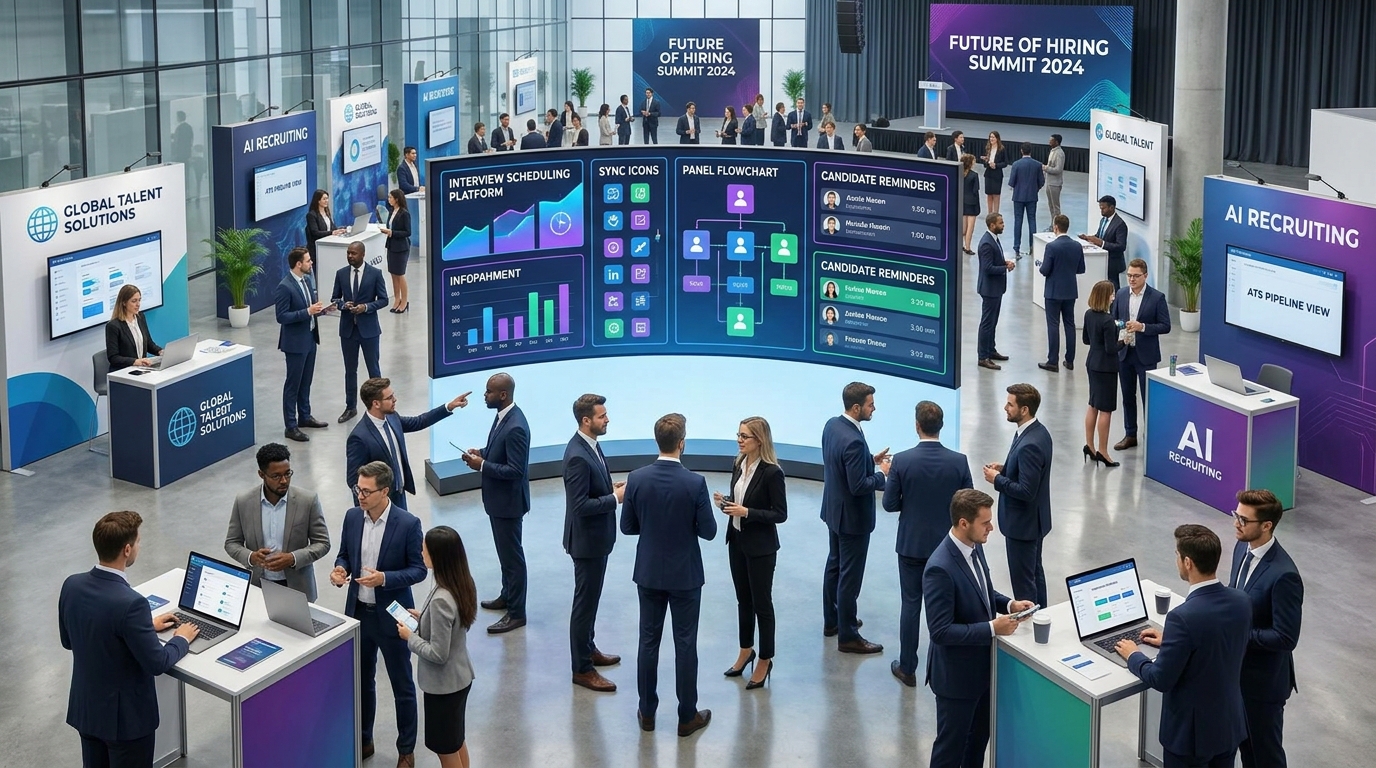
When hiring surges, this article helps recruiting leaders choose an interview scheduling app that prevents delays, drop-off, and workflow gaps.
That judgment matters most when hiring volume rises around fast-growth sectors and the recruiting team is suddenly coordinating founder interviews, finance leadership screens, panel rounds, and follow-ups across calendars that keep changing. In those moments, slow scheduling does more than waste time. It stalls candidate momentum, frustrates hiring managers, weakens recruiter credibility, and creates avoidable revenue risk for agencies and growing employers alike.
In my own workflow, tools like StrategyBrain AI Recruiter have been most useful before scheduling even starts, especially when LinkedIn outreach, after-hours replies, and résumé collection would otherwise pile up. Its automated candidate messaging, multilingual follow-up, and résumé capture help keep early-stage conversations moving, while the recruiter still makes the final call on fit, résumé review, and who should actually be invited to interview.
A useful way to understand this is to look at what happens around high-growth hiring cycles. In Canada’s technology ecosystem, programs that recognize fast-growing companies put a spotlight on the founders and CEOs building quickly, and that growth creates immediate pressure on recruiting teams serving those businesses. Finance and accounting searches are a good example: one moment the brief is a controller or senior analyst, and the next the company needs a CFO who can help scale, support transformation, or prepare the business for larger capital events.
Once that kind of demand hits, recruiters are not dealing with a simple calendar problem. They are reviewing new requisitions, collecting candidate details from multiple channels, checking whether a founder can meet this week, updating stage notes, and trying to keep momentum with candidates who may be speaking to several employers at once. That is why choosing an interview scheduling app is really a workflow decision, not just a booking decision, and why teams often compare recruiting tools not only with a web based calendar app but also with lighter operational tools that resemble small business job scheduling software.
- How fast-growth hiring exposes scheduling problems
- What automated interview scheduling means in practice
- Why recruiting teams move to an interview scheduling app
- Core features that matter most
- Three software approaches recruiters compare
- Why ATS-connected scheduling changes recruiter workflow
- What small businesses should look for
- Best practices for implementation
- Common mistakes to avoid
- FAQ
How fast-growth hiring exposes scheduling problems
Recruiters tend to feel scheduling pain first when the business context changes faster than the process. That is why the hiring environment behind high-growth technology companies is relevant here. When scale-up firms are adding leaders quickly, especially in areas such as finance, healthtech, medtech, or cleantech, interview coordination becomes part of a larger race to secure scarce talent before the market moves on.
The reference point is straightforward: when growth programs and market attention highlight fast-rising companies, recruiters gain a direct view into which sectors are expanding, which executive teams are hiring, and which roles will become urgent. In practice, that means more interview requests, more stakeholders, and less tolerance for back-and-forth scheduling delays.
One lesson I have seen repeatedly is that outreach speed and scheduling speed are connected. If I use AI Recruiter to keep LinkedIn responses moving overnight and gather résumés from interested candidates, I still need a dependable handoff into interview coordination the next morning. Otherwise, the sourcing workflow becomes efficient while the interview workflow remains slow, and the candidate experiences the process as fragmented.
Key recruiting reality: fast-growth hiring does not only increase the number of interviews. It raises the cost of every scheduling delay because high-demand candidates have more options and less patience.
What automated interview scheduling means in practice
Automated interview scheduling is the use of software to coordinate interview availability without relying on repeated manual outreach. Instead of a recruiter emailing a shortlist of times, waiting for replies, checking interviewer calendars, then sending a confirmation, the system checks availability and presents bookable slots in real time.
In practical recruiting work, an interview scheduling app usually combines candidate self-scheduling, calendar sync, scheduling links, reminders, and rescheduling workflows in one place. That matters because interview coordination is rarely a stand-alone admin task. It sits inside a broader hiring flow where moving a candidate from outreach to screening to interview should feel like one continuous process.
For recruiters supporting fast-growing companies, the real advantage is not just convenience. It is process control during periods of changing demand. If a client suddenly needs finance leaders, analysts, or transformation-ready talent because the business is scaling, the team cannot afford to manage interview booking through scattered inboxes and side messages.
How the process typically works
- A recruiter moves a candidate from outreach or screening into an interview stage.
- The system checks interviewer availability through calendar sync.
- The candidate receives a scheduling link or approved time options.
- The chosen slot is confirmed automatically.
- Reminders and meeting details are sent before the interview.
- If plans change, the rescheduling workflow reopens valid availability without rebuilding everything manually.
This is also where early-stage automation and interview coordination can complement each other. I have found that after using StrategyBrain AI Recruiter to handle repetitive LinkedIn conversations and collect candidate information, the next operational risk is losing momentum between “interested candidate” and “confirmed interview.” A strong scheduling process closes that gap.
Why recruiting teams move to an interview scheduling app
The biggest reason teams adopt an interview scheduling app is simple: manual coordination creates friction at the stage where candidate momentum matters most. A candidate who is responsive today can feel overlooked in two days if no one confirms the next step.
From an operations standpoint, automated scheduling helps in four high-impact ways:
- It reduces back-and-forth emails by exposing real-time availability.
- It shortens time-to-schedule because candidates can act immediately.
- It lowers coordinator workload by automating confirmations and reminders.
- It supports attendance through clearer meeting details and follow-up communication.
Those gains are especially visible in growth environments where recruiters are serving founders, finance leaders, and hiring managers who are already operating with limited time. If a cleantech company, for example, is expanding and suddenly needs senior finance talent to support scale or readiness for major change, recruiter responsiveness becomes part of the client experience as much as candidate quality does.
There is also a systems angle. Modern recruiting teams expect scheduling to connect with a web based calendar app and common meeting tools. If the process does not sync with the calendars people already trust, recruiters end up checking availability twice and still risk double-booking.
For smaller employers and boutique agencies, the buying logic is slightly different. They may not need advanced enterprise routing rules, but they still need confirmations, reminders, and web-based access. That is where the overlap with small business job scheduling software becomes relevant. The best option is often the one that a lean team can launch quickly without introducing extra admin burden.
Core features that matter most
Not every scheduler is built for recruiting. Some work well for general appointments but break down once you add candidate stages, panel interviews, and hiring-manager dependencies. When evaluating an interview scheduling app, these are the features that matter most in actual recruiter use.
1. Candidate self-scheduling
Candidate self-scheduling gives applicants a direct way to choose from approved time slots. This is often the fastest way to remove email friction while still keeping recruiter control over who can book and when.
2. Calendar sync and interoperability
A scheduling tool should work cleanly with Google Calendar, Outlook, Office 365, and other common systems. This is where web based calendar app compatibility becomes more than a convenience feature. It is a trust requirement.
In day-to-day use, I would test calendar sync under real conditions rather than relying on a polished demo. Check whether updates appear quickly, whether blocked time is respected, and whether meeting links are added automatically.
3. Automated reminders and confirmations
Reminder workflows help reduce confusion by sending candidates and interviewers the right details at the right time. In busy hiring periods, this keeps recruiters from becoming full-time follow-up coordinators.
4. Time-zone handling
Time-zone support is essential for distributed hiring. A good interview scheduling app should present availability accurately for both candidate and interviewer, especially when sourcing and scheduling happen across regions.
5. Panel interview scheduling
Single-interviewer scheduling is manageable. Panel scheduling is where many teams feel the real pain. If your process includes multiple interviewers, ask whether the software supports that without forcing the recruiter into a manual workaround.
6. Rescheduling workflows
Rescheduling happens constantly in live recruiting. Candidates get pulled into work, interviewers get rebooked, and priorities change. The right setup makes that manageable instead of chaotic.
Three software approaches recruiters compare
Teams shopping for an interview scheduling app usually end up comparing three types of tools: a general calendar scheduler, a recruiting-suite scheduler, and a small-business operations scheduler. Each can work, but they serve different needs.
| Software approach | Best for | Strengths | Limitations | How it works with AI-supported sourcing |
|---|---|---|---|---|
| General scheduling software | Solo recruiters, simple interviews | Easy setup, familiar booking links, lower admin overhead | Often weak for panel rounds, stage tracking, and recruiting history | Works after outreach, but handoff from sourcing can feel manual |
| ATS or recruiting platform scheduling | Internal teams with structured pipelines | Candidate stages, records, interview history, stronger workflow continuity | Can be heavier to configure and slower to adapt for very small teams | Best when candidate sourcing and interview stages need one record of truth |
| Operations-style small business scheduling tools | Lean teams with lower volume | Fast launch, simple reminders, practical for straightforward booking | Usually not built for recruiting complexity or multi-stakeholder rounds | Useful when paired with separate sourcing tools, but limited as hiring grows |
In my experience, the right choice depends less on feature count than on workflow fit. If your main pain is high-volume LinkedIn outreach and candidate follow-up, I have seen value in using StrategyBrain AI Recruiter to automate the repetitive front end while choosing a scheduling tool that keeps the interview stage structured. That division of labor works because the recruiter still controls shortlist quality, résumé review, and interview progression.
Cost also needs a realistic lens. A cheaper booking tool can become expensive if recruiters spend hours repairing missed handoffs, checking calendars manually, or chasing candidates who were interested but never got booked. On the other hand, a full recruiting suite may be unnecessary for a very small team that only needs clean booking links and reminders.
Why ATS-connected scheduling changes recruiter workflow
One of the biggest shifts in this category is ATS-connected scheduling. When interviews can be arranged directly inside the candidate pipeline, recruiters save time and reduce context switching. That matters because recruiting work is already split across sourcing, screening, interview setup, feedback collection, and offer coordination.
An ATS-connected workflow is particularly valuable when the hiring context is changing quickly, which is common in high-growth sectors. If a technology company adds a new finance leadership search while still interviewing for analyst and manager roles, the recruiter needs visibility into every stage without searching across inboxes, spreadsheets, and separate calendars.
| Workflow area | Standalone scheduling | ATS-connected scheduling |
|---|---|---|
| Candidate stage updates | Often handled separately | Managed inside the pipeline |
| Scheduling history | May live in email threads | Stored with candidate activity |
| Recruiter switching between tools | More frequent | Usually reduced |
| Coordination visibility | Fragmented | Clearer for the hiring team |
| Rescheduling control | Can become manual | More consistent when workflow-based |
For hiring leaders, the recommendation is straightforward: if your recruiters already work inside an ATS, prioritize scheduling that fits the pipeline. If your sourcing process also includes heavy LinkedIn outreach, an external tool like AI Recruiter can support the top of funnel by handling repetitive messaging and résumé capture, but interview coordination still needs a stable operational home.
What small businesses should look for
Small businesses usually need speed, simplicity, and reliability more than deep enterprise configuration. If that describes your team, the best-fit tool may sit somewhere between a recruiting platform and small business job scheduling software. The question is not whether the software has every possible feature. It is whether it removes friction without creating setup fatigue.
Here is what I would prioritize for a small hiring team:
- Fast setup so the team can start using it without a long rollout.
- Web-based access so recruiters and hiring managers can coordinate from anywhere.
- Simple candidate booking through clean scheduling links.
- Confirmations and reminders that support attendance.
- Basic interoperability with your preferred web based calendar app.
- Straightforward rescheduling without recreating the interview manually.
Smaller teams should also think about who owns coordination. In many firms, one recruiter, founder, office manager, or HR generalist does most of the follow-up work. In that setting, a simple operational flow usually outperforms a complex system that nobody fully uses.
Best practices for implementation
Buying the right tool is only part of the job. Hiring teams get better outcomes when they define scheduling rules clearly before rollout. Based on common recruiting operations issues, these implementation practices matter most.
Define interview types before launch
Create separate workflows for recruiter screens, hiring-manager interviews, panel rounds, and final conversations. This gives the interview scheduling app enough structure to show the right booking logic.
Standardize interviewer availability rules
Decide whether interviewers offer fixed blocks, rolling availability, or limited weekly windows. This makes your web based calendar app sync more dependable in practice.
Use candidate-facing language carefully
Scheduling emails and booking pages should clearly state time zone, format, duration, and any preparation notes. In candidate experience terms, this is small but important.
Build reminders into every stage
Automated reminders are useful for both candidates and interviewers. They support attendance without adding manual recruiter effort.
Plan for exceptions
No workflow is perfect. Interviewers cancel, candidates need alternate times, and urgent searches move faster than standard process allows. Your scheduling setup should reduce routine admin while still letting recruiters intervene when judgment is needed.
Practical takeaway: start with one or two interview stages, test the workflow with real calendars and real reschedules, then expand to panel and executive rounds once the basics are reliable.
Common mistakes to avoid
Recruiting teams often make the same mistakes when choosing an interview scheduling app. Avoiding them can save time, rework, and internal frustration.
- Choosing a generic scheduler without recruiting workflow support. General booking tools can work for simple cases, but they often struggle with panels, candidate stages, and recruiter visibility.
- Ignoring the business context. Teams serving high-growth clients need more than calendar convenience. They need process stability when hiring priorities change quickly.
- Overlooking time-zone logic. This becomes painful fast in distributed hiring.
- Underestimating reminder workflows. Booking convenience alone does not create attendance discipline.
- Buying for complexity you do not need. A lean team may get more value from a simpler setup closer to small business job scheduling software than from a fully loaded enterprise suite.
- Separating sourcing speed from scheduling speed. If tools like StrategyBrain AI Recruiter help you create candidate interest faster, your interview workflow has to keep up or the benefit gets lost.
My advice is to evaluate software through actual scenarios, not a polished demo. Test a recruiter screen, a panel interview, a candidate reschedule, and a calendar conflict. Those situations reveal much more than a feature list.
FAQ
How does automated interview scheduling work?
Automated interview scheduling works by syncing interviewer availability, presenting open time slots, and confirming bookings without manual back-and-forth. In most setups, the recruiter selects the interview stage, the system checks calendars, and the candidate chooses from approved options.
How do candidates choose interview time slots?
Candidates usually receive a scheduling link showing available slots based on recruiter and interviewer settings. They choose a time, receive confirmation, and get reminders automatically.
Can an interview scheduling app handle rescheduling?
Yes. Many tools support rescheduling by reopening valid availability and updating confirmations, so recruiters do not have to restart the entire process manually.
Does a web based calendar app replace recruiting scheduling software?
Sometimes for very simple hiring, but not always. A web based calendar app may handle availability well, yet still lack recruiting-specific features such as candidate stage visibility, panel logic, or interview history.
What should a small team prioritize first?
A small team should usually prioritize ease of setup, candidate self-scheduling, reminders, and calendar sync. If hiring volume is moderate, those basics often create more value than advanced configuration.
Where does StrategyBrain AI Recruiter fit in this process?
It fits best at the front end of recruiting, especially for LinkedIn outreach, multilingual candidate communication, after-hours follow-up, and résumé collection. The recruiter still reviews fit, decides who moves forward, and controls the interview stage.
Conclusion
An effective interview scheduling app is not just a calendar convenience. It is a recruiting operations tool that helps teams keep momentum when hiring demand rises, stakeholders multiply, and candidates have options. That is why fast-growth hiring is such a useful lens for evaluating scheduling software: it makes workflow weaknesses impossible to hide.
If your team already manages a large share of recruiting through LinkedIn, pairing early-stage automation like StrategyBrain AI Recruiter with a dependable scheduling process can reduce repetitive front-end work while preserving recruiter control over final decisions. If your hiring operation is smaller, a simpler web-based setup may be enough. Either way, the goal is the same: reduce friction for candidates, protect recruiter time, and keep interviews moving before momentum fades.














