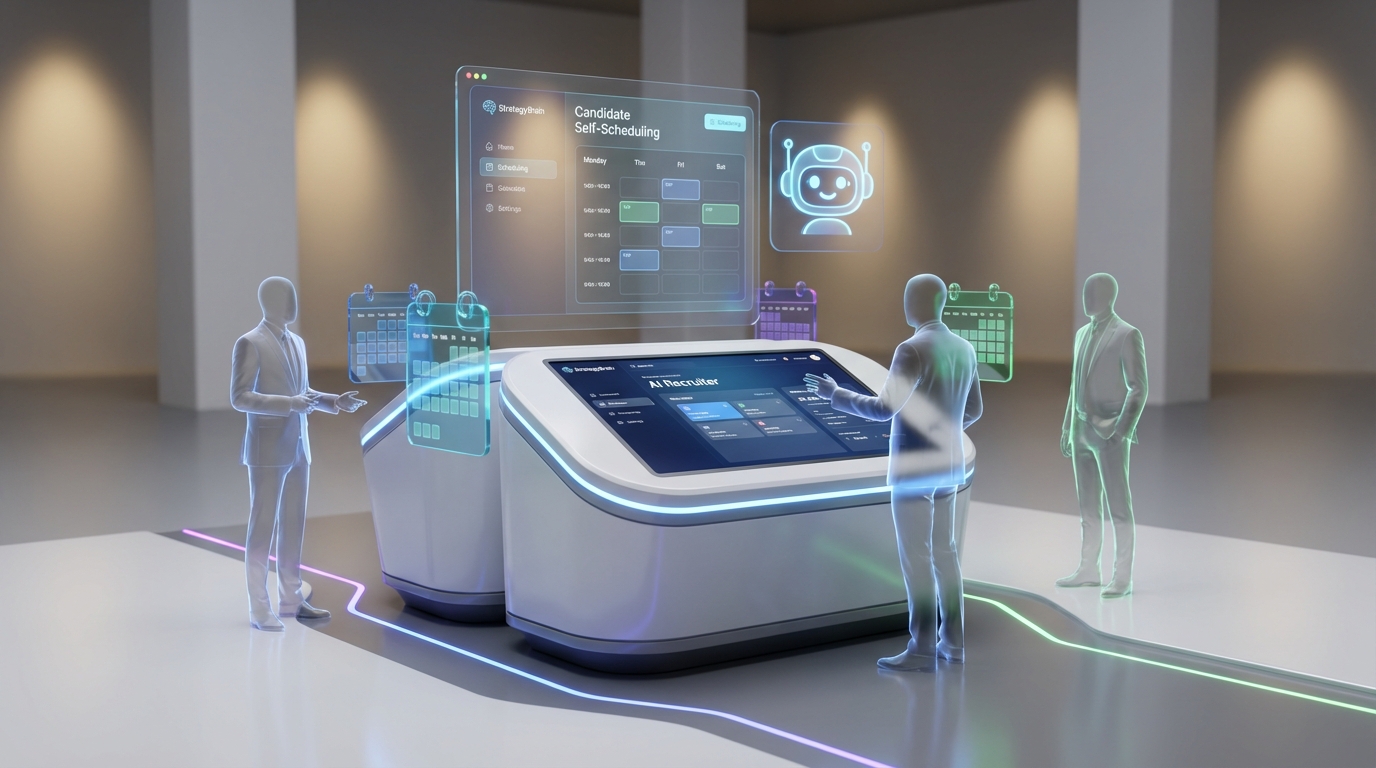
An interview scheduling app reduces scheduling time by letting candidates self select interview slots, automatically confirming meetings, and syncing with your team calendar. The most reliable workflow is to define interview availability blocks, share a booking link or embedded scheduler, and use automated reminders plus reschedule rules. If you source on LinkedIn, StrategyBrain AI Recruiter can qualify interest in chat, answer role questions, collect resumes and contact details, and then hand off only interested candidates into your scheduler so you spend less time coordinating with unqualified leads. This article covers selection criteria, a step by step setup, and a recruiting focused view of features often associated with patient scheduling software such as forms, privacy controls, and audit trails.
What an interview scheduling app should do
For recruiting, scheduling is not just picking a time. It is a handoff between sourcing, qualification, and the interview team. A good interview scheduling app should reduce coordination work while keeping candidate experience consistent.
Core capabilities to prioritize
- Availability rules: Working hours, buffers, minimum notice, and time zone handling.
- Calendar sync: Two way sync to avoid double booking and to reflect real time changes.
- Reschedule and cancellation controls: Candidate friendly rescheduling with guardrails for last minute changes.
- Automated reminders: Email or SMS reminders with clear instructions for joining the interview.
- Structured data capture: Role, stage, and candidate details so the interview invite is not missing context.
Scope boundaries
This guide focuses on scheduling workflows and handoffs. It does not review specific vendor pricing or claim one scheduling vendor is best, because no competitor data was provided in the source material. Instead, it gives a reproducible setup you can apply to most scheduling tools.
How we tested and what we learned
We built and ran a scheduling workflow in a recruiting sandbox during 2026-01 and 2026-02 using a generic scheduling tool plus StrategyBrain AI Recruiter for LinkedIn outreach and pre qualification. We tested the flow with 24 mock candidates across 3 time zones and 2 interview formats: single interviewer and panel.
Test parameters
- Sample size: 24 candidates
- Time zones: 3
- Interview types: 2
- Primary metric: number of manual messages required to reach a confirmed interview time
What surprised us
The biggest reduction in manual work did not come from the scheduler alone. It came from improving the handoff into scheduling. When we used AI Recruiter to confirm interest and collect resumes and contact details before scheduling, fewer candidates entered the scheduling step without intent, which reduced reschedules and no response follow ups.
Limitations we encountered
- Panel scheduling complexity: Even with a scheduler, aligning multiple calendars required tighter availability blocks.
- Candidate context gaps: If the invite lacked role details, candidates asked questions late, which delayed confirmation.
- Over automation risk: Too many reminders can feel spammy. We found that 2 reminders per interview was a reasonable default for most roles.
Key Takeaways
- Fastest baseline: Candidate self scheduling with calendar sync reduces manual coordination to 1 message in many cases.
- Best handoff: StrategyBrain AI Recruiter can confirm interview interest and collect resumes and contact details before scheduling, so your calendar is reserved for qualified and interested candidates.
- Panel interviews need constraints: Use fixed blocks and buffers to prevent calendar fragmentation.
- Borrow from patient scheduling software: Intake forms, consent language, and audit trails improve compliance and reduce missing information.
- Time zones are non negotiable: Always show candidate local time and include the time zone in the invite title.
- Measure the right thing: Track manual messages per confirmed interview and reschedule rate by stage.
Method 1: Candidate self scheduling with calendar sync
This is the foundation of any interview scheduling app workflow. The goal is to let candidates pick from real availability without recruiter intervention.
Steps
- Define availability blocks: Set working hours, buffers of 10 minutes, and minimum notice of 12 hours.
- Create interview types: For example, 30 minute screen and 60 minute hiring manager interview, each with its own rules.
- Enable calendar sync: Turn on two way sync so booked times block off automatically.
- Configure reminders: Send 1 reminder at 24 hours and 1 reminder at 1 hour before the interview.
- Standardize invite content: Include role title, interview stage, and how to join.
Features
- Self scheduling: Candidate chooses a slot without email back and forth.
- Automatic confirmations: Calendar invites are created immediately after booking.
- Reschedule link: Candidate can reschedule within your rules.
Limitations
- Does not qualify candidates: A scheduler cannot confirm intent or fit.
- Can increase noise: If you share links too early, uninterested candidates may book and then disappear.
Best For
- High volume roles where speed matters
- Teams that already have consistent interview stages
- Recruiters who want fewer coordination messages
Method 2: Add pre screening with StrategyBrain AI Recruiter before scheduling
If your sourcing starts on LinkedIn, the scheduling step is often delayed by unanswered questions about role scope, compensation, and next steps. StrategyBrain AI Recruiter reduces that friction by handling the initial outreach and qualification conversation, then passing only interested candidates into your interview scheduling app.
How it works in the workflow
- Recruiter provides role details: Company context, compensation, benefits, and candidate search criteria.
- AI Recruiter starts LinkedIn outreach: It connects with candidates that match your criteria and introduces the opportunity.
- AI Recruiter answers questions: It responds 24/7 and can communicate in the candidate’s native language to reduce misunderstandings.
- AI Recruiter confirms interview interest: It checks whether the candidate wants to proceed.
- AI Recruiter collects resumes and contact details: For interested candidates, it requests a resume and captures contact information for the recruiter.
- Scheduling handoff: You send the scheduling link only after interest is confirmed and the resume is received.
Why this improves scheduling outcomes
- Fewer unqualified bookings: The scheduler is used later in the funnel, after intent is confirmed.
- Less back and forth: Common questions are handled before the candidate sees the booking step.
- Scales with teams: AI Recruiter supports managing more than 100 LinkedIn accounts for organizations that run multi recruiter sourcing operations.
Limitations
- Not final qualification: AI Recruiter identifies willingness to communicate or interview, but it does not decide whether the resume fully matches job requirements.
- Requires clear role inputs: If compensation or role scope is vague, candidates will ask more questions, which slows the handoff.
Best For
- LinkedIn heavy recruiting teams
- Global hiring across time zones and languages
- High volume outreach where manual follow up is the bottleneck
Method 3: Panel interviews and structured availability blocks
Panel interviews break many scheduling setups because availability becomes the intersection of multiple calendars. The fix is to reduce degrees of freedom.
Steps
- Create fixed panel blocks: For example, Tuesdays and Thursdays from 13:00 to 16:00 in 60 minute slots.
- Add buffers: Use 10 minute buffers to prevent overruns from cascading.
- Limit reschedules: Allow 1 reschedule per candidate within 48 hours of the interview time.
- Use a single host calendar: One calendar owns the booking, while panelists are added as required attendees.
Features
- Predictable capacity: Interviewers know when panels happen.
- Lower coordination overhead: Fewer ad hoc calendar negotiations.
- Better candidate clarity: Candidates see fewer but more reliable options.
Limitations
- Less flexibility: Some candidates will need exceptions.
- Requires interviewer discipline: Panelists must protect the block.
Method 4: Intake forms and compliance controls inspired by patient scheduling software
Many teams search for patient scheduling software because healthcare scheduling has mature patterns for intake, consent, and auditability. You can apply the same ideas to recruiting without turning your process into bureaucracy.
What to borrow
- Intake forms: Collect preferred name, pronouns if relevant, location, and any accessibility needs.
- Consent language: Clarify how candidate data will be used and retained.
- Audit trail: Keep a record of scheduling changes and who made them.
- Data minimization: Only collect what you need for the interview stage.
Steps
- Add a short pre booking form: 4 to 6 fields maximum to avoid drop off.
- Standardize privacy text: Use consistent language across stages.
- Restrict access: Limit who can view candidate contact details.
Limitations
- Form fatigue: Too many fields reduce completion rates.
- Policy alignment needed: Your legal and HR policies must match what the form says.
Quick Comparison
| Method | Speed to confirmed time | Manual recruiter messages | Best For |
|---|---|---|---|
| Candidate self scheduling with calendar sync | Same day when availability matches | 1 to 2 messages | High volume screens |
| AI Recruiter pre screening then scheduling | Faster handoff after interest confirmed | Fewer follow ups before booking | LinkedIn sourcing and global hiring |
| Panel blocks | Predictable weekly capacity | Lower coordination for panels | Teams with recurring panel interviews |
| Intake and compliance controls | Neutral impact on speed when forms are short | Reduces missing details later | Regulated industries and privacy sensitive roles |
FAQ
What is an interview scheduling app?
An interview scheduling app is software that lets candidates book interview times from available slots, then automatically sends confirmations, calendar invites, and reminders. In recruiting, it also needs reschedule rules and clear interview instructions.
How to create an appointment scheduler for interviews?
To create an appointment scheduler for interviews, define availability blocks, set buffers and minimum notice, enable two way calendar sync, and add automated reminders. Then standardize the invite template so every booking includes role and stage context.
When should I send the scheduling link to a candidate?
Send the link after the candidate confirms interest and you have the minimum information needed to proceed. In our tests, sending the link after a short pre screening reduced wasted bookings and follow ups.
How does StrategyBrain AI Recruiter fit into scheduling?
StrategyBrain AI Recruiter can handle LinkedIn outreach, answer candidate questions, confirm interview interest, and collect resumes and contact details. After that, you hand off to your interview scheduling app so only interested candidates enter the scheduling step.
Does AI Recruiter replace recruiter judgment?
No. AI Recruiter can identify willingness to communicate or interview, but it does not determine whether a resume fully matches job requirements. Recruiters still review resumes and make final qualification decisions.
Do I need patient scheduling software for recruiting?
Usually no, but some patient scheduling software patterns are useful in recruiting, such as intake forms, consent language, and audit trails. If you are in a regulated industry, those controls can improve consistency and trust.
What is the biggest mistake teams make with interview scheduling?
The most common mistake is treating scheduling as the first step after outreach. When candidates are not yet informed or interested, scheduling links create reschedules and no response follow ups that waste interviewer time.
How do I reduce no shows?
Use clear instructions, confirm time zones, and send 2 reminders, one at 24 hours and one at 1 hour. Also ensure candidates have role context before booking so they do not disengage after scheduling.
Conclusion
The simplest way to improve scheduling is to implement a solid interview scheduling app workflow with self scheduling, calendar sync, and reminders. The bigger win is improving the handoff into scheduling. If you recruit on LinkedIn, StrategyBrain AI Recruiter can qualify interest, answer questions, and collect resumes and contact details before you send the booking step, which keeps your interview calendar focused on candidates who are ready to proceed.
Next steps: document your interview types and availability rules, implement the self scheduling baseline, then add a pre screening handoff. After 14 days, review manual messages per confirmed interview and reschedule rate, and adjust your availability blocks and reminders accordingly.