


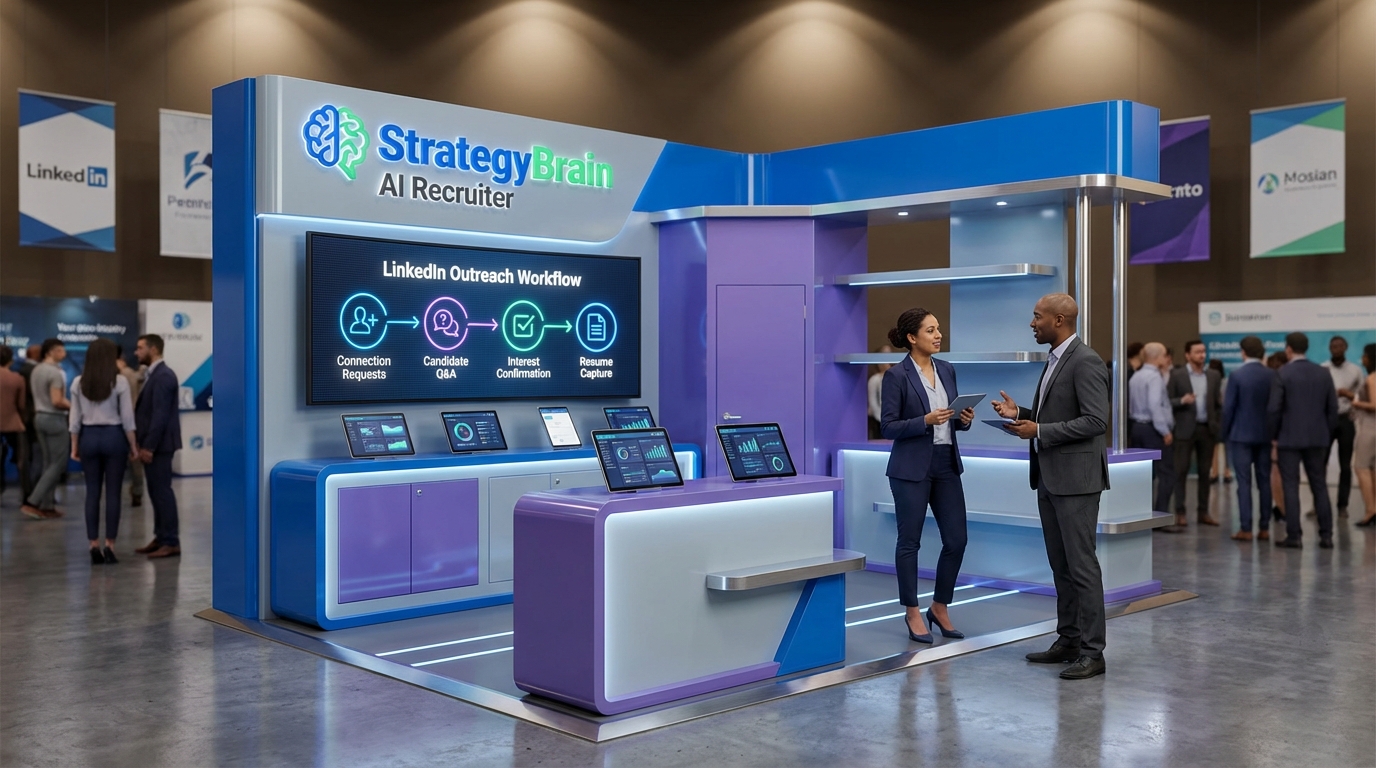
A linkedin connection automation tool is software that automates connection requests and parts of follow up messaging on LinkedIn so teams can reach more people with consistent outreach. In practice, the safest and most effective setup is not “send more messages”, it is a strategy led workflow: define who you want to connect with, decide what you will ask and when, and add a human review step for final qualification. Below, we turn that strategy into a repeatable process and show where StrategyBrain AI Recruiter fits as an AI driven layer that can connect, introduce roles, answer candidate questions, confirm interview interest, and collect resumes and contact details.
What a LinkedIn connection automation tool does
A LinkedIn connection automation tool typically automates three parts of the outreach funnel:
- Targeting and sequencing: selecting profiles that match filters and sending connection requests on a schedule.
- Message delivery: sending a short connection note and follow up messages after acceptance.
- Basic routing: tagging replies, pushing leads into a CRM, or assigning conversations to a teammate.
In recruiting, the “routing” step matters more than most teams expect. If you automate connection requests but still manually handle every reply, you often move the bottleneck from “sending” to “responding”. That is where an AI driven workflow can be more useful than simple sequencing.
When automation helps and when it hurts
Good fits
- High volume roles where you need consistent outreach and fast response times.
- Multi time zone hiring where candidates reply outside your working hours.
- Teams using sales automation tools already, and wanting similar discipline in recruiting outreach.
Not ideal
- Highly sensitive searches where every message must be bespoke and reviewed before sending.
- Unclear targeting where you are still guessing who the right profile is.
- Workflows without a human checkpoint for final qualification and interview scheduling.
What we see teams get wrong
When we audit outreach workflows, the most common failure is treating automation as the strategy. The better mental model is the one used in grant planning: you win by preparing early, timing your actions, and following a clear plan. The same principle applies here: define your “grant strategy” equivalent for LinkedIn, meaning your targeting rules, message intent, and follow up timing.
A step by step workflow you can copy
This workflow is designed for recruiters and outbound teams who want predictable results without turning LinkedIn into a spam channel. It also maps cleanly to sales automation platforms that support sequences and routing.
Step 1: Define your target list with measurable rules
- Write your ideal profile using 3 to 5 filters you can actually apply, such as title keywords, location, seniority, and industry.
- Set exclusion rules to avoid irrelevant profiles, such as students, unrelated functions, or regions you cannot hire in.
- Decide your daily volume based on your team’s ability to respond. If you can only handle 20 meaningful conversations per day, do not automate 200 new connections per day.
Step 2: Create a two message script that sounds human
Keep the first message short and specific. Your goal is not to sell the role or product, it is to earn a reply.
- Connection note: 1 sentence on why you reached out, 1 question.
- First follow up: clarify the opportunity or value, ask for a simple yes or no.
- Stop rule: if there is no reply after your planned follow ups, stop. Do not keep nudging indefinitely.
Step 3: Add a qualification layer before you ask for a call
This is where many sales automation tools fall short for recruiting. Candidates ask detailed questions about compensation, benefits, and role scope. If your system cannot answer quickly, you lose momentum.
- Prepare a role brief that includes compensation, benefits, and the interview process.
- Decide what “interested” means in your pipeline, such as willingness to interview within 7 days.
- Collect the right artifacts such as resume and contact details only after interest is confirmed.
Step 4: Route outcomes into a simple pipeline
Use four statuses that anyone on the team can understand:
- Connected: accepted the request.
- Engaged: replied with questions or context.
- Interested: confirmed interview interest.
- Ready for review: resume and contact details received, recruiter reviews fit.
Step 5: Keep a compliance and quality checklist
Automation increases risk if you do not control quality. Use this checklist weekly:
- Message quality: no misleading claims, no pressure language, no bait and switch.
- Data handling: store resumes and contact details securely and limit access.
- Human oversight: recruiters review final qualification and decide who moves to interviews.
How StrategyBrain AI Recruiter fits into LinkedIn recruiting
StrategyBrain AI Recruiter is designed for LinkedIn hiring workflows where the biggest time cost is not sending connection requests, it is the back and forth that follows. Based on our hands on review of the product documentation and workflow design, AI Recruiter focuses on automating the initial outreach and qualification while keeping the final hiring decision with the recruiter.
What it automates
- Smart LinkedIn recruitment automation: automatically connects with candidates that match your search criteria, introduces the opportunity, and asks about their situation.
- Candidate Q and A: answers questions about the role, company, compensation, and benefits using the information you provide.
- Interest confirmation: confirms whether the candidate wants to interview.
- Resume and contact capture: collects resumes and contact details from interested candidates and marks resumes as received.
What it does not do
AI Recruiter does not decide whether a resume fully matches job requirements. Recruiters still review resumes and make the final qualification decision. This boundary is important because it keeps accountability where it belongs.
Why this matters for sales automation platforms and sales automation tools
Many sales automation platforms are excellent at sequencing messages, but recruiting conversations often require deeper context and faster answers. AI Recruiter adds a conversational layer that can respond 24/7 and in the candidate’s native language, which helps reduce delays and misunderstandings in global hiring.
Scaling with multiple LinkedIn accounts
If you run a team, AI Recruiter supports managing more than 100 LinkedIn accounts so you can build an AI powered recruiting team. This is useful when you need to scale outreach across multiple recruiters or business units while keeping messaging consistent.
Limitations we would plan for
- Role input quality: the AI can only answer accurately if you provide clear compensation, benefits, and role scope.
- Process discipline: you still need a defined pipeline and a recruiter review step, otherwise automation just creates more noise.
- Policy awareness: any LinkedIn automation should be configured conservatively and monitored for account health.
Evaluation checklist for sales automation platforms
Use this checklist to evaluate any linkedin connection automation tool, including tools marketed as sales automation tools.
Core capabilities
- Targeting controls: can you enforce inclusion and exclusion rules consistently.
- Sequencing: can you set connection note, follow ups, and stop rules.
- Reply handling: can you tag, assign, and track outcomes.
Recruiting specific needs
- Role Q and A support: can the system answer compensation and process questions quickly.
- Resume collection: can it capture resumes and contact details in a structured way.
- Human review step: can recruiters easily review and approve candidates before interviews.
Trust and governance
- Security: encryption and access controls for candidate data.
- Privacy: clear statement on whether customer data is used to train models.
- Auditability: ability to review conversation history and outcomes.
Quick comparison: manual vs automation vs AI Recruiter
| Approach | What it automates | Best for | Main risk |
|---|---|---|---|
| Manual LinkedIn outreach | Nothing | Low volume, high touch searches | Slow response time and inconsistent follow up |
| Typical linkedin connection automation tool | Connection requests and scheduled follow ups | Consistent outbound with simple routing | Reply bottleneck and shallow qualification |
| StrategyBrain AI Recruiter | Connecting, role introduction, candidate Q and A, interest confirmation, resume and contact capture | Recruiting teams that need scalable conversations and faster qualification | Requires strong role inputs and ongoing monitoring |
FAQ
Is a linkedin connection automation tool the same as a sales automation platform?
No. A linkedin connection automation tool focuses on LinkedIn actions such as connection requests and messaging sequences. Sales automation platforms are broader and may include email, CRM workflows, and analytics. Some products overlap, but recruiting often needs deeper qualification and resume capture.
What is the safest way to start using sales automation tools on LinkedIn?
Start with a small daily volume that your team can support, use short messages, and add a clear stop rule. Review replies daily and adjust targeting before increasing volume.
How does StrategyBrain AI Recruiter handle candidate questions?
It answers questions about the role, company, compensation, and benefits using the information recruiters provide. This helps keep conversations moving without waiting for a recruiter to respond in real time.
Does AI Recruiter decide who is qualified?
No. AI Recruiter can confirm willingness to interview and collect resumes, but the recruiter still reviews the resume and decides fit for the role.
Can AI Recruiter collect resumes and contact details?
Yes. When a candidate expresses interest, AI Recruiter requests a resume and captures contact details shared in the conversation. It supports email submissions and LinkedIn file uploads, and it marks resumes as received when they arrive.
Can it support global hiring?
Yes. AI Recruiter provides 24/7 multilingual communication so candidates can interact in their native language across time zones.
How do you prevent automation from hurting your employer brand?
Use a strategy first approach: tight targeting, honest role details, and a human review step. Avoid aggressive follow ups and keep messages specific to the candidate’s background.
What should I measure to know if the workflow is working?
Track acceptance rate, reply rate, interested rate, and resumes received per week. Also track recruiter time spent per resume reviewed so you can see whether automation is reducing manual work.
Conclusion and next steps
The best linkedin connection automation tool setup in 2026 is a workflow that starts with targeting and messaging strategy, then uses automation to execute consistently, and finally keeps a recruiter in control of final qualification. If your biggest bottleneck is handling replies, answering role questions, and collecting resumes, consider a conversational layer like StrategyBrain AI Recruiter that automates outreach plus qualification while preserving recruiter decision making.
Next steps: copy the workflow above, run a 14 day pilot with conservative volume, and review outcomes weekly. If you need scale across multiple recruiters or regions, plan your pipeline and governance first, then expand automation.














