


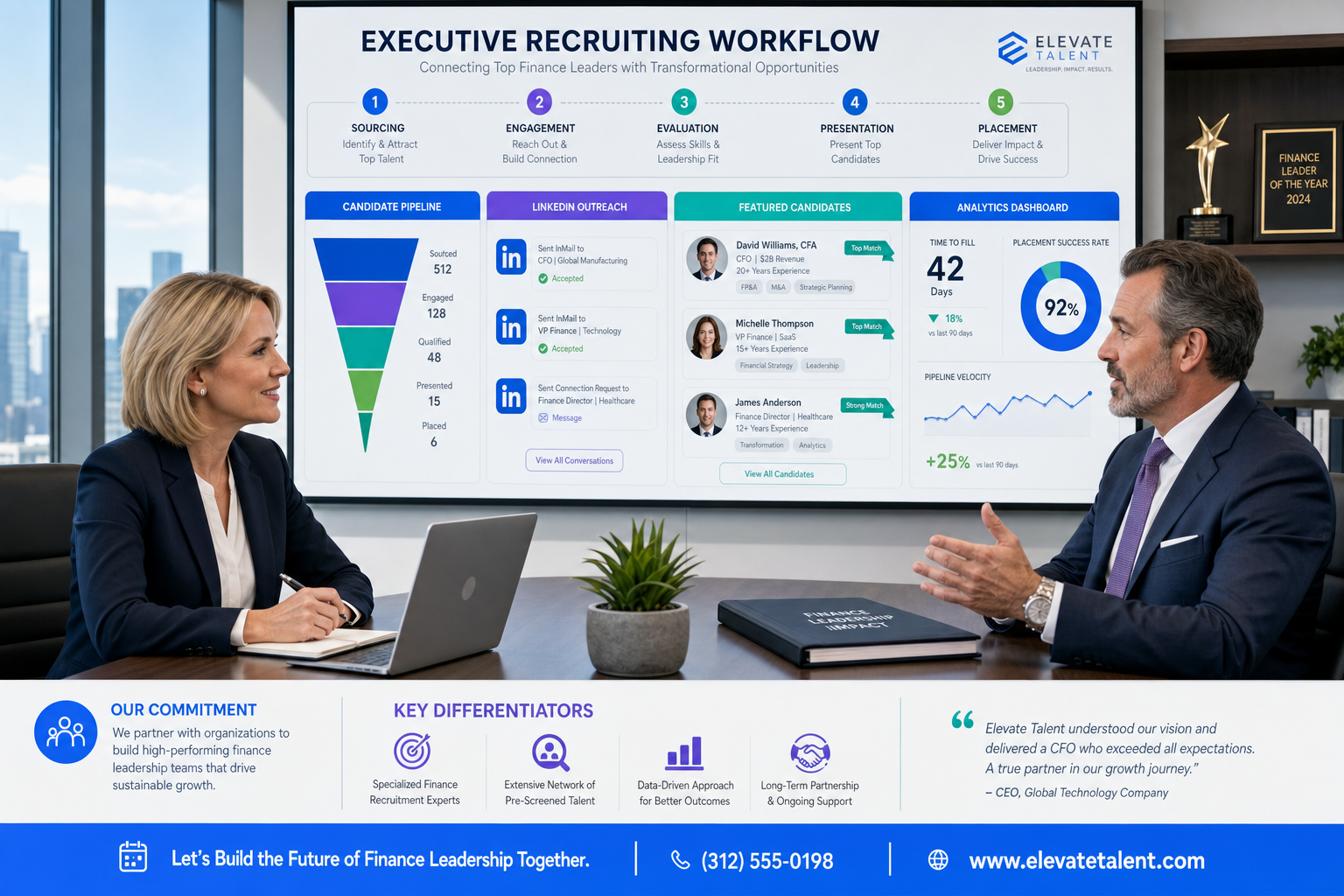
This ai talent management software evaluation helps recruiting leaders spot weak workflow fit, lost context, and follow-up gaps early.
That sounds simple until a live search starts moving across inboxes, LinkedIn replies, calendars, and hiring-manager updates at the same time. Small agency owners feel it as wasted billable hours and weaker candidate relationships. Solo recruiters feel it as nights spent chasing replies and sorting résumés instead of qualifying fit. In-house talent teams feel it as slower shortlists, inconsistent status tracking, and a brand problem when strong candidates wait too long for a human answer.
One practical way to reduce that drag is to let automation handle the repetitive first-touch work while recruiters keep control of qualification. In my own workflow, StrategyBrain AI Recruiter has been most useful when LinkedIn outreach volume rises faster than recruiter capacity. Its always-on multilingual messaging, automated candidate interest checks, and résumé collection can keep conversations moving after hours, but the recruiter still has to review the CV, judge relevance, and decide whether the person should enter the real hiring process. That division of labor matters more than flashy AI claims.
You can see the same operating truth in executive-level hiring. When a finance leader steps into a business during a high-stakes period, nobody cares only about title matching. One profile from 2019 looked at three CFOs whose value came from managing different kinds of pressure: helping a bank through the 2008 crisis, bringing private-sector discipline into a public institution, and steering a media company through a painful business-model reset. In each case, the job was not just to fill a seat. The role carried strategic context, stakeholder scrutiny, and real downside if the wrong person entered the system.
That is exactly why the best recruiting software cannot be judged by AI features alone. Searches for critical roles demand software that helps recruiters capture context, track outreach, preserve human judgment, and connect hiring data to broader talent management tools. Whether you call it an ATS-led suite or wider talentmanagement software, the real question is how well the system supports high-consequence hiring decisions from first contact to long-term talent visibility.
- Why context matters when evaluating recruiting software
- What the best recruiting software should include
- Quick comparison table
- How recruiting fits inside AI talent management software
- Best recruiting software by use case
- Where LinkedIn-heavy workflows need extra support
- Applicant tracking system benefits and limits
- How to choose the right platform
- AI governance, bias, and compliance considerations
- FAQ
Why context matters when evaluating recruiting software
The CFO profiles are a useful reminder that some hires are evaluated in layers. A finance chief coming out of a crisis environment, a leader known for bringing order to operational complexity, or an executive who has lived through a major pricing backlash all carry context that a keyword match cannot fully capture. Recruiters working these searches have to understand not only career chronology, but the business environment around the move, the change mandate attached to the role, and the level of stakeholder trust required.
That is where many software evaluations go wrong. Buyers sit through product demos focused on automation tricks, while the real test should be whether the system helps recruiters preserve this broader decision context. Strong ai talent management software should make it easier to keep search notes, communications, résumé versions, stakeholder feedback, and future internal-talent implications connected in one place.
In other words, the best systems do not replace recruiter judgment. They create order around it.
What the best recruiting software should include
The best recruiting software usually combines core workflow control with targeted AI support. In practice, that means sourcing, candidate matching, screening, interview scheduling, collaboration, reporting, and integrations should work as one operating system instead of a patchwork of disconnected tools.
For most teams, the right choice is not the platform with the longest feature list. It is the one that supports your hiring volume, recruiter capacity, approval flow, and reporting needs without creating extra manual work. In today’s market, strong ai talent management software should also show how recruiting data can connect to onboarding, internal mobility, performance, succession planning, and workforce analytics.
- For high-volume hiring: prioritize automation for screening, scheduling, bulk communications, and workflow routing.
- For enterprise hiring: prioritize talent intelligence, skills matching, governance controls, analytics, and integration depth.
- For specialized or executive hiring: prioritize sourcing, CRM-style relationship management, search precision, and hiring manager collaboration.
- For SMB teams: prioritize ease of setup, intuitive workflows, practical reporting, and low administration overhead.
Quick comparison table
| Software category | Best use case | Core features | Trial or pricing approach to ask about | Key integrations to verify | Limitations to pressure-test |
|---|---|---|---|---|---|
| All-in-one recruiting suite | Mid-market teams needing one system | ATS, sourcing, screening, scheduling, reporting | Per-seat, per-job, or bundled platform pricing | HRIS, calendars, email, job boards | May be broad but not deep in every function |
| Enterprise talent intelligence platform | Large organizations with complex hiring | Skills matching, workforce analytics, internal mobility signals, governance | Custom enterprise packaging and pilot scope | ATS, CRM, HRIS, identity, BI tools | Longer setup and change-management cycle |
| AI sourcing and matching tool | Teams struggling with top-of-funnel quality | Search, outreach workflows, candidate rediscovery, match scoring | Contact-volume or recruiter-based pricing | ATS, CRM, email sequencing | Strong sourcing does not replace process control |
| Conversational screening platform | High-volume and hourly hiring | Chat-based screening, knock-out questions, scheduling automation | Usage-based or location-based pricing | ATS, SMS, calendars | Can create poor candidate experience if flows are rigid |
| Video interviewing platform | Distributed teams and structured interviews | Interview coordination, scorecards, recordings, collaboration | Seat tiers or interview-volume pricing | ATS, calendars, conferencing tools | Needs clear governance for evaluation consistency |
| SMB-first recruiting software | Lean teams needing speed and simplicity | Basic ATS, posting, pipeline views, templates, reporting | Transparent monthly plans or starter tiers | Email, calendars, payroll or HR systems | May lack deeper analytics or advanced workflow logic |
A comparison like this keeps the discussion grounded in real hiring scenarios instead of generic rankings. It also reflects the practical overlap between recruiting systems and broader talentmanagement software.
How recruiting fits inside AI talent management software
Recruiting software handles the front end of talent acquisition: attracting applicants, organizing pipelines, screening candidates, scheduling interviews, and supporting hiring decisions. AI talent management software is the wider category that can extend beyond hiring into onboarding, learning, performance, succession, workforce planning, and internal mobility.
This distinction matters because many teams buy software to solve one recruiting bottleneck, then discover they also need downstream visibility. If your recruiters assess candidates against skills and leadership signals but your HR team tracks employee growth somewhere else, you create duplicate records and weaker reporting logic. Good talent management tools reduce that friction by connecting candidate, employee, and skills data across the talent lifecycle.
In practical terms, the best recruiting software should answer three stack-level questions:
- How does candidate data move into the employee record?
- Can interview feedback and hiring rationale inform internal mobility or succession decisions later?
- Will recruiters, HR operations, and business leaders trust the same reporting logic?
If a vendor cannot explain how recruiting connects with onboarding, performance, or succession planning, then it may be a point solution rather than a scalable talentmanagement software investment.
Best recruiting software by use case
There is no universal winner for every team. The real question is which category of platform best matches your workflow, hiring volume, and operating maturity.
1. Best for high-volume hiring
High-volume teams need speed, consistency, and clear automation rules. The right software should support bulk applicant review, automated screening, interview scheduling, templated communications, and recruiter workload balancing.
When evaluating these platforms, ask whether automation happens only at the messaging layer or across the full funnel. Mature systems should help with screening, routing, scheduling, and recruiter workflow management, not just candidate outreach.
2. Best for enterprise talent intelligence
Large organizations often need more than a traditional ATS. They need talent intelligence, skills matching, AI-assisted workflows, and analytics that span external hiring and internal workforce planning. In these cases, ai talent management software should show how recruiting decisions connect to broader talent management tools used by HR, finance, and business leaders.
This is especially important for executive or specialist roles, where the search context can resemble the CFO examples above: the hire is tied to strategic change, not just capacity filling. Enterprise buyers should review permissions, audit trails, bias controls, human review checkpoints, and integration architecture before they get impressed by polished demos.
3. Best for sourcing-heavy recruiting teams
If your main bottleneck is finding qualified talent, sourcing depth matters more than broad administrative coverage. Strong platforms in this category usually focus on search precision, candidate rediscovery, match recommendations, outreach workflows, and talent-pool organization.
For agency recruiters, search firms, and niche in-house teams, these capabilities can outperform general-purpose systems. But sourcing tools still need to connect back to an applicant tracking system, or your handoff from prospecting to process management will break down.
4. Best for conversational screening
Teams hiring at scale often benefit from chat-based or conversational screening because it helps pre-qualify applicants quickly and reduces repetitive recruiter tasks. The best systems here should support knock-out logic, skills-based questions, scheduling handoff, and clear escalation to a human recruiter.
Test the candidate experience yourself. If the flow feels robotic, repetitive, or unclear, drop it from consideration. Automation should remove friction, not make the employer feel harder to reach.
5. Best for structured interviewing
Organizations that struggle with inconsistent interviews should look for tools that improve scorecards, interviewer calibration, scheduling coordination, and feedback capture. This category matters because matching quality is not just about sourcing more candidates. It also depends on how consistently your team evaluates them.
Within a broader ai talent management software stack, structured interviewing can support cleaner data for onboarding plans, skill-gap analysis, and early performance support.
6. Best for SMB affordability and simplicity
Smaller teams usually need fast implementation, straightforward workflows, and reports they can actually use. Many SMB buyers do not need every advanced feature in modern talentmanagement software. They need a system that helps them post jobs, organize applicants, communicate quickly, and avoid losing candidates in email threads and spreadsheets.
In this segment, simplicity is a competitive advantage. A lighter platform with a solid ATS foundation can beat a more complex suite if your team does not have dedicated operations support.
Where LinkedIn-heavy workflows need extra support
A lot of recruiting software looks strong in a controlled demo and then falls apart in the specific place recruiters spend their time: manual sourcing and follow-up. That is especially true for LinkedIn-heavy workflows, where the work is repetitive but still sensitive. You have to connect with the right people, introduce the role clearly, answer basic questions quickly, capture contact details, and move interested candidates into a real screening process without losing the thread.
I have found that this is where StrategyBrain fits better as a workflow layer than as a replacement for recruiter judgment. Using AI Recruiter, I could keep outreach moving across time zones, let candidates reply in their preferred language, and have interested people send résumés or contact details without waiting for me to be online. That helped most in searches where response timing mattered and candidate momentum would otherwise die in the gap between first reply and human follow-up.
Just as important, it did not solve the part that should remain human. I still had to read the résumé, decide whether the candidate’s actual background fit the role, and choose whether to advance them. In other words, it handled repetitive top-of-funnel labor, not final qualification. For many recruiting teams, that is exactly the right boundary.
If your workflow relies heavily on LinkedIn sourcing, ask these questions during software evaluation:
- Can the system maintain candidate engagement after business hours?
- Can it support multilingual communication without making messages feel canned?
- How are résumés and contact details captured and handed back to the recruiter?
- Does the platform create cleaner handoff into your ATS, or just more messages to sort through later?
Those are not side questions. For many headhunters and lean in-house teams, they are the difference between a sourcing tool that saves time and one that simply shifts admin from one place to another.
Applicant tracking system benefits and limits
When people search for the best recruiting software, they often mean an ATS with stronger automation and reporting. That is why it is worth spelling out the operational advantages of ATS adoption in plain terms.
Why an ATS still matters
An applicant tracking system creates one visible pipeline for applicants, interview stages, feedback, and decisions. Without it, teams lose time to duplicate outreach, inconsistent status updates, and unclear accountability. Even in an AI-heavy environment, the ATS remains the system that anchors process discipline.
Core applicant tracking system benefits
- Better pipeline control: recruiters can see where candidates stall and where handoffs break.
- Faster coordination: scheduling, scorecards, and feedback requests are easier to manage in one workflow.
- Improved compliance: documented stages and decisions are easier to review.
- Cleaner reporting: teams can measure time-to-hire, source quality, stage conversion, and recruiter workload.
- More consistent candidate experience: communications become less ad hoc.
The most important point is that these benefits become stronger when the ATS connects well with adjacent talent management tools. That is how hiring data becomes useful for onboarding readiness, skills mapping, and internal talent planning later on.
Where ATS software falls short without broader talent management tools
An ATS alone does not always solve long-term talent questions. It may organize applicants well but still leave HR teams with fragmented views of workforce skills, succession risk, or mobility opportunities. That is why many buyers now compare ATS-led platforms against larger ai talent management software suites.
How to choose the right platform
In real buying committees, software selection usually fails for one of two reasons: teams buy based on feature theater, or they buy based on today’s pain without thinking about next year’s operating model. A better approach is to evaluate software in layers.
Start with your hiring scenario
Define whether your main problem is volume, sourcing quality, screening speed, interview consistency, or reporting. This helps you avoid overbuying. The best recruiting software for campus hiring will not necessarily be the best option for executive search or multi-country enterprise governance.
Map the workflow from source to hire
Document your actual funnel: sourcing, matching, first contact, screening, scheduling, interviews, offers, and handoff to onboarding. Then ask where AI helps and where human judgment must stay in control. This step is critical for choosing effective ai talent management software instead of buying disconnected automation features.
Review context handling, not just feature lists
Think back to the finance-leadership examples. A strong search is rarely about titles alone. Ask whether the software lets recruiters store stakeholder notes, business context, search rationale, and candidate-history details in a way that remains useful beyond first screening. That is often what separates a transactional tool from a real operating system for talent acquisition.
Pressure-test integrations early
Do not leave integrations for the final procurement call. Confirm how the platform connects with your ATS, CRM, HRIS, calendars, email, workflow tools, and analytics environment. In most organizations, integration quality determines whether software becomes a daily operating tool or just another login.
Review reporting with your TA operations team
Ask to see how the system reports on recruiter productivity, time-to-hire, matching quality, source performance, and stage conversion. Modern buyers increasingly evaluate recruiting systems on productivity and analytics, not just administrative convenience.
Assess adoption risk for recruiters and hiring managers
Even strong talentmanagement software can fail if hiring managers avoid it or recruiters work around it. During evaluation, ask how many clicks common tasks require, how feedback is collected, and how easily managers can participate without long training.
Use this shortlist framework
- Must-have: ATS workflow control, integrations, reporting, candidate communications
- High-value AI: sourcing support, skills matching, screening automation, scheduling, talent intelligence
- Stack value: onboarding connection, internal mobility visibility, performance and succession alignment
- Risk checks: transparency, bias review, auditability, human oversight
AI governance, bias, and compliance considerations
Any conversation about the best recruiting software now needs a governance section. AI can improve speed and consistency, but it also raises scrutiny around screening logic, ranking transparency, recordkeeping, and fairness in decision support.
My advice is to separate automation from accountability. Software can help surface matches, summarize conversations, or recommend next actions, but hiring teams should still define review standards, escalation rules, and approval authority.
- Ask how recommendations are presented: is the system assisting or making opaque decisions?
- Check transparency: can recruiters understand why a candidate was matched or screened?
- Require human oversight: final decisions should not rest on automated outputs alone.
- Review auditability: your team should be able to reconstruct stages, changes, and user actions.
- Confirm compliance readiness: legal, HR, and security teams should review workflows before launch.
This matters not only for risk reduction but also for recruiter trust. If your team does not trust the logic behind a recommendation engine, they will stop using it, no matter how polished the demo looks.
FAQ
What does AI recruiting software do?
AI recruiting software helps automate or support parts of the hiring lifecycle, including sourcing, candidate matching, screening, scheduling, interview support, and recruiter workflows. In stronger platforms, those functions connect to a broader ai talent management software environment that may also support onboarding, internal mobility, and workforce analytics.
How is recruiting software different from an ATS?
Recruiting software is the broader category. An ATS focuses on tracking applicants through a hiring workflow. The best recruiting software may include an ATS plus sourcing, analytics, conversational screening, video interviewing, and talent intelligence features. That is why buyers often compare ATS-led platforms with wider talent management tools.
How is recruiting software different from talent management software?
Recruiting software is primarily about attracting, assessing, and hiring candidates. Talent management software covers a wider employee lifecycle, such as onboarding, performance, succession, learning, and internal mobility. Talentmanagement software may include recruiting modules, but not every recruiting tool is a full talent management suite.
What features matter most when choosing the best recruiting software?
The most important features depend on your use case, but common priorities include sourcing, skills matching, screening automation, scheduling, reporting, collaboration, and integrations with ATS, CRM, HRIS, and workflow tools. For many teams, integration quality matters as much as AI capability.
Where does StrategyBrain AI Recruiter fit best?
It fits best in LinkedIn-led sourcing workflows where recruiters need help with repetitive first-touch tasks, after-hours replies, multilingual communication, and résumé collection. It is most useful as a support layer that keeps candidate conversations moving while the recruiter retains responsibility for qualification and advancement decisions.
Which tools fit different company sizes?
SMB teams usually need simple workflows, quick setup, and practical reporting. Mid-market teams often benefit from all-in-one recruiting suites. Enterprise organizations typically need deeper analytics, governance, skills matching, and broader ai talent management software alignment with other talent management tools.
What compliance issues should teams review before purchase?
Teams should review bias risk, transparency of recommendations, audit trails, data handling, user permissions, and the role of human oversight in hiring decisions. Procurement should involve talent acquisition, HR, legal, IT, and security when AI-based screening or ranking is part of the workflow.
Final thoughts
The best recruiting software is the system that helps your team hire faster, work more consistently, and make better decisions without losing control of the process. In today’s market, that usually means evaluating recruiting software not as a standalone purchase, but as part of a broader ai talent management software strategy.
If you keep your shortlist focused on use case, integration depth, workflow fit, context handling, reporting clarity, and governance, you will make a better decision than teams that chase feature hype alone. The right platform should help recruiters do less admin, give hiring managers clearer structure, and create data that remains useful across the wider talent lifecycle.















