


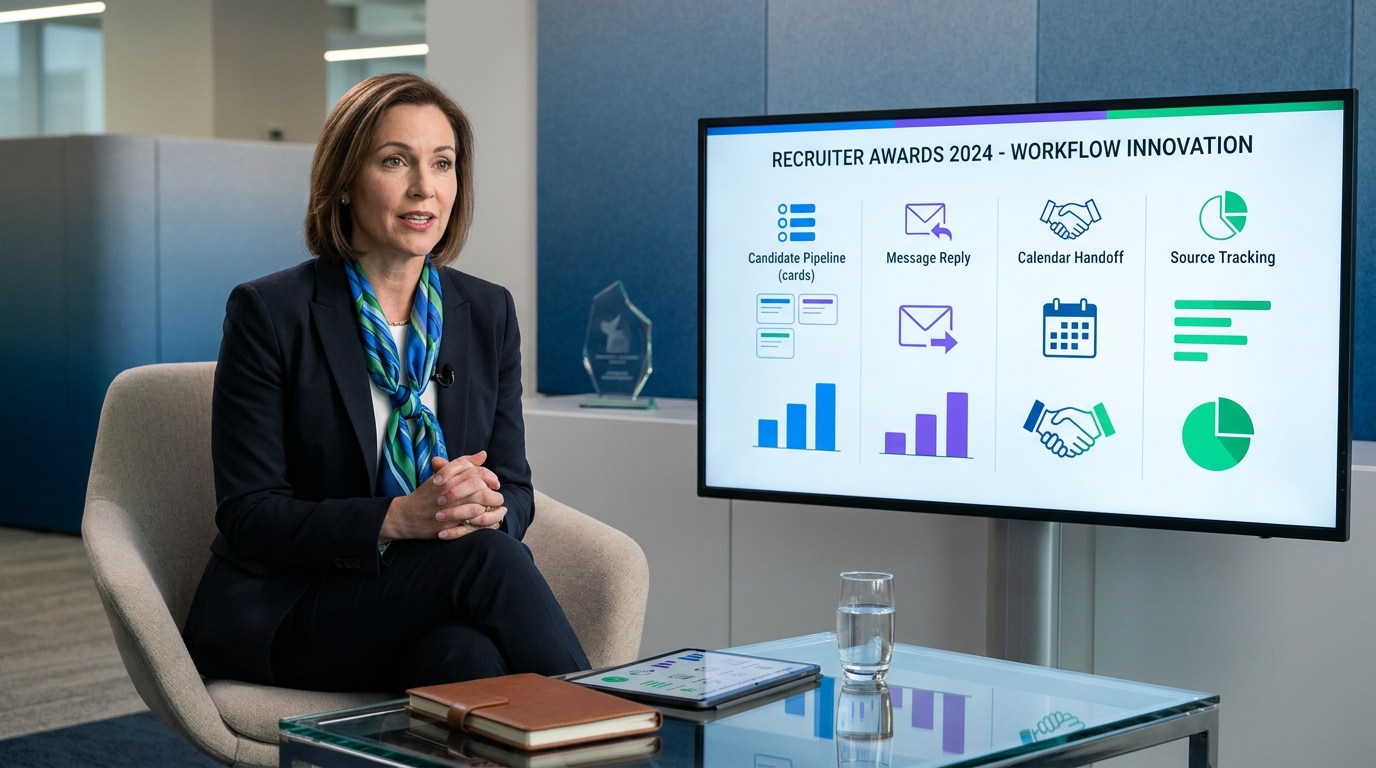
When headhunters evaluate human resource recruitment software against real workflow gaps, they avoid slow hiring, missed replies, and weak handoffs.
That sounds simple until live hiring gets messy. A recruiter is juggling outbound sourcing, candidate replies that arrive after hours, hiring managers who want updates without logging in, and founders or finance leaders who need progress tied back to business priorities. When those threads live across inboxes, spreadsheets, calendars, and chat, the cost is not just slower hiring. It shows up in missed candidate replies, weak handoffs, duplicated outreach, poor source visibility, and avoidable tension between recruiters and the people waiting on hires.
In that gap, workflow support matters more than feature theater. I have found that StrategyBrain AI Recruiter is most useful when the immediate problem is repetitive LinkedIn outreach, late-night candidate messaging, and collecting resumes from interested prospects without forcing recruiters to sit online all day. Its strongest fit is not replacing recruiter judgment but taking care of first-touch communication, multilingual follow-up, and resume capture so the recruiter still handles final review, qualification, and next-step decisions.
A useful way to think about software choice comes from a finance leadership story, not a software demo. In Clarity Recruitment's 2020 "Behind the Numbers" interview, Alex Cohen described the path into a VP of Finance role inside a growth company and the challenge of stepping into a startup environment where success depended on more than technical output. The work required understanding where the business was going, taking on roles beyond the formal job description, and building enough structure for sustainable growth while the company was still changing around him.
That same pressure shows up in recruiting operations. The recruiting team is rarely just filling seats; it is absorbing growth-stage ambiguity, aligning stakeholders who see hiring differently, and building process while work is already underway. That is exactly why buyers searching for the best recruiting software, human resource recruitment software, the best human resources system, or top hr software need to evaluate systems against operating reality rather than category labels alone.
- Why hiring software decisions fail without business context
- What recruiting software means in real hiring work
- How human resource recruitment software fits within ATS, HRIS, and HCM
- Feature checklist for the best recruiting software
- Three well-known software options and where they fit
- Which type of system fits your team
- Best for small business vs enterprise hiring
- How to evaluate software before you buy
- Pricing and plan caveats buyers often miss
- Pros and cons of recruiting software
- Common selection mistakes
- FAQ
Why hiring software decisions fail without business context
One of the better lessons from finance leaders in growth environments is that process only works when it serves the larger business story. In the Clarity interview, the point was not software at all. It was that senior operators become effective when they understand the bigger direction of the company, the reasons some organizations scale while others do not, and the extra roles they must take on during high-growth phases.
Recruiting leaders face the same reality. A hiring system that looks polished in a demo can still fail if it does not help the team support the actual growth model of the business. If the company is opening new departments, entering new markets, or hiring across time zones, recruiters need software that supports continuous communication, clear ownership, and reliable records. If leadership expects recruiting to support sustainable growth, then the tool has to do more than post jobs. It has to hold process together while priorities shift.
That is also why I do not start selection conversations with vendor rankings. I start with operational context. Who needs visibility? Which hires are business-critical? Where do handoffs break down? Which steps are still manual because no one trusts the system? Those are the questions that separate useful human resource recruitment software from software that only looks complete on a comparison page.
What recruiting software means in real hiring work
At a working level, recruiting software is the system a team uses to attract applicants, organize pipelines, coordinate interviews, communicate with candidates, and move approved hires into downstream HR processes. When buyers search for human resource recruitment software, they are usually trying to replace fragmented work across email, spreadsheets, messaging tools, and calendar chains with one operating layer.
For most employers, the core of this category is an applicant tracking system. That system acts as the operating layer for sourcing, screening, interview scheduling, feedback collection, and status management. This is why conversations about the best recruiting software almost always begin with ATS capabilities, even when the broader platform also includes onboarding, payroll, workforce records, or broader HR administration.
In practice, the real test is simple: does the system reduce manual coordination and improve decision quality without slowing recruiters down? The strongest tools centralize candidate records, support structured outreach, make interview handoffs clearer, and surface reporting that helps teams spend time on sources that actually produce qualified applicants.
That is also where targeted automation helps. In my own workflow, recruiter-facing AI is most valuable in the narrow places where repetition steals attention from real judgment. For example, when I used AI Recruiter for LinkedIn-heavy sourcing, the gain was not magical matching. It was that candidate replies kept moving overnight, multilingual conversations did not stall, and interested prospects could send resumes and contact details before the next workday. I still had to review the resume, decide whether the profile matched the role, and own the shortlist. But the front-end communication burden dropped enough to keep the pipeline cleaner.
How human resource recruitment software fits within ATS, HRIS, and HCM
One reason buyers get confused is that recruiting software sits inside a larger HR technology map. You may see similar products described as ATS, recruitment software, HR software, HRIS, HCM, or talent acquisition platform. Those are related categories, but they are not interchangeable.
ATS
An ATS is built around managing applicants and hiring workflows. It is usually the most direct answer for teams that need stronger posting controls, candidate stage tracking, recruiter collaboration, and auditable process steps.
HRIS
An HRIS usually covers employee data and core HR administration after hiring. It may include recruiting modules, but its primary purpose is broader than talent acquisition. If leadership is looking for the best human resources system, they may actually care more about employee records, onboarding, permissions, and process consistency across the full employee lifecycle.
HCM
HCM is typically a wider umbrella that can include HRIS functions plus workforce planning, performance, compensation, and other enterprise people operations processes. In larger organizations, hiring software may be only one module within that broader architecture.
HR software
This is the broad market label. When someone says they are comparing top hr software, they may mean everything from payroll and benefits to recruiting and onboarding. That is why buying conversations often drift unless the team first defines whether the project is mainly a hiring workflow problem or a wider HR transformation project.
Practical advice
If your recruiting process is messy, slow, and heavily manual, start with the hiring workflow. If the larger issue is fragmented employee data across departments, a broader HR platform may make more sense. The right human resource recruitment software is the one that fits your operating problem, not the one with the longest feature list.
Feature checklist for the best recruiting software
When evaluating the best recruiting software, organize your review around the buying factors that matter in daily execution. This prevents demos from becoming feature theater and helps you compare systems on practical value.
| Feature Area | Why It Matters | What Recruiters Should Look For |
|---|---|---|
| Job posting distribution | Expands reach without extra admin work | One-click posting, template reuse, posting controls |
| Applicant tracking | Keeps pipelines visible and auditable | Stage movement, ownership clarity, centralized candidate records |
| Interview scheduling | Reduces coordination delays | Calendar workflow support, interviewer visibility, status updates |
| Workflow automation | Cuts repetitive manual tasks | Auto-assignments, reminders, disposition prompts, templates |
| Reporting | Improves hiring decisions | Source performance, funnel conversion, time-to-stage views |
| Integrations | Prevents data silos | Connections to HR systems, communication tools, calendars, assessments |
| Compliance support | Helps manage hiring risk | Permission controls, audit trails, retention support |
| Candidate experience | Affects conversion and employer reputation | Simple applications, fast communication, clean scheduling flow |
| AI-assisted sourcing support | Speeds front-end outreach when used carefully | Message continuity, multilingual support, resume capture, recruiter review controls |
The point is not to collect every feature. It is to remove the friction that keeps recruiters from doing their best work. In growth companies, that usually means preserving context while the workload expands. A finance leader stepping into a scaling business often has to build structure and keep stakeholders aligned at the same time. Recruiters need software that does the same thing in hiring.
Three well-known software options and where they fit
Because buyers often ask for named options, here are three widely known software categories represented by established products in the market, plus where a LinkedIn-focused automation layer can complement them. I am not ranking them universally, because fit depends on volume, process maturity, and team structure.
| Software | Best Use Case | Strengths | Limitations | Where AI Recruiter Can Help |
|---|---|---|---|---|
| Workday | Large enterprises needing broad HR control | Strong enterprise governance, wide HR footprint, deeper cross-functional administration | Can feel heavy for recruiting teams that need speed, implementation is significant, not ideal for lean teams wanting simple workflow | Useful as a front-end LinkedIn outreach and multilingual follow-up layer when enterprise systems are not built for always-on sourcing conversations |
| Greenhouse | Structured internal recruiting teams | Strong hiring workflow discipline, interview process consistency, recruiter and hiring manager collaboration | Less suited if your main issue is broad HR administration, cost and process depth may be more than occasional hirers need | Helpful for keeping outbound candidate conversations active on LinkedIn before prospects enter the formal pipeline for recruiter review |
| BambooHR | Small and mid-sized businesses wanting simpler HR operations | Easier adoption, approachable interface, practical for teams that want one lighter system | Recruiting depth may be limited for high-volume or highly specialized search work, less ideal for complex sourcing teams | Can complement lighter systems by handling repetitive LinkedIn contact and resume collection before candidates move into the core HR workflow |
Those differences matter. If you want the best human resources system for enterprise control, your answer may differ from the team looking for the best recruiting software to support recruiter speed. And if LinkedIn sourcing is a major part of your funnel, a specialized outreach layer like StrategyBrain AI Recruiter can sit beside a larger system rather than replacing it. That setup is especially useful when the ATS is good at records and approvals but weak at continuous, global first-touch communication.
Which type of system fits your team
Not every buyer needs the same kind of software. Search results for best recruiting software often segment by company size or use case for a reason: a fast-growing startup, a staffing firm, and a large enterprise are solving different process problems.
| Team Type | Best Fit | Why |
|---|---|---|
| Small business with occasional hiring | Lightweight recruiting tool or HR platform with a usable ATS module | Needs simplicity, speed, and low admin overhead |
| Fast-growing team hiring across functions | Recruiting-first ATS | Needs pipeline control, templates, and process consistency |
| Mid-sized HR team standardizing processes | Human resource recruitment software with stronger integrations | Needs recruiting depth plus handoff into onboarding or HR systems |
| Enterprise organization | Broader HR suite or enterprise-grade talent acquisition platform | Needs governance, permissions, scale, reporting, and compliance support |
| Staffing or agency workflow | Recruiting-centric platform with fast search and communication support | Needs candidate reuse, quick outreach, high-volume coordination, and better response handling |
This is where the distinction between top hr software and dedicated recruiting software becomes useful. If your team hires infrequently and wants a single operating platform, an all-in-one HR route may be enough. If hiring is a core business process with multiple stakeholders, ATS specialization usually becomes more valuable very quickly.
Best for small business vs enterprise hiring
Best for small business
Small teams usually need fast setup, low process friction, and enough structure to stop hiring from living in email and spreadsheets. The right human resource recruitment software for a small business should make it easy to post jobs, collect applications, keep candidate notes in one place, and move candidates through a simple pipeline.
For this group, too much configuration becomes its own problem. A practical small-business setup often favors clear templates, lightweight approvals, and basic reporting over heavy customization. If outbound sourcing matters, adding a narrow automation layer for LinkedIn communication can help without forcing a full enterprise rebuild.
Best for enterprise hiring
Enterprise teams usually need stronger role permissions, structured workflows, detailed reporting, and support for cross-functional coordination. They may also need the recruiting layer to connect tightly with broader HR architecture. In that context, the best human resources system may be the one that balances robust hiring workflows with enterprise governance standards.
Enterprise buyers should pay particular attention to approval logic, source tracking, compliance support, and downstream handoffs. In larger organizations, a system that looks polished in a demo can still fail if interview feedback, requisition approvals, or recruiter-to-HR transitions are difficult to manage at scale.
How to evaluate software before you buy
If you want to choose the best recruiting software without wasting months, use a structured review process. The most reliable evaluations follow the same logic experienced operators use when entering a high-growth environment: understand the broader mission, identify where execution breaks, and decide what structure is actually needed.
- Define the business context first. Are you hiring to support expansion, replace urgent attrition, build a new function, or standardize a fragmented process?
- Map your current workflow. List each step from role approval to accepted offer. Include handoffs between recruiter, hiring manager, coordinator, HR, and business leadership.
- Identify where extra roles are being absorbed. In scaling teams, recruiters often act as process owner, scheduler, communicator, and reporter at once. Those hidden tasks should shape tool selection.
- Prioritize must-have features. For most teams, this includes applicant tracking, posting controls, candidate records, scheduling support, automation, reporting, and integrations.
- Decide whether you need an ATS or broader HR platform. This is the biggest category choice and determines implementation scope.
- Use scenario-based demos. Ask vendors to show a real hiring workflow, not just dashboards. Include sourcing, applicant review, stage changes, stakeholder feedback, reporting, and offer handoff.
- Test communication gaps. If candidates often reply after hours or across languages, ask how the system supports that reality. This is where tools like AI Recruiter conversation workflows can add practical value.
- Include recruiters and hiring managers in scoring. Recruiters care about workflow speed. Hiring managers care about clarity, communication, and decision support. HR cares about process integrity.
The strongest buying question is not "What can this system do?" It is "What will our team actually do differently every week if we adopt it?"
Pricing and plan caveats buyers often miss
Pricing structures vary widely, so buyers should be cautious about assumptions. A product described as human resource recruitment software may package recruiting features differently depending on user count, hiring volume, business unit structure, integrations, or access to advanced reporting and automation.
Ask these questions early:
- Which recruiting workflows are included in the base plan?
- Are posting distribution, reporting, templates, and automation standard or limited?
- Do hiring managers need paid access for feedback and collaboration?
- Are integrations included or added separately?
- Are sourcing automation or messaging support part of the core system or separate?
- How does pricing change if hiring volume grows quickly?
The practical lesson is that the best recruiting software on paper can become a poor fit if the plan structure limits the exact workflows your team depends on.
Pros and cons of recruiting software
Common advantages
- Better visibility: everyone can see candidate status, ownership, and next steps.
- Cleaner process control: hiring workflows become more repeatable across teams.
- Faster coordination: scheduling, feedback, and communication move through one system.
- Improved reporting: source analysis and funnel review become easier to trust.
- Stronger candidate experience: applicants get more consistent communication and fewer gaps.
- More sustainable recruiter workload: repetitive front-end tasks can be reduced when automation is used carefully.
Common drawbacks
- Implementation drag: too much complexity can slow adoption.
- Workflow mismatch: some platforms force teams into rigid processes that do not match real hiring behavior.
- Reporting gaps: dashboards can look comprehensive while still missing the questions leaders actually ask.
- Weak user adoption: if hiring managers avoid the system, recruiters end up doing double work.
- Overbuying: teams sometimes choose a broad suite when a focused ATS or sourcing support layer would serve them better.
A good selection process should surface both sides clearly. The point is not to find a perfect tool. It is to find the right level of structure for your recruiting model and growth stage.
Common selection mistakes
After watching many software evaluations drift off course, I see the same mistakes repeatedly.
- Confusing HR software with recruiting software. A broad HR label does not guarantee strong hiring workflows.
- Ignoring recruiter workflow speed. If routine tasks take too many clicks, adoption will suffer.
- Underestimating business context. Tools fail when the software cannot support the company’s actual growth priorities.
- Underestimating stakeholder behavior. A tool can look strong on paper and still fail if hiring managers do not use it consistently.
- Buying for future complexity too early. Teams sometimes choose enterprise depth before they have enterprise process discipline.
- Focusing on AI claims instead of operational fit. AI should support sourcing, communication, and workflow speed, not distract from process fundamentals.
If you are balancing options between the best human resources system and a dedicated hiring platform, keep returning to one question: where does your team lose the most time and clarity today? That answer usually points to the right software category.
FAQ
What is recruiting software?
Recruiting software is the system a hiring team uses to manage job postings, candidate pipelines, communication, interview coordination, and reporting. In most organizations, the core is an applicant tracking system, though some platforms also include onboarding or broader HR functions.
What is the difference between ATS and HRIS?
An ATS focuses on attracting, tracking, and moving applicants through the hiring process. An HRIS is generally designed for employee records and core HR administration after hiring. Some organizations need both, while others prefer one broader platform that includes recruiting features.
When should I choose dedicated recruiting software instead of broader HR software?
Choose dedicated recruiting software when hiring volume, recruiter workflow complexity, or stakeholder coordination makes speed and pipeline control the top priority. Choose broader HR software when the bigger need is consolidating employee data and HR operations across the full employee lifecycle.
Can LinkedIn automation work alongside an ATS?
Yes, if used carefully. A LinkedIn-focused tool can support first-touch outreach, after-hours candidate communication, multilingual messaging, and resume collection, while the ATS remains the system of record. Recruiters should still own final qualification and shortlist decisions.
What are the main benefits of human resource recruitment software?
The main benefits are centralized candidate records, clearer workflow visibility, easier collaboration, more consistent communication, stronger reporting, and less manual coordination. Those benefits matter most when multiple people participate in each hiring decision.
Are AI features necessary in the best recruiting software?
Not always, but they are increasingly useful in sourcing-heavy environments. AI-assisted messaging, multilingual communication, semantic search, and resume capture can save time when implemented well. They should improve recruiter judgment and workflow speed, not replace hiring decisions.
Conclusion
The best recruiting software is not simply the platform with the most features. It is the system that matches your hiring reality, your stakeholder complexity, and your growth stage. For some teams, that means a dedicated ATS with strong process control. For others, it means human resource recruitment software that sits inside the best human resources system for broader HR operations.
If you are also comparing top hr software, start by defining whether your problem is hiring workflow performance or full HR platform consolidation. And if a major share of your recruiting workload still lives in LinkedIn outreach and follow-up, a targeted layer such as StrategyBrain AI Recruiter can complement your core system by keeping front-end candidate communication moving while recruiters stay focused on judgment, fit, and hiring decisions.














