


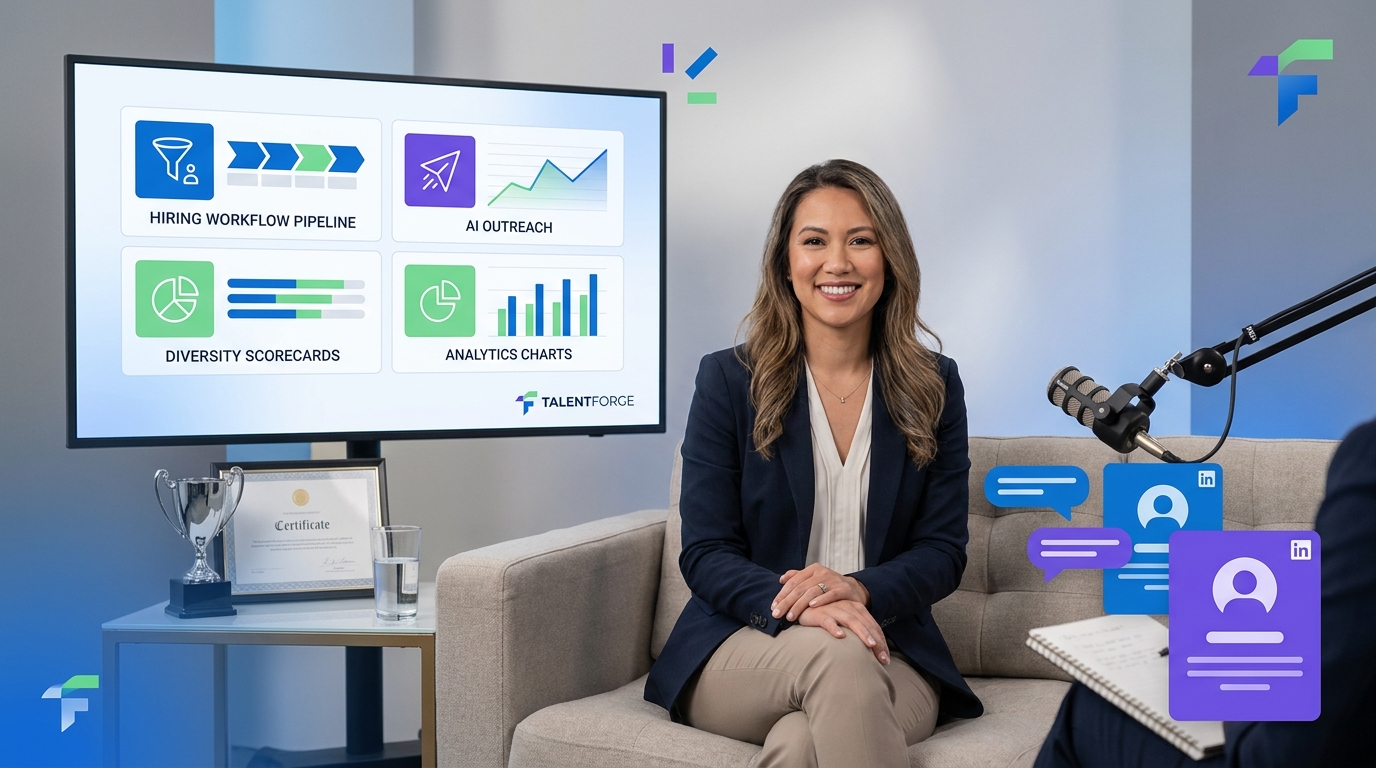
When recruiting leaders assess the best recruiting tools, this article shows how to avoid workflow gaps that slow hiring and cost strong candidates.
That matters because most recruiting slowdowns do not start with sourcing volume alone. They start when recruiters cannot keep context straight across outreach, follow-up, résumé collection, stakeholder feedback, and next-step decisions. For solo recruiters, that means nights spent catching up on messages instead of advancing searches. For small agency owners, it means missed placements and uneven delivery. For in-house teams, it shows up as slower hiring cycles, inconsistent candidate experience, and less confidence from hiring managers who need clear pipeline visibility.
In my own workflow, one practical fix for that front-end chaos has been using StrategyBrain AI Recruiter to handle the repetitive parts of LinkedIn outreach and candidate response management. It is most useful when I need conversations to continue after hours, when candidates reply in different languages, or when I need initial interest confirmed and résumés collected without manually chasing every thread. The recruiter still makes the final call on résumé quality, shortlist fit, and whether a candidate should move forward, but the admin burden drops in a meaningful way.
A useful way to think about recruiting software selection comes from career-choice moments that look unrelated at first. In the reference story behind this article, a finance leader did not start with a fixed master plan. She had an economics background, considered multiple paths, received a recruiting call that opened an unexpected route, and then had to evaluate whether more schooling, a new professional track, and a different work culture were worth the commitment. That decision was not only about credentials. It was about fit, support, readiness, and whether the next environment would help her develop a stronger professional voice.
Recruiting teams face a similar judgment problem when they evaluate the best recruiting software. A platform is not just a feature catalog. It has to support real transitions: from first outreach to genuine candidate interest, from unstructured opinions to accountable feedback, and from isolated recruiter effort to a system that helps the whole team operate with more confidence. That is also where diversity recruiting platforms and diversity recruiting tools deserve closer attention, because broad access alone does not help if the process itself is inconsistent.
Table of Contents
- What the best recruiting software means now
- Why fit, support, and workflow matter more than feature count
- Quick comparison: what to evaluate before you buy
- Best recruiting tools for different hiring goals
- Where diversity recruiting platforms add real value
- Applicant tracking system benefits for recruiters
- How AI and automation should influence your choice
- How to choose the right recruiting software step by step
- Common mistakes buyers make
- FAQ
What the best recruiting software means now
Years ago, many teams could get by with an ATS that mostly stored résumés and tracked stages. That is no longer enough for most serious hiring teams. Today, the best recruiting software usually combines applicant tracking, sourcing workflows, CRM functionality, scheduling support, analytics, and AI assistance into one connected environment.
Experienced recruiters often learn this the hard way. A process may look manageable until hiring volume rises, stakeholders multiply, or key roles require more nuanced outreach and follow-up. That is similar to the career story in the opening: the real question is not whether a path exists, but whether the surrounding structure helps someone succeed once they enter it. Recruiting software works the same way. It should not only capture activity; it should support execution after the search begins.
When teams compare the best recruiting tools, they usually need six capability areas working together:
- Applicant tracking for requisitions, stage changes, documentation, and process control
- Recruiting CRM functions for talent pools, nurture workflows, and rediscovery
- Sourcing support for widening reach and organizing top-of-funnel activity
- Scheduling and coordination to reduce admin work and improve response speed
- Analytics and reporting for funnel visibility, source quality, and forecasting
- AI assistance for search, outreach, message handling, and repetitive workflow tasks
If those pieces are fragmented, recruiters spend more time stitching together context than moving candidates forward. If they are connected well, the software becomes an operating system for hiring rather than a passive database.
Why fit, support, and workflow matter more than feature count
One of the strongest lessons from the reference story is that career progression often depends on support structure as much as raw ambition. A recruiter opened a door, a training path made the transition viable, and a team environment helped confidence grow over time. That is a useful frame for software buying too.
The strongest case for the best recruiting software is not that it has the longest list of features. It is that it helps recruiters and hiring teams perform better inside the reality of their daily work. In practice, that usually means:
- Less manual coordination through reminders, templates, triggers, and centralized records
- More consistent decisions with structured stages, scorecards, and defined ownership
- Better candidate experience through faster communication and easier scheduling
- Stronger recruiter confidence because process history and conversation context are easier to access
- Cleaner team collaboration across recruiters, hiring managers, coordinators, and leadership
- More useful reporting for time-to-fill, conversion, source quality, and bottleneck analysis
These are also core applicant tracking system benefits when the tool is configured well and actually adopted. Software does not make hiring excellent by itself. But it does make good recruiting habits easier to repeat at scale.
Practical recruiting insight: The best system is usually the one that makes a recruiter more consistent under pressure, not the one that looks most impressive in a demo.
That is also why implementation support matters. A strong platform without onboarding, process design, or team buy-in can feel as limiting as entering the wrong professional environment. Good technology should make it easier for people to contribute, not harder for them to find their footing.
Quick comparison: what to evaluate before you buy
Before you compare vendors, decide what your team is actually trying to improve. The table below reflects the categories that matter most when assessing the best recruiting tools in a practical way.
| Evaluation Area | Why It Matters | What to Look For |
|---|---|---|
| Core ATS workflow | Supports daily execution | Clear pipelines, stage customization, approvals, and complete candidate records |
| CRM and sourcing | Builds pipeline strength over time | Talent pools, nurture campaigns, rediscovery, and multichannel sourcing support |
| Automation | Reduces repetitive work | Task routing, reminders, communication triggers, and interview coordination |
| Structured hiring | Improves fairness and consistency | Scorecards, interview plans, shared criteria, and standardized feedback forms |
| Analytics | Helps prove recruiting performance | Funnel reporting, KPI dashboards, source analysis, and forecasting |
| AI features | Speeds up recruiter workflow | Search help, outreach drafting, response handling, and talent rediscovery |
| Integrations | Reduces tool sprawl | HRIS, calendars, communication tools, assessments, and reporting connections |
| Candidate experience | Affects conversion and employer brand | Simple application flow, timely updates, and easy scheduling |
| Scalability | Supports future growth | Permissions, multi-team workflows, governance, and reporting depth |
| Onboarding support | Determines time to value | Implementation guidance, training, migration support, and change management |
This kind of evaluation matters because buyers often overfocus on visible features and underweight whether the platform will help recruiters operate more effectively over time.
Best recruiting tools for different hiring goals
There is no universal best-fit option for every team. The best recruiting software depends on hiring volume, team structure, process maturity, and what kind of improvement you need most.
Best for startups and lean talent teams
Lean teams usually need the best recruiting tools that cover ATS basics, lightweight CRM capability, and practical automation without requiring a dedicated ops function.
Advice: choose software with simple workflows, fast setup, and enough reporting to show what is working. If your process changes every quarter, avoid buying an overly rigid system that takes more effort to maintain than the search itself.
Best for search firms and independent recruiters
For agencies and solo headhunters, speed of outreach and follow-up often matters as much as ATS depth. In that context, I have found AI Recruiter especially useful when LinkedIn conversations start piling up outside working hours. It can continue candidate messaging, answer common role questions, and collect résumé or contact details so that I return to active prospects instead of cold threads. The software does not replace judgment, but it does protect momentum.
Advice: prioritize candidate communication flow, CRM visibility, and automation that helps you deliver faster without losing personalization.
Best for high-volume hiring
High-volume teams need speed, standardization, and strong coordination. Here, the advantages of applicant tracking system adoption become obvious because manual processes break down quickly.
Advice: focus on stage automation, communication templates, scheduling tools, and reporting that shows drop-off, response time, and bottlenecks by role type or location.
Best for enterprise recruiting operations
Enterprise teams usually need governance, integrations, security, and deeper analytics. The right system should support many recruiters and hiring managers without creating inconsistent local processes.
Advice: test permissions, workflow configuration, implementation support, and reporting depth carefully. Enterprise buyers should also ask whether AI features are operationally useful or simply included to keep up with category expectations.
Best for DEI-focused hiring strategies
Teams prioritizing equitable hiring should evaluate how the system supports diversity recruiting platforms and diversity recruiting tools use cases across the full funnel, not just at sourcing stage.
Advice: look for representation reporting, structured interview support, consistent scorecards, and workflows that reduce ad hoc decision-making.
Where diversity recruiting platforms add real value
Many teams still think of DEI hiring primarily as a top-of-funnel problem. In practice, the value of diversity recruiting platforms often shows up more clearly in process design than in sourcing reach alone.
The most useful diversity recruiting tools generally support four outcomes:
- Broader pipeline building by helping teams reach and nurture underrepresented talent pools
- More structured evaluation through clear criteria, scorecards, and shared interview plans
- Better inclusion reporting so teams can see where representation changes across stages
- More consistent decisions by reducing unstructured, personality-led feedback
This is where the opening story matters again. Entering a new environment is not only about access; it is also about whether the system around you lets your contribution be seen and valued. Hiring processes are similar. If interviewers improvise, if feedback standards vary by person, or if candidates are compared unevenly, then a wide sourcing strategy alone will not produce a fair outcome.
For recruiters, the practical takeaway is simple: evaluate diversity recruiting software based on whether it improves discipline throughout the process. Wider reach matters, but structured assessment is where many of the real gains happen.
Applicant tracking system benefits for recruiters
Because many software searches still begin with ATS comparisons, it helps to clarify what an applicant tracking system for recruiters should actually deliver. At minimum, it should create order. At its best, it becomes the backbone of a repeatable hiring operation.
Key applicant tracking system benefits include:
- Centralized records so teams do not lose candidate context across stages
- Workflow visibility so blockers are easier to identify and address
- Faster feedback collection through structured forms and clear task ownership
- Consistency and compliance through standardized steps and documentation
- Performance reporting on time-to-fill, conversion, and source effectiveness
Those are foundational benefits, but modern buyers should think one level higher. The best recruiting software does not only track applicants. It helps recruiters rediscover overlooked talent, keep conversations moving, maintain stakeholder alignment, and connect activity to measurable outcomes.
If your team is debating ATS versus CRM, the answer is often that you need both. An ATS manages active processes. A recruiting CRM supports proactive relationship building. The strongest systems increasingly blur that line in a useful way.
How AI and automation should influence your choice
AI has become a serious part of how buyers evaluate the best recruiting software, but the right question is not whether a platform claims to use AI. It is whether that AI removes meaningful recruiter workload while keeping judgment transparent and accountable.
The most practical AI use cases in recruiting software include:
- Sourcing assistance to surface relevant candidates faster
- Talent rediscovery to bring older database candidates back into view
- Outreach drafting to reduce time spent writing repetitive first-touch messages
- Response handling to keep candidate conversations moving when recruiters are unavailable
- Workflow support for reminders, follow-ups, and repetitive admin tasks
I am generally most convinced by AI when it proves itself inside real sourcing work. In LinkedIn-heavy recruiting, for example, StrategyBrain AI Recruiter has been useful for maintaining 24/7 communication, handling multilingual conversations, and collecting candidate information after someone shows interest. That makes it easier to return to a cleaner shortlist and spend time where recruiter judgment matters most: evaluating résumés, qualifying relevance, and deciding who actually belongs in the interview process.
If you are also evaluating diversity recruiting platforms, review AI-assisted workflows carefully. Tools that speed communication can be valuable, but any automation touching ranking, filtering, or shortlisting should be tested against your bias-reduction goals and structured hiring practices.
Advice for buyers: ask for scenario-based demonstrations. A useful AI feature should show value in search, outreach, scheduling, communication continuity, or pipeline recovery—not just in a polished feature tour.
How to choose the right recruiting software step by step
Software selection often gets messy because different stakeholders are solving different problems. Recruiters want speed. Hiring managers want simplicity. HR wants governance. Leadership wants reporting. A strong buying process brings those perspectives into one framework.
- Define the hiring problem clearly. Are you trying to improve speed, quality, consistency, candidate experience, DEI visibility, or recruiter capacity?
- Map your current workflow. Identify where time is lost, where handoffs fail, and where candidate momentum drops.
- Separate must-haves from nice-to-haves. Core workflow, analytics, automation, and integrations usually belong in the must-have column.
- Assess support and implementation. As with any major transition, the platform is only part of the answer; onboarding and adoption determine whether the change works.
- Test structured hiring features. Scorecards, interview plans, and reporting depth matter if consistency and fairness are priorities.
- Run real scenarios in demos. Use your own roles, outreach patterns, and approval workflows instead of generic sample cases.
- Check future-state fit. Make sure the system can support more recruiters, more roles, and more reporting complexity as the organization grows.
This process helps teams evaluate software the way professionals evaluate meaningful career moves: not only by what is available today, but by whether the surrounding structure supports long-term success.
Common mistakes buyers make
The most common buying mistake is choosing for features in isolation instead of workflow fit. The second is assuming adoption will happen naturally. It rarely does.
Watch for these errors:
- Buying for the demo instead of the real process
- Overvaluing feature volume and undervaluing usability
- Ignoring support and onboarding until after purchase
- Treating diversity recruiting tools as separate from structured hiring
- Failing to involve recruiters, coordinators, and hiring managers in evaluation
- Assuming AI features save time without testing them in live scenarios
- Underestimating the value of communication continuity in LinkedIn-led sourcing
The best recruiting software is the one your team can operationalize consistently. If it reduces manual effort, preserves context, and improves decision quality, it is probably a strong fit. If it adds complexity without improving execution, it is not.
FAQ
What does recruiting software do?
Recruiting software helps teams manage hiring workflows from opening a role through offer stage. Depending on the platform, that can include applicant tracking, sourcing, CRM functions, scheduling, analytics, automation, and AI support. The best recruiting software connects those functions so recruiters and hiring teams work from the same operating system.
How is an ATS different from a recruiting CRM?
An ATS manages active applicants and requisition workflows. A recruiting CRM focuses on building and nurturing talent pipelines before someone formally applies. Many of the best recruiting tools now combine both, which helps teams balance immediate hiring with longer-term pipeline development.
What makes software good for diversity hiring?
Strong diversity recruiting platforms and diversity recruiting tools help teams widen sourcing reach, standardize interviews, reduce bias, and track representation across stages. Good software supports both access and fair evaluation.
How should headhunters evaluate AI recruiting support for LinkedIn?
Headhunters should look for tools that keep candidate conversations moving, support after-hours replies, handle multilingual communication if needed, and collect résumé or contact details efficiently. The recruiter should still control final qualification, shortlist decisions, and client presentation.
What features matter most for SMBs versus enterprise teams?
SMBs usually care most about ease of use, automation, fast setup, and practical reporting. Enterprise teams often need deeper analytics, governance, integrations, permissions, and scalable workflows across multiple teams. In both cases, the best recruiting software is the one that fits the real hiring process.
How do AI recruiting tools reduce manual work?
AI can reduce manual work by assisting with candidate search, rediscovering older profiles, drafting outreach, maintaining message continuity, and helping with repetitive workflow tasks. The strongest use cases support recruiter execution rather than replace recruiter judgment.
Conclusion
Choosing the best recruiting software is ultimately about choosing the structure your hiring team will rely on every day. The strongest platforms support recruiter judgment instead of burying it under admin work. They help teams keep context, move faster, and make more consistent decisions.
If equitable hiring is a priority, review diversity recruiting platforms and diversity recruiting tools as part of the same system decision, not as a separate add-on. Wider reach matters, but process consistency matters just as much.
And if your workflow depends heavily on LinkedIn outreach, using tools like AI Recruiter alongside your broader recruiting stack can help protect candidate momentum without removing the recruiter from the decision. In practical terms, the best recruiting tools are the ones that make hiring more organized, more responsive, and more fair under real operating pressure.















