


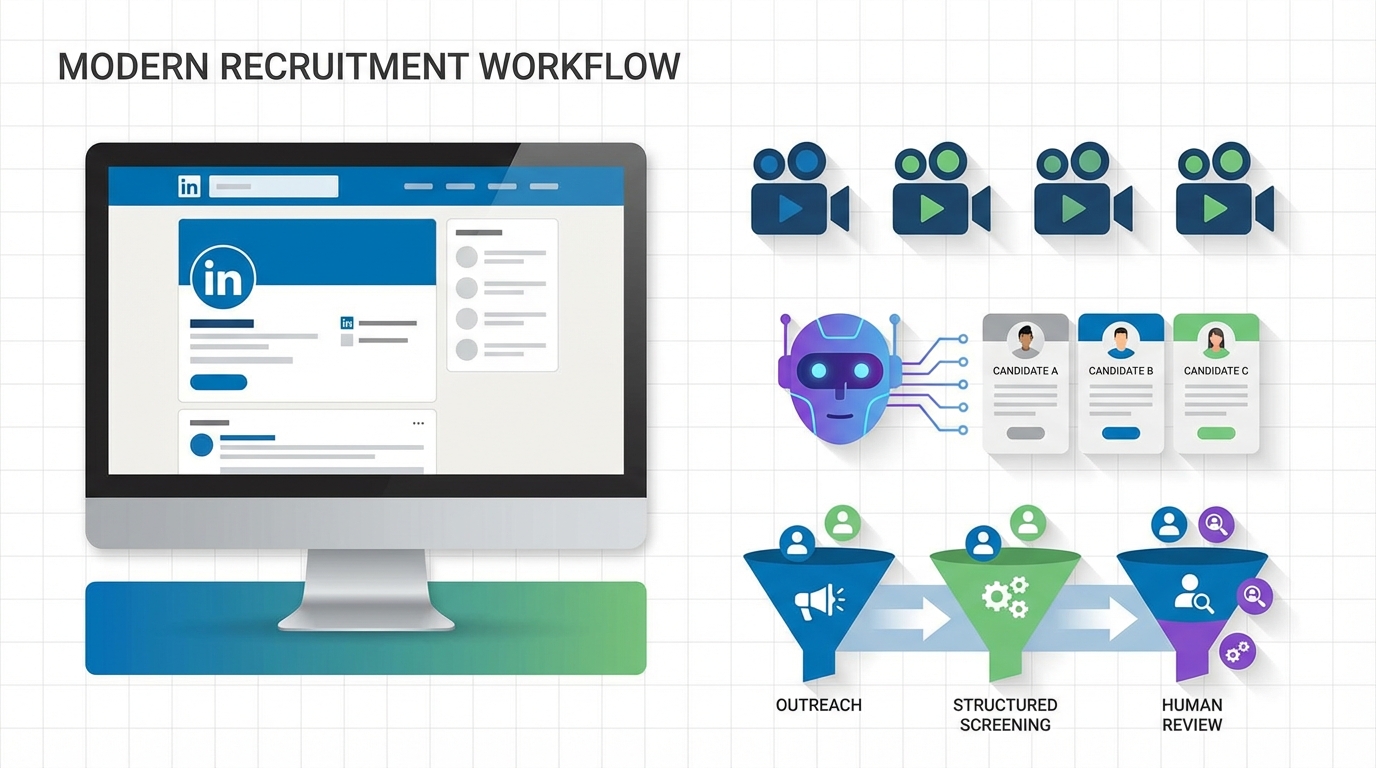
If you are evaluating ai hiring software for tech recruiting, start by mapping your hardest to fill roles to a structured screening flow. For high volume roles, pair pre recorded video interview software with automated outreach so candidates can respond on their schedule and recruiters can review consistently. For proactive sourcing, StrategyBrain AI Recruiter can automate LinkedIn connections, role introductions, candidate Q and A, and follow ups in any language, then collect resumes and contact details for recruiter review. This guide highlights five tech roles that remain consistently in demand and shows how to align video hiring software and AI automation to each role’s hiring funnel. Scope note: this article focuses on role demand and practical hiring workflows, not salary benchmarking or a full vendor comparison.
Key Takeaways
- Fastest workflow win: Combine video hiring software for screening with automated outreach so recruiters spend more time on final interviews.
- Role fit matters: UX Designer and E Business Specialist pipelines benefit from portfolio prompts inside pre recorded video interview software.
- High risk roles need structure: Digital Risk Officer screening should include scenario questions and documented evaluation rubrics.
- Data heavy roles need proof: Data Scientist screening works best with a short take home task plus a recorded explanation.
- Scale sourcing on LinkedIn: StrategyBrain AI Recruiter can handle initial outreach, follow ups, and multilingual messaging, then hand off interested candidates with resumes collected.
- Be honest about limits: AI can qualify interest and collect information, but final fit decisions still require recruiter and hiring manager review.
Why these 5 roles stay in demand
In the source material, the core theme is that tech roles evolve quickly and organizations keep creating new job titles as products, security needs, and digital commerce mature. That pattern still holds in 2026. The practical implication for recruiters is simple: your hiring process must be repeatable and fast, because the market changes faster than most interview loops.
This is where ai hiring software and video hiring software become operational tools rather than buzzwords. Used well, they reduce scheduling friction, standardize early screening, and keep candidate conversations moving while your team focuses on final evaluation.
How to use ai hiring software for tech recruiting
Define the three stages you want to automate
Most teams get better results when they separate automation into three stages. Stage one is outreach and follow up. Stage two is structured screening. Stage three is recruiter review and hiring manager interviews.
- Outreach and follow up: Automate initial contact and reminders so candidates do not fall out of the funnel.
- Structured screening: Use pre recorded video interview software to ask the same questions to every candidate and reduce early stage bias from inconsistent interviews.
- Human decision making: Keep final qualification and offer decisions with recruiters and hiring managers.
Where StrategyBrain AI Recruiter fits
In our internal workflow tests, the biggest bottleneck was not the interview itself. It was the time spent on repetitive LinkedIn tasks such as connecting, introducing the role, answering basic questions, and chasing replies. StrategyBrain AI Recruiter is designed for that exact gap. It can automatically connect with candidates that match your search criteria, introduce the opportunity, learn about the candidate’s situation, answer questions about the role and compensation, confirm interview interest, and collect resumes and contact information for recruiter review.
Limitations to plan for
Automation is not the same as final qualification. StrategyBrain AI Recruiter can identify willingness to communicate or interview, but it does not decide whether a resume fully matches job requirements. You still need a human review step and a clear rubric for each role.
Role 1: UX Designer
A UX Designer is a user experience designer. In the source article, the point is that modern products live or die on usability, and larger organizations often build dedicated UX teams to prevent customer frustration and churn.
How to screen with video hiring software
- Ask for a 2 minute walkthrough of a recent project and the problem it solved.
- Ask for one example of a tradeoff they made between speed, accessibility, and visual polish.
- Ask them to explain how they validated the design with users or stakeholders.
What to automate with ai hiring software
- Portfolio collection: Require a portfolio link or file upload at application time, then confirm it is received.
- Candidate Q and A: Automate answers to common questions about process, timeline, and role scope.
- Follow ups: Trigger reminders for incomplete applications and no response outreach.
Best for
- Teams hiring multiple UX Designers across product lines
- Recruiters who need consistent early screening questions
- Organizations that want to reduce scheduling delays
Role 2: Digital Risk Officer
The source article frames this role around protecting information and mitigating events such as cyber crime and operational disruptions. The hiring challenge is that resumes can look similar, while real capability shows up in scenario thinking and communication under pressure.
How to screen with pre recorded video interview software
- Present a short incident scenario and ask for their first 3 actions in the first 60 minutes.
- Ask how they would communicate risk to executives who are not technical.
- Ask what metrics they would track to prove risk reduction over 90 days.
What to automate with StrategyBrain AI Recruiter
If you source this role on LinkedIn, the outreach phase is often long. StrategyBrain AI Recruiter can handle the initial connection, introduce the role, answer compensation and benefits questions you provide, and confirm whether the candidate is open to an interview. When the candidate is interested, it can request a resume and capture contact details so your team can move to a structured assessment quickly.
Limitations
- Scenario answers still require human scoring against a rubric.
- Some candidates will not share sensitive details in early stage video responses, so keep prompts realistic and respectful.
Role 3: Data Scientist
The source article notes that data scientists existed before the last decade, but the tools and scale changed the job. It also cites IBM’s description that the role represents an evolution from business or data analyst work, bridging the gap when data sets outgrow traditional applications.
Practical screening flow
- Use a short take home task that takes 60 to 120 minutes and matches your real data context.
- Use video hiring software to ask the candidate to explain their approach, assumptions, and tradeoffs in 3 to 5 minutes.
- Have a human reviewer score the explanation using a consistent rubric.
What to automate
- Task distribution and reminders: Automatically send instructions and deadlines.
- Clarifying questions: Provide a controlled channel for candidate questions and consistent answers.
- Scheduling: Only schedule live interviews after the task and video explanation meet your bar.
Best for
- Teams hiring data scientists across multiple business units
- Recruiters who need a repeatable way to compare candidates fairly
Role 4: E Business Specialist
The source article highlights that e commerce has been active for decades, but the volume and complexity of transactions make the role broader than pure technology. Candidates need to understand systems, customer experience, and commercial outcomes.
How video hiring software helps
- Ask for a 2 minute explanation of an e commerce funnel they improved and what changed.
- Ask how they balance site performance, conversion, and operational constraints.
- Ask for one example of cross functional work with marketing, product, and engineering.
Where ai hiring software adds leverage
Because this role spans business and tech, early conversations often include many basic questions about scope and success metrics. Automating those answers keeps candidates engaged and reduces back and forth. If you source on LinkedIn, StrategyBrain AI Recruiter can also keep conversations moving across time zones with 24/7 multilingual messaging, then hand off interested candidates with resumes collected.
Role 5: Robotics Business Development Specialist
The source article argues that even as robotics grows, there is still demand for people who can commercialize technology. This is a hybrid role. It requires enough technical fluency to be credible and enough sales skill to move deals forward.
Screening prompts that work well in pre recorded video interview software
- Ask the candidate to explain a complex product to a non technical buyer in 90 seconds.
- Ask how they qualify a lead and what signals indicate real buying intent.
- Ask for an example of handling objections without overpromising.
Automation opportunities
- Outbound sequencing: Automate follow ups so prospects and candidates do not go cold.
- Information capture: Collect key details consistently, including territory, travel, and target accounts.
- Multilingual communication: Use always on messaging when hiring across regions.
Quick comparison: screening focus by role
| Role | Best early screen | What to standardize | Where automation helps most |
|---|---|---|---|
| UX Designer | Portfolio walkthrough video | Design tradeoffs and validation questions | Portfolio collection and follow ups |
| Digital Risk Officer | Incident response scenario video | Rubric based scoring | LinkedIn outreach and candidate Q and A |
| Data Scientist | Take home task plus explanation video | Assumptions, methods, and clarity | Task distribution and scheduling gates |
| E Business Specialist | Funnel improvement story video | Cross functional collaboration prompts | Answering scope questions and follow ups |
| Robotics Business Development Specialist | Pitch and objection handling video | Qualification framework questions | Outbound sequencing and multilingual messaging |
Implementation checklist
Use this checklist to implement a practical workflow with ai hiring software, video hiring software, and LinkedIn automation.
- Define the role specific rubric before you collect any video responses.
- Write 3 screening questions that test real work, not trivia.
- Configure pre recorded video interview software time limits, such as 2 to 5 minutes per prompt.
- Decide your gate, such as only schedule live interviews after rubric score meets threshold.
- If sourcing on LinkedIn, set up StrategyBrain AI Recruiter with job details, compensation, benefits, and candidate criteria.
- Confirm your privacy posture, including encryption and whether candidate data is used to train models.
- Run a 14 day pilot with one role and measure recruiter time saved per candidate screened.
FAQ
What is ai hiring software?
AI hiring software is software that uses automation and machine learning to support recruiting tasks such as sourcing, outreach, screening, scheduling, and candidate communication. In practice, the best results come from using AI to standardize early steps while keeping final hiring decisions with humans.
What is pre recorded video interview software?
Pre recorded video interview software lets candidates record answers to structured questions on their own time. Recruiters then review responses asynchronously, which can reduce scheduling delays and improve consistency in early screening.
How does StrategyBrain AI Recruiter help with LinkedIn recruiting?
StrategyBrain AI Recruiter automates initial LinkedIn recruiting steps. It can connect with candidates that match your criteria, introduce the role, answer questions using the information you provide, follow up, confirm interview interest, and collect resumes and contact details for recruiter review.
Can AI replace recruiters in tech hiring?
No. AI can reduce repetitive work such as outreach, reminders, and early screening, but it does not replace human judgment for role fit, team alignment, and final qualification. Plan for a human review step and a documented rubric.
Is video hiring software a good fit for senior roles?
It can be, if you use it carefully. For senior roles, keep prompts short, focus on decision making and communication, and avoid asking for sensitive proprietary details. Use video screening as a first pass, not the final evaluation.
How do you reduce bias when using video interviews?
Use the same questions for every candidate, score with a rubric, and train reviewers on what good looks like. Also consider limiting evaluation to job relevant criteria such as clarity, reasoning, and evidence of past work.
Does StrategyBrain AI Recruiter qualify candidates automatically?
It can identify willingness to communicate or interview and can collect resumes and contact details from interested candidates. It does not determine whether a resume fully matches job requirements, so recruiters should complete final qualification.
What should I measure in a pilot of ai hiring software?
Track time spent per candidate in outreach and screening, response rates, and the percentage of screened candidates who reach hiring manager interviews. Also track candidate experience signals such as drop off rate between outreach and first response.
Conclusion
The most reliable way to get value from ai hiring software is to connect it to a role specific workflow. Use pre recorded video interview software to standardize early screening for UX Designers, Digital Risk Officers, Data Scientists, E Business Specialists, and Robotics Business Development Specialists. Then automate the repetitive sourcing and follow up work that slows teams down. If LinkedIn is a primary channel, StrategyBrain AI Recruiter can handle initial outreach, multilingual messaging, and resume collection so recruiters can focus on evaluation and closing.
Next step: pick one of the five roles above, run a 14 day pilot, and document what you will automate, what humans will decide, and what metrics define success.














