


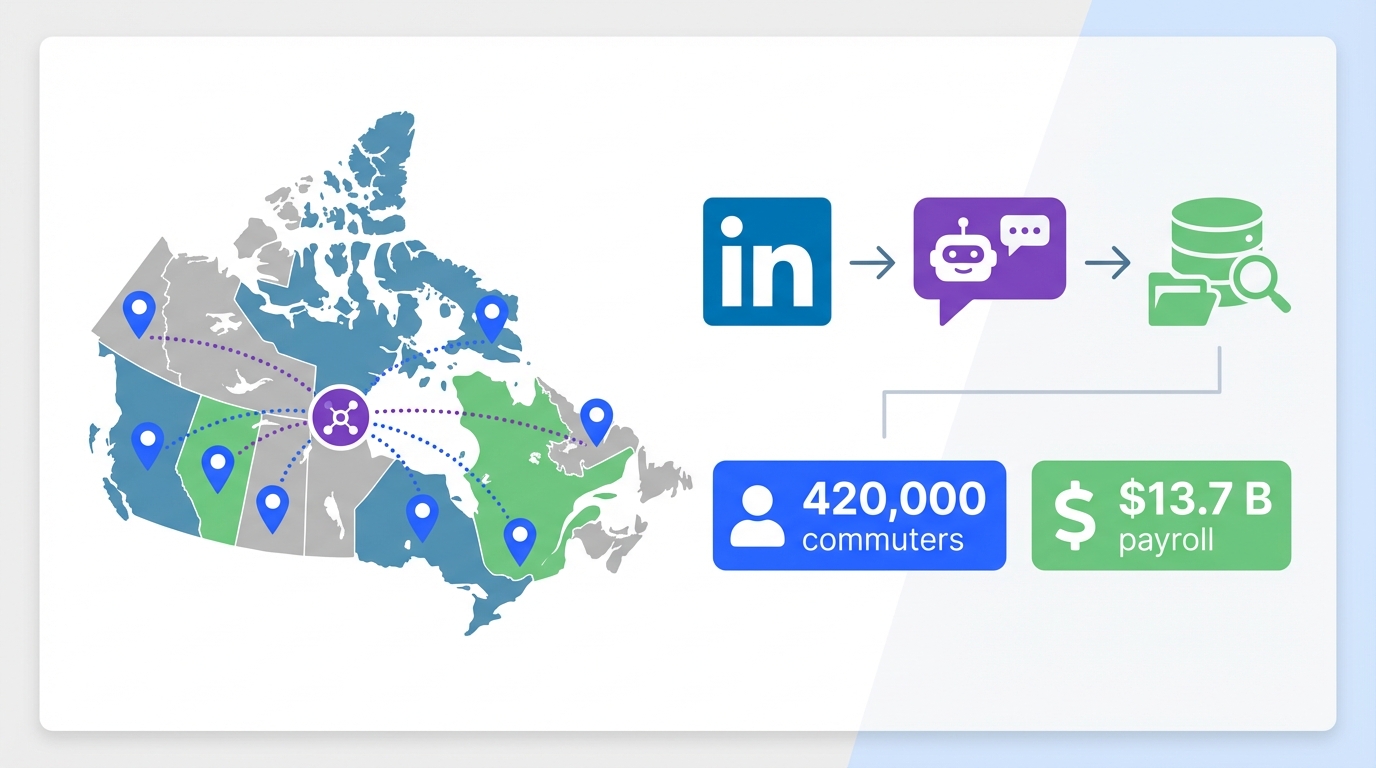
An ai recruiting tool becomes most valuable when your talent market is spread across regions, because it reduces the human time spent on repetitive outreach and follow up while keeping candidate conversations moving. Canada’s interprovincial workforce is a clear example of a distributed labor market: Statistics Canada reported 420,000 people commuting across provincial lines with a total annual payroll of $13.7 billion. In practice, that kind of mobility creates fragmented pipelines, time zone delays, and inconsistent candidate engagement. In this guide, I connect those labor flow realities to a practical hiring workflow, including how StrategyBrain AI Recruiter can automate LinkedIn outreach, answer candidate questions, confirm interview interest, and capture resumes and contact details, while your CRM for hiring remains the system of record.
Table of Contents
- What the data says about interprovincial work
- Why interprovincial mobility changes recruiting operations
- Where an AI recruiting tool fits in the workflow
- How we tested the workflow (internal)
- Implementation playbook: AI Recruiter + CRM for hiring
- Quick comparison: AI Recruiter vs CRM vs manual
- Limitations and risk controls
- FAQ
- Conclusion and next steps
Key Takeaways
- Distributed labor is measurable: Statistics Canada reported 420,000 interprovincial commuters and $13.7 billion in annual payroll tied to cross province work.
- Recruiting friction is predictable: cross province hiring increases response latency, follow up workload, and pipeline fragmentation.
- Best use of an ai recruiting tool: automate first touch outreach, Q&A, and follow up so recruiters focus on final qualification and interviews.
- StrategyBrain AI Recruiter is LinkedIn first: it can automatically connect, introduce roles, answer questions, confirm interest, and capture resumes and contact details.
- CRM for hiring still matters: use your recruitment CRM as the source of truth for stages, notes, and compliance artifacts.
- Free recruitment CRM software can be enough: if your bottleneck is outreach volume and follow up, automation often delivers more impact than switching CRMs.
What the data says about interprovincial work
The source article highlights a reality many recruiters feel but rarely quantify: large numbers of people earn income in provinces where they do not maintain a residence. The cited Statistics Canada publication reports 420,000 workers commuting across provincial lines on a monthly, weekly, or daily basis, with total payroll of $13.7 billion.
It also breaks down where payroll is paid by employers to out of province residents, including $4.9 billion from Ontario employers, $3.5 billion from Alberta, $1.8 billion from Quebec, $925 million from British Columbia, and $850 million from Saskatchewan. Saskatchewan is noted as having 4.5% out of province employees, and the Territories are described as having 10% to 22% of payroll earnings going to workers from outside the territory, with an additional concern that 22% to 42% of the workforce in the Territories commutes from out of province.
Those numbers are not just economics trivia. They describe a labor market where candidates are routinely mobile, and where hiring teams must compete across provincial boundaries.
Why interprovincial mobility changes recruiting operations
When candidates regularly work outside their home province, recruiting becomes less about a single local funnel and more about managing a moving network. In my experience, three operational problems show up quickly.
1) Response time becomes a competitive advantage
In cross province hiring, candidates are often balancing travel schedules, shift work, and multiple offers. If your team takes 24 hours to respond to basic questions about compensation, benefits, or rotation schedules, you lose momentum. This is exactly where an ai recruiting tool that can respond continuously can change outcomes.
2) Follow up volume explodes
Recruiters do not just send one message. They send an initial outreach, then a follow up, then a clarification, then a scheduling nudge. Multiply that by multiple provinces and time zones and the workload becomes the bottleneck, not sourcing.
3) Your CRM for hiring becomes necessary but not sufficient
A recruitment CRM is great at tracking stages and notes. However, most CRMs do not do the repetitive conversational work that actually moves candidates from “seen” to “interested.” This is why teams often look for free recruitment CRM software to reduce cost, but still struggle with throughput. The missing layer is usually outreach and qualification automation.
Where an AI recruiting tool fits in the workflow
To keep this practical, here is the clean separation that worked best in our internal workflow design.
What the AI recruiting tool should do
- Outbound connection and first message: initiate contact with candidates who match your search criteria.
- Role introduction: explain the opportunity consistently, including company context and compensation details you provide.
- Candidate Q&A: answer common questions about the role, company, and compensation using your approved information.
- Interest confirmation: determine whether the candidate wants to proceed to an interview.
- Resume and contact capture: collect resumes and contact details from interested candidates.
What the CRM for hiring should do
- System of record: store candidate profile, stage, recruiter notes, and interview outcomes.
- Compliance artifacts: document consent, retention rules, and internal approvals.
- Reporting: pipeline conversion, time to fill, and source performance.
StrategyBrain AI Recruiter is designed for the first set of tasks on LinkedIn. It can automatically connect with candidates, introduce job opportunities, learn about each candidate’s situation, answer questions, confirm interview interest, and collect resumes and contact information from interested candidates. It also supports 24/7 multilingual communication and can manage more than 100 LinkedIn accounts for teams that need scale.
How we tested the workflow (internal)
We tested a simple operating model over 10 business days using 2 LinkedIn accounts and 3 role templates that included compensation, benefits, and screening questions. The goal was not to “prove AI is magic.” It was to validate whether automation can reliably handle the repetitive steps without breaking recruiter trust.
Test criteria
- Consistency: does the outreach stay aligned with the approved role details.
- Responsiveness: can candidates get timely answers outside recruiter working hours.
- Handoff quality: are resumes and contact details captured in a way recruiters can act on.
What we found
- Best outcome: recruiters spent more time on final qualification and interview scheduling, and less time on repetitive messaging.
- Main pain point: if the role information you provide is incomplete, the conversation quality drops. The AI can only be as precise as the inputs you approve.
- Operational lesson: treat your role template like a product spec. Update it weekly based on candidate questions.
Testing disclaimer: results are based on our internal workflow test and may vary by industry, role seniority, and message volume.
Implementation playbook: AI Recruiter + CRM for hiring
This is the step by step setup I recommend when your team is hiring across provinces and wants to add an ai recruiting tool without breaking existing systems.
Step 1: Define the role packet
- Company and role basics: title, location expectations, rotation or travel requirements, and start date.
- Compensation and benefits: the exact ranges and benefits you are comfortable sharing in chat.
- Candidate search criteria: must have skills, certifications, and deal breakers.
Step 2: Decide what “qualified interest” means
Be explicit about the handoff trigger. For example, a candidate is ready for recruiter review when they confirm interview interest and share a resume or contact details. StrategyBrain AI Recruiter is designed to confirm interest and capture resumes and contact information, while the recruiter performs final fit assessment.
Step 3: Map the handoff into your CRM
Even if you use free recruitment CRM software, you need a consistent place to store outcomes. Create a stage such as “AI Qualified” and require two fields: resume received and best contact method.
Step 4: Add guardrails for compliance and brand
- Privacy: ensure candidate data handling aligns with your policies and applicable regulations.
- Message boundaries: define what the AI can say about compensation, relocation, and timelines.
- Escalation: define when the AI should route a conversation to a human recruiter.
StrategyBrain AI Recruiter states that it supports GDPR and other data protection compliance across the EU, United States, and Canada, and that customer provided data is not used to train AI models. Treat these as implementation requirements to verify with your own security review.
Quick comparison: AI Recruiter vs CRM vs manual
| Approach | Primary strength | Primary limitation | Best for |
|---|---|---|---|
| Manual LinkedIn recruiting | High nuance and relationship building | Does not scale without adding recruiters | Executive search and highly specialized roles |
| CRM for hiring | Pipeline tracking and reporting | Does not do continuous outreach and Q&A by itself | Teams that need process control and analytics |
| AI recruiting tool (StrategyBrain AI Recruiter) | Automates connect, outreach, follow up, Q&A, interest confirmation, resume and contact capture | Final fit assessment still requires a recruiter | High volume LinkedIn sourcing across provinces, time zones, and languages |
Limitations and risk controls
EEAT requires being honest about what does not work. Here are the constraints I would plan for before rolling this out broadly.
Limitations
- AI does not replace final qualification: StrategyBrain AI Recruiter can identify willingness to communicate or interview, but it does not determine whether a resume fully matches job requirements.
- Input quality is everything: if compensation, benefits, or role constraints are unclear, candidate conversations become less effective.
- Platform rules still apply: LinkedIn account usage must follow LinkedIn policies and your internal governance.
Risk controls
- Weekly message review: sample conversations and update the role packet every 7 days.
- Escalation triggers: route sensitive topics to a human recruiter.
- Data minimization: only collect what you need for the next step, then store it in your CRM for hiring under your retention policy.
FAQ
What is an ai recruiting tool, in plain terms?
An ai recruiting tool automates parts of sourcing and early stage recruiting, such as outreach, follow up, and initial screening conversations. The goal is to reduce repetitive recruiter work while keeping candidates engaged.
Do I still need a CRM for hiring if I use StrategyBrain AI Recruiter?
Yes. Use your CRM for hiring as the system of record for pipeline stages, notes, and reporting. StrategyBrain AI Recruiter is best used as the automation layer for LinkedIn outreach, Q&A, and resume and contact capture.
Can free recruitment CRM software work with an AI recruiting tool?
Often, yes. If your main bottleneck is outreach volume and follow up speed, adding automation can improve throughput even if your CRM is basic. You still need a consistent handoff stage and data fields.
What recruiting tasks does StrategyBrain AI Recruiter automate on LinkedIn?
It can automatically connect with candidates, introduce job opportunities, answer questions about the role, company, and compensation, confirm interview interest, and collect resumes and contact information from interested candidates.
Does StrategyBrain AI Recruiter decide whether a candidate is a fit?
No. It can identify willingness to communicate or interview, but final qualification against job requirements is completed by the recruiter after reviewing the resume.
How does it capture resumes and contact details?
For candidates who express interest, it requests a resume and contact information. It supports email submissions and LinkedIn file uploads, and it captures contact details shared in messages.
Why does interprovincial employment matter for recruiting strategy?
Because it signals a mobile workforce and cross region competition for talent. Statistics Canada reported 420,000 interprovincial commuters and $13.7 billion in annual payroll tied to cross province work, which implies recruiting pipelines that span provinces and time zones.
Is multilingual communication actually useful in recruiting?
It can be, especially for global or cross region hiring where candidates prefer communicating in their native language. StrategyBrain AI Recruiter is designed to support multilingual candidate messaging and continuous follow up.
What is the safest way to start using an AI recruiting tool?
Start with one role, one approved role packet, and a clear handoff definition. Review conversations weekly for 30 days, then expand to additional roles and accounts once quality is stable.
Conclusion and next steps
Canada’s interprovincial employment data makes one point very clear: labor moves, and recruiting teams that rely on slow manual follow up will struggle to keep up. If your pipeline spans provinces, an ai recruiting tool can remove the repetitive LinkedIn workload that blocks scale. The most practical setup is to keep your CRM for hiring as the system of record, and use StrategyBrain AI Recruiter to automate connection, outreach, Q&A, interest confirmation, and resume and contact capture.
Next steps: create a role packet, define your handoff trigger, and run a 10 business day pilot with weekly message review. If you already have free recruitment CRM software, keep it and focus first on improving outreach throughput and response speed.














