


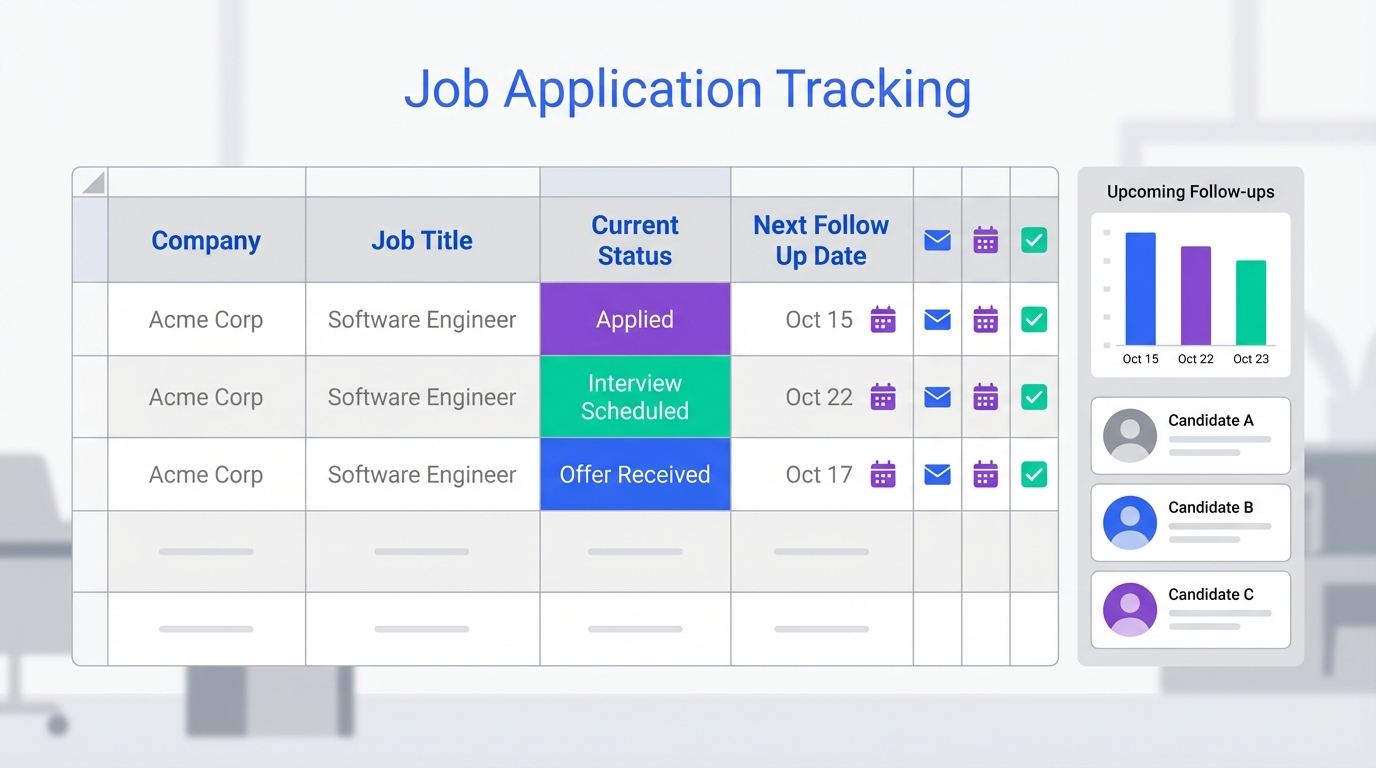
If you are evaluating an ATS for recruiters or you are between systems, the fastest way to stay organized is to run a simple job application tracking spreadsheet that captures every application status, contact, and follow up date in one place. In day to day recruiting, this spreadsheet works like a lightweight ATS job tracker: it prevents missed follow ups, keeps job descriptions available after postings disappear, and makes interview preparation easier because you can see what you sent and when. This guide explains ATS meaning in plain language, shows the exact fields we recommend tracking, and includes a copy ready template you can paste into Google Sheets or Excel. Scope note: this article focuses on organizing applications and outreach tracking, not on configuring a full enterprise ATS or building compliance workflows.
Table of Contents
- What ATS meaning is and why recruiters still use spreadsheets
- What to track in a recruiter job application tracker
- Copy ready job tracking spreadsheet template
- A simple recruiter workflow for follow ups and interviews
- Keeping LinkedIn outreach organized with StrategyBrain AI Recruiter
- Common mistakes that break tracking systems
- FAQ
- Conclusion
Key Takeaways
- ATS meaning: an Applicant Tracking System is software that stores candidates, applications, and hiring workflow data in one system.
- A spreadsheet can function as a lightweight ATS for recruiters when you need consistent follow ups, clear status, and fast reporting.
- Track the job posting text separately because postings can be removed before interviews happen.
- Use a single follow up date column and a single next action column to avoid losing momentum.
- For LinkedIn sourcing, StrategyBrain AI Recruiter can automate initial outreach, answer candidate questions, and collect resumes and contact details so your tracker stays current.
- When you manage multiple roles and high volume pipelines, move from spreadsheet to a full ATS job workflow, but keep the spreadsheet as a backup export format.
What ATS meaning is and why recruiters still use spreadsheets
ATS meaning is straightforward: an Applicant Tracking System is software used to manage candidates and applications across a hiring process. In a typical ATS for recruiters, you store candidate profiles, resumes, interview notes, and stage changes, and you can report on pipeline metrics.
Even with a modern ATS job workflow, we still see recruiters keep a spreadsheet for three practical reasons. First, it is the fastest way to create a single view across multiple sources. Second, it is easy to share a read only snapshot with a hiring manager. Third, it is resilient when job postings disappear or when you need to reconstruct what was sent to a candidate.
In our own recruiting operations, the spreadsheet becomes most valuable during high context switching weeks. That is when you are juggling multiple roles, multiple hiring managers, and multiple candidate conversations. A simple tracker reduces the cognitive load because you always know the next action and the next follow up date.
What to track in a recruiter job application tracker
The source material for this guide emphasizes one core idea: track every role and company you apply to, plus the status and follow up timing. We agree, and we recommend expanding it slightly so it works for recruiters managing outreach and screening as well.
Core fields to include
- Company name
- Hiring manager or recruiter name
- Contact information such as email or LinkedIn profile identifier
- Job title
- Salary or wage if disclosed
- Job posting reference as plain text, not a link
- Copy of the job posting stored as text in a separate tab or document
- Date applied
- Materials submitted such as resume, cover letter, references, portfolio
- Work location
- Work arrangement in person, remote, or hybrid if stated
- Closing date or deadline
- Current status such as applied, screening, interview, offer, rejected
- Follow up needed yes or no
- Next follow up date
- Interview dates
- Offers received
Recruiter specific fields that improve handoffs
- Source channel such as LinkedIn, referral, inbound, job board
- Candidate stage owner who is responsible for the next step
- Next action one short instruction such as schedule screen, send assessment, request resume
- Last touch date the most recent message or call date
- Notes short, factual notes only
Why copying the job posting text matters
The source material calls out a detail that many people skip: keep a copy of the job posting even if you have the posting reference. We have seen this save interviews. When a posting is removed, you still need the responsibilities, requirements, and compensation details to prepare candidates and interviewers consistently.
Copy ready job tracking spreadsheet template
You do not need a special file to start. Copy the header row below into a new sheet. This is intentionally compatible with both Google Sheets and Excel. It is also structured so it can be imported into many ATS platforms later if you decide to migrate.
Template header row
Company,Job Title,Hiring Manager or Recruiter,Contact Info,Source Channel,Work Location,Work Arrangement,Salary or Wage,Date Applied,Closing Date,Current Status,Follow Up Needed,Next Follow Up Date,Last Touch Date,Next Action,Materials Submitted,Interview Dates,Offers Received,Job Posting Reference (text),Job Posting Copy Location (text),Notes
Recommended status values
- Applied
- Outreach Sent
- Screening Scheduled
- Screening Complete
- Interview Scheduled
- Interview Complete
- Offer
- Closed
Practical checklist for keeping the sheet clean
- Use one row per candidate per role so reporting stays accurate.
- Keep Next Follow Up Date filled for every active row.
- Write Next Action as a verb plus object, for example “Schedule screen” or “Request resume”.
- Store the job posting copy in a separate tab named “Postings” and reference it by an ID.
A simple recruiter workflow for follow ups and interviews
This workflow is designed for recruiters who want ATS like discipline without spending time configuring a full system. It also works as a bridge when you are implementing an ATS for recruiters and need a stable process during the transition.
Steps
- Create the tracker and define statuses. Paste the template header row, then create a dropdown for Current Status using the recommended values.
- Log every application or outreach the same day. Fill Company, Job Title, Source Channel, Date Applied, and Current Status immediately.
- Set the next follow up date at the same time. If you do not set Next Follow Up Date, the row will go stale.
- Run a daily follow up view. Filter Follow Up Needed to yes and sort by Next Follow Up Date ascending.
- Prepare for interviews using the job posting copy. Before an interview, open the saved posting text and confirm the role scope and compensation details you communicated.
- Close the loop. When a role is filled or paused, set Current Status to Closed and add a short reason in Notes.
Troubleshooting
- Problem: You keep forgetting to follow up. Fix: Make Next Follow Up Date mandatory for any status that is not Closed.
- Problem: Hiring managers ask for updates and you scramble. Fix: Add a weekly snapshot filter by role and export a PDF view.
- Problem: You cannot remember what you sent. Fix: Add a short “Message Summary” note and update Last Touch Date every time.
Keeping LinkedIn outreach organized with StrategyBrain AI Recruiter
Spreadsheets break down when LinkedIn outreach volume increases because the messaging work happens outside your tracker. This is where an automation layer can help you keep ATS job hygiene without adding admin time.
StrategyBrain AI Recruiter is built for LinkedIn hiring workflows. It can automatically connect with candidates that match your search criteria, introduce the role, answer questions about the company, compensation, and benefits, and confirm interview interest. When a candidate is interested, it collects resumes and contact details so you can update your tracker with verified information instead of partial notes.
In practice, we use the spreadsheet as the system of record for status and next actions, while StrategyBrain AI Recruiter handles the repetitive first touch and follow up messaging. Because it supports 24/7 multilingual communication, it also reduces delays when candidates respond outside your working hours. If you manage multiple LinkedIn accounts, it can support teams operating at scale, which is difficult to coordinate manually in a spreadsheet alone.
How to connect AI outreach to your tracker
- Create a Source Channel value named “LinkedIn AI Outreach”.
- When AI Recruiter starts a conversation, add a row with Current Status set to Outreach Sent and set Next Follow Up Date.
- When a resume is received, update Materials Submitted to include resume and set Current Status to Screening Scheduled or Screening Complete based on your process.
- When contact details are captured, update Contact Info and assign the Stage Owner for the next step.
Limitations to be aware of
- AI Recruiter can identify willingness to proceed and collect resumes, but final qualification against job requirements still needs recruiter review.
- Any automation should be used with clear messaging guidelines and privacy controls that match your organization’s policies.
Common mistakes that break tracking systems
- Tracking only links to job postings. Postings can be removed, so keep a text copy.
- Using too many status columns. One status column plus one next action column is easier to maintain.
- No follow up date. If Next Follow Up Date is blank, the row is effectively invisible.
- Mixing multiple candidates in one row. Use one row per candidate per role.
- Writing long narrative notes. Keep notes factual so they are usable in handoffs.
FAQ
What is ATS meaning for recruiters?
ATS meaning is Applicant Tracking System. For recruiters, it is the software layer that stores candidate records, resumes, and hiring stages so you can manage an ATS job pipeline consistently.
Is a spreadsheet an ATS for recruiters?
A spreadsheet is not a full ATS, but it can function as a lightweight ATS for recruiters when your main need is tracking status, contacts, and follow ups. Once you need permissions, automation, and reporting at scale, a dedicated ATS is usually a better fit.
What should I track if I only have 5 minutes to set this up?
Track Company, Job Title, Contact Info, Date Applied or Outreach Sent, Current Status, and Next Follow Up Date. Those fields prevent the most common failure, which is losing track of next steps.
Why should I copy the job posting text instead of saving the posting reference?
Because job postings can be removed before interviews happen. A saved text copy helps you prepare candidates and interviewers with the exact responsibilities and requirements that were advertised.
How does StrategyBrain AI Recruiter help with LinkedIn recruiting?
It automates initial LinkedIn outreach and follow up, answers candidate questions about the role and compensation, and collects resumes and contact details from interested candidates. That reduces manual messaging time and makes it easier to keep your tracker accurate.
Does AI Recruiter replace recruiter judgment?
No. It can confirm interest and gather information, but it does not decide whether a resume matches the job requirements. Recruiters still review resumes and make final screening decisions.
How many LinkedIn accounts can AI Recruiter manage?
According to StrategyBrain product information, it supports managing more than 100 LinkedIn accounts so organizations can build AI powered recruitment teams for scalable hiring.
How does AI Recruiter handle privacy and data security?
StrategyBrain states that customer provided data is not used to train AI models and that credentials and candidate data are encrypted and isolated per customer. Always validate your own compliance requirements before deployment.
When should I move from a spreadsheet to a full ATS job system?
Move when you need structured collaboration, audit trails, role based access, or automated reporting across many open roles. Many teams still keep a spreadsheet export as a backup and for quick sharing.
Conclusion
If you need an ATS for recruiters right now, a well designed job tracking spreadsheet is the fastest way to get control of follow ups, interview prep, and application status without waiting for a full ATS rollout. Start by tracking the core fields, especially Next Follow Up Date and a saved copy of the job posting text, then add recruiter specific fields only when you feel friction.
Next step: paste the template header row into your sheet and run the daily follow up view for 5 business days. If LinkedIn outreach is your biggest time sink, consider pairing the tracker with StrategyBrain AI Recruiter so outreach, candidate Q and A, and resume collection happen consistently while you focus on qualification and interviews.














