


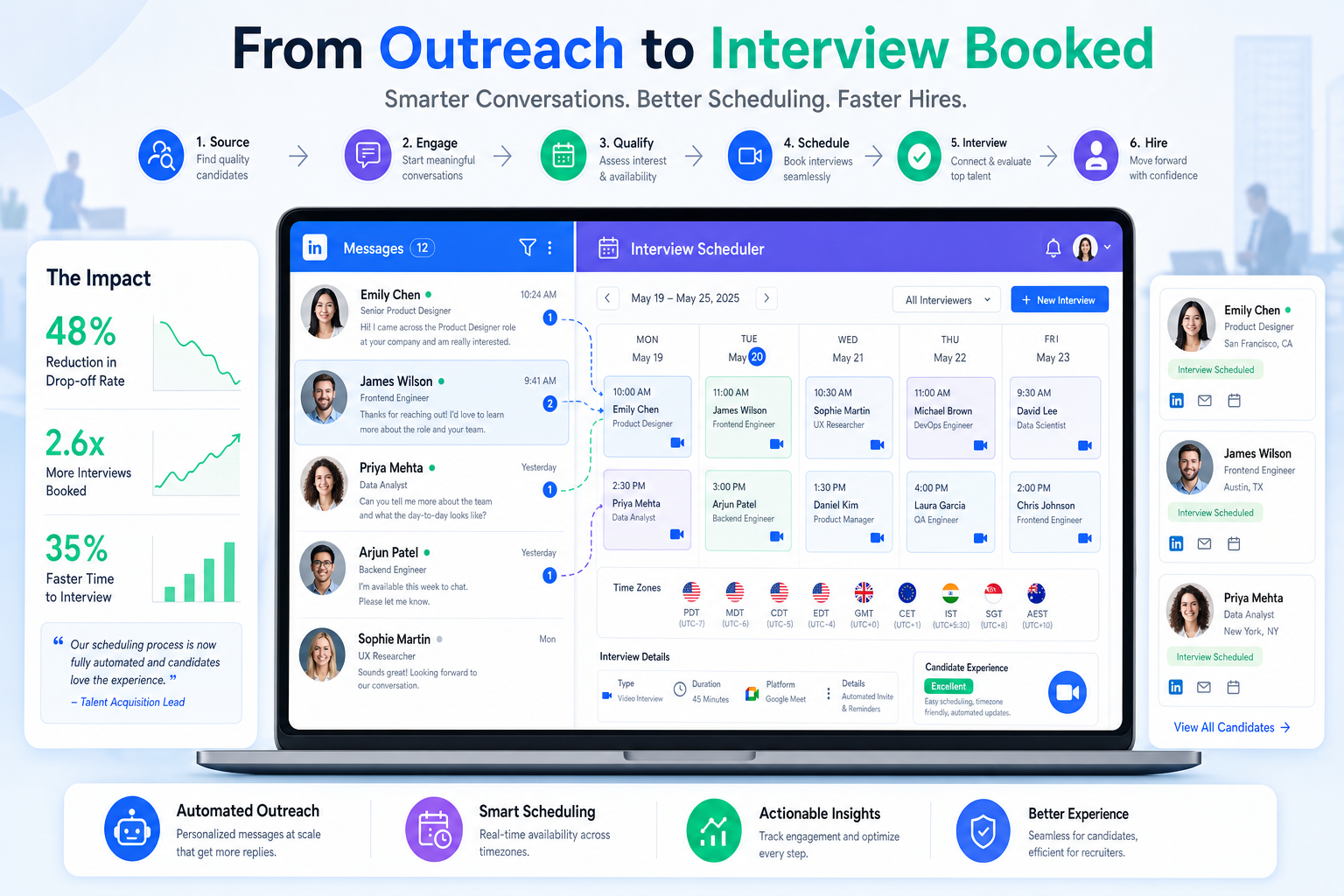
When scheduling breaks before the calendar step, agency leaders can use this article to judge ai hiring software and avoid drop-off.
That sounds simple, but it is exactly where many placements begin to wobble. A recruiter is asked to move fast, the client cannot always move fast, the hiring manager has unspoken constraints, and candidates lose confidence when interview timing feels improvised. For a solo recruiter, that means more admin and more awkward follow-up. For a small agency owner, it means lower consultant capacity and weaker client trust. For an in-house team, it means stalled requisitions, panel confusion, and avoidable candidate drop-off.
In my own workflow, I have found that StrategyBrain AI Recruiter is most useful when it removes the repetitive front-end work that makes scheduling harder later. If late replies, cross-time-zone messaging, and résumé collection are scattered across LinkedIn threads, interview coordination starts with bad information. Using AI Recruiter to handle after-hours candidate communication, collect contact details, and surface interested candidates earlier can make the scheduling stage cleaner, while the recruiter still owns the final résumé review, shortlist decisions, and interview next steps.
A useful reminder comes from an older agency-versus-corporate discussion: the breakdown usually starts before the interview invite is ever sent. The corporate client wants a recruiting partner who understands how the business actually works, knows when the company can move quickly and when it cannot, and asks the small operational questions that prevent friction later. Without that preparation, the recruiter and client may share the same hiring goal but still fail to move together.
That is exactly why automated interview scheduling matters. The real problem is not just calendar booking. It is whether your ai hiring software can carry business context, urgency, recruiter judgment, and candidate communication into a workflow that actually works with video interview software and virtual interview platforms. The rest of this article looks at how to evaluate that workflow, where agencies and internal teams get stuck, and what practical features make a measurable difference.
- Why interview scheduling breaks before the calendar step
- What automated interview scheduling means in real recruiting work
- How AI hiring software supports scheduling without replacing recruiter judgment
- Why business context matters as much as speed
- Interview scheduling software vs video interview software vs virtual interview platforms
- Features that matter most for agencies and internal teams
- Why ATS alignment changes the value of scheduling automation
- How to implement automated interview scheduling without confusing clients or candidates
- Common mistakes recruiters make when automating interview scheduling
- FAQ
Why interview scheduling breaks before the calendar step
Recruiters often describe scheduling as an admin problem, but in practice it is usually a preparation problem. When the recruiter does not fully understand the client’s decision path, approval constraints, urgency level, interviewer ownership, or availability rules, the scheduling process becomes fragile. The calendar is only where that fragility becomes visible.
This is one of the most useful lessons agency recruiters can borrow from corporate hiring feedback. Clients do not only want speed. They want a partner who understands how their company moves, where the delays are predictable, and which “small things” can derail momentum. In scheduling terms, those small things include unclear panel ownership, unconfirmed interview stages, slow stakeholder response, timezone blind spots, and weak candidate communication.
Key insight: Good scheduling automation does not rescue a vague process. It makes a well-understood hiring process easier to execute consistently.
That is why automated interview scheduling should be evaluated as part of operating discipline. If your workflow starts with incomplete context, you can still automate it, but you will automate confusion faster.
What automated interview scheduling means in real recruiting work
Automated interview scheduling is the use of software to coordinate interview timing based on recruiter rules, interviewer availability, candidate availability, stage requirements, and communication triggers. In stronger systems, this is not a standalone utility. It sits inside broader ai hiring software that connects outreach, screening, stage movement, scheduling, reminders, and recordkeeping.
In practical terms, the workflow often looks like this:
- A recruiter confirms that the candidate should move to the next stage.
- The system checks the rules for that stage, such as interview length, required participants, buffers, and business hours.
- Availability is matched across approved calendars.
- The candidate or recruiter selects a valid slot.
- Invites, reminders, and rescheduling options are sent automatically.
- If remote interviewing is involved, links from video interview software or virtual interview platforms are attached.
- The activity is logged in the hiring workflow for reporting and follow-up.
That process is straightforward when the stage design is clean. It becomes messy when the recruiter has not clarified who needs to meet the candidate, how fast the client expects movement, or whether the interview is exploratory, technical, panel-based, or final-round.
How AI hiring software supports scheduling without replacing recruiter judgment
There is a useful distinction here. In recruiting, AI can help with communication and workflow orchestration without pretending to make the final hiring decision. That distinction matters.
In scheduling, ai hiring software may help by:
- identifying qualified next-step triggers in the workflow
- matching availability based on approved rules
- sending reminders and reschedule paths automatically
- keeping candidate communications active across time zones
- recording actions in one place for visibility
But recruiters still need to own the important calls: whether a candidate is ready for interview, whether a résumé is strong enough to move forward, whether a panel is correctly built, and whether an exception needs human handling.
That is also how I think about StrategyBrain AI Recruiter. It is not a substitute for recruiter judgment. What it does well is reduce the repetitive LinkedIn work that clutters the early funnel: connecting with candidates, introducing roles, keeping replies moving after hours, and collecting résumés and contact details from interested people. In my experience, that improves scheduling readiness because by the time I am booking interviews, I already have a cleaner communication trail and fewer missing details. The shortlist still needs human evaluation, but the coordination starts from a better baseline.
Why business context matters as much as speed
The reference lesson behind this article is simple: clients want recruiters who learn the business, contribute expertise, and do not overpromise. That point is highly relevant to automated interview scheduling because speed without context can damage trust.
For example, a recruiter may feel pressure to send a self-scheduling link immediately. But if the client has not aligned internally on interviewer availability, panel design, or role requirements, that “fast” move can create avoidable reschedules. Candidates notice this quickly. It feels less like efficiency and more like the company is unprepared.
In agency settings, understanding the business context improves scheduling in several ways:
- It clarifies urgency: not every role moves at the same pace
- It protects credibility: recruiters stop making promises the client cannot keep
- It improves stakeholder coordination: interviewers know their role earlier
- It supports better candidate messaging: timelines and expectations are more realistic
- It reduces late-stage risk: fewer surprises appear when the process is already in motion
This is also where experienced agency recruiters add value beyond simple scheduling logistics. Corporate teams often want outside partners who can teach as well as learn: bringing market knowledge, candidate management discipline, and clearer process thinking to the table. Automation helps that work when it is designed around the real process, not around a generic booking widget.
Interview scheduling software vs video interview software vs virtual interview platforms
Recruiters frequently evaluate these categories together, but they solve different problems. A team that confuses them may buy a strong interviewing tool with weak scheduling logic, or a strong scheduler with a poor remote candidate experience.
| Category | Primary purpose | Best fit | What to verify |
|---|---|---|---|
| Interview scheduling software | Books, reschedules, reminds, and coordinates interviews | Teams trying to reduce admin work and move candidates faster | Calendar sync, panel logic, candidate self-scheduling, ATS fit |
| Video interview software | Runs live or one-way remote interviews | Teams that need remote screening or structured live interviews | Link creation, recording controls, review workflow, reliability |
| Virtual interview platforms | Supports the broader remote interview experience | Distributed teams with multiple stakeholders and stages | Candidate experience, stage management, integrations, usability |
The distinction matters because scheduling often depends on the handoff between these categories. If the booking workflow is solid but your video interview software creates friction, the candidate still experiences the process as disorganized. If your virtual interview platforms are polished but availability matching is weak, recruiters still lose time and candidates still wait too long.
My advice is to start with the operational bottleneck. If your pain is interview coordination, prioritize scheduling depth. If your pain is remote interview delivery, scheduling alone will not fix it.
Features that matter most for agencies and internal teams
Not every feature list is useful. The better approach is to ask which capabilities solve the exact problems exposed in the opening scenario: incomplete context, unclear ownership, scattered communication, and candidate delays.
1. Candidate self-scheduling with rules
Self-scheduling is valuable when recruiters can control which slots appear, which stage the link applies to, and which interviewers are eligible. Without rules, it can create more chaos than convenience.
2. Reliable calendar synchronization
This is foundational. If interviewer calendars are inaccurate or buffers are poorly managed, the rest of the automation becomes cosmetic.
3. Multi-stage workflow support
Most hiring processes involve more than one interview. The software should support recruiter screens, hiring manager conversations, panel interviews, and final-stage coordination without forcing workarounds.
4. Panel and interviewer coordination
When agencies support corporate clients, this becomes critical. You need to know who must attend, who can substitute, and where approvals or delays usually occur.
5. Clear timezone management
Time conversion mistakes are still one of the easiest ways to make a process feel amateur. Strong systems handle this automatically for candidates and interviewers.
6. Rescheduling that preserves context
Interviews get moved. Good systems keep communications, links, stage records, and stakeholder visibility intact when that happens.
7. Reminder automation
Reminders are especially useful when interviews are hosted through video interview software or other remote tools, where no physical office context exists to reduce confusion.
8. Candidate-facing clarity
Booking pages, confirmations, and instructions should be simple, mobile-friendly, and professional. Candidates rarely care how advanced the software is; they care whether it feels easy to use.
9. Auditability and reporting
One major benefit of connected ai hiring software is process visibility. You should be able to identify delays by stage, see where reschedules happen, and understand interviewer load.
10. Human override controls
Accessibility needs, executive scheduling, confidential searches, and unusual panel changes all require flexibility. Recruiters must be able to step in.
Why ATS alignment changes the value of scheduling automation
For most teams, scheduling works best when it is embedded in or tightly connected to the applicant tracking system. That is where interview coordination stops being a separate admin layer and becomes part of the hiring workflow itself.
Without that connection, recruiters often juggle:
- one system for candidate records
- another for calendars
- a separate thread for candidate communications
- and a different tool for remote interviewing
That fragmentation is exactly what causes the “small things” corporate clients complain about. Details get missed. Ownership is unclear. Timelines drift. Candidates receive inconsistent messaging.
With a better-connected workflow, recruiters can trigger scheduling from the correct stage, keep communication history attached to the candidate record, and measure where the process slows down. For agency teams, that also improves client updates because the record is easier to trust.
How to implement automated interview scheduling without confusing clients or candidates
The cleanest implementations usually begin with process design, not software settings. Start with the workflows where delays are common and recruiter effort is repetitive.
- Map the client’s real interview path. Confirm who meets the candidate at each stage and where approvals can delay movement.
- Define scheduling rules before launch. Set durations, buffers, availability windows, and panel requirements clearly.
- Standardize candidate communications. Invitation language should explain what the stage is, who they will meet, and how to reschedule if needed.
- Connect communication sources early. If candidate replies begin in LinkedIn or email, make sure résumé and contact details are captured cleanly before interview booking starts.
- Test remote interview handoffs. If you rely on video interview software or virtual interview platforms, validate the meeting-link experience before rolling out at scale.
- Train recruiters and hiring managers. Everyone should know when automation is appropriate and when human intervention is required.
- Review and refine. Look at reschedules, drop-off points, and interviewer bottlenecks after launch.
For recruiters doing a high volume of LinkedIn outreach, I would add one practical lesson: clean front-end communication improves downstream scheduling more than most teams expect. When I have used StrategyBrain AI Recruiter conversation workflows to keep candidate responses moving outside office hours, I spend less time chasing basic information later. Candidates who are already informed, responsive, and documented are simply easier to schedule well.
Common mistakes recruiters make when automating interview scheduling
Most implementation problems come from workflow assumptions, not from the idea of automation itself.
Choosing software before defining the process
If you do not understand the client’s or hiring team’s real interview path, automation will expose the gaps quickly.
Confusing speed with readiness
Sending interview links before stakeholders are aligned often creates more reschedules and a worse candidate experience.
Assuming all tools solve the same problem
Strong video interview software does not guarantee strong scheduling logic, and polished virtual interview platforms do not automatically remove coordinator work.
Failing to learn the business context
This is the agency lesson worth repeating. Clients want recruiters who understand how the organization works, not just recruiters who push candidates forward quickly.
Over-automating exception cases
Executive searches, accommodation requests, confidential roles, and unusual panel formats still need human judgment.
Ignoring soft-skill signals in the process design
The corporate feedback in the reference article also pointed to something broader: technical fit matters, but so do self-awareness, communication, and thoughtful candidate behavior. Scheduling workflows should support that by giving candidates clear expectations and giving interviewers enough structure to assess more than résumé match alone.
FAQ
What is automated interview scheduling?
It is the use of software to coordinate interview timing based on recruiter-defined workflow rules, interviewer calendars, candidate availability, and stage requirements. In modern ai hiring software, it often includes reminders, rescheduling, and automatic recordkeeping.
Why does interview scheduling often break down in agency recruiting?
Because the issue is usually not just calendar logistics. It often starts with incomplete client context, unclear stakeholder ownership, unrealistic timing assumptions, and scattered communication before the interview stage begins.
How does AI hiring software help without replacing recruiters?
It removes repetitive coordination work, supports faster communication, and keeps records organized. Recruiters still make the final call on résumé quality, shortlist decisions, and interview progression.
Where does video interview software fit?
Video interview software handles the live or asynchronous interview experience itself. It is different from scheduling software, though the two should work together smoothly.
What are virtual interview platforms used for?
Virtual interview platforms support the broader remote interview experience across multiple users and stages. They are especially useful for distributed teams and more complex interview processes.
Should candidates be allowed to self-schedule?
Usually yes, if the recruiter controls the rules behind the available slots. Self-scheduling can improve speed and candidate experience when interviewer pools and stage requirements are clearly defined.
How can LinkedIn recruiting affect interview scheduling quality?
If early candidate communication is fragmented, recruiters reach the scheduling stage with missing details, delayed responses, or unclear interest. Tools like StrategyBrain AI Recruiter can help keep that front-end communication more organized before interviews are booked.
Conclusion
Automated interview scheduling works best when it is treated as a business-partner workflow, not just a calendar convenience. The opening lesson from agency and corporate recruiting still applies: know how the client works, contribute useful expertise, and do not let small operational misses undermine a good search.
That is why the best ai hiring software does more than offer open time slots. It supports recruiter judgment, cleaner communication, better coordination, and smoother handoffs to video interview software and virtual interview platforms. If you evaluate tools through that lens, you are more likely to choose a workflow that helps both recruiters and candidates move with confidence.















