


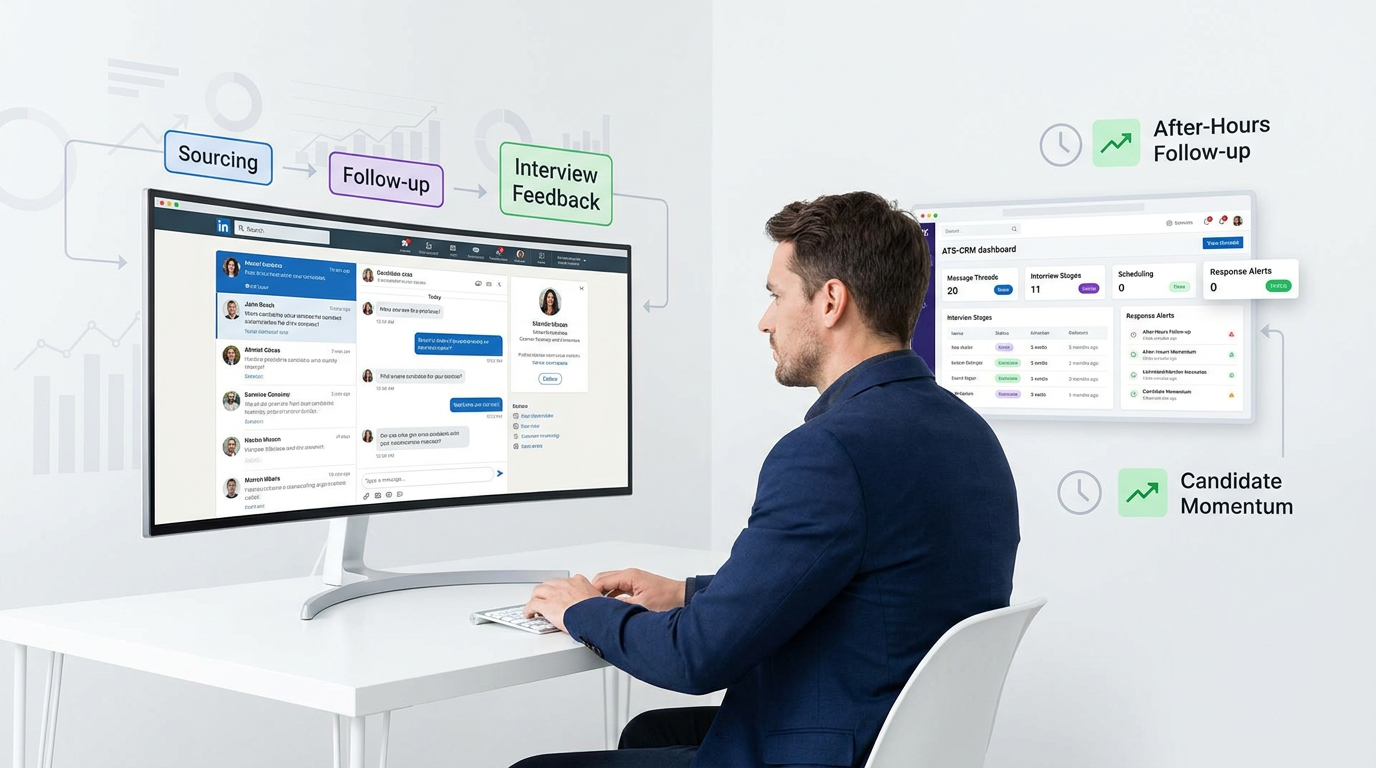
Missed replies and vague follow-up cost headhunters momentum; this article helps you evaluate an ai recruiting tool by workflow fit.
That matters because recruiting delays rarely look dramatic at first. They show up when a recruiter misses an evening reply, walks into an interview block already overloaded, forgets what was promised to a candidate, or loses a strong prospect between sourcing, scheduling, and feedback. For a small agency owner, that means wasted desk time and weaker submissions. For an individual recruiter, it means lower response quality and more context switching. For an in-house team, it often means slower hiring, frustrated managers, and a candidate experience that feels careless rather than intentional.
In my own workflow, one practical way to reduce that friction has been using StrategyBrain AI Recruiter as an AI-supported layer for LinkedIn outreach and candidate conversations. What helped most was not replacing recruiter judgment, but handing off repetitive first-contact tasks, after-hours follow-up, and multilingual message handling so interested candidates did not go cold before I got back to them. The recruiter still owns final qualification, résumé review, and interview decisions, but the early-stage communication burden becomes much easier to manage.
That early-stage burden is exactly where many candidates quietly form their impression of your process. Think about an introverted but highly qualified candidate preparing for a job interview. They may deliberately schedule the conversation at the point in the day when their energy is strongest, leave time before and after to regroup, rehearse key points in advance, and rely on thoughtful written communication because spontaneous self-promotion feels draining. If your recruiting process answers late, sends vague updates, or forces unnecessary back-and-forth, you are not just creating admin overhead. You are making it harder for that candidate to show up well at the moments that matter most.
The same pattern continues after the interview starts. First and last impressions carry more weight than most teams admit, and some candidates communicate best when they have clear expectations, a steady tone, and enough room to prepare rather than perform constantly. That is why the best recruiting software is not only about database management. It is about whether your ATS, CRM, and hiring tools preserve timing, context, and relationship quality across each touchpoint.
Once you see the workflow through that candidate-side lens, the software question becomes clearer: you are not only buying automation, you are choosing how your team handles attention, preparation, responsiveness, and follow-through. That is where this guide separates the best recruiting software, the right ai recruiting tool, the best crm software for recruitment agency use case, and the broader stack of hiring tools that may or may not improve the process.
Table of Contents
- Why best recruiting software now means workflow protection
- What candidate energy and timing reveal about software quality
- Recruiting software categories that buyers confuse
- How to evaluate software in real recruiting work
- Quick comparison by recruiting model
- Best crm software for recruitment agency: what matters
- What in-house talent teams should prioritize
- Applicant tracking system benefits and tradeoffs
- Where AI-supported LinkedIn recruiting fits
- Common buying mistakes
- FAQ
Why Best Recruiting Software Now Means Workflow Protection
Ten years ago, many teams judged recruiting systems mainly by job posting, applicant tracking, and basic reporting. Today, that is not enough. The best recruiting software protects workflow continuity from first outreach to final decision, especially when recruiters are juggling sourcing, candidate communication, hiring-manager updates, scheduling, and pipeline reporting at the same time.
That shift explains why so many buyers now begin with the phrase ai recruiting tool even when their real need is broader. They are usually not shopping for novelty. They are trying to remove the small operational breakdowns that slow hiring down: missed replies, weak follow-up, duplicate records, poor rediscovery, or fragmented communication across tools.
In practice, strong software should help with five forms of workflow protection:
- Timing protection: candidates and stakeholders get timely responses
- Context protection: recruiters can see prior conversations, notes, and stage history
- Preparation protection: interviewers and candidates have the right information before key moments
- Relationship protection: valuable prospects are not lost after one unanswered message or one paused requisition
- Decision protection: leaders can review accurate pipeline data instead of guessing
Key insight: The best recruiting software does more than move candidates through stages. It preserves energy, context, and response quality at the points where hiring momentum is easiest to lose.
What Candidate Energy and Timing Reveal About Software Quality
The reference point many recruiters overlook is simple: candidates are managing their own energy just as carefully as recruiters are managing req volume. Some want time to prepare before an interview. Some prefer written communication because it gives them room to think. Some are excellent listeners and strategic thinkers but do not naturally push themselves into the spotlight. A clumsy process disadvantages those candidates and often hides good talent behind avoidable friction.
That is why candidate experience should be evaluated beyond branding language. Ask whether your current process:
- Lets candidates schedule efficiently without endless email loops
- Sets expectations clearly before interviews
- Maintains a tone that matches the role and stage
- Captures communication history so recruiters do not ask the same questions twice
- Allows recruiters to re-engage thoughtful but slower-moving candidates without starting from zero
When software supports those moments well, candidates can focus on presenting their strengths rather than managing process confusion. That is especially important in competitive markets where small delays can change who stays engaged.
Recruiting Software Categories That Buyers Confuse
One reason buyers struggle is that they compare neighboring software categories as if they were interchangeable. In reality, each category solves a different part of the recruiting problem.
Applicant Tracking System for Recruiters
An ATS manages requisitions, applicant stages, interview workflows, scorecards, and hiring activity. The main advantages of applicant tracking system adoption are structure, visibility, consistency, and better control of active hiring.
For in-house teams, the ATS is often the operational center of the process. For agencies, it may be necessary but insufficient if the team also needs client-side workflows, submissions, and placement tracking.
Recruitment CRM
A recruitment CRM focuses on relationship management over time. Instead of only tracking people attached to active jobs, it supports talent pools, outreach history, rediscovery, long-cycle candidate engagement, and often client relationship tracking too.
This is why agencies searching for the best crm software for recruitment agency usually care about more than applicant stages. They need to manage candidates, clients, briefs, submissions, and repeat business in one operating view.
AI Recruiting Tool
An ai recruiting tool applies automation and intelligence inside recruiting work. Useful examples include candidate matching, outreach drafting, scheduling assistance, rediscovery prompts, interview analysis, and message handling after normal working hours.
The real question is not whether AI exists. It is whether the AI reduces friction inside the workflow the team already uses.
Hiring Tools
The category of hiring tools includes assessments, scheduling systems, conversational assistants, sourcing extensions, and workflow automation products. These can be valuable, but only when they strengthen the core system rather than create more disconnected handoffs.
How to Evaluate the Best Recruiting Software in Real Recruiting Work
I prefer evaluating recruiting software the same way I would assess a recruiter process: what happens before key conversations, during handoffs, and after momentum starts to slip? That lens is more useful than a long feature checklist.
1. Check Workflow Fit Before Brand Familiarity
Map how your team actually works. Do you start with inbound applicants, outbound sourcing, retained search, or repeat client briefs? Do recruiters need submissions and placement tracking? Do hiring managers need approvals and scorecards? The right system should fit the real path of work, not the idealized version shown in a demo.
2. Test Whether the Process Supports Preparation
The introvert interview example is instructive here. Good recruiting processes help people prepare. Candidates need clear scheduling, role context, and communication continuity. Recruiters need quick access to conversation history, prior notes, and next steps. Software that hides or fragments that information creates avoidable mistakes.
3. Review Response Handling at High-Friction Moments
Many pipelines slow down in the hours when recruiters are unavailable. If your process relies heavily on LinkedIn sourcing or global candidate pools, it is worth testing how the system handles first outreach, follow-up, and message capture outside normal working hours.
That is one reason I found AI Recruiter useful in specific sourcing-heavy workflows. It kept candidate conversations moving, introduced roles, handled routine questions, and gathered contact details from interested prospects while I stayed responsible for the actual shortlist and fit decision. For teams doing outbound search, that kind of support can be more practical than adding another disconnected point tool.
4. Examine CRM Depth for Relationship-Based Recruiting
If your business depends on returning to the same talent pools, nurturing passive candidates, and working multiple clients at once, then CRM depth matters as much as ATS structure. This is especially true when choosing the best crm software for recruitment agency use case.
5. Inspect Reporting Through an Operator Lens
Leadership dashboards matter, but operators need answers too. Can recruiters quickly see source quality, stalled stages, response trends, submission conversion, and the age of neglected pipelines? Good reporting should support daily decisions, not just quarterly reviews.
6. Include Candidate-Facing Steps in Every Demo
Do not evaluate software only from the recruiter seat. Review scheduling, forms, reminders, status updates, and handoff quality from the candidate side as well. The strongest systems feel coherent to everyone involved.
Quick Comparison of the Best Recruiting Software by Use Case
| Use Case | Best Software Pattern | Core Needs | Useful AI Layer | Best Fit |
|---|---|---|---|---|
| Large staffing firm | Agency CRM plus ATS | Clients, jobs, submissions, placements, reporting | Matching, outreach automation, rediscovery | High-volume agency operations |
| Boutique search firm | Relationship-led CRM with search workflow | Talent mapping, long-cycle outreach, stakeholder notes | Research support, draft outreach, follow-up help | Executive and specialist search |
| Small to mid-sized agency | Combined ATS and recruitment CRM | Candidate database, pipelines, client visibility | Scheduling support, message automation, rediscovery | Lean teams that need flexibility |
| In-house talent team | ATS with collaboration and CRM elements | Approvals, interview stages, manager alignment, reporting | Screening support, scheduling, analytics | Corporate recruiting and TA teams |
| LinkedIn-heavy sourcing team | Core ATS/CRM plus AI sourcing layer | Outreach continuity, contact capture, recruiter control | Always-on messaging, multilingual communication | Outbound recruiting models |
The pattern is clear: there is no single universal winner. The best recruiting software depends on whether your process is applicant-led, relationship-led, client-led, or outbound-led.
Best CRM Software for Recruitment Agency: What Matters Most
Agency buyers usually outgrow simplistic systems for one reason: the job is not only to manage applicants. It is to manage two active relationships at once, candidate and client, while preserving desk productivity.
Agency Workflows That Must Be Supported
- Multi-client visibility across open roles, stakeholders, and commercial activity
- Job order management from intake to shortlist to placement
- Submission tracking with clear ownership and status history
- Candidate rediscovery for repeat briefs and adjacent searches
- Client CRM for account development and communication continuity
- Recruiter activity reporting that reflects desk performance, not just applicant counts
If you are evaluating the best crm software for recruitment agency, test the system against a realistic desk workflow. Can a recruiter reopen an old search, find prior outreach, identify who was interested but not available, update a client, and send a fresh shortlist without rebuilding the story from scratch? If not, the CRM depth is probably too shallow.
For agency teams that source heavily on LinkedIn, an AI support layer can also be useful when it stays narrow and practical. In one of my own outbound workflows, I used StrategyBrain AI Recruiter to keep first-touch communication moving in parallel across time zones, then stepped in once interested candidates had shared their details and resumes. That worked best as a productivity extension, not a replacement for recruiter judgment.
What In-House Talent Teams Should Prioritize
Internal talent teams usually evaluate software through a different lens. They care less about placements and more about consistency, approvals, stakeholder alignment, and candidate experience across multiple hiring managers.
Core Priorities for In-House Recruiting
- Requisition and approval workflows
- Structured interview stages and scorecards
- Scheduling and calendar coordination
- Talent pools for future hiring
- Clean reporting on funnel health and conversion
- Integrations with calendars, email, and other hiring tools
This is where the practical applicant tracking system benefits become obvious. A strong ATS creates process discipline, improves handoffs, and gives everyone a shared view of where the hire stands. But in-house teams increasingly also need relationship features, especially when they want to re-engage silver-medalist candidates later.
From the candidate side, this matters because prepared candidates tend to perform better when the process is structured and predictable. Clear scheduling, interview context, and consistent communication are not minor conveniences. They directly affect engagement quality.
Applicant Tracking System Benefits and Common Tradeoffs
Buyers still often ask whether they need a pure ATS, a CRM, or a fuller recruiting suite. The answer starts with understanding what an ATS does best.
Main Applicant Tracking System Benefits
- Stage visibility: everyone can see where a candidate stands
- Process consistency: recruiters follow the same workflow across roles
- Collaboration: hiring managers and recruiters share notes and status
- Reporting: teams can identify bottlenecks and conversion problems
- Scalability: growth is less dependent on inbox memory and spreadsheets
Those are the core advantages of applicant tracking system adoption. The tradeoff is that a basic ATS can feel shallow when your workflow depends on long-term candidate nurturing, outbound sourcing, or client relationship history.
| Software Model | Main Strength | Typical Limitation |
|---|---|---|
| Basic ATS | Strong operational structure | Weak relationship depth |
| Recruitment CRM | Better long-term talent engagement | May need stronger process controls |
| ATS plus CRM | Balanced workflow and relationships | Can require more setup discipline |
| AI-supported recruiting layer | Reduces repetitive communication work | Needs clear recruiter oversight |
Where AI-Supported LinkedIn Recruiting Fits
Not every team needs a dedicated AI layer for sourcing, but some do. If your recruiters spend a large part of the week on LinkedIn outreach, first-response handling, candidate follow-up, and contact capture, then AI can help at exactly the point where human energy is easiest to deplete.
That is the area where StrategyBrain AI Recruiter is most relevant. In my experience, its value was practical and narrow in a good way: it can introduce roles, continue candidate conversations around the clock, work across languages, and collect resumes or contact details from interested prospects. I still reviewed fit myself, decided who moved forward, and controlled the tone of the search. But the repetitive front-end sourcing burden dropped, especially in after-hours windows when candidates often reply.
That distinction matters. Good AI recruiting support should accelerate recruiter attention, not erase it. For outbound teams, the best result is usually a cleaner split of responsibilities:
- AI handles repetitive outreach and routine conversation continuity
- The recruiter handles fit judgment, shortlist quality, and relationship depth
- The ATS or CRM remains the source of workflow truth
If your stack already includes a solid ATS or CRM, this type of AI layer can complement rather than complicate the process.
Common Mistakes When Choosing the Best Recruiting Software
1. Treating AI as a Product Category Instead of a Workflow Choice
Buying an ai recruiting tool without checking where it fits often creates extra switching and weaker adoption. AI should reduce recruiter effort at a known bottleneck.
2. Ignoring Candidate-Side Process Quality
Teams still over-focus on recruiter screens and under-review the candidate experience. That is risky, especially for candidates who need clear timing, preparation, and communication consistency to engage well.
3. Confusing ATS Structure with CRM Depth
An ATS can run an active process cleanly and still fail at long-term talent relationship management. Agencies feel this gap fastest.
4. Buying Too Many Hiring Tools Too Early
Specialized hiring tools can help, but not if the foundation is weak. Fix applicant tracking, CRM visibility, and communication continuity first.
5. Evaluating Demos Instead of Real Scenarios
Use realistic tests: reopen an old candidate relationship, manage an after-hours reply, coordinate an interview reschedule, or recover a stalled shortlist. These scenarios expose software quality much faster than polished demos.
FAQ
What is the best recruiting software for most teams?
The best recruiting software is the system that matches your hiring model and supports the full workflow from sourcing or intake through reporting and re-engagement. For many teams, that means a strong ATS or CRM with embedded AI support where it actually reduces manual work.
How does an ai recruiting tool help recruiters?
An ai recruiting tool helps most when it automates repetitive tasks such as outreach drafting, candidate messaging, scheduling support, matching, and rediscovery. It should improve speed and consistency without replacing recruiter judgment.
What should agencies look for in the best crm software for recruitment agency use?
Agencies should look for multi-client management, job orders, submission tracking, placements, candidate rediscovery, client CRM, and reporting that reflects desk activity. If the team also sources heavily on LinkedIn, an AI communication layer can be useful as a complement.
Are hiring tools the same as recruiting software?
No. Hiring tools usually refer to adjacent products such as schedulers, assessments, or automation layers. Recruiting software is the broader operational system, usually ATS, CRM, or a suite that combines both.
What are the advantages of applicant tracking system adoption?
The main advantages of applicant tracking system use are visibility, structure, collaboration, and reporting. Those benefits become especially valuable as hiring volume grows and teams need cleaner coordination.
Should AI be built into the ATS or used separately?
Built-in AI is often easier to adopt because it keeps work in one place. Separate AI tools can still be effective when they solve a specific sourcing or communication problem and integrate cleanly with the main workflow.
Conclusion
The best recruiting software is the one that helps your team protect timing, context, and candidate momentum, not just process stages. That is why the modern decision is rarely ATS versus CRM versus AI in the abstract. It is about where your workflow loses quality now, and what type of system actually closes that gap.
For agencies, the search for the best crm software for recruitment agency should start with relationship depth, client visibility, and submission workflow. For in-house teams, the priority is usually ATS discipline, collaboration, and candidate experience. And for sourcing-heavy teams, the right ai recruiting tool can add real value when it handles repetitive outreach and follow-up while the recruiter keeps control of judgment and hiring decisions.














