When hiring speed breaks down, this article helps headhunters judge ATS systems for recruiting, avoid workflow leaks, and choose fit.
That matters most when a market is active enough that delay becomes expensive. In a low-unemployment environment, recruiters are not just managing applicants; they are protecting response speed, candidate experience, and hiring-manager trust. Small search firms feel it in missed placements and overtime. Solo recruiters feel it in evenings spent chasing LinkedIn replies, resumes, and interview interest. In-house teams feel it when hiring managers complain that a role looked simple on paper but stalled between outreach, screening, and feedback collection.
One workflow that helped me in those situations was pairing an ATS with StrategyBrain AI Recruiter for the front end of sourcing and candidate communication. I used it mainly to keep LinkedIn outreach moving after hours, answer candidate questions quickly across time zones, and collect resumes and contact details from people who were genuinely interested. That did not replace recruiter judgment; I still reviewed resumes, decided who moved forward, and handled final qualification. What it changed was the amount of repetitive messaging and follow-up that used to sit outside the system.
A good example is a market like Saskatoon, where hiring conditions have been shaped by strong job growth, low unemployment, and visible expansion in construction, healthcare, social assistance, and agriculture. Add in infrastructure, education, and healthcare investment, and you get the kind of environment where both job seekers and recruiters have options. In a market that added 10,400 jobs, or about 5.4% growth, a recruiter handling specialized or executive searches cannot afford to lose track of who replied, who asked for details, and which opening has become urgent.
That pressure shows up in ordinary recruiting actions. A recruiter opens a requisition tied to a healthcare expansion, checks messages from candidates who replied overnight, sends role details to a short list, and then has to log who is interested, who asked about compensation, and who wants to speak later in the week. If that information lives partly in LinkedIn, partly in email, and partly in someone’s memory, the problem is no longer just sourcing. It becomes a software fit problem, which is why choosing the best recruiting software means understanding how different ATS systems support fast, local-market execution without creating more admin than they remove.
That is the lens for this article. Instead of treating the best recruiting software as a universal winner, I am looking at how recruiters actually evaluate ATS systems for recruiting when market conditions are tight, collaboration is messy, and speed matters more than feature theater.
- What an ATS does when recruiting demand is rising fast
- How to compare dedicated recruiting tools with broader HR platforms
- What separates the best applicant tracking software from systems that only store applicants
- How different ATS systems fit startups, SMBs, enterprise teams, and agencies
- Where AI-supported outreach can work alongside an ATS without replacing recruiter judgment
Table of Contents
- Why Hiring Pressure Changes Software Needs
- What Is an ATS and How Does It Work?
- Why Recruiting Teams Use ATS Systems for Recruiting
- Dedicated ATS vs All-in-One HR Software
- How to Evaluate the Best Applicant Tracking Software
- Different ATS Systems by Hiring Context
- Three Common Software Approaches Recruiters Compare
- Quick Comparison Table
- A Practical Selection Process for Recruiters
- Common ATS Buying Mistakes
- FAQ
Why Hiring Pressure Changes Software Needs
Recruiting software choices look different in a slow market than they do in a market with active job creation and low unemployment. When sectors like construction, healthcare, agriculture, and social assistance are expanding at the same time, recruiters cannot assume candidates will wait patiently while internal process catches up.
That is one useful lesson from markets like Saskatoon. Growth itself is not the whole story. Public investment, education expansion, healthcare access, and affordability measures can all support workforce movement over a longer period. For recruiters, that means hiring demand is not always a one-off spike. It can become a sustained operating condition.
In that kind of environment, software gets judged less on marketing language and more on whether it keeps candidate communication, recruiter follow-up, and hiring-manager feedback in one workable flow. The best recruiting software helps teams respond while the opportunity is still live.
Key insight: the more competitive the hiring market, the more your ATS is judged by speed, handoff quality, and daily usability rather than headline features alone.
What Is an ATS and How Does It Work?
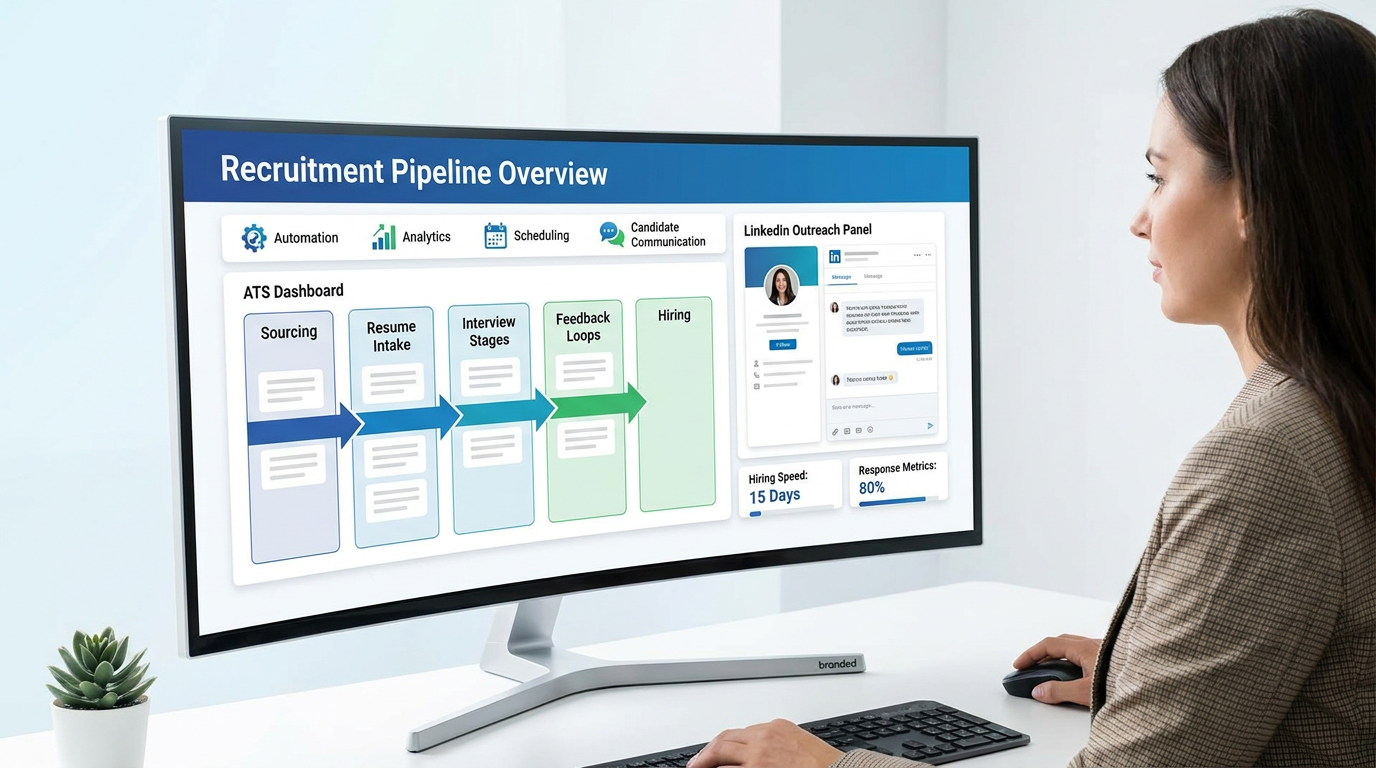
An applicant tracking system is the operational core of recruiting. It organizes job approvals, posting, application intake, screening, interview stages, feedback, offers, and often the handoff into onboarding or HR records.
When recruiters talk about ATS systems for recruiting, they are usually talking about one shared system that prevents talent work from fragmenting across inboxes, spreadsheets, job boards, calendar tools, and chat threads. In an active market, that structure is what keeps urgency from turning into chaos.
In practical terms, an ATS usually supports this flow:
- Requisition setup: a role is opened, approved, and configured with the right stakeholders.
- Job distribution: the position is published to a careers page and selected channels.
- Candidate intake: resumes and profile data enter a central record.
- Review and routing: recruiters screen, tag, shortlist, and move candidates to the next step.
- Interview coordination: the team collects feedback, manages scheduling, and records decisions.
- Offer and close: approvals, documents, and final disposition are handled in one workflow.
- Reporting and handoff: the team reviews pipeline data and transfers the hire into downstream systems.
That is also why an ATS should not be confused with a simple resume database. The best systems support actual recruiting motion, not just record storage.
Why Recruiting Teams Use ATS Systems for Recruiting
When manual recruiting starts to break, it usually breaks in familiar places: candidate status is unclear, hiring managers review late, notes are missing, and recruiters have to reconstruct what happened from scattered tools. Those are the day-to-day reasons organizations adopt ATS systems for recruiting.
The most practical gains usually show up here:
- Visibility: everyone can see where a candidate stands and what is blocking progress.
- Consistency: interview stages, approvals, and feedback expectations become repeatable.
- Speed: automation reduces manual reminders, status changes, and communication lag.
- Collaboration: recruiters and hiring managers work in one place instead of bouncing between systems.
- Reporting: source quality, stage conversion, and bottlenecks become measurable.
- Recordkeeping: central documentation is easier to audit and maintain.
For agencies, the value often starts with search speed and talent organization. For in-house teams, it usually starts with process control and stakeholder accountability. For recruiting operations leaders, the value is cleaner data and fewer workflow leaks.
I would add one more point from experience: if your sourcing happens heavily on LinkedIn, an ATS alone may not solve the front-end communication burden. In my own workflow, using AI Recruiter for initial outreach, candidate Q&A, and resume collection made the ATS more useful because better information reached the system faster. The software still did different jobs. The ATS tracked the process; the AI layer reduced message lag before candidates entered formal review.
Dedicated ATS vs All-in-One HR Software
One of the biggest decisions in this category is whether you need a recruiting-first platform or a broader HR suite with recruiting included. This is where many teams compare unlike tools and end up with the wrong fit.
Dedicated ATS platforms
A dedicated ATS usually goes deeper into recruiter workflow, sourcing support, interview design, pipeline reporting, and role-specific customization. These systems tend to suit organizations where talent acquisition is a distinct function and hiring is frequent, collaborative, or specialized.
If your recruiters run multiple concurrent searches, need structured scorecards, or support business units with different approval paths, a dedicated ATS often gives better control.
HR suites with recruiting built in
All-in-one HR platforms usually prioritize a simpler system footprint. Recruiting is one module inside a larger environment that may also include employee records, onboarding, payroll, or benefits administration.
This can make sense for smaller businesses that value consolidation and smoother handoff after hire. The tradeoff is that recruiting functionality may be shallower than what specialist teams expect from the best applicant tracking software.
How to choose between them
- Choose a dedicated ATS if: your hiring process is complex, high-volume, or highly collaborative.
- Choose an HR suite if: you want fewer systems and your recruiting process is relatively straightforward.
The practical question is not which category sounds more advanced. It is whether your team needs recruiting depth or broader HR simplicity.
How to Evaluate the Best Applicant Tracking Software
If you want a useful shortlist, evaluate software against your live workflow rather than a feature parade. The best applicant tracking software removes friction in the work recruiters do every day.
1. Workflow automation
Look for automations that remove repetitive admin without making the process rigid. Good examples include candidate routing, approval triggers, reminders, stage-change actions, and communication templates.
This becomes especially important when hiring volume is rising in several functions at once. A recruiter should not need to rebuild the same follow-up sequence for every search.
2. Candidate sourcing support
If your team relies on outbound search, talent pools, or referral-heavy recruiting, the system should support that reality. Waiting for inbound application volume is not enough in many specialist or low-unemployment markets.
This is also where teams often combine their ATS with sourcing tools. In my case, StrategyBrain AI Recruiter was most helpful when candidate interest started on LinkedIn before a formal application existed. It kept conversations moving, gathered resumes, and surfaced people worth a closer look, while the ATS remained the place for structured hiring decisions.
3. Interview scheduling and feedback collection
Every recruiter knows this is where momentum can disappear. If hiring managers struggle to submit feedback or coordinators still chase calendars manually, the software is not doing enough.
During demos, test this part with a real scenario. A clean dashboard means very little if interview collaboration still happens outside the system.
4. Analytics and reporting
Reporting is one of the clearest separators between average systems and the best applicant tracking software. Basic reporting is table stakes. Stronger systems help you understand stage conversion, source quality, recruiter workload, and where roles are stalling.
That matters more in markets where demand is spread across multiple expanding sectors. Leaders need to know whether the issue is sourcing, manager response, compensation competitiveness, or process drag.
5. Practical AI support
AI claims are everywhere now, so the question is not whether a platform mentions AI. The real question is whether the workflow support is concrete. Helpful examples include message handling, candidate matching assistance, repetitive scheduling support, and faster information capture.
In my experience, AI is most useful when it absorbs repetitive top-of-funnel work and hands the recruiter cleaner next actions. It is far less useful when it makes decision logic opaque or adds another dashboard nobody checks.
6. Customization
Most recruiting teams do not work the same way for every role. You may need different scorecards, stage names, approval paths, or permissions by function or geography. The best ATS systems for recruiting let you adapt without starting from scratch.
7. Integrations
At minimum, evaluate calendars, job board connections, HR systems, communication tools, and onboarding handoff. If the ATS cannot connect to the rest of the stack, recruiters end up exporting data and rebuilding context manually.
8. Ease of implementation
Implementation often decides whether a promising purchase becomes a useful system. A platform can look excellent in demos and still fail if migration is messy, manager training is weak, or ownership after launch is unclear.
Different ATS Systems by Hiring Context
The phrase different ATS systems matters because fit changes with hiring context. The same product can feel efficient for one team and constraining for another.
Startups
Startups usually need quick setup, intuitive workflows, and enough structure to stop process drift. If headcount is still lean and hiring managers are close to the process, a lightweight ATS or a simpler suite can work well.
What to prioritize: ease of use, posting, basic automation, and fast stakeholder adoption.
SMBs
Small and midsize businesses often need more than spreadsheets but less than enterprise complexity. This is where the best applicant tracking software often strikes a balance between automation, reporting, and manageable administration.
What to prioritize: approval flows, interview coordination, source tracking, and HR handoff.
Enterprise teams
Enterprise recruiting usually requires deeper governance, multiple permission layers, strong reporting, and broad integration support. Recruiter usability still matters, but so do controls and consistency at scale.
What to prioritize: configurability, security roles, analytics depth, and integration maturity.
Recruitment agencies
Agency recruiters often need a mix of ATS and CRM-style capability. Searchability, candidate relationship tracking, and speed to shortlist matter as much as requisition workflow.
What to prioritize: talent database quality, sourcing efficiency, client-facing organization, and fast communication logging.
High-volume hiring
At scale, every manual step becomes expensive. High-volume teams need bulk actions, scheduling efficiency, standard workflows, and clear stage reporting.
What to prioritize: automation, bulk processing, and reliable operational reporting.
Three Common Software Approaches Recruiters Compare
Without turning this into a brand ranking, most buying conversations tend to cluster around three broad software approaches. Thinking in these buckets is usually more useful than chasing whichever platform appears most often on social media.
1. Recruiting-first ATS platforms
Use experience: usually strongest for recruiters who live in the system all day and need flexible workflows.
Effectiveness: often best when hiring is specialized, collaborative, or process-heavy.
Cost profile: can be harder to justify for very small teams if advanced features go unused.
Best for: internal TA teams, growth-stage companies, and agencies that need recruiting depth.
Working with StrategyBrain AI Recruiter: a good match when LinkedIn sourcing is active and you want interested candidates and resume collection to feed a more structured ATS process.
2. HR suite recruiting modules
Use experience: often simpler for cross-functional teams that do not want multiple systems.
Effectiveness: good for steady hiring and cleaner post-hire handoff, but sometimes less flexible for recruiters.
Cost profile: can be efficient if you already use the wider HR suite.
Best for: smaller companies and HR-led environments that value consolidation.
Working with StrategyBrain AI Recruiter: useful when the suite handles the formal record but LinkedIn outreach and after-hours engagement still need support.
3. Agency-style ATS and CRM hybrids
Use experience: built for search speed, relationship management, and repeat candidate engagement.
Effectiveness: strong for firms that treat talent pools as reusable assets rather than one-role pipelines.
Cost profile: worth it when recruiter output depends on sourcing throughput and database quality.
Best for: staffing firms, executive search teams, and independent recruiters.
Working with StrategyBrain AI Recruiter: particularly helpful when consultants need to scale LinkedIn messaging, maintain multilingual conversations, or capture resumes outside office hours before passing prospects into a searchable agency database.
Quick Comparison Table for ATS Systems for Recruiting
This table is meant to help narrow demos before your team spends time on deeper evaluation.
| Evaluation Area | What Good Looks Like | Best Fit |
|---|---|---|
| Workflow automation | Stage triggers, reminders, approvals, templated communication | High-volume and lean recruiting teams |
| Sourcing support | Talent pools, source tracking, searchability, outbound workflow support | Agencies and hard-to-fill roles |
| Interview coordination | Simple scheduling, structured feedback, clear ownership | Collaborative hiring teams |
| Analytics | Conversion, source quality, bottleneck visibility, workload reports | TA leaders and recruiting ops |
| AI support | Useful message handling, matching help, data capture, workflow assistance | Teams focused on efficiency |
| Customization | Configurable stages, scorecards, permissions, approvals | Growing and complex organizations |
| Integrations | HRIS, onboarding, calendars, job boards, communication tools | Teams with established stacks |
| Implementation ease | Clear migration, simple setup, manageable training | Startups and SMBs |
A Practical Selection Process for Recruiters
When I help teams choose software, I try to keep the process short and operational. Endless feature lists rarely produce better decisions.
Step 1: Map the actual recruiting flow
Start with the live process from role approval to offer acceptance. Include sourcing, manager review, interview loops, and handoff points. If your process map is vague, your software evaluation will be vague too.
Step 2: Identify where communication breaks first
This is where the opening Saskatoon-style market example matters. In a competitive environment, the first failure is often not reporting. It is response delay, missing follow-up, or inconsistent handoff from outreach into formal review.
Step 3: Separate ATS needs from sourcing needs
An ATS may solve structure without solving top-of-funnel outreach. If your team relies heavily on LinkedIn, define that clearly. In my own process, I found that an ATS plus StrategyBrain AI Recruiter was more realistic than expecting one system to do every job equally well.
Step 4: Test with a real hiring scenario
Ask vendors to demonstrate one genuine workflow: open the role, source or intake candidates, schedule interviews, collect feedback, run reporting, and close the position. Generic demos hide the awkward parts.
Step 5: Judge adoption risk
The best recruiting software still fails if hiring managers avoid it. Check how easy it is for occasional users to review profiles, submit feedback, and stay compliant with the process.
Step 6: Plan the rollout before signing
Clarify migration, ownership, training, and post-launch administration. Recruiters often underestimate how much success depends on operating discipline after purchase.
Common ATS Buying Mistakes
Most disappointments come from mismatch rather than from the category itself.
Buying on popularity alone
A platform can be widely discussed and still be wrong for your hiring model. Brand recognition is not a workflow requirement.
Confusing categories
An ATS, recruiting CRM, sourcing tool, and HRIS can overlap, but they are not interchangeable. Clear category thinking prevents inflated expectations.
Ignoring active-market conditions
In tight labor markets, response speed and communication discipline matter more than buyers sometimes realize. If your evaluation ignores that, you may choose software that looks strong in theory but loses candidates in practice.
Overvaluing AI claims
AI can be genuinely useful, especially for repetitive communication and resume capture, but recruiters should still own final judgment. If the product obscures decision-making instead of speeding execution, it is not helping.
Leaving reporting until late
Once leadership asks why certain roles stall or which sources convert, it is too late to discover the system cannot answer basic operating questions cleanly.
FAQ
What are ATS systems for recruiting?
They are software platforms that manage the recruiting workflow from job opening and application intake through interviews, offers, and often onboarding handoff. Their real value is creating shared process structure for recruiters, hiring managers, and HR.
What makes the best applicant tracking software different from a basic ATS?
The best applicant tracking software does more than store candidates. It improves collaboration, supports automation, produces useful reporting, and fits the way your team actually hires.
How do different ATS systems compare by business type?
Startups usually need simplicity and speed. SMBs often need balanced automation and reporting. Enterprises usually need deeper governance and integrations. Agencies often need stronger sourcing and relationship-management support.
Should recruiters use AI with an ATS?
Sometimes, yes. AI can help with repetitive outreach, message handling, and resume collection, especially in LinkedIn-heavy workflows. But recruiters should still own final qualification, resume review, and hiring decisions.
Is an ATS enough for outbound recruiting?
Not always. If your team depends heavily on direct outreach, you may need separate sourcing support. An ATS handles process structure well, but outbound communication often needs its own workflow layer.
How does market pressure affect ATS selection?
In a fast-moving hiring market, software is judged more heavily on response speed, handoff quality, and ease of use. Delays that feel manageable in a slower market can become costly very quickly.
Conclusion
The search for the best recruiting software is really a search for workflow fit. In a market with active job growth, low unemployment, and competition across sectors, recruiters do not need more dashboards. They need systems that keep communication, qualification, and decision-making from drifting apart.
If you are evaluating ATS systems for recruiting, start by looking at where your process actually breaks: outreach lag, candidate handoff, interview coordination, reporting gaps, or hiring-manager follow-through. That is where the best applicant tracking software proves itself.
And if you are comparing different ATS systems, remember that one of the most common mistakes is expecting a single platform to solve both structured process management and all top-of-funnel sourcing friction equally well. In many real teams, the better answer is a strong ATS paired with a practical outreach layer, with the recruiter still making the calls that matter.