


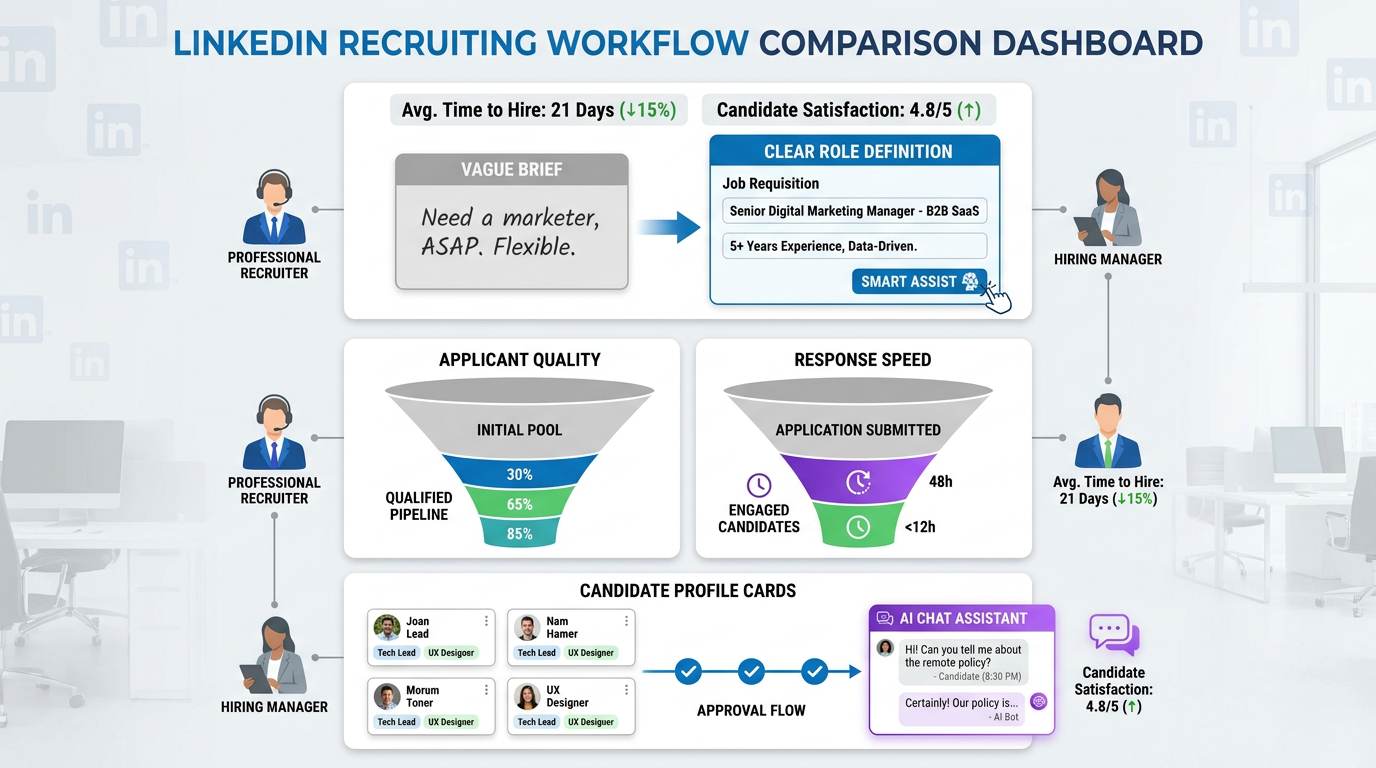
When hiring stalls on vague briefs and messy routing, this article helps recruiting leaders judge recruitment management software that prevents bad intake and shortlist delays.
That sounds simple until a real search gets underway. A vague brief produces the wrong applicants, an overloaded requirements list shrinks the pool, hiring managers ask for revisions after the post is live, and recruiter time gets pulled into avoidable admin. For a solo recruiter, that means lost momentum and more late-night cleanup. For a boutique search firm, it means weaker client confidence and slower shortlist delivery. For an in-house team, it can damage employer brand before the first interview is even booked.
One practical way I have reduced that drag is by pairing core recruitment management software with AI Recruiter for the earliest, most repetitive outreach and response loops. In my own workflow, it helps most when candidate questions arrive after hours, when outreach needs to keep moving across time zones, and when interested prospects need to send contact details or resumes without waiting for a recruiter to manually reply. The recruiter still owns the final resume review, judgment on fit, and next-step decision, but the front end becomes much less fragile.
The hiring problem often starts earlier than software buyers expect: at the job description itself. A job post goes live with generic language, too many requirements, and missing details on location or flexibility. Applicants who could do the work hesitate because the role is unclear, while less relevant candidates apply because the title is broad and the description reads like a template. Then the recruiter has to explain the role one message at a time, rewrite the pitch in follow-up, and recover trust with every serious candidate who asks basic questions that should have been answered upfront.
That is why the best recruiting software is not just about tracking applicants after they arrive. It has to support the whole operating chain around the role: creating clearer requisitions, publishing searchable posts, routing the right responses, and keeping communication consistent once interest appears. When buyers compare recruitment management software against top talent management software or broader human resources talent management software, this is the real question underneath the category labels: which system helps your team prevent bad intake, not just organize the mess after it happens?
Table of Contents
- Why the definition of recruiting software matters
- How job-post quality shapes software performance
- Must-have features in the best recruiting software
- A practical comparison framework for buyers
- How to choose by team size and hiring complexity
- Recruiting software vs talent management software
- Implementation advice from a recruiting operations view
- Common selection mistakes to avoid
- FAQ
Why the Definition of Recruiting Software Matters
Recruiting software is a broad label, but buyers usually need to separate at least four categories before they can make a good decision.
- Applicant Tracking System (ATS): manages applicants, hiring stages, interview steps, and decision records
- Recruiting CRM: supports sourcing, talent pools, nurture campaigns, and re-engagement
- Recruitment management software: often combines ATS workflow, communication, approvals, reporting, and automation for day-to-day hiring operations
- Talent management software: usually extends beyond hiring into onboarding, performance, learning, succession, and workforce planning
In practice, many teams use recruiting software and recruitment management software almost interchangeably. The difference becomes important when your real pain point is not “we need HR technology” but “our hiring process breaks between requisition approval, job-post quality, candidate communication, and hiring manager follow-through.”
Practical takeaway: If unclear job briefs, weak candidate targeting, and inconsistent follow-up are your real problems, start with recruiting workflow depth before you buy a broader HR suite.
That is also where an applicant tracking system for recruiters remains central. It is still the operating hub for requisitions, stages, scorecards, notes, and reporting. But the best recruiting software now has to do more than store resumes. It should help prevent the upstream mistakes that create downstream noise.
How Job-Post Quality Shapes Software Performance
A pattern experienced recruiters see over and over is that teams blame the software for issues that actually started in the job post or intake brief. The requisition opens with vague language. The requirements section becomes a laundry list. Internal jargon makes the role harder to understand. Critical details such as location, flexibility, compensation range, or team context are missing. Then everyone wonders why the funnel is weak.
Those are not small editorial issues. They affect:
- Candidate quality: the wrong people apply, and the right people self-select out
- Response efficiency: recruiters spend time answering preventable questions
- Searchability: obscure titles and missing keywords reduce visibility on job boards and search engines
- Diversity of applicant flow: inflated requirement lists and exclusionary language narrow the pool
- Hiring manager trust: poor intake leads to poor pipeline, which then creates pressure on recruiters
From a recruiting operations perspective, strong recruitment management software should make these issues easier to catch and easier to correct. It should support cleaner requisition templates, clear approval paths, reusable job structures, better collaboration on role definitions, and reporting that connects post quality to funnel outcomes.
I have also found that combining structured ATS workflow with AI Recruiter can help once a role is live but still generating uneven response quality. If candidates keep asking the same basic questions, always replying late at night, or showing interest from multiple regions, AI-supported messaging can keep the conversation moving while the recruiter tightens the role narrative and decides who merits real review. That is especially useful for search teams doing LinkedIn-heavy work, where speed of response shapes conversion.
Must-Have Features in the Best Recruiting Software
When teams ask what the best recruiting software should include, I usually start with the features that affect real recruiter execution rather than demo-stage flash. The right checklist also reflects the lesson from bad job descriptions: the system has to support clarity before volume.
1. Requisition and Job Description Control
Your platform should help recruiters and hiring managers define a role clearly before publishing it. That means templates, approval workflows, editable sections, and enough structure to separate must-haves from nice-to-haves.
Why it matters: vague openings, internal jargon, and bloated requirement lists do not just reduce applicant quality; they also make every later workflow less efficient.
2. Searchable Job Publishing
A strong system helps with distribution and discoverability. Clean titles, keyword support, and channel publishing all matter here.
Why it matters: if candidates cannot find the role or cannot recognize it from the title, the funnel weakens before your ATS ever has a chance to help.
3. Pipeline Management
This remains the core of any applicant tracking system for recruiters. Recruiters need clear stages, flexible workflows by role type, and visibility into bottlenecks.
Why it matters: once candidate flow starts, teams need a shared operating view, not inbox-based hiring.
4. Candidate Communication and Nurture Tools
Recruiters increasingly need both ATS workflow and CRM-style communication. Templates, personalized campaigns, reminders, and talent pools all matter.
Why it matters: if a job post is imperfect or the market is tight, communication quality becomes part of how you recover and convert the right talent.
5. Interview Scheduling and Feedback Capture
The software should reduce scheduling friction and make interviewer feedback easy to complete and easy to compare.
Why it matters: speed drops quickly when feedback lives in email threads or chat messages.
6. Reporting and Funnel Diagnostics
Good recruiting systems do not just report counts. They help answer why a role is underperforming. Are candidates dropping after first contact? Is the source weak? Is the job post attracting the wrong profiles?
Why it matters: reporting should help you diagnose upstream intake and posting issues, not just observe them.
7. Compliance and Documentation
Structured records, disposition reasons, permissions, and communication history are core applicant tracking system benefits.
Why it matters: consistency becomes critical once more stakeholders are involved.
8. Integrations
Email, calendar, assessments, HR systems, and sourcing workflows should connect cleanly. For teams that rely heavily on LinkedIn outreach, it also helps when AI-supported communication can sit alongside the main system rather than outside it.
Why it matters: fragmented tools recreate the same operational gaps you were trying to eliminate.
A Practical Comparison Framework for Buyers
If you are shortlisting the best recruiting software, score platforms against workflow fit rather than feature volume. The table below is a useful starting point.
| Evaluation Area | What to Check | Why It Matters |
|---|---|---|
| Requisition setup | Templates, approvals, job-description structure | Improves intake clarity before the post goes live |
| Job publishing | Distribution, title handling, keyword support | Affects discoverability and applicant relevance |
| ATS workflow | Stages, screening, interview movement | Supports daily recruiter execution |
| CRM and nurture | Talent pools, campaigns, follow-ups | Important for passive and hard-to-fill hiring |
| Automation | Scheduling, reminders, triggered tasks | Reduces admin and delayed response |
| Analytics | Source tracking, funnel drop-off, role-level insight | Helps diagnose role and process issues |
| Collaboration | Scorecards, notes, hiring manager access | Keeps feedback timely and structured |
| Integrations | Email, calendar, assessments, HR systems | Prevents workflow fragmentation |
| Deployment effort | Admin load, configuration, training | Shapes adoption speed and total ownership effort |
For teams doing outbound search, I would add one more practical question: what happens between candidate reply and recruiter review? In my own use, AI Recruiter has been helpful in that gap because it can continue the initial LinkedIn conversation, answer routine role questions, capture resumes or contact details from interested prospects, and keep momentum moving across time zones. It does not replace recruiter judgment, but it does reduce the number of promising conversations that go stale before a human gets back online.
How to Choose by Team Size and Hiring Complexity
For Small Businesses and Lean Search Teams
Smaller teams usually need recruitment management software that is quick to deploy and easy for hiring managers to use. Overly complex configuration often creates more overhead than value.
- Prioritize clean job posting and core ATS workflow
- Look for lightweight communication and reporting
- Avoid buying enterprise complexity for modest hiring volume
For these teams, the main advantages of applicant tracking system adoption are visibility, consistency, and less spreadsheet-based coordination.
For Mid-Market Recruiting Functions
Mid-market teams often need more structure because they are handling multiple departments, more approvals, and more variation in role types.
- Check reporting depth and workflow flexibility
- Evaluate collaboration and permissions carefully
- Look at how the system handles both inbound and sourced talent
This is also the segment where weak job-intake discipline becomes expensive. Software that improves role clarity upfront can save significant recruiter time later.
For Enterprise and Global Hiring Organizations
Enterprise teams often require broader architecture, stronger governance, and cross-system integration. At that level, recruiting software may sit inside a larger people ecosystem that includes top talent management software or broader human resources talent management software.
- Map global versus local process needs early
- Test permissions, approvals, and reporting at scale
- Make sure recruiter usability is not sacrificed for architectural neatness
Large organizations also benefit from systems that keep candidate communication moving outside local business hours, especially for cross-border searches. That is one of the few places where AI-supported messaging can materially improve process continuity without changing who makes the final hiring call.
Recruiting Software vs Talent Management Software
Search intent often overlaps here. Someone looking for the best recruiting software may also compare top talent management software or human resources talent management software, but the use cases are not identical.
Recruiting software focuses on pre-hire work:
- Role setup and requisition control
- Job advertising and pipeline management
- Sourcing and outreach
- Interview coordination
- Candidate communication
- Offer-stage workflow
Talent management software usually extends into post-hire operations:
- Onboarding
- Performance management
- Learning and development
- Succession planning
- Internal mobility
- Workforce planning
If your immediate issue is unclear requisitions, inconsistent posting quality, slow candidate handling, or weak recruiter-hiring manager coordination, start with recruiting-first software. If your bigger goal is end-to-end workforce architecture, then recruiting should be evaluated as one part of a broader system.
Implementation Advice From a Recruiting Operations View
Even strong software fails when implementation skips the intake side of hiring. If you only map stages and permissions but ignore how roles are defined and marketed, you preserve the original problem inside a cleaner interface.
- Document the intake process first. How does a role get approved, described, reviewed, and published?
- Audit recent job posts. Look for vague language, jargon, excessive requirements, weak openings, and missing details.
- Separate must-have workflow from nice-to-have features. Daily recruiter friction matters more than edge-case functionality.
- Run scenario-based demos. Ask vendors to show a hard-to-fill role, a revised job brief, a hiring manager delay, and a passive candidate workflow.
- Include actual end users. Recruiters, coordinators, hiring managers, HR, and recruiting operations all see different failure points.
- Plan communication support intentionally. If candidate response speed is a known issue, decide where AI-supported outreach or follow-up belongs and where human review must take over.
That last point matters. In my own process, the most useful role for AI Recruiter has been as a continuity layer, not a final evaluator. It can keep outreach active, answer routine role questions, and gather interested-candidate details, while I stay responsible for deciding whether the resume truly matches the brief and whether the search should move forward.
Common Selection Mistakes to Avoid
Buying for pipeline management only
If you ignore requisition quality and job-post clarity, software will organize the funnel but not improve it.
Better approach: evaluate how the platform supports role definition, posting quality, and candidate communication before the interview stage.
Confusing volume with fit
More applicants do not necessarily mean better hiring. Poorly structured posts often create more noise than value.
Better approach: look for software that helps attract relevant applicants and diagnose mismatch early.
Ignoring communication workflow
Many teams still treat candidate messaging as an afterthought, even though delayed replies lose momentum quickly.
Better approach: assess both ATS depth and how your process handles initial outreach, follow-up, and after-hours responses.
Assuming broader HR suites automatically recruit well
Strong human resources talent management software does not always deliver strong recruiter usability.
Better approach: test actual recruiter tasks, not just suite positioning.
Overlooking deployment reality
Some systems need more admin, governance, and change management than a lean team can support.
Better approach: match implementation effort to your internal capacity.
Letting bad job-description habits survive implementation
Vague openings, bloated requirement lists, exclusionary language, excessive jargon, and missing candidate details will keep damaging results even after go-live.
Better approach: build a better intake and posting standard into the recruiting workflow itself.
FAQ
What is recruitment management software?
Recruitment management software is software used to organize and improve hiring operations, including requisitions, job posting, candidate tracking, communication, interviews, reporting, and approvals. It is broader than a simple applicant database and often acts as the operating system for recruiting teams.
How is recruiting software different from an ATS?
An ATS is usually the core system for processing applicants and moving them through hiring stages. Recruiting software can describe a broader stack that includes ATS workflow, CRM features, automation, analytics, and sourcing support.
What are the biggest advantages of applicant tracking system adoption?
The main advantages of applicant tracking system adoption are process consistency, pipeline visibility, structured feedback, clearer documentation, and better reporting. For many teams, it also reduces manual coordination and makes hiring manager participation easier to manage.
Why do job descriptions matter when choosing recruiting software?
Because bad role definition creates poor pipeline quality. If your job posts are vague, overloaded with requirements, or missing critical details, the software ends up managing confusion instead of preventing it. Good systems help structure intake and improve job-post quality before candidates ever apply.
When should I look at top talent management software instead?
If your organization needs recruiting tightly connected to onboarding, performance, succession, learning, and workforce planning, comparing top talent management software may make sense. If hiring execution itself is the urgent problem, a recruiting-first platform is usually the better starting point.
How does human resources talent management software fit into recruiting?
Human resources talent management software usually covers a larger employee lifecycle. It can be useful when recruiting must connect deeply to post-hire HR processes, but it should still be tested for recruiter usability and hiring workflow depth.
Can AI help without replacing recruiter judgment?
Yes. In practice, AI is most useful when it handles repetitive front-end tasks such as initial outreach, routine candidate questions, after-hours responses, and collecting resumes or contact details from interested people. Recruiters should still make the final decisions on fit, shortlist quality, and next steps.
Conclusion
The best recruiting software does more than track candidates. It helps your team define roles more clearly, publish jobs more effectively, communicate faster, and keep hiring decisions structured from first interest to final review. That is why strong recruitment management software outperforms tools that only organize applicants after the funnel is already compromised.
If you are evaluating options, start with the real operating question: where does your hiring process first go wrong? For many teams, the answer is not at interview scheduling or final reporting. It starts at intake, job-post quality, and slow early-stage communication. Once you see that clearly, it becomes much easier to judge whether you need a recruiting-first platform, a stronger applicant tracking system for recruiters, or a broader stack connected to top talent management software or human resources talent management software.














