


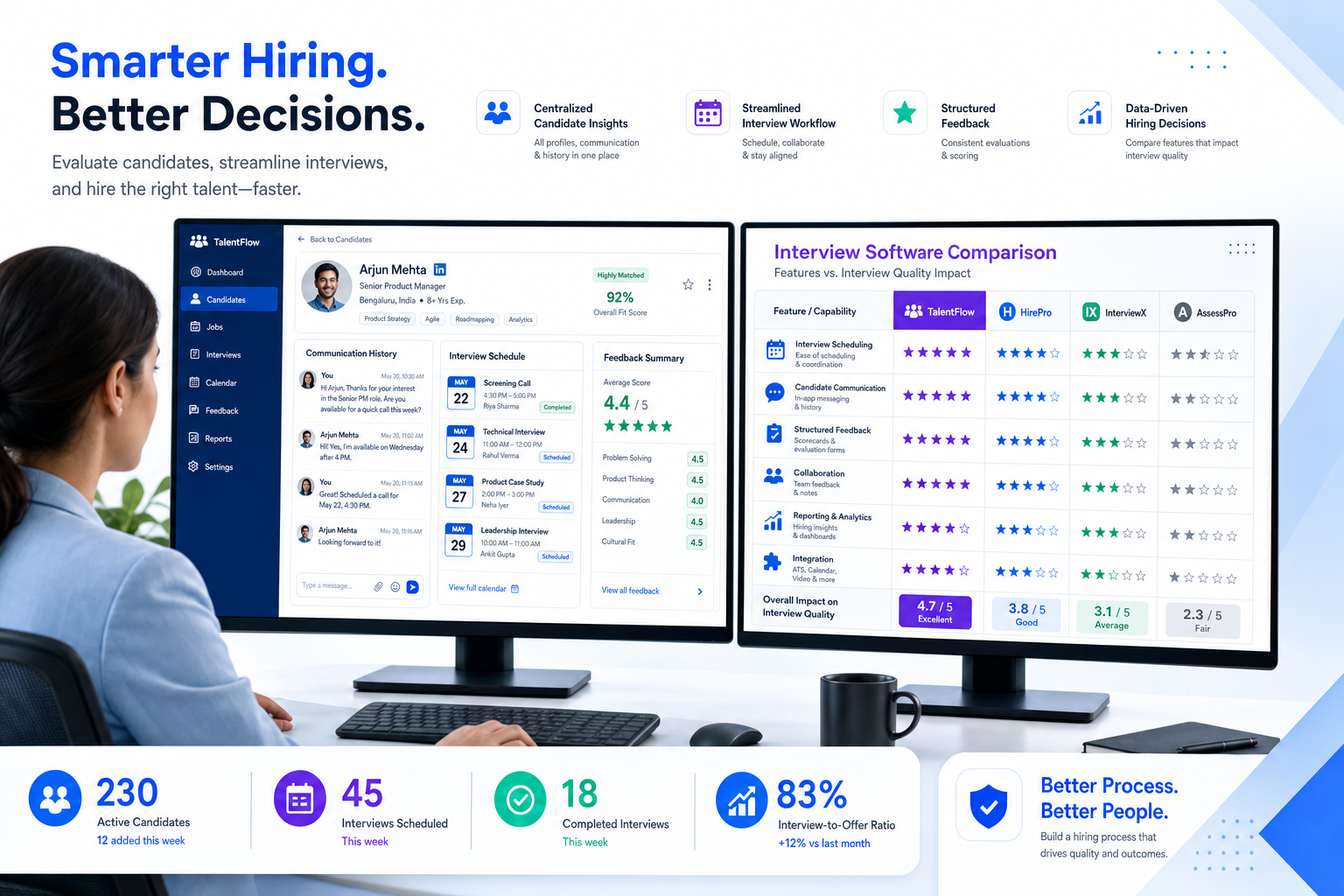
When ATS workflows break interview prep and feedback, recruiting leaders can use this article to judge recruiting and applicant tracking software by interview quality, not feature lists.
That sounds simple until you watch how hiring work actually breaks down. A recruiter can source well, book interviews fast, and still lose a strong candidate because preparation details sit in email, interviewer notes arrive late, and nobody sees the full picture soon enough. For a solo headhunter, that means wasted outreach and damaged credibility. For a small agency owner, it means consultants spending billable hours chasing updates instead of closing searches. For an in-house talent team, it means slower hiring, weaker candidate experience, and avoidable drop-off at the exact stage where judgment matters most.
In my own workflow, tools that support communication before the interview have mattered more than flashy dashboards. One example is StrategyBrain AI Recruiter, which helps with repetitive LinkedIn outreach, after-hours candidate replies, and collecting resumes or contact details from interested people before the recruiter steps in. I would not use it as a substitute for recruiter judgment, and it does not make the final fit decision for me, but it can reduce the dead time between outreach, interest, and interview coordination when candidates respond outside normal hours or across time zones.
The reason this matters becomes obvious in the interview stage itself. Employer research has long suggested that first impressions form fast, with one widely cited hiring stat saying 33 percent of bosses make up their minds within the first 90 seconds. In the same discussion, two recurring mistakes stood out: candidates arrived without enough knowledge of the company, and they failed to present themselves with the confidence and professionalism interviewers expected. That is not only a candidate-prep problem. It is also a recruiting operations problem when key context, reminders, role expectations, and communication history are scattered across inboxes and side messages.
A recruiter trying to move a candidate from initial interest to a strong interview performance usually has to complete at least two linked actions in sequence: confirm the candidate is still engaged and informed, then brief hiring stakeholders with enough context to run a consistent interview. When those actions happen in disconnected tools, the interview starts cold, feedback comes back unevenly, and the hiring team ends up judging people on fragmented impressions instead of a well-run process. That is why the best recruiting software is rarely just about storing applicants. Good recruiting and applicant tracking software helps create the conditions for better interviews, clearer follow-up, and smarter hiring decisions.
Table of Contents
- Why interview quality belongs in software selection
- What recruiting software and ATS software really cover
- Quick answer: how much does an ATS cost?
- A practical comparison framework for buyers
- Features that matter most before and after interviews
- How applicant tracking software pricing usually works
- Hidden costs that affect first-year ATS spend
- How to choose by team size and hiring complexity
- A practical evaluation process for recruiters and HR teams
- Common mistakes buyers make
- FAQ
Why interview quality belongs in software selection
Many ATS buying projects start too low in the funnel. Teams compare posting tools, workflow stages, and reports, but they do not always ask a more useful question: will this system help candidates arrive better prepared and help interviewers assess them more consistently?
That question matters because interviews are where recruiting effort becomes visible. If a candidate shows up without enough company knowledge, if stakeholders do not have the same brief, or if interview feedback lands late and unstructured, the software has failed part of the real hiring job. A recruiting system should not only organize applicants. It should support a chain of preparation, communication, and decision-making that reduces preventable interview mistakes on both sides.
In practice, the strongest systems help recruiters do three things well:
- Keep candidate communication organized so reminders, expectations, and next steps are not lost
- Give interviewers the right context so they are not walking into interviews blind
- Capture feedback quickly before impressions turn into vague recollections
That is the lens used throughout this article. If you are comparing the best recruiting software, interview readiness and follow-through deserve a place right next to workflow, reporting, and price.
What recruiting software and ATS software really cover
In most buying conversations, recruiting software is the broader category, while applicant tracking software is the operational core. The ATS is usually where requisitions, candidate records, stages, feedback, and hiring activity live. But for many teams, the buying decision is really about whether that core system can support the surrounding work: sourcing, messaging, scheduling, stakeholder alignment, and reporting.
That is why the phrase recruiting and applicant tracking software is useful. It reflects how most recruiting teams actually buy. They are not shopping for a database alone. They want one environment that can post jobs, organize applicants, track interview progress, centralize communication, and help teams make better decisions without adding admin burden.
From a practical standpoint, the main advantages of applicant tracking system use are still straightforward:
- Centralized candidate management instead of resumes and notes living in multiple places
- Consistent hiring workflows across recruiters, coordinators, and managers
- Faster interview coordination with fewer missed steps
- Clearer reporting visibility into bottlenecks, source quality, and funnel movement
- Better candidate experience through more reliable follow-up and communication
The distinction that matters most is not the label. It is whether the system fits your actual hiring environment, especially at the moment when sourcing becomes interviewing and interviewing becomes decision-making.
Quick answer: how much does an ATS cost?
Applicant tracking system cost varies more by pricing model, team size, and implementation scope than by any universal market number. That is why buyers often hear very different cost stories from teams that all claim to use applicant tracking software.
In the current market, applicant tracking software pricing usually follows one of these structures:
- Per user: pricing rises as recruiters, coordinators, and admins are added
- Per active job: useful for fluctuating hiring demand, but costly during spikes
- Employee-band pricing: tied to company size or headcount ranges
- Annual contract pricing: bundled access with plan tiers and usage limits
- Custom enterprise quote: shaped by permissions, workflows, compliance, integrations, and support
The important lesson is that a visible starting price almost never tells the full story. If interview scheduling, stakeholder feedback, communication tools, or integrations sit behind higher tiers, your first-year cost can move quickly.
Key insight: The real applicant tracking system cost is the subscription plus the operational pieces required to run interviews, collect feedback, and keep hiring moving without extra manual work.
A practical comparison framework for buyers
When teams search for the best recruiting software, they need a comparison structure that surfaces tradeoffs clearly. Instead of relying on long feature lists, use a neutral framework that reflects daily recruiting work.
| Comparison Area | What to Look For | Why It Matters | Cost Impact |
|---|---|---|---|
| Best fit | Startup, SMB, agency, mid-market, or enterprise | Prevents buying a system designed for the wrong level of complexity | High |
| Interview workflow support | Scheduling, reminders, interviewer prep, feedback forms | Directly affects interview quality and follow-up speed | High |
| Communication tools | Email sync, templates, messaging visibility, outreach history | Helps candidates stay informed and engaged | Medium |
| Reporting | Pipeline reporting, stage conversion, feedback visibility | Shows where delays and drop-off happen | Medium |
| Integrations | Calendar, HRIS, job boards, assessments, email tools | Keeps recruiting operations connected | High |
| Ease of use | Simple navigation for recruiters and hiring managers | Strongly influences adoption and data quality | High |
| Support | Implementation, onboarding, responsiveness, account guidance | Affects rollout success and issue resolution | Medium |
| Value for money | Practical fit between feature depth and real use case | Helps avoid paying for complexity you will not use | High |
This structure works especially well for buyers who care about more than database hygiene. It helps you compare software in the context of real interview operations, not just checkbox functionality.
Features that matter most before and after interviews
Most systems can track applicants at a basic level. The better question is which features actually improve recruiting outcomes day to day.
1. Job posting and requisition control
Recruiters need roles opened quickly, approvals managed cleanly, and jobs published without unnecessary friction. If the front end of the process is clumsy, everything downstream slows down.
2. Candidate pipeline tracking
This remains the center of ATS value. Recruiters should be able to move people through stages easily, see where candidates stall, and trust the activity history attached to each profile.
3. Interview scheduling and structured feedback
This is where many teams either gain speed or lose it. Good recruiting software should support calendar coordination, interviewer alignment, and feedback capture close to the candidate workflow. Without that, feedback becomes fragmented and first impressions dominate too much.
4. Communication history and pre-interview readiness
The opening case showed why this matters. When candidates are not reminded about role context, company background, or interview format, preventable mistakes become more likely. A system that keeps communication visible helps recruiters spot whether readiness support actually happened.
5. Reporting and visibility
Recruiting leaders need quick answers to practical questions. Which sources produce qualified applicants? Which managers delay feedback? Where do candidates drop out after scheduling? Without usable reporting, the system becomes storage instead of an operating tool.
6. Automation and workflow consistency
Automation should remove repetitive work without reducing control. Common examples include reminders, stage updates, feedback nudges, and communication triggers.
This is one area where I have found AI Recruiter useful alongside a core ATS, especially for LinkedIn-heavy searches. In my experience, the value is not in replacing recruiter judgment but in keeping initial candidate conversations alive outside office hours, collecting resumes from interested candidates, and preserving momentum until I step in to assess fit and decide next actions. For headhunters covering multiple searches, that can reduce the lag between outreach and interview booking.
7. Integrations
No ATS stays standalone for long. Integrations with calendars, HR systems, assessments, and communication tools often determine whether the platform supports real operations. They are also a common factor in applicant tracking software pricing, because integration access is not always included in the base package.
8. AI-assisted support with human control
AI can be useful for drafting, replying, sorting, and keeping communication active, but the decision standard should stay practical. Does it help recruiters move faster without hiding the process? Does it preserve visibility into what candidates were told? Does it leave final screening and interview judgment with the recruiter? Those are better evaluation questions than simply asking whether AI is present.
How applicant tracking software pricing usually works
Understanding pricing structure is one of the most important parts of choosing recruiting and applicant tracking software. The same tool can feel affordable or expensive depending on how its billing model matches your hiring pattern.
Per-user pricing
Often a sensible fit for stable internal recruiting teams. Forecasting is easier, but costs can rise if many occasional users need access.
Per-job pricing
Useful for teams with a limited number of active openings, but risky when hiring volume spikes unexpectedly.
Employee-band pricing
Some vendors tie applicant tracking software pricing to company size. That can simplify budgeting, but buyers should ask how pricing changes after growth or reorganization.
Annual contract pricing
Common across the market, especially with tiered plans. Predictable in theory, but only if the included features match daily recruiting reality.
Custom quote pricing
Typical for organizations with complex permissions, compliance needs, or multi-region operations. Custom pricing is not automatically bad, but it requires tighter scoping.
When reviewing applicant tracking system cost, ask early:
- How many recruiter and admin seats are included?
- Are hiring manager seats charged separately?
- Does pricing depend on jobs, employee count, or volume?
- Which automation, reporting, and integration features require upgrades?
- Is support bundled or tiered?
- What implementation work is included?
Those questions matter because interview coordination, communication, and reporting are often the very features that separate an affordable plan from a truly usable one.
Hidden costs that affect first-year ATS spend
Many ATS evaluations become unrealistic because teams focus on subscription price alone. A more accurate way to estimate first-year spend is to separate software fees from launch and operating costs.
Common hidden or secondary costs include:
- Implementation: workflow setup, templates, permissions, forms, and career site configuration
- Training: onboarding recruiters, coordinators, and hiring managers
- Data migration: moving candidate records, templates, and old notes from prior tools
- Integrations: setup help, premium APIs, and technical support
- Premium support: higher response levels or dedicated service coverage
- Communication add-ons: texting, advanced email features, or outreach layers
- Sourcing support: external talent tools or specialized workflow add-ons
In practical terms, these costs matter because they affect the parts of recruiting that candidates actually feel. A low-priced system that cannot support smooth communication or interview follow-up may be more expensive in recruiter time and lost placements than a higher subscription would suggest.
A simple first-year worksheet usually helps:
- Base subscription cost
- One-time setup and launch costs
- Required add-ons and integrations
- Training and admin effort
That approach makes applicant tracking software pricing easier to evaluate in operational terms, not just financial headlines.
How to choose by team size and hiring complexity
The best recruiting software depends heavily on operating environment. A small retained search practice and a large enterprise TA team may both want cleaner workflows, but they do not need the same system.
Solo recruiters and very small agencies
Smaller firms usually need speed, ease of use, and relief from repetitive admin. At this stage, the strongest applicant tracking system benefits come from organization, visibility, and clean follow-up. If LinkedIn sourcing drives much of the pipeline, a lightweight ATS plus a communication support layer such as StrategyBrain AI Recruiter can help maintain candidate momentum while the recruiter keeps final control over screening and interview decisions.
SMBs and growing companies
As hiring manager involvement grows, workflow consistency starts to matter more. These teams should pay close attention to reporting, automation, and applicant tracking software pricing, because feature gating often becomes visible here.
Mid-market recruiting teams
Mid-market employers typically need stronger approval flows, permissions, templates, and reporting. The right ATS should support standardization without turning every process change into a long setup project.
Enterprise hiring organizations
Larger teams usually prioritize governance, integration depth, data controls, and support quality. They may accept custom pricing if the platform handles complexity well, but they should still push for a clear first-year cost view.
The practical rule is simple: do not buy by label. Buy based on the environment where recruiters, hiring managers, and candidates interact every day.
A practical evaluation process for recruiters and HR teams
The ATS projects I have seen work best usually start with operational pain, not demos. Teams first identify what is breaking in the current process, then judge software against those realities.
- Map the actual recruiting workflow
Document approvals, job posting, candidate review, interview scheduling, feedback collection, and reporting. Pay special attention to where communication gets lost before interviews.
- Define a small set of non-negotiables
Examples include reporting visibility, interview feedback structure, integration needs, or ease of use for hiring managers.
- Separate basics from differentiators
Tracking applicants is basic. Consistent interview prep, automation, communication visibility, and stakeholder follow-through are where differences become meaningful.
- Score every option against the same criteria
Use the same categories across all vendors: usability, reporting, workflow support, integrations, support model, and value for money.
- Model first-year ATS cost
Do not compare only the subscription line. Include implementation, training, migration, and any add-ons needed for communication and interview workflows.
- Test real hiring scenarios
Ask vendors to walk through a realistic sequence: candidate sourced, outreach sent, resume received, interview booked, manager feedback delayed, leadership report needed. That reveals much more than polished demo paths.
- Plan adoption before launch
The best recruiting software still fails if recruiters and managers avoid using it. Simplicity, ownership, and training matter as much as features.
If you do a lot of LinkedIn outreach, it is also worth testing where a specialist communication layer belongs in your workflow. My own approach has been to let the ATS stay the system of record while using AI Recruiter for repetitive first-contact and follow-up tasks that would otherwise consume recruiter attention late at night or across regions. The recruiter still reviews resumes, judges fit, and decides whether the person should move into interviews.
Common mistakes buyers make
Recruiting teams often repeat the same evaluation mistakes. Avoiding them can save a surprising amount of time, budget, and frustration.
- Assuming all ATS platforms are basically the same
They are not. Similar category labels can hide major differences in reporting, communication visibility, and interview support.
- Overweighting the starting price
Low entry pricing often looks attractive until essential workflow features sit behind upgrades.
- Ignoring the candidate-prep side of the process
The opening interview case shows why this matters. If your system does not help recruiters keep candidates informed and ready, interview quality suffers.
- Ignoring hiring manager usability
If managers struggle to review profiles or leave feedback, recruiter admin work expands instead of shrinking.
- Buying for imagined future complexity
Many teams purchase enterprise-style tooling years before they need it, then struggle with adoption.
- Underestimating implementation and change management
Even the right software needs ownership, clean process decisions, and training to deliver value.
FAQ
How much does an applicant tracking system cost?
Applicant tracking system cost depends mainly on pricing model, team size, implementation scope, and feature tier. The true first-year cost often includes setup, training, integrations, migration, and support in addition to the subscription.
What affects applicant tracking software pricing the most?
The biggest drivers are user count, hiring volume, feature access, integrations, implementation needs, and support model. Communication and interview workflow features are often key pricing separators.
What is the difference between recruiting software and an ATS?
An ATS usually handles candidate records, stages, requisitions, and feedback. Recruiting software is the broader category that may also include sourcing, outreach, scheduling, automation, and analytics.
Why does interview readiness matter when choosing recruiting software?
Because interviews are where weak communication and poor process visibility become expensive. If candidates are underprepared or interviewers lack context, hiring decisions become less consistent and follow-up slows down.
Can AI tools replace recruiters in the interview process?
No responsible recruiting team should treat AI that way. AI can help with repetitive messaging, follow-up, and resume collection, but recruiters still need to evaluate resumes, judge fit, and make final progression decisions.
What are the main applicant tracking system benefits for recruiters?
The main benefits are centralized records, cleaner workflows, better visibility into pipeline movement, easier interview coordination, and faster reporting. In strong setups, those benefits also improve candidate experience and reduce avoidable delays.
Conclusion
The search for the best recruiting software gets clearer when you stop treating ATS selection as a feature-count exercise and start treating it as an interview-quality and workflow decision. The early interview lesson still holds: hiring judgments form quickly, and preventable mistakes matter. Software should help recruiters reduce those mistakes, not simply document them after the fact.
If you are comparing recruiting and applicant tracking software, start with the real operational chain: candidate communication, interview preparation, stakeholder alignment, feedback capture, and total cost. That is the most useful way to evaluate applicant tracking system cost, understand applicant tracking software pricing, and choose a system your recruiters and hiring managers will actually use well.















