


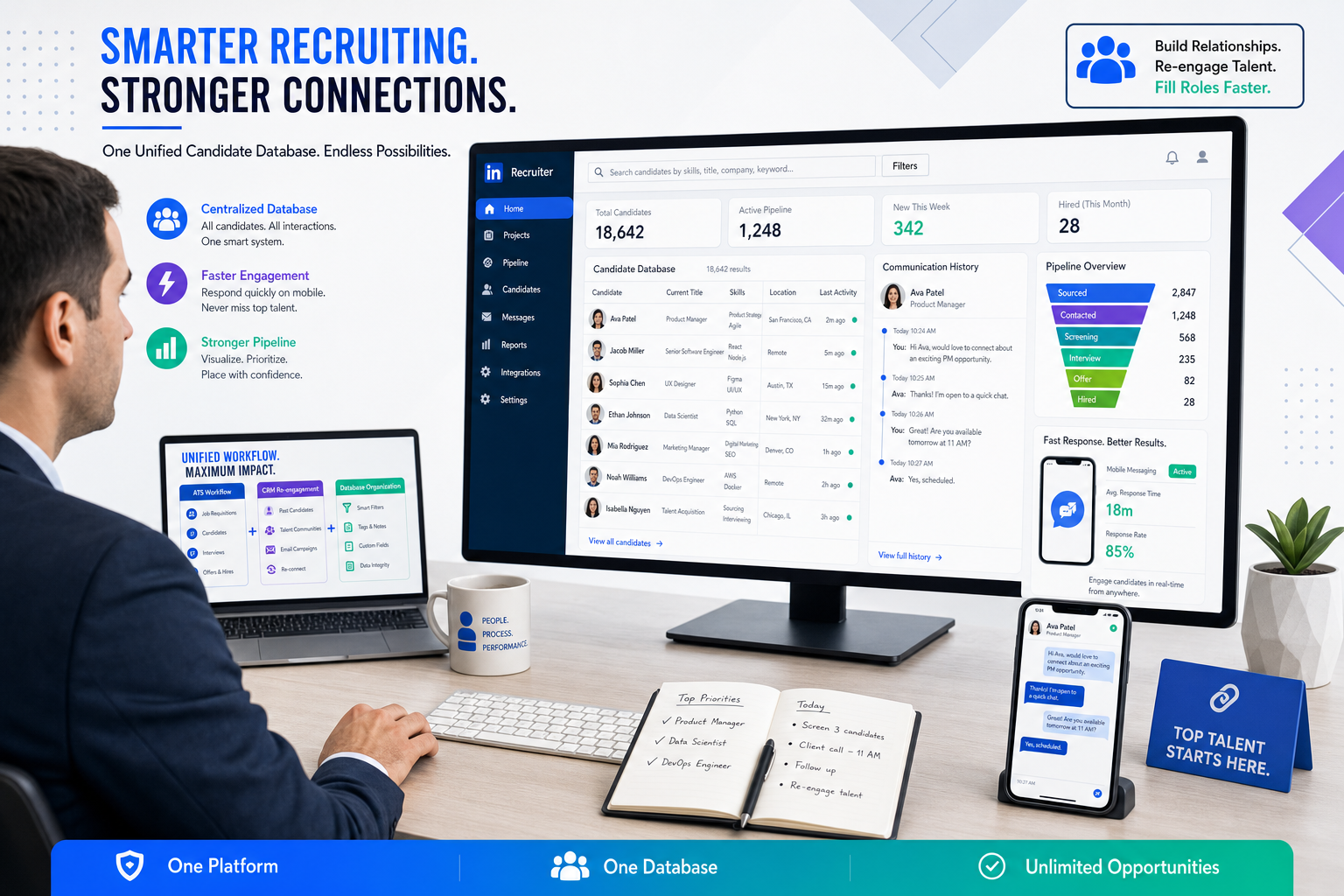
Recruiters can use this article to judge whether a recruitment database prevents lost candidates, slow follow-up, and repeat sourcing.
That standard matters because younger, high-volume applicant pools expose every weak point in recruiting operations. When records are incomplete, outreach lives in inboxes, and old applicants cannot be found quickly, agency recruiters lose billable time, in-house teams re-source candidates they already know, and hiring managers feel the process is slow even when applicant volume is high. In practice, the problem is rarely “not enough software.” It is a weak database and poor follow-up discipline inside the system.
That is also where StrategyBrain AI Recruiter can help without replacing recruiter judgment. In my own workflow, tools like this are most useful when they handle repetitive outreach, after-hours candidate replies, and resume collection from interested prospects, especially on LinkedIn. The practical value is not magic matching. It is that the recruiter still owns final resume review, fit assessment, and next-step decisions while the tool reduces the lag between initial interest and documented candidate records. For teams struggling with mobile-first response patterns, the platform’s always-on messaging and automated contact capture can support a cleaner recruitment database.
That gap becomes obvious when you look at Gen Z hiring. As this cohort began entering entry-level work, employers had to adjust to candidates shaped by smartphones, the post-2008 economy, and growing uncertainty around automation. They monitor job boards, mobile apps, and career content constantly, but they also expect speed. If a recruiting team posts long, static job ads, waits too long to reply, and stores incoming resumes in disconnected folders, the process breaks before a real relationship starts.
There is another twist that experienced recruiters recognize quickly: the same candidates who are highly digital often still want clearer human interaction at key moments such as interviews, mentoring, and onboarding. So the hiring team has to do two things well at once. It needs software that supports mobile intake and fast follow-up, and it needs a candidate record that preserves enough context for a real conversation later. That is why a modern recruitment database sits at the center of the best recruiting software discussion, especially for teams researching a usa recruitment database or us recruitment database for repeat hiring in the U.S. market.
Table of Contents
- Why Gen Z hiring changes software requirements
- What a recruitment database should do now
- ATS vs recruiting CRM vs candidate database
- Features to look for in the best recruiting software
- What usa recruitment database and us recruitment database usually mean
- How software needs differ by team type
- How to evaluate recruiting software step by step
- Common mistakes buyers make
- FAQ
Why Gen Z hiring changes software requirements
When recruiters talk about candidate behavior shifts, Gen Z is one of the clearest examples of why older recruiting workflows break down. This group entered the labor market with strong familiarity with smartphones, social platforms, and fast digital communication. At the same time, many came of age after the financial crisis and in a period shaped by automation anxiety, which made them more pragmatic about pay, growth, security, and advancement than many employers expected.
That combination matters for software buying. Candidates who monitor jobs on mobile devices and respond in short bursts do not give recruiters much room for slow process design. Long, word-heavy job posts, delayed replies, and fragmented recordkeeping create avoidable drop-off. In other words, software that only stores applicants is no longer enough. The database has to support speed, context, and re-engagement.
There is also a less discussed recruiting reality in the reference pattern above: digital comfort does not automatically mean stronger communication in hiring situations. Recruiters may still need face-to-face or at least higher-context interactions for interviews, coaching, and conversion. That means a system should not just automate intake; it should preserve communication history, notes, and ownership clearly enough that the next human touchpoint feels informed rather than generic.
For me, that is one of the most useful lessons when testing software. I do not just ask whether the system can bring candidates in. I ask whether it helps a recruiter move from quick digital interest to a documented, reusable, human-quality conversation later. That is where a strong recruitment database outperforms a simple resume archive.
What a recruitment database should do now
A recruitment database is the centralized candidate record layer inside your recruiting software. It should capture candidates from multiple sources, turn resumes and messages into searchable profiles, connect communication history to those profiles, and make those records reusable across future openings.
In practice, that means far more than document storage. A strong database should connect:
- Resume and profile information
- Source and channel data
- Messages and outreach history
- Interview notes and recruiter comments
- Job-stage progression
- Tags, skills, locations, and segmentation labels
- Ownership and next-step responsibility
If any of those pieces sit outside the platform, the recruiter ends up rebuilding candidate history manually. That may be manageable for occasional hiring, but it becomes costly when you fill repeat roles or respond to mobile-first candidates who expect quick follow-up.
Buyers often start with terms like candidate database, resume database, talent pool software, or recruiting CRM. Those labels overlap because modern recruiting tools increasingly combine them. Still, the practical buying question remains simple: can your team find the right past candidate fast enough to act before interest fades?
ATS vs recruiting CRM vs candidate database
These terms are related, but they are not identical.
| Term | Main job | What recruiters use it for |
|---|---|---|
| Applicant Tracking System | Manage active hiring workflows | Move applicants through stages, interviews, feedback, and hiring decisions |
| Recruiting CRM | Build candidate relationships over time | Segment talent pools, nurture prospects, and re-engage prior candidates |
| Recruitment database | Store and organize candidate records | Search profiles, resumes, notes, source data, and communication history in one place |
The strongest platforms bring all three together. For active jobs, recruiters need ATS structure. For future roles, they need CRM-style re-engagement. Under both sits the recruitment database, which determines whether the information is actually usable later.
This is also where some of the most practical applicant tracking system benefits show up. A good ATS does not just move people through stages. It standardizes intake, centralizes activity, and reduces the risk that valuable candidate history gets trapped in email threads or spreadsheets.
Features to look for in the best recruiting software
If your team is comparing the best recruiting software, prioritize capabilities that improve recruiter execution, not just platform appearance.
1. Multi-source candidate capture
Your recruitment database should accept candidates from career sites, job boards, referrals, sourcing outreach, email attachments, forms, and imported files. This is especially important when targeting younger candidate groups who move between platforms quickly.
In LinkedIn-heavy sourcing, I have found it useful to pair a core ATS/database with AI Recruiter support for repetitive outreach and resume collection. Used carefully, that setup helps ensure interested candidates do not disappear between first reply and actual record creation. The recruiter still decides who advances.
2. Resume parsing and profile normalization
Software should convert resumes into structured, searchable profiles. If titles, skills, locations, and work history remain locked inside files, your database will look full but behave poorly.
3. Fast search and filtering
This is one of the biggest separators in day-to-day use. Recruiters should be able to search by skill, title, market, recency, source, tags, and stage without fighting the interface. Better search is one of the clearest advantages of applicant tracking system tools because it cuts repeated sourcing work.
4. Talent pools and segmentation
Do not accept a giant undifferentiated list of candidates. A useful system lets you create pools by location, role family, desk, client type, seniority, or future demand. That is how a recruitment database becomes a working asset instead of a dead archive.
5. Mobile-friendly communication support
The Gen Z recruiting pattern makes this feature more important than many buyers assume. Candidates who engage quickly on mobile often expect timely responses, simple next steps, and low-friction follow-up. Structured templates, reminders, and conversation logging help, but they need to stay tied to the candidate profile.
6. Communication history and ownership
When recruiters change desks, split roles, or revisit old pipelines, the next person should be able to understand exactly what happened before. This is one of the most underappreciated applicant tracking system benefits because it preserves continuity and protects candidate experience.
7. Workflow automation without loss of control
Automation should reduce repetitive work such as follow-up reminders, status updates, scheduling triggers, or initial outreach steps. It should not hide candidate context or make the process feel robotic. In my experience, the best setup automates repetitive touchpoints while leaving final screening, resume judgment, and interview decisions with the recruiter.
8. Collaboration for recruiters and hiring managers
If managers cannot see context, they create side channels. Software should support profile review, note-sharing, interview visibility, and simple decision tracking without forcing stakeholders into separate systems.
9. Reporting that reflects operational reality
At minimum, review source quality, time in stage, response activity, aging, and re-engagement results. A large database with weak reporting can hide process decay for months.
10. Integrations that preserve clean data
Integrations matter when they reduce duplicate entry and keep records current. Email, calendars, job boards, career sites, HR systems, and sourcing workflows should connect in ways that support data hygiene rather than create more fragmentation.
What usa recruitment database and us recruitment database usually mean
Searches for usa recruitment database and us recruitment database often sound like buyers want a single national pool of ready-to-contact talent. In reality, most recruiting teams need something more practical: software that helps them build, search, and govern their own internal U.S. candidate database.
That internal approach is usually better for record quality, ownership, and compliance. It also matches how serious recruiting teams actually work. They combine direct applicants, referrals, previous finalists, sourced prospects, silver-medalist candidates, and historical communication into one controlled system.
So if your team is evaluating a usa recruitment database or us recruitment database, ask questions like these instead:
- How easily can we import and normalize U.S. candidate records?
- Can we segment by market, state, role type, or client desk?
- How well does the system log outreach and consent-related activity?
- Can recruiters re-engage prior candidates without rebuilding history?
- Does the platform support strong data governance for internal teams?
That is a much more useful buying framework than chasing the idea of one universal public database.
How software needs differ by team type
In-house talent acquisition teams
Internal teams typically need balance: solid ATS workflow for active requisitions, a searchable recruitment database for repeat hiring, and enough CRM functionality to re-engage strong past applicants. If you hire cohorts of early-career talent, mobile intake and communication speed matter even more.
Staffing and search agencies
Agencies usually place a higher premium on search, segmentation, and communication history because the database is a daily revenue tool. For repeat client work, the ability to rediscover candidates quickly is often more valuable than flashy dashboards.
Lean recruiting teams
Smaller teams need software that is easy to adopt and strong enough to grow with them. Usability matters because underused systems become stale fast. If your sourcing relies heavily on LinkedIn and off-hours candidate replies, workflow support tools such as AI Recruiter can help keep momentum without requiring recruiters to monitor conversations constantly.
High-volume entry-level hiring teams
This is where the Gen Z lesson becomes very practical. High applicant flow demands quick triage, parsing, filtering, and structured communication. If the system cannot organize speed, the team loses signal inside volume.
How to evaluate recruiting software step by step
- Start with real candidate behavior. Review how your target audience actually discovers and responds to jobs. If your candidates are mobile-first and fast-moving, test the platform against that reality.
- Map every intake source. Include job boards, referrals, sourcing outreach, email resumes, career site forms, and prior applicants. Your recruitment database has to reflect real inflow.
- Test two workflows separately. One test should cover live requisitions. Another should cover rediscovering and re-engaging past candidates. Many systems do the first better than the second.
- Run a searchability test. Ask a recruiter to find a past finalist for a reopened role using skills, location, recency, and tags. This is one of the best real-world tests of database quality.
- Inspect the communication trail. Make sure outreach, replies, notes, and ownership can be understood at a glance.
- Review automation with caution. Confirm that automation speeds up repetitive work without obscuring final recruiter control.
- Check reporting before purchase. Source quality, aging, response activity, and conversion should be visible in a way your team will actually use.
- Clarify governance for U.S. records. This matters especially for teams researching a us recruitment database. Verify how data is stored, segmented, and controlled internally.
Practical test: ask each vendor to show how a recruiter captures interest from a sourced candidate, stores the resume and contact history, and re-engages that person for a reopened role without leaving the system.
Common mistakes buyers make
- Confusing candidate volume with database quality. A large system is not useful if profiles are incomplete or hard to search.
- Buying only for active requisitions. The long-term value of the best recruiting software usually comes from reuse of past candidate relationships.
- Ignoring mobile communication patterns. Younger candidates often expose slow workflows faster than any other group.
- Assuming every ATS is equally searchable. Search quality varies more than many buyers realize.
- Over-automating the wrong steps. Outreach and reminders may be good automation candidates; final fit judgment is not.
- Misunderstanding usa recruitment database intent. Most teams do not need a mythical national database. They need stronger software for their own U.S. candidate records.
FAQ
What is a recruitment database in recruiting software?
A recruitment database is the centralized candidate record system inside recruiting software. It stores resumes, profiles, communication history, source data, notes, and status information so recruiters can search and reuse candidate information efficiently.
How is a recruitment database different from an ATS?
An ATS manages active hiring workflows such as stages, interviews, and decisions. A recruitment database organizes and stores candidate records. In strong platforms, the two work together.
Why does Gen Z hiring matter when choosing the best recruiting software?
Because mobile-first, fast-response candidates put pressure on intake speed, communication, and data quality. Weak systems lose momentum quickly with these candidate groups.
What does usa recruitment database mean in practice?
Usually it refers to software that helps a team build and manage its own internal U.S. candidate database, not a single universal public pool of talent.
What are the main applicant tracking system benefits for recruiters?
The main benefits include structured intake, stage visibility, cleaner records, better collaboration, clearer reporting, and easier re-engagement of past candidates.
Can AI tools help without replacing recruiters?
Yes. In many workflows, AI-supported tools are most useful for repetitive outreach, message handling, and resume capture, while recruiters keep final control over evaluation, shortlisting, and interview decisions.
Final thoughts
If you are comparing the best recruiting software, start with the quality of the recruitment database, not the surface design of the platform. The real test is whether recruiters can capture candidates quickly, preserve context, and find the right people again when a similar role reopens.
The Gen Z hiring lens makes that easier to see. Candidates shaped by smartphones, economic caution, and fast digital habits expose weak systems fast. A team that cannot respond quickly, document interactions cleanly, and return to previous talent pools will waste sourcing effort no matter how many features the software claims to have.
For teams researching a usa recruitment database or us recruitment database, the practical answer is usually an internal, searchable, well-governed candidate database supported by ATS and CRM functionality. That is what turns recruiting software from an archive into a repeatable hiring asset.















