


When response gaps and scattered records erode candidate trust, this article helps recruiting leaders judge hiring systems by fit, speed, and process risk.
That matters more than most software demos admit. When recruiters optimize only for feature count or speed, the damage usually shows up somewhere else: strong applicants stop replying, hiring managers lose confidence in pipeline quality, candidate records scatter across inboxes and spreadsheets, and smaller firms feel pressure to work a high-volume, low-communication model that weakens relationships on both the client and candidate side.
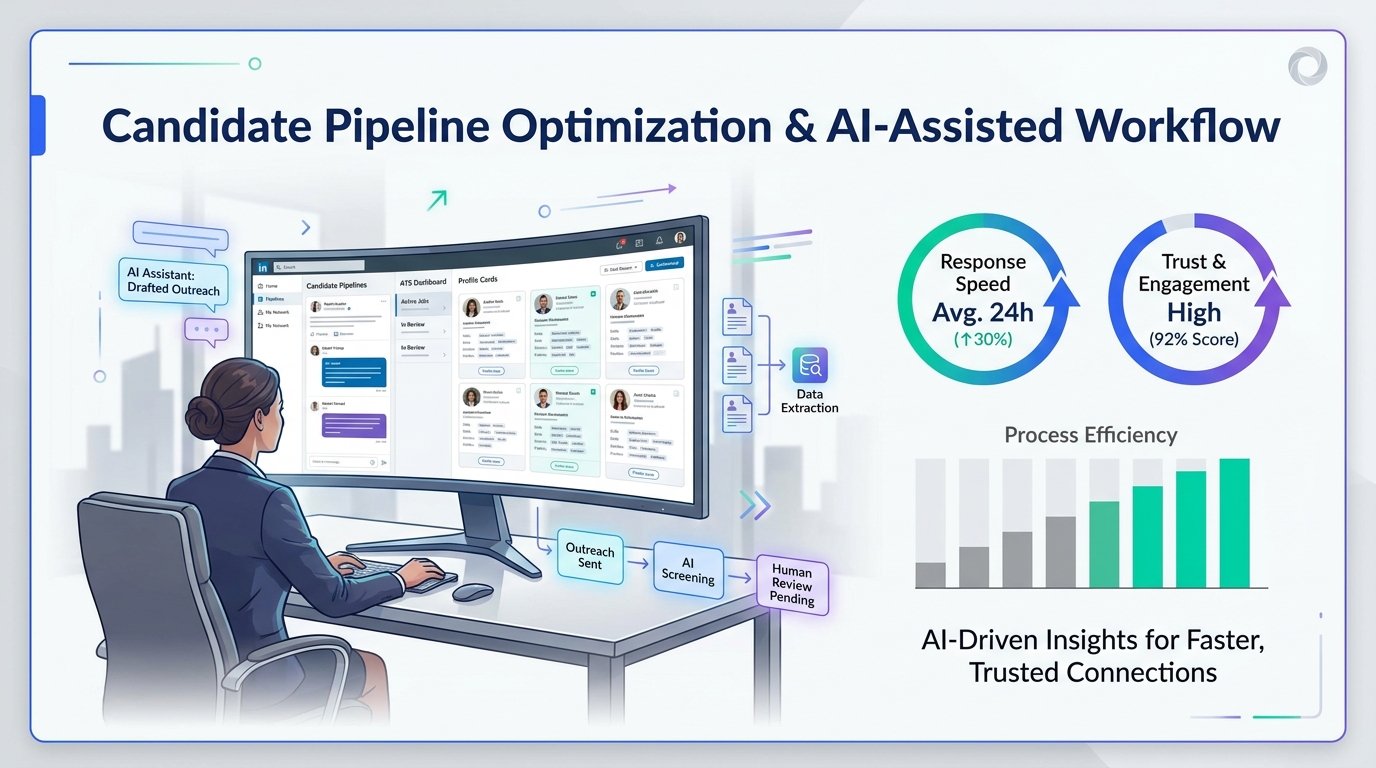
One reason I now pair core workflow discipline with StrategyBrain AI Recruiter is that it helps cover the repetitive communication layer that often creates those gaps in the first place. In my own sourcing work, I have found its always-on candidate messaging, multilingual outreach support, and automated resume and contact capture especially useful when LinkedIn conversations start after hours or across time zones. The recruiter still owns final judgment, resume review, and whether a hiring candidate should move forward, but the handoff into human decision-making becomes much cleaner.
The deeper issue is not new. A candidate lands on a recruiter website or replies to an outreach message looking for one thing: a real opportunity and a clear next step. Instead, many recruiting experiences still lead with the firm’s story, broad branding language, or a volume-first intake process. Then the recruiter starts gathering large numbers of resumes for a role, replies only to the obvious top slice, and leaves everyone else with silence. That may create short-term throughput, but it strips the process of trust.
What that scene exposes is exactly why choosing the best recruiting software cannot start with features alone. If your hiring systems do not help you serve both the employer and the candidate, your hiring system will amplify the wrong behavior. The right software should help recruiters stay specific, communicate consistently, and move the right people forward without turning the rest of the pipeline into an afterthought.
- The best recruiting software supports both operational control and a more respectful candidate experience.
- A strong applicant tracking system remains the system of record, but many teams need broader hiring systems around it.
- The most valuable software reduces response gaps, keeps searches specific, and helps recruiters avoid the volume-first habits that damage trust.
- AI support can help with outreach, follow-up, and resume capture, but recruiters should still make the final screening and selection decisions.
- Why Human Hiring Matters in Software Selection
- What Best Recruiting Software Really Means
- ATS vs Broader Hiring Systems
- Main Recruiting Software Categories
- Features That Protect Speed and Candidate Trust
- Quick Comparison Table
- Benefits of a Good Hiring System in Practice
- How to Evaluate the Right Hiring System
- Where AI Recruiter Support Fits the Workflow
- SMB vs Enterprise Buying Guidance
- Common Buying Mistakes
- FAQ
Why Human Hiring Matters in Software Selection
In recruiting, it is easy to forget who the process is supposed to serve. Employers are clients, but candidates are not raw material moving through a funnel. They are also participants whose time, attention, and trust shape whether your search succeeds. That is why the best recruiting software should not just help a recruiter process more activity. It should help the team stay selective, responsive, and clear.
I like to pressure-test software with a simple question: does this tool help us present the opportunity first, or does it help us present ourselves first? In practice, the strongest systems make it easier for candidates to find relevant openings, understand where they stand, and receive timely communication. The weaker ones create admin structure for recruiters while still leaving the hiring candidate experience fragmented.
That is also why search specificity matters. A disciplined recruiting process does not need to pull in hundreds of loosely matched resumes just to identify a small shortlist. Better systems support tighter search criteria, cleaner tracking, and better follow-up so recruiters can avoid stringing people along for roles that were never truly aligned.
What Best Recruiting Software Really Means
The best recruiting software is not the one with the biggest feature grid. It is the hiring system that matches your hiring volume, role complexity, communication demands, and operating style.
For some teams, that means a straightforward ATS that handles job posting, applicant review, feedback capture, and interview scheduling. For others, especially firms doing outbound search or cross-border recruiting, broader hiring systems make more sense because they add sourcing, outreach, pipeline nurture, reporting, and automation.
From an operator’s perspective, the standard is practical. The software should keep recruiters organized, help hiring managers act faster, and make it less likely that qualified people disappear because no one followed up. If it cannot do that, it is not the best recruiting software for your team, no matter how polished the demo looks.
ATS vs Broader Hiring Systems
The most important buying distinction is that an applicant tracking system is not always the same thing as broader recruiting software.
An ATS is the core workflow and recordkeeping layer. It stores resumes, tracks stages, logs notes, captures interviewer feedback, and documents disposition. In many teams, it is the operational backbone.
Broader hiring systems may include the ATS but extend into sourcing, CRM or TRM functions, career pages, campaign outreach, scheduling, onboarding steps, and analytics. These layers matter when the biggest problem is not simply tracking applicants, but finding and engaging the right people in a consistent way.
In my experience, a weak ATS plus several extra tools usually creates more friction, not less. A strong foundation matters because all the surrounding workflows depend on clear records, predictable stages, and recruiter adoption.
When an ATS is enough
An ATS is often enough for lean internal teams that mainly need job posting, applicant review, scorecards, interview coordination, and basic reporting. If your hiring process is mostly inbound and reasonably simple, this can be the right level of structure.
When broader hiring systems make more sense
If your team spends a lot of time re-engaging past prospects, sourcing passive talent, handling after-hours candidate replies, or reconciling LinkedIn outreach with internal workflow records, broader hiring systems become more useful. That is where messaging automation, talent pools, and stronger integration support start paying off.
Main Recruiting Software Categories
Buyers usually make better decisions when they compare categories before comparing vendors. These are the main software types shaping the market.
1. Applicant Tracking Systems
This is still the system of record for most teams. A good ATS centralizes applicants, stages, interview feedback, and approvals.
2. Recruiting CRM and TRM Tools
These tools support prospecting before application. They matter for relationship-based recruiting, long-cycle hiring, and candidate re-engagement.
3. Outreach and Sourcing Automation
This category supports repetitive top-of-funnel work such as outreach, follow-up, interest checking, and contact capture. I have seen this become especially useful for recruiters working LinkedIn-heavy workflows, where message timing and reply speed often determine whether a conversation survives.
4. Recruitment Marketing Software
These platforms support career site content, campaigns, employer brand messaging, and lead capture. They matter most when attraction quality is a major bottleneck.
5. Assessment and Screening Tools
These tools help teams evaluate applicants with more structure, often through tests, knockout questions, or role-specific assessments.
6. Scheduling and Coordination Tools
These reduce the calendar friction that frustrates both recruiters and candidates. In many teams, this is one of the fastest ways to improve the hiring candidate experience.
7. All-in-One Recruiting Suites
These combine multiple layers into one platform. The upside is reduced tool sprawl; the risk is that one critical module may be weaker than the rest.
Features That Protect Speed and Candidate Trust
When evaluating a hiring system, I recommend using criteria that reflect how recruiting work actually breaks down. The right features are the ones that reduce delay, maintain focus, and help the team communicate like professionals.
Search precision and pipeline quality
The best systems help recruiters stay tight and specific. That means better filters, clearer talent pools, stronger search logic, and easier rediscovery of previous candidates. This matters because broad, low-discipline search behavior often creates the exact “top ten get responses, everyone else gets ignored” pattern that candidates remember.
Candidate communication
Templates are not enough. Good software should help recruiters respond on time, track conversations, and avoid losing context across inboxes and platforms. This is one area where I have used AI Recruiter as a support layer for LinkedIn-heavy sourcing. It is useful for handling initial outreach and gathering resumes from interested people while I keep control over fit decisions and shortlist quality.
Workflow automation
Automation should remove repetitive admin, not remove recruiter judgment. Stage changes, reminders, status updates, and interview coordination are good automation targets. Final candidate evaluation is not.
Integrations
Your software should connect cleanly with email, calendars, HR systems, assessments, and reporting tools. If candidate communication happens in one place and records live somewhere else, trust erodes fast because follow-up becomes inconsistent.
Analytics and bottleneck visibility
Reporting should help answer operational questions: where do candidates stall, which sources convert, how long does each stage take, and where do hiring managers slow things down?
Candidate experience
This is not a soft metric. Candidates notice when the process is overly generic, when applications are clunky, or when nobody closes the loop. Better software makes it easier to keep the process human at scale.
Configurability and governance
If your process varies by role type, geography, or business unit, the system should support that without becoming impossible to manage.
Scalability
Many tools feel strong at low volume and break under complexity. Ask what happens when your open roles, user count, or sourcing channels increase.
Practical features to confirm
- Job posting and distribution
- Resume parsing and profile capture
- Structured scorecards
- Interview scheduling
- Candidate messaging history
- Talent pools and rediscovery
- Source-of-hire reporting
- Permissions and audit controls
- Automation rules
- Integration with external sourcing workflows
Quick Comparison Table
| Category | Best For | Core Strength | Watch-Out |
|---|---|---|---|
| Applicant Tracking System | Teams needing process control | Centralized records and stage management | May not solve outbound sourcing gaps |
| CRM / TRM | Teams nurturing talent pipelines | Relationship building before application | Needs alignment with ATS workflows |
| Outreach automation | Recruiters doing active sourcing | Faster follow-up and contact capture | Still needs human screening discipline |
| Recruitment marketing | Teams focused on attraction | Career content and campaign performance | Less useful without meaningful traffic |
| Scheduling tools | Teams losing time in coordination | Reduces calendar friction | Only solves one process segment |
| All-in-one suite | Teams wanting fewer systems | Shared data across functions | Module quality can vary |
Benefits of a Good Hiring System in Practice
On paper, most software categories sound similar. In live recruiting work, the difference shows up in how people behave.
Faster but more selective hiring
A strong system does not just make the process faster. It makes it easier to move the right candidates faster because records, feedback, and communication stay organized.
Better recruiter credibility
When candidates hear back, know the next step, and are not kept in vague pipelines forever, recruiter credibility rises. That matters for both agency and in-house teams.
Stronger hiring manager participation
Managers engage more reliably when the workflow is clear and lightweight. Better software helps convert review requests into actual action.
Cleaner data for future searches
Candidate relationships do not disappear after one search. If your data is clean, the next search starts with known people instead of starting from zero.
More consistent candidate treatment
This is one of the most underrated benefits. Good systems help prevent the dehumanizing pattern of high-volume collection with low-response follow-up.
Operator insight: Recruiting software cannot make a careless process ethical, but it can make a disciplined, candidate-aware process easier to repeat.
How to Evaluate the Right Hiring System
If you are buying software, evaluate it against the failures you already see in your workflow. That usually leads to better decisions than evaluating against marketing language.
- Define your search model. Are you mainly processing inbound applicants or actively sourcing and nurturing talent?
- Identify where trust breaks. Is the problem slow follow-up, unclear ownership, weak data, or poor search precision?
- Map communication points. Where do recruiter messages, hiring manager feedback, and candidate updates currently live?
- Check the candidate path. Can a hiring candidate understand the process and receive updates without chasing your team?
- Review integration needs. What has to connect on day one for recruiters to avoid duplicate work?
- Validate reporting. Can the software show bottlenecks, source quality, and conversion patterns clearly?
- Test flexibility. Can the system support role-specific or team-specific workflow differences?
- Assess implementation reality. Who will configure stages, templates, automations, and permissions?
- Evaluate automation carefully. Confirm which steps are automated and which still require recruiter review.
- Measure adoption risk. If recruiters or managers avoid the tool, the selection has failed no matter how strong the features look.
That final point matters most. The best recruiting software is the software your team will actually use well under pressure.
Where AI Recruiter Support Fits the Workflow
For LinkedIn-led sourcing, I have found that the biggest practical gap is not usually talent scarcity alone. It is the delay between identifying a relevant person, starting a conversation, answering questions, and collecting enough information to decide whether to move forward.
That is where StrategyBrain AI Recruiter fits naturally beside broader hiring systems rather than replacing them. It can automate initial candidate outreach, continue conversations around the clock, and collect resumes and contact details from interested people. For recruiters handling multilingual or international pipelines, that communication support can be especially useful when response windows do not match office hours.
My own takeaway after using this kind of support is simple: it works best when you treat it as a front-end sourcing and engagement layer, not as a substitute for recruiter judgment. I still review resumes myself, decide whether the profile actually matches the brief, and control interview progression. But when repetitive messaging is handled consistently, I spend more time evaluating fit and less time chasing first replies.
If your workflow relies heavily on LinkedIn, these supporting capabilities can reduce one of the most common breakdowns in hiring systems: the gap between sourcing activity and usable candidate records. Helpful starting points are the conversation examples and the overview of how the AI Recruiter workflow operates.
SMB vs Enterprise Buying Guidance
Small and mid-sized businesses
SMB teams usually benefit most from a straightforward ATS plus selective add-ons that solve real communication or sourcing problems. Ease of adoption matters more than broad module count.
Enterprise organizations
Enterprise teams often need stronger governance, permissions, workflow variation, analytics, and integration depth. Broader hiring systems are more likely to make sense here, especially if multiple business units hire differently.
Agency and search firms
Agencies often feel the pain of candidate communication delays more sharply because relationship quality directly affects future placements. For these teams, sourcing support, CRM-style tracking, and better outreach workflow integration become more important than a basic ATS alone.
Common Buying Mistakes
- Choosing for feature volume instead of behavior change. More tools do not guarantee better recruiting habits.
- Ignoring the candidate side of the workflow. If software helps recruiters but leaves candidates in the dark, the process is still weak.
- Automating the wrong steps. Outreach and reminders are good automation targets; final fit decisions are not.
- Underestimating adoption. A powerful hiring system that recruiters work around is a failed purchase.
- Letting search quality drift. A bigger funnel is not always a better funnel.
- Overlooking communication records. Lost message history creates duplicated outreach and poor candidate experiences.
FAQ
What is a hiring system?
A hiring system is software used to manage recruiting workflows such as job posting, applicant review, interview coordination, candidate communication, and reporting. It may include an ATS plus additional sourcing or automation tools.
What is the difference between an ATS and recruiting software?
An ATS is usually the system of record for applicants and workflow stages. Recruiting software is a broader term that can include the ATS plus sourcing, CRM, scheduling, analytics, and outreach automation.
Why do candidates matter when choosing recruiting software?
Because software shapes how consistently your team communicates, follows up, and closes the loop. A poor candidate experience often starts as a workflow design problem.
Can AI help without replacing recruiters?
Yes. AI can help with repetitive tasks such as outreach, follow-up, and resume collection. Recruiters should still make the final decisions on fit, screening, and progression.
What features matter most in the best recruiting software?
The most important features usually include applicant tracking, candidate communication, automation, integrations, reporting, scheduling, and workflow configurability. The right mix depends on your hiring model.
Which teams benefit most from broader hiring systems?
Teams that do outbound recruiting, nurture talent pipelines, operate across time zones, or coordinate multiple tools usually benefit most from broader hiring systems beyond a basic ATS.
Conclusion
The best recruiting software is the system that helps your team move faster without becoming less human. For most organizations, that starts with a dependable ATS and expands only where the workflow clearly requires more sourcing, communication, or automation support.
If your evaluation stays grounded in candidate trust, search precision, recruiter adoption, and process visibility, you are far more likely to choose the right hiring system. That is the real test of the best hiring systems: they help recruiters serve employers well without losing sight of the people on the other side of the process.















