


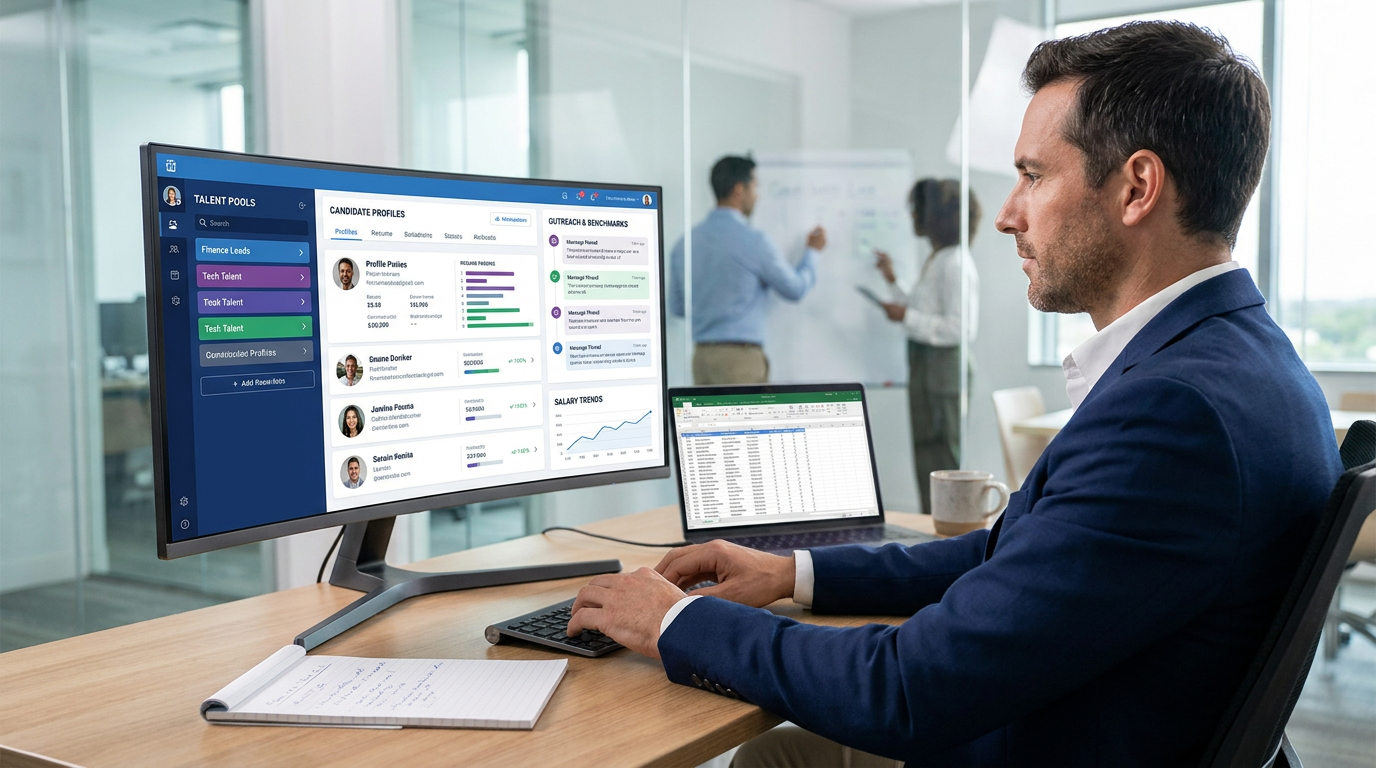
When candidate history gets lost, this article helps recruiting leaders evaluate a candidate database for recruiters to avoid rebuilding searches.
When that database is weak, the damage spreads quickly. Recruiters lose track of prior conversations, boutique agency owners pay twice for the same sourcing effort, corporate talent teams reopen searches they should have filled from existing pipelines, and hiring managers start doubting whether recruiting is learning anything from past campaigns. The issue is not only search speed. It is planning, benchmarking, and using prior talent activity with enough structure to make the next requisition easier than the last one.
That is why I now treat AI-supported workflow as part of software evaluation, not a separate add-on. In my own process, AI Recruiter became useful when I needed help with two very specific gaps: consistent candidate outreach and after-hours follow-up on LinkedIn, plus cleaner capture of resumes and contact details from interested prospects. What it did not replace was my judgment. I still reviewed the resume, checked actual fit, and decided whether the person belonged in the shortlist, the nurture pool, or nowhere at all.
A good example comes from annual finance and accounting hiring planning, where compensation benchmarking shapes everything downstream. Before a recruiter can even decide whether to launch a fresh search, they are often reviewing which finance roles were hardest to fill last year, where salary expectations moved, which industries are still hiring, and whether hybrid or remote patterns changed the available candidate pool. Then the real work starts: reopen old requisitions, pull up CPA candidates from prior searches, compare notes from past outreach, and check whether anyone who declined last year might now be open under a different compensation band.
That sequence exposes the real reason the best recruiting software matters. If your team cannot connect market planning, prior candidate history, communication records, and new outreach in one place, then free resume search and any resume finder for employers only solve the surface problem. The core need is a candidate database for recruiters that helps teams benchmark demand, rediscover relevant talent, and act on that insight without rebuilding the search from scratch.
- Why recruiting software should support planning before search
- What a candidate database for recruiters really needs to do
- Why the best recruiting software is more than resume lookup
- Features that matter in real recruiting operations
- How to evaluate free resume search and resume finder for employers
- Three recruiting software approaches recruiters compare
- What agencies and in-house teams should prioritize
- A practical software evaluation checklist
- Common mistakes teams make
- FAQ
Why Recruiting Software Should Support Planning Before Search
Most teams shop for recruiting software when they feel pain during sourcing. In my experience, the more revealing moment happens earlier: planning. A hiring team looks at expected headcount, last year’s hard-to-fill roles, salary movement, location constraints, and whether hybrid work has widened or narrowed the reachable talent pool. That planning stage decides whether the recruiter needs net-new sourcing or better reuse of existing relationships.
This is one of the most underappreciated differences between average tools and the best recruiting software. Better systems support not just candidate collection, but the decisions that happen before recruiters start messaging people. If compensation pressure is rising in finance, accounting, engineering, or any other function, your system should help answer practical questions: Who did we already attract? Who reached final stage but lost on salary? Which candidates were strong but mistimed? Which hiring teams create the most reusable talent pools?
That is also where a healthy candidate database for recruiters becomes a strategic asset rather than an archive. It allows resource planning, faster role prioritization, and better conversations with hiring managers who want evidence, not guesswork.
Practical takeaway: The best recruiting software supports a chain of work: benchmark the market, review past candidate activity, search the database, relaunch outreach, and then move qualified people into a live pipeline.
What a Candidate Database for Recruiters Really Needs to Do
A candidate database for recruiters is not just a place to store resumes. It is the operating memory of the recruiting team, built from applicants, sourced prospects, referrals, prior finalists, silver medalists, and passive talent who engaged but never moved forward.
To be genuinely useful, that database should let recruiters search by title, skills, certifications, location, compensation context, source, prior stage, response history, and recruiter notes. For specialist desks such as finance and accounting, that often means being able to distinguish between candidates with similar titles but very different functional depth, reporting scope, systems experience, or regulatory background.
It also needs to preserve the context around the profile. A resume alone is thin. The real value comes from seeing whether the person responded before, what concerns they raised, whether comp was the blocker, which hiring manager reviewed them, and whether the role was in-person, hybrid, or remote. That context is what turns a database from storage into a practical recruiting advantage.
Why the Best Recruiting Software Is More Than Resume Lookup
Recruiters often begin the buying process with a narrow request: “We need better search.” Fair enough. But resume search alone rarely fixes the actual workflow failure. The stronger question is whether the system helps recruiters move from planning to rediscovery to outreach to shortlist review without losing context.
That is why the best recruiting software usually combines several functions that buyers initially evaluate separately:
- searching existing candidate records
- parsing and standardizing resume data
- tracking communication history
- surfacing duplicate profiles
- supporting outreach and follow-up
- making collaboration visible to hiring managers
In other words, good software closes the distance between “I think we spoke to someone relevant last year” and “Here are three credible candidates with notes, prior comp concerns, and current outreach status.”
That distinction matters when comparing internal rediscovery with external sourcing. A resume finder for employers can help locate new people outside your system. But if the real issue is that your team forgets, loses, or cannot segment prior talent, then your bigger opportunity is inside your own ATS or CRM.
Features That Matter in Real Recruiting Operations
Feature lists are easy to inflate, so I prefer evaluating software against daily recruiting breakdowns. In most teams, those breakdowns cluster around five things: finding the right people, trusting the data, contacting them consistently, coordinating decisions, and preserving what was learned for the next search.
| Feature Area | What Good Looks Like | Why Recruiters Care |
|---|---|---|
| Search | Boolean, filters, and semantic matching | Finds relevant candidates beyond exact title matches |
| Resume parsing | Creates structured, searchable profiles | Makes old resumes reusable instead of buried attachments |
| Deduplication | Flags or merges repeated profiles cleanly | Prevents confusion and protects recruiter trust in the data |
| Outreach workflow | Captures messages, follow-ups, and response status | Connects discovery with action |
| Collaboration | Shares notes, ownership, and feedback clearly | Reduces handoff errors with hiring managers and teammates |
| Reporting context | Shows source, stage, and historic outcomes | Supports planning and better requisition decisions |
Search That Understands Recruiting Language
Exact keyword search is still useful, but it is not enough. Recruiters know how often strong candidates are missed because one company uses “Controller,” another uses “Finance Manager,” and a third frames the role around systems implementation or business partnering. Strong search should interpret adjacent titles and related experience rather than forcing recruiters to guess the perfect wording.
Data Quality That Keeps the Database Usable
Even the best interface becomes useless when the underlying records are messy. Duplicate candidate profiles, dead attachments, missing contact fields, and inconsistent title formatting all reduce confidence. Once recruiters stop trusting the database, they return to inboxes, spreadsheets, and memory.
This is where I have found a support workflow helpful. When I used AI Recruiter for LinkedIn follow-up, the main benefit was not magical matching. It was that interested candidates were pushed toward resume and contact capture in a more consistent way than manual after-hours outreach usually allows. That made later review cleaner. Again, I still did the fit assessment myself, but the capture step became less chaotic.
Outreach Should Be Part of the System, Not a Side Process
Recruiters do not get value from search results until someone takes action. The software should make it simple to see prior contact history, send outreach, schedule follow-up, and move the candidate into the correct stage. Otherwise, your search layer and your workflow layer remain disconnected.
How to Evaluate Free Resume Search and Resume Finder for Employers
Free resume search sounds attractive, but it can mean different things. In practice, buyers usually mean one of three things:
- searching public or marketplace-style resume inventories
- testing a free trial inside recruiting software
- looking up resumes already sitting in the employer’s own system
Those are not interchangeable. If your problem is internal rediscovery, public search does not solve it. If your problem is top-of-funnel volume, ATS search alone will not create net-new candidate supply.
When evaluating any resume finder for employers, ask these questions:
- Does it find new resumes, or organize the ones we already have?
- Can recruiters see prior communication history alongside the profile?
- What happens when the same person appears from multiple sources?
- Can hiring managers review context without recruiter narration every time?
- Does the free version reveal the actual workflow quality, or just a thin search layer?
My rule of thumb is simple: free access is useful for testing search logic, but not for judging whether the software will hold up in live recruiting. What matters is whether it supports end-to-end work after the search.
Three Recruiting Software Approaches Recruiters Compare
Most teams I speak with are not choosing between one tool and nothing. They are usually comparing categories. Here are three common approaches and the tradeoffs that come with each.
1. Traditional ATS-first systems
Strengths: usually solid for applicant flow, compliance structure, interview stages, and hiring manager visibility.
Limitations: many are weaker at rediscovery, sourcing flexibility, and recruiter-friendly search unless carefully configured.
Cost pattern: often more suitable for companies with established process and recurring requisition volume.
Best fit: mid-sized to larger internal teams that care about process consistency across departments.
How they work with AI Recruiter: useful when LinkedIn outreach and resume capture happen outside the ATS, then qualified responses are reviewed and moved into the main pipeline by the recruiter.
2. CRM-led sourcing platforms
Strengths: stronger relationship management, talent pooling, outreach cadence support, and rediscovery of previously engaged prospects.
Limitations: not always as strong on formal requisition control or hiring-manager workflow if used alone.
Cost pattern: can make sense for agency desks and in-house sourcing teams that live in proactive outbound recruiting.
Best fit: agencies, search firms, and internal TA teams with repeat candidate communities.
How they work with AI Recruiter: especially useful when recruiters want 24/7 LinkedIn engagement and multilingual first-touch communication before they decide who deserves direct consultant time.
3. LinkedIn automation support layered into the workflow
Strengths: reduces repetitive connection requests, first-touch messaging, and after-hours back-and-forth; can improve response handling consistency.
Limitations: does not replace final qualification, recruiter judgment, or the need for a strong underlying candidate database.
Cost pattern: often attractive for smaller teams that need more output without immediate hiring expansion, though exact pricing and value should always be verified directly.
Best fit: agencies, solo headhunters, and lean corporate teams doing heavy outbound work on LinkedIn.
How they work with AI Recruiter: this is where AI Recruiter conversation workflows can help most, especially when recruiters need multilingual candidate engagement, resume collection, and overnight follow-up, while still retaining human control over final screening decisions.
No single category wins every time. The best setup depends on whether your bottleneck is applicant processing, relationship reuse, or outbound sourcing volume.
What Agencies and In-House Teams Should Prioritize
For Agency Recruiters and Headhunters
Agencies usually feel the pain of lost candidate history more sharply. The same CPA, analyst, controller, or FP&A profile may fit several clients over time. If that history is not searchable and well-tagged, recruiters waste previously earned relationships.
For agency teams, I would prioritize:
- fast internal search across old resumes and notes
- clear ownership and deduplication
- outreach history tied to each profile
- easy reactivation of prior finalists and near-misses
- support for high-volume external sourcing when needed
This is also where I have seen AI Recruiter fit naturally. If your desk depends on LinkedIn for market mapping and candidate contact, handing repetitive outreach and response capture to an AI-supported layer can preserve recruiter time for calibration calls, shortlist judgment, and client management.
For In-House Talent Acquisition and HR Teams
In-house teams often gain the most from rediscovery and alignment. They need hiring managers to trust that old applicants and silver medalists are not forgotten. The software should make it easy to compare a newly sourced candidate with someone who reached late stage six months ago but lost on timing, compensation, or headcount freeze.
For these teams, planning context matters. If salary expectations have shifted and remote flexibility has changed supply, the best recruiting software should help recruiters explain why the old pipeline still matters and where a fresh search is truly necessary.
For Hiring Managers
Managers do not usually care about sourcing terminology. They care about speed, quality, and visibility. During demos, ask to see one practical workflow: reopen a hard-to-fill role, search the existing database, compare previous finalists with new leads, and show who was already contacted. If the tool cannot make that scenario easy, it will struggle in real hiring.
A Practical Software Evaluation Checklist
When you evaluate the best recruiting software, use realistic scenarios instead of polished vendor tours. I recommend testing the system against a planning-and-relaunch workflow similar to the finance salary guide scenario described earlier.
- Start with a role that was hard to fill. Ideally, use a function where compensation, industry demand, or work model changed recently.
- Review past candidates first. Check whether the system can quickly surface prior applicants, sourced prospects, and late-stage candidates.
- Test search quality. Search by title, adjacent title, skill cluster, location, certification, and prior stage.
- Import resumes. Confirm that old files become structured and searchable records.
- Check communication history. Make sure prior emails, notes, or LinkedIn interactions are visible next to the profile.
- Verify duplicate logic. Ask what happens when the same person reapplies or is sourced through multiple channels.
- Test outreach execution. See whether a recruiter can move directly from search to contact to follow-up.
- Include hiring managers. Let them test how they review context and compare old versus new candidates.
- Clarify where AI support fits. If you use tools like AI Recruiter, define exactly which tasks are automated and which still require human decision-making.
The final point matters. In my own workflow, the best results came when automation handled repetitive first-touch and follow-up communication, while I retained control over resume review, shortlist quality, and candidate presentation.
Common Mistakes Teams Make
1. Treating resume search as the whole buying decision
Search matters, but it is only one layer. If the software cannot preserve context, collaboration, and reuse, it will not improve hiring much.
2. Ignoring planning use cases
Teams often forget that recruiting software should support resource planning too. Hard-to-fill roles, compensation movement, and work-model changes should influence how you search your existing database before spending more on fresh sourcing.
3. Overvaluing database size and undervaluing database usability
A big talent pool sounds impressive. A trusted, searchable, current one is far more valuable.
4. Assuming free resume search is enough
Free resume search can be helpful for experimentation, but it rarely proves whether your recruiters can operate consistently under real workload.
5. Expecting automation to replace recruiter judgment
This is especially important with LinkedIn support tools. Automation can help with outreach, multilingual communication, and resume capture, but final qualification still belongs to the recruiter. That boundary should be clear before any rollout.
FAQ
What is a candidate database for recruiters?
A candidate database for recruiters is a searchable talent record built from applicants, sourced prospects, referrals, and prior hiring activity. The strongest versions also store notes, stages, communication history, and source data so recruiters can rediscover and reactivate talent efficiently.
How is free resume search different from internal ATS search?
Free resume search often refers to searching public resume sources, a trial version of software, or a limited search feature. Internal ATS or CRM search focuses on your own private talent history. The right choice depends on whether your bottleneck is net-new sourcing or rediscovery.
What should a resume finder for employers do well?
A good resume finder for employers should surface relevant candidates quickly, but it should also show enough context to support action. Search without communication history, duplicate control, and workflow integration creates more manual work.
Can LinkedIn automation replace recruiter screening?
No. It can support repetitive tasks such as first-touch outreach, candidate replies, and resume collection, but a recruiter still needs to evaluate fit, review the resume, and decide on next steps.
What features matter most in the best recruiting software?
Look for strong search, resume parsing, deduplication, communication tracking, collaboration tools, and reporting context that helps with planning as well as active hiring.
Why does planning context matter when choosing recruiting software?
Because many hiring decisions begin before sourcing. Teams need to benchmark demand, understand compensation pressure, revisit prior candidate pools, and decide whether they truly need fresh outreach. Software that supports those steps creates more value over time.
Conclusion
The best recruiting software does more than help you search resumes. It helps your team plan hiring, reuse prior effort, understand changing market conditions, and turn candidate history into a real operating advantage. That is why a strong candidate database for recruiters matters so much: it connects what you already learned with what you need to do next.
If you are comparing tools now, do not evaluate them only as search engines. Test whether they can support the full chain from benchmarking and requisition planning to rediscovery, outreach, and shortlist review. And if LinkedIn outreach is one of your bottlenecks, a support layer like AI Recruiter can help with the repetitive front-end work, while you keep control of the part that still matters most: deciding which candidates deserve a real conversation.














