


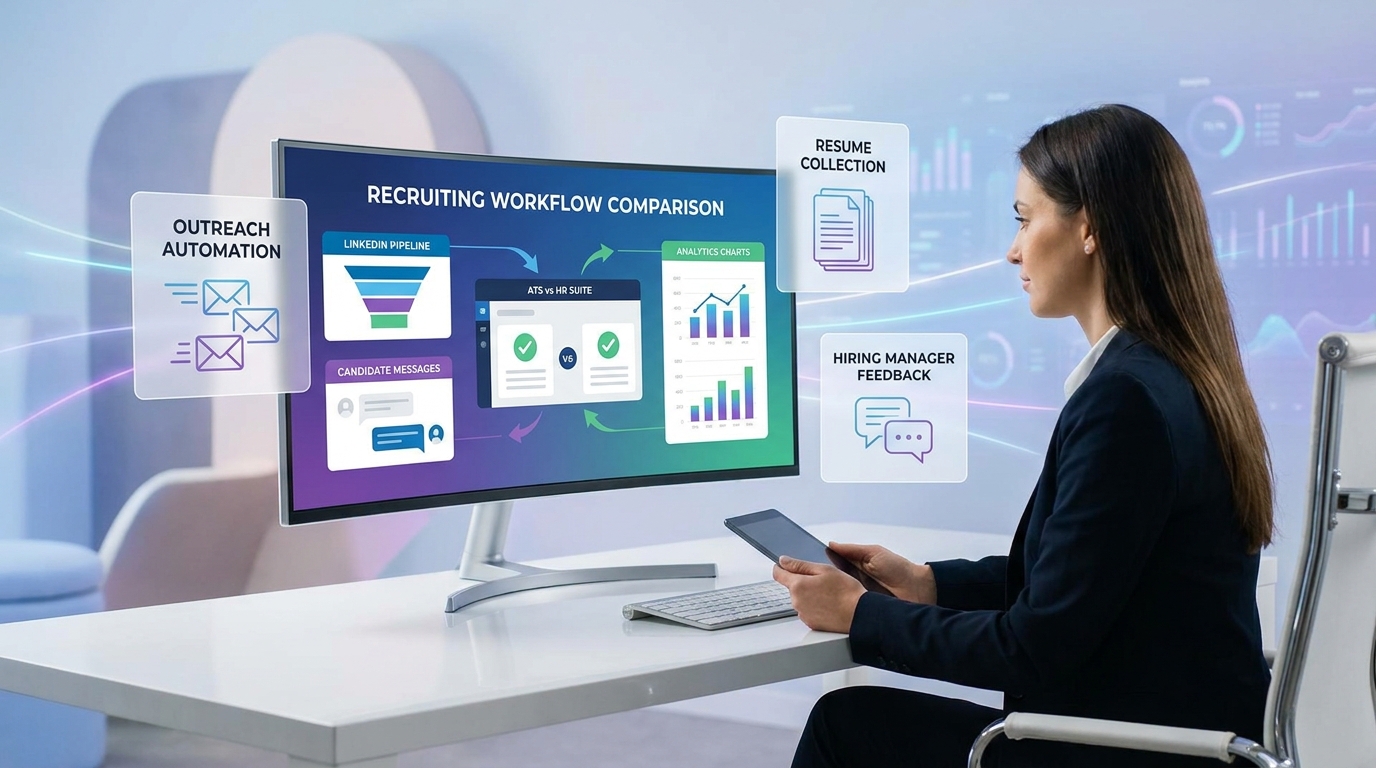
This guide helps headhunters judge human resource recruitment software by workflow friction, avoiding flashy tools that slow hiring.
That distinction matters more than most buying teams expect. Recruiters rarely lose time because a system lacks another flashy feature. They lose time because the tool keeps them stuck at the wrong level of work: chasing inbox replies, logging notes after calls, updating candidate stages late, or switching between sourcing, coordination, and reporting without a clear view of what deserves immediate attention. For a solo headhunter, that means slower follow-up and weaker relationship momentum. For a small agency owner, it can mean inconsistent delivery across consultants. For an in-house talent lead, it often shows up as hiring-manager frustration, delayed feedback, and poor visibility into why open roles are not moving.
That is one reason I now separate core recruiting workflow from everything else when I test software. In my own evaluation process, StrategyBrain AI Recruiter has been useful not as a replacement for recruiter judgment, but as a support layer for repetitive outreach, after-hours candidate replies, and multilingual follow-up on LinkedIn. When a workflow is breaking because response handling and early-interest checks consume too much recruiter attention, its always-on messaging and résumé collection can reduce that drag. The recruiter still makes the final call on fit, résumé quality, and next-step decisions, which is exactly how this part of the process should work.
A useful way to think about this comes from a broader management idea: people struggle to think strategically when they are working at the wrong level, when outcomes take time to become visible, and when past experience does not fully match the current context. That pattern shows up in recruiting more often than most teams admit. A recruiter opens a requisition list, replies to a candidate who finally answered a LinkedIn message overnight, updates a shortlist for a hiring manager, and then jumps into a meeting about next quarter's hiring plan. The work is real and necessary, but the constant shift between execution and longer-term decision making makes it harder to judge whether the current software is actually helping or simply keeping the team busy.
The problem gets sharper when hiring teams try to compare tools only through demos or feature grids. A system can look polished and still fail in the exact moments that matter: when recruiters need to preserve context across multiple open searches, when hiring leaders need to see whether a process should be changed or simply given more time, or when a team discovers that its previous software experience does not translate well into a different hiring model. That is where the search for the best recruiting software becomes more than a shopping exercise. It becomes a question of whether your human resource recruitment software, the top hr systems on your shortlist, or broader hr management system software can support both day-to-day execution and better hiring decisions over time.
In the rest of this guide, I will use that lens throughout: not just what recruiting software does, but which tools help recruiters step out of reactive work long enough to run a stronger process, evaluate results with the right time horizon, and choose software that fits the reality of how their team hires.
Table of Contents
- What actually makes recruiting software “best”
- ATS vs HRIS vs HRMS: where recruiting software fits
- 4 buying blockers that lead to poor software choices
- Capabilities that matter in real recruiting work
- Standalone ATS vs all-in-one HR systems
- How to choose by team size and hiring model
- LinkedIn-heavy workflows and AI support
- A practical selection process
- Common mistakes to avoid
- FAQ
What actually makes recruiting software “best”
The best recruiting software is not the platform with the longest feature list. It is the one that helps a recruiter make better choices with less friction across sourcing, applicant flow, stakeholder coordination, and reporting. In practice, that usually means the software supports both execution and perspective.
Execution is the obvious part: posting jobs, tracking candidates, scheduling interviews, collecting feedback, and moving people through stages. Perspective is the part many buying teams underweight. Can the system help you understand where a role is blocked? Can it show whether a process change needs more time before you judge it? Can it preserve enough candidate and business context that recruiters are not making rushed decisions from scattered notes and memory?
That is why I treat human resource recruitment software as a broader decision than simply picking an ATS. Some teams need specialist depth. Others need recruiting to connect smoothly with onboarding, employee records, and downstream people operations. The right answer depends on workflow fit, not category labels.
Practical takeaway: If a tool only helps your team move faster but not think more clearly, it may improve activity while weakening decision quality.
ATS vs HRIS vs HRMS: where recruiting software fits
One reason searches for the best recruiting software become confusing is that several product categories overlap. A dedicated ATS is centered on applicants and hiring workflow. HRIS platforms focus on employee data and core records. HRMS or HCM platforms typically cover a broader set of people operations and may include recruiting modules within a wider suite.
| System Type | Main Purpose | Best Fit | Recruiting Strength |
|---|---|---|---|
| ATS | Track applicants and run hiring workflow | Recruiting-led teams | Pipeline control, interview stages, audit trail, structured hiring |
| Recruiting CRM / TRM | Build and nurture talent relationships | Sourcing-heavy teams | Passive pipeline management, outreach tracking, talent pools |
| HRIS | Maintain core employee records | Teams focused on system-of-record basics | Usually limited recruiting depth, often integration dependent |
| HRMS / HCM | Manage broader HR operations | Organizations standardizing the HR stack | Recruiting plus onboarding and downstream HR workflows |
If your biggest pain is candidate volume, stakeholder coordination, or weak process discipline, an ATS is usually the first thing to improve. If your problem is broken handoff between accepted offer, onboarding, and employee setup, then broader hr management system software may be the more useful frame.
The confusion often comes from comparing unlike decisions. Recruiters are solving hiring execution. HR operations may be solving platform standardization. Finance may be solving software sprawl. None of those goals is wrong, but they should not be collapsed into one superficial ranking of the top hr systems.
4 buying blockers that lead to poor software choices
The reference idea behind this article becomes especially useful here. Teams often choose the wrong recruiting platform because the same barriers that block strategic thinking also block software judgment.
1. Operating at the wrong level
When recruiters are buried in urgent tasks, they tend to buy for immediate relief rather than long-term workflow fit. That often leads to overvaluing convenience in one part of the process while ignoring downstream pain in reporting, candidate history, or hiring-manager collaboration.
I see this most often in LinkedIn-heavy recruiting. If the team is overwhelmed by manual outreach and response handling, they may focus only on message automation and ignore whether the rest of the hiring process can absorb what that outreach creates. That is exactly where support tools can help when used carefully. In my own testing, I found that StrategyBrain AI Recruiter worked best as a front-end accelerator for candidate contact and interest confirmation, while the main ATS or HR system remained the place for review, qualification, and process control.
2. Misreading time lag
Recruiting process changes take time to evaluate. A new workflow, stage design, scorecard structure, or sourcing cadence may not show clear results immediately. Teams often abandon systems too quickly because they cannot separate software weakness from normal adoption lag.
This matters during selection. Ask not only whether the software can produce metrics, but whether your team can interpret those metrics over a realistic timeline. A system is easier to reject than to understand.
3. Overrelying on abstract best practices
Case studies, templates, and product demos can be useful, but they often flatten context. A workflow that works for one employer, agency, or hiring model may fail in another. Recruiters need software they can translate into live operating conditions, not software that merely performs well in a guided demo.
4. Letting old experience dictate new decisions
Previous software experience can be misleading. A recruiter coming from a staffing environment may overvalue speed and search depth when moving into in-house hiring. A corporate HR leader may overvalue suite continuity when the business actually needs stronger sourcing discipline. The best recruiting software is often the one that fits the current context, not the one that resembles what the team used before.
Capabilities that matter in real recruiting work
Once teams clear those buying blockers, feature evaluation becomes more useful. The strongest options in human resource recruitment software tend to support the following capabilities well.
Job distribution and requisition control
Your system should make job posting simple while preserving one source of truth for approvals, role ownership, and version control. This matters more than it sounds. Messy requisition control creates confusion that spreads through sourcing, interviewing, and reporting.
Candidate sourcing and pipeline organization
For many recruiters, especially headhunters and internal sourcing teams, software quality is defined by how well it handles active outreach and future-fit pipelines. Search, duplicate management, segmentation, and relationship tracking all matter here.
If your workflow depends heavily on LinkedIn, then this is also where AI support can help. Tools like AI Recruiter can handle repetitive outreach conversations, identify who is willing to continue the discussion, and collect contact details or résumés from interested candidates. What I would not outsource is final fit assessment. A recruiter still needs to read the profile, evaluate relevance, and decide whether the person belongs in the active slate.
Workflow automation
Automation should remove repetition, not hide weak process design. Good software supports reminders, notifications, scheduling triggers, scorecard collection, and stage-change actions without making the workflow feel rigid.
Interview coordination and collaborative hiring
This is where many systems look acceptable in demos and fail in reality. Recruiters need clear ownership, visible next steps, and consistent feedback capture across multiple stakeholders. Hiring managers need a system they will actually use without workarounds.
Reporting and analytics
Good reporting should answer operational questions: which sources convert, where stages slow down, where approvals stall, and which teams create avoidable delay. Avoid being impressed by dashboards until you understand the definitions behind them.
Onboarding and HR handoff
This is the point where recruiting tools begin to overlap with broader hr management system software. If your organization values a clean transition from offer accepted to employee setup, evaluate whether that handoff is native, configurable, or reliant on fragile integrations.
Integrations and ecosystem fit
No recruiting system stands alone for long. Calendar tools, assessments, background checks, communication tools, e-signature workflows, and HR records all influence usability. Ask how integrations behave in daily operations, not just whether they exist.
Usability
Recruiters live in the system. Hiring managers visit it. That difference matters. The best recruiting software reduces click friction for recruiters while keeping the manager experience simple enough to support adoption.
Standalone ATS vs all-in-one HR systems
One of the most important decisions is whether to choose a specialist recruiting platform or an all-in-one suite.
| Option | Strengths | Trade-Offs | Best Fit |
|---|---|---|---|
| Standalone ATS or recruiting platform | Better pipeline depth, sourcing workflows, recruiter usability | May require more integrations for onboarding and HR records | Growing TA teams, agencies, sourcing-led environments |
| All-in-one HR suite | Unified hiring-to-employee flow, simpler admin standardization | Recruiting depth may be lighter than specialist tools | Organizations prioritizing consistency across HR operations |
If your team needs faster outreach and stronger top-of-funnel activity, standalone recruiting depth often wins. If your business is trying to reduce handoff problems after offer acceptance, broader platform continuity may matter more.
The trick is not to let organizational politics decide for you. Recruiting, HR, operations, and IT may each prefer a different answer. The right decision should come from where the process currently breaks and where it is likely to break next.
How to choose by team size and hiring model
Small businesses and lean HR teams
Smaller teams usually need speed to adoption, clean visibility, and enough structure to stop hiring from living in email threads and spreadsheets. In this setting, the value of human resource recruitment software often comes from simple discipline rather than advanced functionality.
- Prioritize ease of use and setup speed
- Choose clear candidate-stage visibility over deep customization
- Decide early whether onboarding must be included
- Avoid enterprise complexity that your team will not maintain
Mid-market companies
Mid-market hiring often introduces more approvals, more hiring-manager participation, and stronger reporting needs. This is where software fit starts to influence operating model quality.
- Test collaboration and scorecard workflows carefully
- Review analytics definitions, not just dashboard appearance
- Validate handoff into onboarding and HR records
- Make sure the recruiting process can scale across departments
Enterprise organizations
Enterprise teams need governance, permissions, workflow variation, and integration reliability. The software has to support both recruiter productivity and business-unit complexity.
- Evaluate role-based controls and auditability
- Test cross-region or cross-function configurations
- Confirm reporting aligns with enterprise hiring metrics
- Review implementation ownership early
Staffing firms and agency recruiters
Agency and search environments usually need speed, search power, talent pool management, and fast movement across multiple requisitions. In those cases, broader HR suites can feel too shallow on day-to-day recruiter workflows.
- Prioritize sourcing, searchability, and duplicate management
- Look for CRM-style relationship management
- Choose systems that support rapid slate movement
- Use AI support selectively for repetitive top-of-funnel tasks
Distributed or global hiring teams
Distributed hiring creates pressure around communication timing, language differences, and decision visibility. This is one of the places where I found StrategyBrain AI Recruiter genuinely practical. Its multilingual and always-on LinkedIn communication can keep candidate conversations moving outside recruiter working hours, which matters when time zones would otherwise slow outreach. Even then, I still treat it as a support layer. Recruiters should own final review, shortlist quality, and whether the conversation should advance.
LinkedIn-heavy workflows and AI support
Because many recruiters now evaluate software around sourcing productivity, LinkedIn workflows deserve separate attention. This is not the same question as choosing a full ATS or one of the top hr systems. It is a workflow question: where does manual effort create avoidable drag before candidates even enter the formal hiring process?
In my experience, the biggest LinkedIn bottlenecks are repetitive first-touch outreach, delayed reply handling, and inconsistent follow-up once candidates show interest. Recruiters often miss momentum not because they lack candidate volume, but because the work arrives at awkward times and in fragmented bursts.
That is where StrategyBrain AI Recruiter can complement a broader recruiting stack. The practical value is straightforward:
- It can automate initial LinkedIn outreach and role introduction
- It can continue candidate conversations after hours and across time zones
- It can collect résumés and contact details from interested candidates for recruiter review
What I liked most in testing this kind of workflow was not the promise of replacing a recruiter. It was the ability to remove repetitive message handling from the exact moments when recruiters need to switch levels and focus on judgment. That fits the opening problem in this article: better systems do not just increase activity, they protect thinking time for the work only a recruiter should do.
Used well, this kind of tool can sit in front of your ATS or broader hr management system software rather than competing with it. The AI handles conversation volume; the recruiter evaluates fit; the core system manages process, records, and collaboration.
A practical selection process
If you want to choose the best recruiting software without getting distracted by sales demos, follow a structured process.
- Define the real breakdowns. Is the issue sourcing volume, process visibility, hiring-manager delays, or poor handoff into onboarding?
- Map the work by level. Separate repetitive admin, recruiter judgment, and cross-functional coordination. This is where software fit becomes clearer.
- Set a realistic evaluation horizon. Decide how long a new workflow should be observed before you judge whether it works.
- Test context, not just features. Ask vendors to walk through your actual process using your role types, stakeholders, and reporting questions.
- Include recruiters and hiring managers. Recruiters understand friction; hiring managers reveal adoption risk.
- Review integrations early. Especially important when comparing ATS tools with broader HR suites.
- Plan governance before rollout. Naming rules, ownership, permissions, and reporting definitions should be settled early.
That process helps you avoid buying under pressure. It also makes it easier to compare specialist tools, wider suites, and workflow-specific support tools like LinkedIn automation in a disciplined way.
Common mistakes to avoid
- Choosing for immediate relief only. A tool that solves one urgent pain may create larger process problems later.
- Judging too quickly. New recruiting workflows need enough time for training and adoption effects to appear.
- Confusing suite breadth with recruiting depth. A broader platform is not always better for recruiter execution.
- Assuming old software experience still applies. New hiring models often need different strengths.
- Over-trusting AI claims. Automation should support recruiter judgment, not replace it.
- Ignoring context transfer. A workflow proven in one team may not fit another without adaptation.
FAQ
What is the best recruiting software for most teams?
There is no universal answer. The best recruiting software depends on whether your team needs specialist ATS depth, stronger sourcing workflows, or broader human resource recruitment software that connects hiring with onboarding and HR operations.
How is recruiting software different from HR software?
Recruiting software focuses on requisitions, applicants, interviews, and hiring decisions. HR software and hr management system software usually cover wider employee administration, records, and operational workflows after hiring.
When should I choose a standalone ATS instead of an HR suite?
Choose a standalone ATS when recruiter workflow depth, sourcing, searchability, and pipeline management are the main priorities. Choose a broader suite when the business values continuity from hiring through employee setup and ongoing HR administration.
Are top HR systems good enough for recruiting?
Some of the top hr systems are good enough for companies with straightforward hiring needs. But teams with high-volume, sourcing-heavy, or process-complex recruiting often need more depth than a general HR suite provides.
Can AI tools replace recruiters in the hiring process?
No responsible recruiting team should treat AI as a substitute for recruiter judgment. AI can help with outreach, follow-up, and early candidate engagement, but recruiters should still make final decisions on fit, résumé review, and next-step movement.
Where does StrategyBrain AI Recruiter fit in a recruiting stack?
It fits best as a LinkedIn-focused support tool for repetitive outreach, multilingual candidate communication, after-hours response handling, and résumé collection from interested candidates. It can complement an ATS or broader HR platform rather than replacing the core hiring system.
Conclusion
The search for the best recruiting software is really a search for better operating leverage. Some teams need deeper ATS workflow control. Others need broader human resource recruitment software that connects recruiting to the rest of HR. And many sourcing-led teams also need a practical support layer for LinkedIn communication so recruiters can spend less time on repetition and more time on judgment.
If you evaluate tools through the lens of workflow level, time horizon, and real hiring context, your shortlist gets clearer fast. That is the difference between buying software that keeps your team busy and choosing software that helps your team hire better.














