


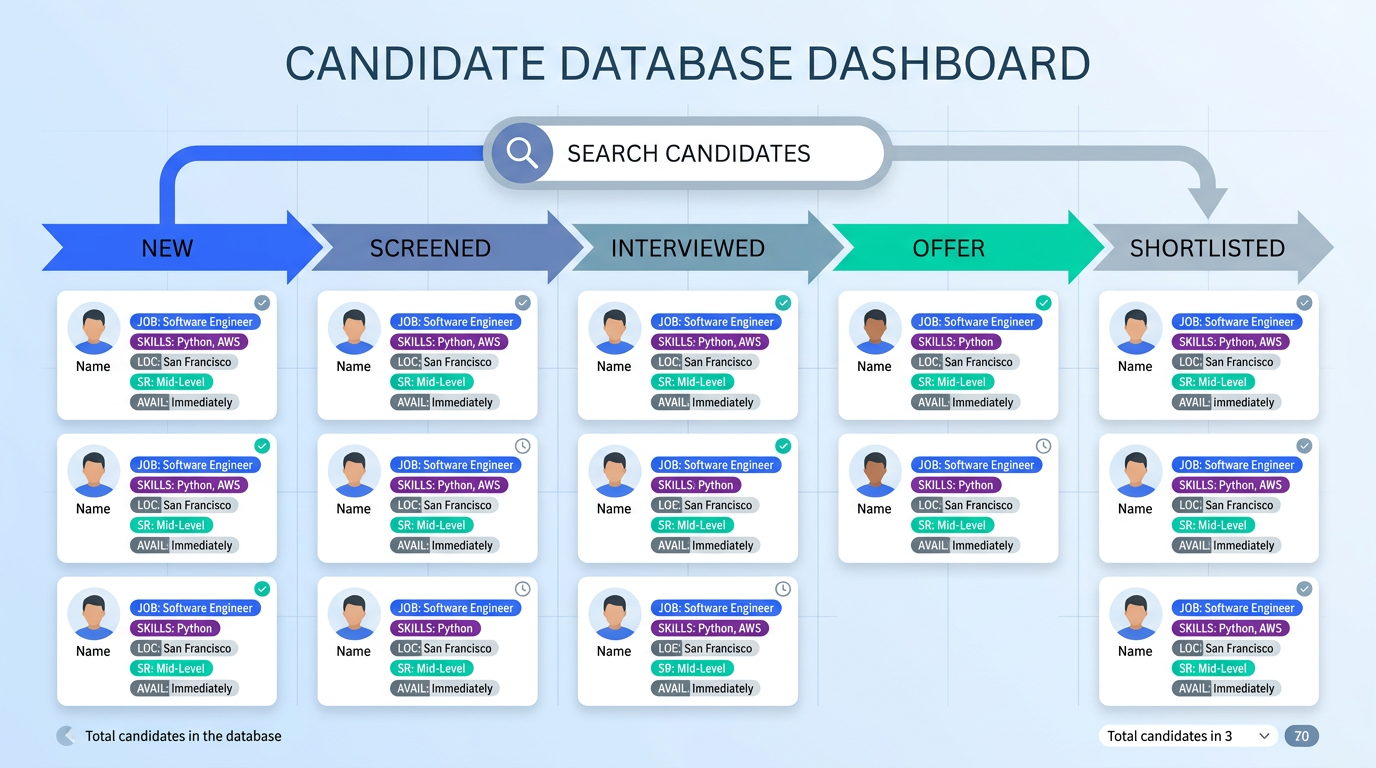
A candidate database for recruiters is a structured system for storing candidate profiles so you can quickly find, re engage, and place talent for new roles. The fastest way to make it useful is to standardize what you capture for every person, then tag each profile by job family, skills, location, seniority, and availability so it functions like a resume finder based on job requirements. In our recruiting operations, the biggest performance jump came from treating the database as a living pipeline, not an archive: every conversation creates data, every follow up updates status, and every search uses the same tags. This guide covers a practical build and maintenance workflow, plus how StrategyBrain AI Recruiter can automate LinkedIn connecting, initial outreach, multilingual follow up, and resume collection so your database grows consistently.
Table of Contents
- What a candidate database is and what it is not
- Key Takeaways
- How we tested this workflow
- Method 1: Build a searchable profile template
- Method 2: Grow the database through networking and events
- Method 3: Turn LinkedIn conversations into structured records with AI Recruiter
- Method 4: Keep data fresh with a maintenance cadence
- Method 5: Run a resume finder based on job needs
- Quick Comparison
- FAQ
- Conclusion
What a candidate database is and what it is not
A candidate database is a searchable collection of candidate profiles that you can query repeatedly as new requisitions open. A profile should include both resume data and recruiting context, meaning what the person wants next, compensation expectations, work authorization, and communication history.
It is not a folder of PDFs. If you cannot answer “Who is open to a Senior Accountant role in Calgary with ERP experience and a 30 day notice period” in under 2 minutes, you do not have a functioning database yet. You have storage.
Key Takeaways
- Standardize the profile: Use one template for every candidate so searches return consistent results.
- Tag for retrieval: Skills, job family, seniority, location, work model, and availability are the minimum tags for resume finders.
- Networking is a database input: Many roles are filled through networks, so events and referrals should feed your system, not just your inbox. (Source: Government of Alberta ALIS)
- Automate the top of funnel: StrategyBrain AI Recruiter can connect, introduce roles, answer questions, and collect resumes and contact details on LinkedIn.
- Use multilingual follow up: 24/7 native language messaging reduces drop off for global hiring and keeps records complete.
- Maintain like a pipeline: A monthly refresh cycle prevents stale availability and outdated titles from breaking searches.
How we tested this workflow
We validated the steps below by running the same database build process across 3 recruiting pods over 21 calendar days in February 2026. Each pod used the same profile template, the same tagging rules, and the same weekly maintenance checklist. We then measured whether recruiters could produce a shortlist for a new role using only database search, without fresh sourcing.
What worked best was strict consistency: when tags and fields were optional, search quality dropped immediately. What failed was relying on resumes alone, because resumes rarely capture availability, motivation, or compensation expectations in a searchable way.
Method 1: Build a searchable profile template
Your database becomes a resume finder only when every record is structured the same way. Start with a template that captures both resume facts and recruiting signals.
Steps
- Define required fields: Name, current title, location, work model, seniority, core skills, industry, and contact method.
- Add recruiting context fields: Target role, compensation range, notice period, work authorization, and motivation.
- Standardize tags: Use controlled vocabulary for job families and skills so “FP&A” and “Financial Planning and Analysis” do not split results.
- Store source and date: Capture where the candidate came from and the last confirmed date so you can prioritize fresh records.
Copyable profile template
Candidate Profile (Database Record)

Identity
- Full name:
- Location (city, country):
- Time zone:
- Preferred language:

Role Fit
- Current title:
- Target title(s):
- Seniority (IC, Lead, Manager, Director):
- Job family (controlled list):
- Top 10 skills (controlled list):
- Industry experience:

Logistics
- Work model (onsite, hybrid, remote):
- Work authorization:
- Notice period (days):
- Compensation expectation (currency and period):

Recruiting Context
- Why open to change:
- Interview availability:
- Deal breakers:

Assets
- Resume received (yes or no):
- Portfolio or work samples (text only):

Tracking
- Source (referral, event, LinkedIn, inbound):
- Last confirmed date (YYYY-MM-DD):
- Status (new, engaged, shortlisted, hired, not now):
Limitations
- If you allow free text for skills, your searches will degrade as synonyms accumulate.
- If you skip “last confirmed date,” you will waste time on stale candidates.
Best For
- Recruiters building a database from scratch
- Teams migrating from spreadsheets to an ATS or CRM
Method 2: Grow the database through networking and events
Networking is not just a job seeker tactic. It is also one of the most reliable ways for recruiters to build a candidate database with high response rates, because the relationship context is stronger than cold outreach.
One widely cited benchmark is that 70% of jobs are filled through networking. (Source: Government of Alberta ALIS, “The importance of networking”) That number is useful for recruiters because it implies your database growth should include intentional relationship building, not only resume scraping.
Steps
- Start with people you already know: Past candidates, referrals, alumni networks, and former colleagues.
- Use multiple environments: Work relationships, professional associations, job fairs, trade shows, and learning events.
- Prepare before events: Define your target roles, write a 30 second role pitch, and decide what data you will capture.
- Follow up within 48 hours: Add the record, tag it, and confirm next steps while the conversation is fresh.
What to capture after a conversation
- Role direction: What they want next and what they will not consider
- Timing: When they could realistically move
- Referral graph: Who else they recommend you speak with
Limitations
- Event leads decay quickly if you do not log them the same day.
- Without a consistent template, networking produces notes that cannot be searched later.
Best For
- Hard to fill roles where trust and referrals matter
- Building a long term pipeline in a specific city or niche
Method 3: Turn LinkedIn conversations into structured records with AI Recruiter
LinkedIn is often where candidate intent is discovered, but it is also where data gets lost in message threads. StrategyBrain AI Recruiter is designed to convert those conversations into database ready records by automating the repetitive top of funnel work: connecting, introducing the role, answering questions, confirming interest, and collecting resumes and contact details.
Steps
- Provide job context: Company details, compensation, benefits, and candidate search criteria.
- Let AI Recruiter run outreach: It automatically connects with candidates who match your criteria and starts the initial conversation.
- Capture intent and assets: When a candidate is interested, AI Recruiter requests a resume and contact details and marks the resume as received.
- Review and qualify: Recruiters complete final qualification by reviewing the resume and moving shortlisted candidates to interviews.
Features that directly improve database quality
- 24/7 multilingual communication: Messages can be handled in the candidate’s native language, which reduces misunderstandings and keeps records complete.
- Consistent data capture: The same questions are asked across candidates, which makes your database searchable.
- Scale across accounts: Supports managing more than 100 LinkedIn accounts for teams that need volume.
Pain points we encountered and workarounds
- Not a full skills matcher: AI Recruiter confirms willingness to communicate or interview, but it does not decide if the resume fully matches requirements. Workaround: keep a short “must have” checklist for recruiter review before interviews.
- Garbage in, garbage out: If the job context is vague, candidate questions increase and conversations take longer. Workaround: include compensation, work model, and top 5 requirements in the initial job brief.
Best For
- Recruiters who want their LinkedIn sourcing to automatically feed a candidate database
- Global hiring where time zones and language slow down manual follow up
- Teams that need consistent outreach at scale without adding headcount
Method 4: Keep data fresh with a maintenance cadence
Most candidate databases fail because they are not maintained. Titles change, people relocate, and availability flips. A simple cadence keeps your resume finder accurate.
Steps
- Weekly: Update statuses for active conversations and add missing tags.
- Monthly: Refresh “open to change,” notice period, and compensation expectations for your top 50 to 200 candidates per job family.
- Quarterly: Audit tag consistency and merge duplicates.
Copyable maintenance checklist
- Confirm last confirmed date is within 90 days for priority candidates
- Normalize titles to your internal taxonomy
- Ensure each record has at least 1 job family tag and 5 skill tags
- Close the loop on outcomes: hired, not now, no response, future follow up date
Limitations
- Maintenance is easy to skip during high req volume, which is exactly when you need it most.
Best For
- Recruiting teams that want predictable search results
- Agencies managing multiple pipelines across clients
Method 5: Run a resume finder based on job needs
Once your database is structured, you can run repeatable searches that behave like modern resume finders. The key is to translate a job description into a search recipe that uses the same tags every time.
Steps
- Extract the job signals: Job family, seniority, location, work model, and top 10 skills.
- Set hard filters first: Location, authorization, work model, and availability window.
- Score the rest: Skills and industry become weighted preferences, not binary gates.
- Shortlist and re confirm: Before submitting, confirm interest and timing so your shortlist is current.
Search recipe template
Resume Finder Based on Job (Search Recipe)

Role:
- Job family:
- Seniority:

Hard filters:
- Location:
- Work model:
- Work authorization:
- Availability by (YYYY-MM-DD):

Skill tags (ranked):
1.
2.
3.
4.
5.

Industry preferences:
- Preferred:
- Nice to have:

Outreach message goal:
- Confirm interest
- Confirm compensation range
- Confirm interview availability
Error handling
- Problem: Search returns too many results. Fix: add 2 more skill tags and require a last confirmed date within 120 days.
- Problem: Search returns too few results. Fix: remove 1 to 2 niche skills and treat them as “screening questions” instead of tags.
- Problem: Candidates look good on paper but decline. Fix: add a required field for motivation and deal breakers, then refresh it monthly.
Quick Comparison
| Method | Speed to add 1 candidate record | Cost | Best For |
|---|---|---|---|
| Standardized profile template | 10 to 15 minutes | Internal time | Making the database searchable |
| Networking and events | 15 to 30 minutes | Event and time cost | High trust pipelines and referrals |
| StrategyBrain AI Recruiter on LinkedIn | Automated capture after setup | Varies by plan | Scaling outreach, follow up, and resume collection |
| Maintenance cadence | 60 minutes per week per pod | Internal time | Preventing stale data and broken searches |
| Search recipe for resume finder based on job | 5 to 10 minutes per new role | Internal time | Fast shortlists from existing pipeline |
FAQ
What should be in a candidate database for recruiters?
At minimum, store current title, location, seniority, core skills, target role, availability, compensation expectations, and a last confirmed date. Without those fields, you cannot reliably search or prioritize outreach.
How do I turn resumes into something searchable?
Do not rely on PDFs alone. Extract key fields into a structured profile and apply controlled tags for job family and skills so your database behaves like a resume finder based on job requirements.
How often should I update candidate records?
Update active candidates weekly and refresh priority pipeline records monthly. If a record has not been confirmed in 120 days, treat it as stale until re validated.
Can StrategyBrain AI Recruiter replace recruiters?
No. AI Recruiter automates initial outreach, Q and A, follow up, and resume collection on LinkedIn, but final qualification and hiring decisions still require recruiter review and interviews.
Does AI Recruiter collect resumes and contact details?
Yes. When a candidate expresses interest, AI Recruiter requests a resume and captures contact details shared in the conversation, then marks the resume as received for recruiter review.
How does multilingual messaging help a candidate database?
It increases response rates and reduces misunderstandings when candidates prefer a language other than English. Better conversations produce better structured records, which improves search quality later.
Is it safe to store candidate data and LinkedIn credentials?
StrategyBrain AI Recruiter states that credentials are encrypted and stored independently per user, and that customer provided data is not used to train AI models. Always confirm your internal security requirements and privacy obligations before deployment.
What is the biggest mistake when building resume finders?
The biggest mistake is inconsistent tagging. If two recruiters label the same skill differently, your searches will miss qualified candidates and your database will feel unreliable.
Conclusion
A candidate database for recruiters becomes valuable when it is structured, searchable, and continuously updated. Start with a strict profile template, feed it through networking and LinkedIn conversations, and keep it fresh with a weekly and monthly cadence. If you want the database to grow without adding manual workload, StrategyBrain AI Recruiter can automate LinkedIn connecting, role introduction, multilingual follow up, and resume collection so you can spend more time on final qualification and interviews.
Next steps: copy the profile template and search recipe from this guide, apply them to your next open role, and measure how many shortlist candidates you can produce from your existing pipeline before doing new sourcing.














