


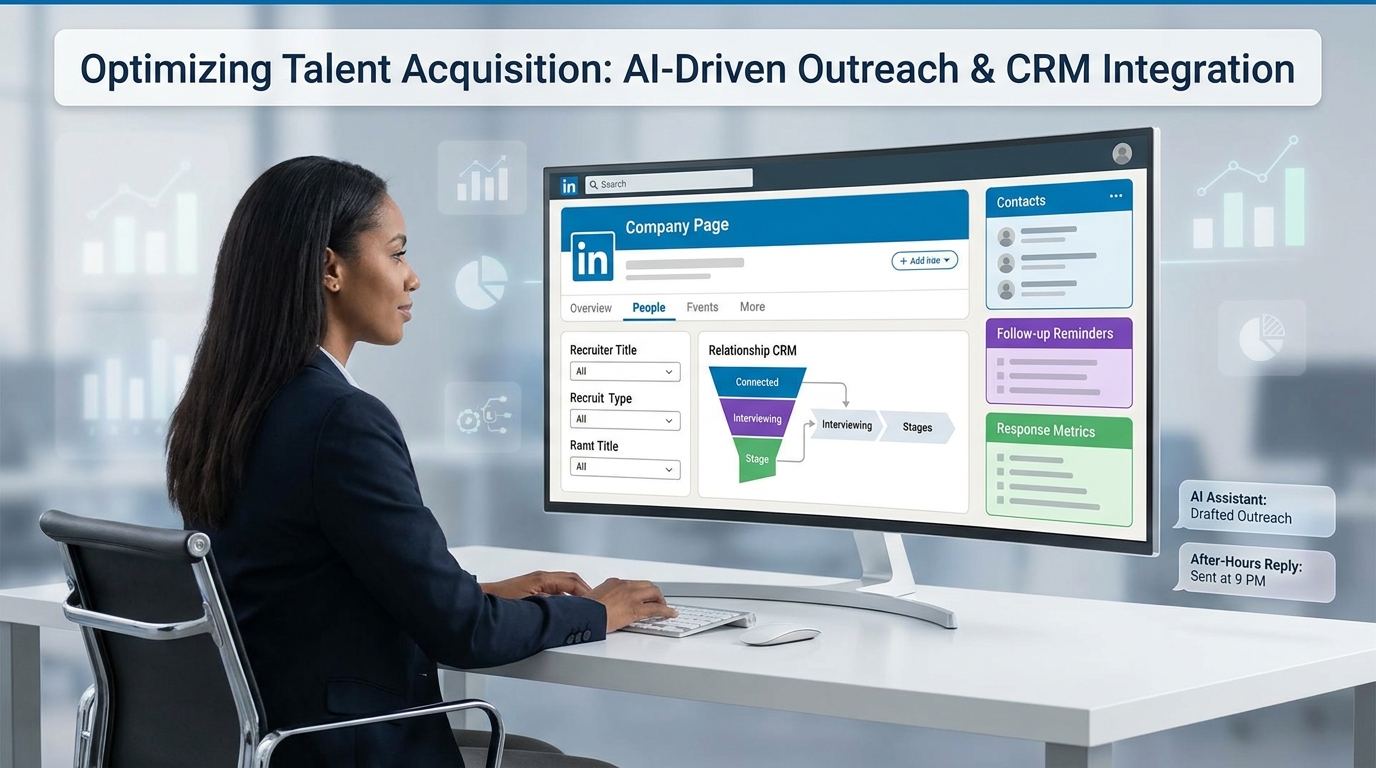
Headhunters can use this guide on how to find recruiters on LinkedIn to spot the right contacts, avoid generic outreach, and lift ROI.
What usually hurts results is not a lack of profiles to contact. It is the absence of a relationship-led workflow behind the search. Small agency owners feel it in wasted recruiter hours, solo consultants feel it in late follow-ups and weak response rates, and in-house teams feel it when candidate experience slips because outreach is generic, duplicated, or disconnected from what happened in the last conversation.
That is why I now treat StrategyBrain AI Recruiter as workflow support rather than a shortcut. In my own LinkedIn-heavy recruiting work, it has been most useful for handling repetitive first-touch outreach, keeping candidate replies moving after hours, and collecting resume or contact details once interest is confirmed, while the recruiter still owns judgment, resume review, and the decision on who moves forward.
The underlying issue is bigger than messaging volume. In candidate relationship management, the win comes from staying meaningfully connected before, during, and after a hiring process. That matters most in specialized hiring, where strong people are often approached by several employers at once and will quickly disengage if the communication feels vague, slow, or impersonal.
That is exactly why learning how to find recruiters on LinkedIn and how to find the recruiter for a job on LinkedIn should be tied to relationship quality, not just search tricks. The right contact is only valuable if your process can segment talent, preserve context, follow up at the right time, and turn a one-off LinkedIn message into a warm pipeline that actually improves hiring ROI.
Table of Contents
- Why LinkedIn ROI starts with relationships
- How LinkedIn search works when you think like a recruiter
- How to find recruiters on LinkedIn step by step
- How to find the recruiter for a job on LinkedIn
- Best recruiter titles and search variations
- How to measure recruiter value and ROI
- Where AI-supported LinkedIn workflow helps
- What recruiting teams should change internally
- Common mistakes that lower LinkedIn ROI
- FAQ
Why LinkedIn ROI Starts With Relationships
Most people approach LinkedIn search as a contact-finding exercise. Experienced recruiters know it is really a relationship-management exercise. The search itself is only the front end. The real value comes from whether you can keep the right people engaged over time, re-approach strong candidates later, and avoid starting from zero every time a new role opens.
That is the most useful lesson from candidate relationship management: outreach should create a future advantage, not just a one-time touch. If you message a strong candidate today and they are not ready, that conversation can still reduce time-to-fill later if you preserve context, timing, and trust.
For job seekers, the same principle applies in reverse. If you are trying to learn how to find recruiters on LinkedIn, success is not just reaching any recruiter. It is reaching the recruiter whose scope, function, geography, and current hiring activity actually fit your target role.
Practical takeaway: LinkedIn recruiter ROI is highest when search, outreach, follow-up, and re-engagement work as one system.
How LinkedIn Search Works When You Think Like a Recruiter
LinkedIn search is more effective when you stop treating titles as the only signal. Titles still matter, but so do company affiliation, function, location, hiring specialization, and signs of recent recruiting activity. That is why a relationship-led search process outperforms random outreach.
In practice, I use three layers:
- Identity signals such as company, current title, and recruiting function
- Context signals such as business unit, geography, and job-family specialization
- Relationship signals such as posting activity, visible hiring focus, and whether prior outreach already exists
This mirrors good candidate relationship management. You are not just sourcing names. You are identifying who owns the conversation, who should hear from you now, and who belongs in a later follow-up segment.
That is also where structured tools help. I have used AI Recruiter to keep first-pass outreach moving while preserving recruiter time for qualification and relationship decisions. It does not replace sourcing judgment. It reduces the repetitive administrative load that often causes good LinkedIn search work to stall after the first message.
How to Find Recruiters on LinkedIn Step by Step
If your goal is to consistently learn how to find recruiters on LinkedIn, use a repeatable workflow.
- Start with the company, not the inbox.
Open the employer page first. Searching from the company outward usually gives better context than broad people search alone.
- Search multiple title variations.
Do not stop at “recruiter.” Use talent acquisition, technical recruiter, talent partner, staffing, and hiring manager terms where relevant.
- Match the recruiter to the function.
An engineering recruiter, campus recruiter, and executive recruiter may all sit at the same employer, but only one may be relevant to your goal.
- Refine by location and business line.
Regional ownership matters. A recruiter covering New York commercial hiring is often not the right contact for a Vancouver engineering opening.
- Check visible activity before outreach.
Look for recent posts, hiring cues, role-related keywords, and profile detail that shows current involvement.
- Log the interaction for future use.
Even if there is no reply now, keep the record. Candidate relationship management works because good contacts stay usable later.
That final step is where many recruiters lose value. A well-found contact that is never tagged, revisited, or followed up on is not really pipeline-building. It is just temporary activity.
How to Find the Recruiter for a Job on LinkedIn
A more specific version of the search is how to find the recruiter for a job on LinkedIn. Here is the cleanest public workflow.
- Open the job listing.
Note the company, function, location, and any visible team clues.
- Click through to the company page.
Do not stay only on the job post. The company page gives you the people layer you need.
- Use the People tab.
This is often the fastest path to recruiter discovery on public LinkedIn.
- Search title variations tied to the role.
For a software role, try technical recruiter or talent acquisition plus engineering. For field hiring, use staffing or regional TA terms.
- Cross-check by geography and specialty.
If the posting is remote, the recruiter may still align to a specific country or market. If it is niche, look for specialization.
- Confirm that the profile is current and credible.
Review employer history, present role, and visible alignment with the hiring area before reaching out.
This is usually the best answer to how to find the recruiter for a job on LinkedIn without guessing or messaging unrelated employees.
Key insight: The best recruiter to contact is not always the most senior one. It is the one closest to the role you care about.
Best Recruiter Titles and Search Variations
Title mismatch is one of the main reasons LinkedIn recruiter discovery fails. Companies often use different naming conventions for similar responsibilities.
Useful title variations:
- Recruiter
- Senior Recruiter
- Technical Recruiter
- Executive Recruiter
- Talent Acquisition Specialist
- Talent Acquisition Partner
- Talent Partner
- Sourcing Specialist
- Staffing Recruiter
- Campus Recruiter
- Hiring Manager
Useful search combinations:
- “technical recruiter” + company name
- “talent acquisition” + company name + location
- “recruiter” + job family + company
- “talent partner” + department + company
- “hiring manager” + function + company
For specialized fields such as technology, engineering, life sciences, or operations, broader searching matters even more because ownership is often split by discipline. Candidate relationship management starts with proper segmentation, and segmentation starts with the right search language.
How to Measure Recruiter Value and ROI
Reply rate alone is not enough. If you care about LinkedIn recruiter value and ROI, measure outcomes that reflect relationship quality and future reuse.
| Metric | What it shows | Why it matters |
|---|---|---|
| Time-to-contact | How fast you identify the right recruiter | Shows search efficiency |
| Reply rate | How often outreach gets an answer | Shows relevance and message quality |
| Qualified conversations | How many responses lead to real next steps | Shows targeting accuracy |
| Re-engagement rate | How often past contacts become useful again | Shows CRM strength |
| Pipeline growth | How many relevant contacts you can nurture over time | Shows long-term sourcing value |
| Time-to-fill influence | Whether prebuilt relationships shorten future searches | Shows business impact |
These are the metrics I trust most because they reflect the full recruiting cycle. Good LinkedIn work does not end with a viewed message. It should strengthen future hiring speed, not just present activity.
Where AI-Supported LinkedIn Workflow Helps
In my experience, LinkedIn ROI improves when automation is used carefully around the edges of the process, not as a replacement for recruiter judgment. The best use cases are consistent outreach, fast follow-up, and organized capture of interested candidate details.
That is where StrategyBrain AI Recruiter fits well. I have found it most helpful in three situations:
- After-hours reply handling: candidates often answer when recruiters are offline, and momentum drops when no one responds
- High-volume first-touch outreach: repetitive introduction and interest-check steps consume recruiter time quickly
- Resume and contact capture: once a candidate signals interest, collecting the next-step information becomes more reliable
What I like operationally is that the recruiter still controls the real decision points. The system can support connection requests, role introductions, and candidate communication flow, but it does not replace final fit assessment. The human recruiter still decides whether the resume matches the brief, whether the timing is right, and what next step should happen.
If your work is heavily LinkedIn-based, it is worth reviewing the public conversation examples and the broader workflow overview. The useful lesson is not “automate everything.” It is “protect relationship continuity while reducing repetitive manual delay.” That aligns closely with strong candidate relationship management.
What Recruiting Teams Should Change Internally
If candidates and recruiters both struggle to identify the right person on LinkedIn, the issue is not only external search behavior. It is also internal process design.
Teams should improve these areas:
- Use clear, current recruiter titles on LinkedIn
- Show specialization in profile summaries when possible
- Segment ownership by function, geography, or business unit
- Maintain warm talent pools instead of restarting every search
- Re-engage strong prior candidates who were not selected
- Coordinate hiring manager and recruiter visibility for active roles
- Track candidate communication frequency and timing
This is where the CRM lesson matters most. Strong recruiting teams do not just fill roles. They maintain a talent community. That can include periodic check-ins, updates on hiring direction, and thoughtful re-contact with previous finalists or passive talent.
The operational gain is simple: when a role opens, you are no longer beginning from a blank page.
Common Mistakes That Lower LinkedIn ROI
- Searching only for “recruiter.” You miss talent acquisition and specialty titles.
- Treating outreach as a one-time event. Without follow-up and tracking, the relationship value disappears.
- Ignoring specialization. Wrong-function outreach lowers reply quality and trust.
- Failing to segment talent. Broad lists create generic communication.
- Over-automating the wrong step. Automation can support outreach, but final assessment still needs recruiter judgment.
- Not checking legitimacy. Always confirm current employer, role history, and visible hiring relevance.
- Measuring vanity activity. Views and connection counts are weak if they do not lead to qualified conversations.
A candidate-driven market punishes impersonal process quickly. Slow replies, vague messaging, and broken handoffs do not just hurt one search. They weaken future response rates too.
FAQ
How do you find recruiters on LinkedIn?
Start from the company page, then search title variations such as recruiter, talent acquisition, technical recruiter, talent partner, or hiring manager. Refine by function, location, and specialization, then check profile credibility before outreach.
How do you find the recruiter for a job on LinkedIn?
Open the job post, go to the company page, use the People tab, and search recruiter-related titles that match the role type and geography. This is the most practical public method for how to find the recruiter for a job on LinkedIn.
Why does LinkedIn recruiter ROI depend on relationship management?
Because the value is not just one reply. The real return comes from building reusable connections, maintaining warm talent pools, improving candidate experience, and reducing future time-to-fill.
Should recruiters automate LinkedIn outreach?
Only selectively. Automation is useful for repetitive first-touch communication and timely follow-up, but recruiters should still own qualification, resume review, and final next-step decisions.
What titles should you search besides recruiter?
Try technical recruiter, talent acquisition partner, talent partner, staffing recruiter, sourcing specialist, campus recruiter, and hiring manager. Different employers label similar work differently.
How can you tell whether a recruiter on LinkedIn is legitimate?
Check current employer affiliation, work history, hiring relevance, and whether the company has real openings that match the outreach context. Be cautious with vague profiles or inconsistent experience.
Conclusion
If you want a practical answer to how to find recruiters on LinkedIn, start by changing the objective. Do not search only for a person to message. Search for the right relationship to build, the right context to preserve, and the right workflow to repeat.
That is what connects recruiter discovery to actual ROI. Whether you are a candidate, agency recruiter, sourcer, or in-house talent leader, the best process is the one that finds the right contact faster, keeps communication warm, and turns LinkedIn activity into measurable hiring progress over time.














