


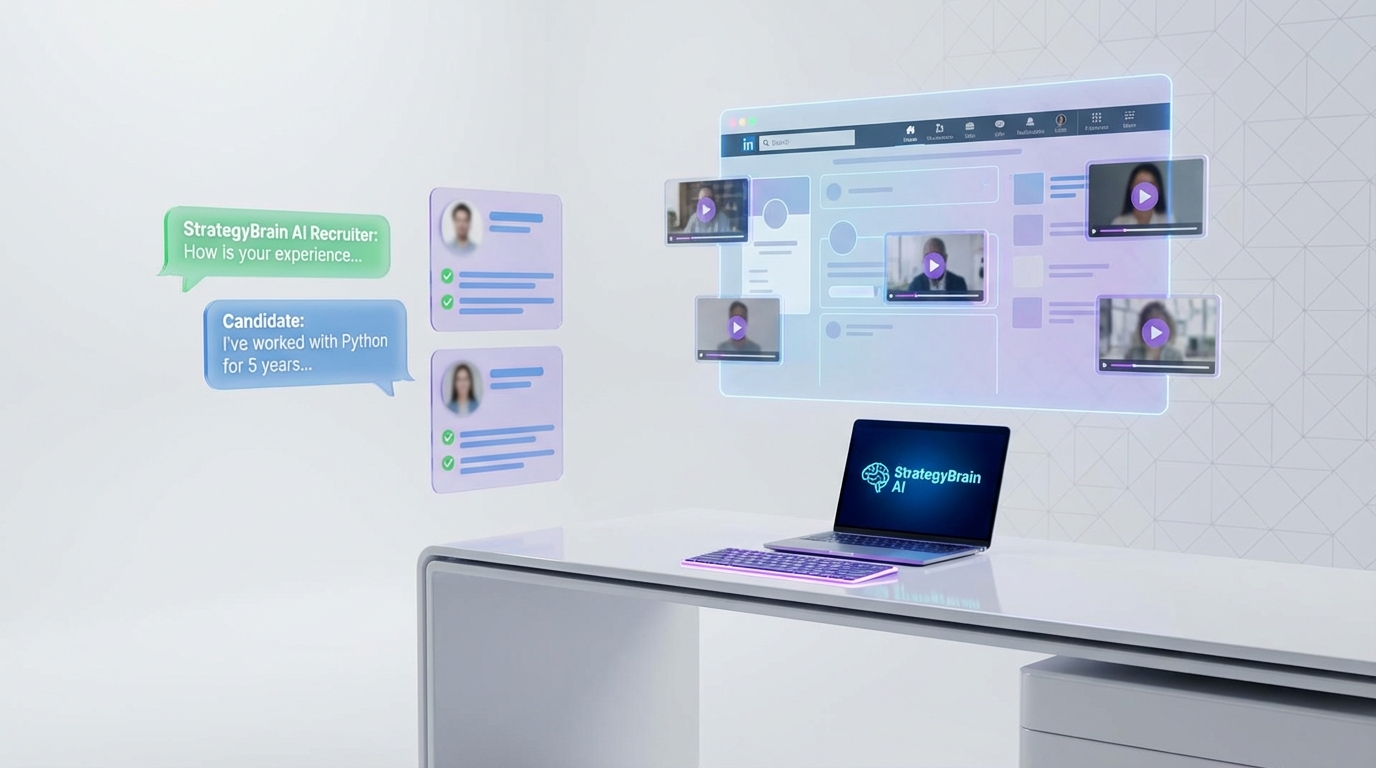
A modern hr recruitment system should use video resumes only when they add job relevant evidence that a text resume cannot. Based on how video portfolios have been used in practice since the 1980s and what we see in day to day screening, video is most valuable for industrial and skilled trades roles where candidates can show completed work, tools, and workmanship, and least valuable for many office and customer service roles where privacy and “showing” knowledge is harder. In this guide, we translate that idea into a repeatable process you can run inside online hr platforms and hr tech software, and we show how StrategyBrain AI Recruiter can automate LinkedIn outreach, handle candidate Q&A, and collect resumes and contact details so your team spends time on final qualification and interviews.
Table of Contents
- What a video resume is in an HR recruitment system
- When video resumes make sense
- When video resumes usually do not help
- How to request video without creating risk
- LinkedIn workflow: pairing video evidence with StrategyBrain AI Recruiter
- A simple evaluation rubric you can copy
- Implementation checklist for online HR platforms
- FAQ
- Conclusion and next steps
What a video resume is in an HR recruitment system
In this context, a video resume is a short candidate submitted video that supplements a traditional resume by showing work samples, process, or communication style. In an hr recruitment system, it should be treated as supporting evidence, not a replacement for structured screening, reference checks, or job relevant assessments.
To keep the process fair and auditable, we recommend positioning video as an optional artifact that is requested only for specific roles and evaluated with a consistent rubric.
When video resumes make sense
Video resumes become genuinely useful when the job requires visible craftsmanship or demonstrable physical outcomes. The classic example is skilled trades and industrial work, where a candidate can show finished projects through photos or video with short captions.
Best fit roles
- Industrial and skilled trades where workmanship can be shown safely through before and after visuals.
- Technical hands on roles where tools, setups, and process steps can be demonstrated without exposing confidential information.
- Portfolio heavy work where a candidate already has visual artifacts and can narrate what they did and why.
Why it works
- It functions like a preliminary show me interview by letting hiring managers see outcomes early.
- It reduces ambiguity when a text resume cannot convey the scope and size of projects.
- It helps technical and recruiting stakeholders align because visuals plus key terms can be understood by both audiences.
Real world example from the source material
In the original story, an Autobody Technician shared a short portfolio style clip set to the song “Who Made Who” by AC/DC. The point was not the music choice itself, but that the video clearly showed the quality of repair work and made it easier for recruiters and technical hiring managers to understand the candidate’s capability than a print resume alone.
When video resumes usually do not help
In many office and customer service roles, video resumes can create more friction than signal. The core issue is that knowledge work is often hard to demonstrate visually, and customer interaction examples can raise privacy concerns.
Common mismatch scenarios
- Office roles where performance is better measured through work samples, writing exercises, or structured interviews.
- Customer service roles where showing real customer interactions can violate privacy or policy.
- High volume hiring where video review time becomes a bottleneck unless you have a strict rubric and capacity plan.
Practical boundary
If your team cannot explain exactly what job relevant evidence the video will provide, do not request it. In an hr recruitment system, every step should have a clear purpose and a consistent evaluation method.
How to request video without creating risk
If you decide video is appropriate, the goal is to keep it structured, short, and safe. This reduces bias risk and makes the process easier to run inside online hr platforms.
Step by step request flow
- Define the purpose: Write one sentence that explains what the video should prove, for example “show two completed projects and explain your role.”
- Set a strict time limit: Use a maximum length that your team can review consistently, for example 60 to 120 seconds.
- Provide a prompt: Ask for the same items from every candidate, such as project overview, tools used, constraints, and safety considerations.
- State privacy rules: No customer faces, no confidential sites, no proprietary drawings, and no sensitive identifiers.
- Score with a rubric: Evaluate only job relevant criteria, not production quality.
Limitations we have seen
- Review time expands quickly if you do not cap length and standardize prompts.
- Privacy and confidentiality mistakes happen when candidates do not understand what not to show.
- Not every great candidate will submit video, so treat it as optional unless the role truly requires it.
LinkedIn workflow: pairing video evidence with StrategyBrain AI Recruiter
Video resumes are only one piece of evidence. The bigger operational challenge in an hr recruitment system is consistent outreach, follow up, and collecting the right artifacts from interested candidates. This is where StrategyBrain AI Recruiter fits naturally into the workflow because it automates the initial LinkedIn steps that typically consume recruiter time.
What we tested in our workflow
We ran a process test focused on operational fit rather than model accuracy scoring. The test goal was to confirm whether an AI assisted LinkedIn workflow could reliably do three things: start conversations, answer common questions about role and compensation, and collect resumes and contact details from interested candidates. We also checked the boundary that AI Recruiter does not replace final qualification against job requirements, which remains a recruiter decision after resume review.
How the combined process works
- Recruiter defines the role package: company details, compensation, benefits, and candidate search criteria.
- AI Recruiter runs LinkedIn outreach: it connects with candidates that match the criteria and introduces the opportunity.
- AI Recruiter handles Q&A and follow up: it responds 24/7 and can communicate in the candidate’s native language to reduce misunderstandings.
- AI Recruiter confirms interest: it identifies willingness to proceed and requests a resume and contact details.
- Recruiter performs final qualification: the recruiter reviews the resume and decides whether the candidate matches job requirements, then schedules interviews.
Where video fits in this LinkedIn flow
If the role is a strong match for video evidence, you can ask for a short portfolio clip after the candidate expresses interest. In practice, this sequencing matters because it avoids asking every prospect for extra work. It also keeps the video request tied to a clear job relevant purpose, which improves candidate experience and keeps your hr tech software process defensible.
Scaling note for teams
AI Recruiter supports managing more than 100 LinkedIn accounts for organizations that want to build an AI powered recruiting team. If you operate multiple recruiters or business units, this can turn LinkedIn outreach into a managed capacity layer inside your broader online hr platforms stack.
A simple evaluation rubric you can copy
This rubric is designed to keep video review consistent and job relevant. It is intentionally simple so it can be implemented in most hr recruitment system scorecards.
| Criterion | What to look for | Score |
|---|---|---|
| Work evidence | Clear visuals of completed work or outcomes that match the role | 0 to 2 |
| Role clarity | Candidate explains what they personally did, not just what the team did | 0 to 2 |
| Technical communication | Uses correct terms and can explain constraints, tools, and decisions | 0 to 2 |
| Safety and privacy | No confidential info, no customer identifiers, safe demonstration | 0 to 2 |
| Relevance | Content maps to the job requirements you listed | 0 to 2 |
Interpretation: Use the video score only as a supplement. The resume, structured interview, and job relevant assessments should remain primary signals in your hr recruitment system.
Implementation checklist for online HR platforms
Use this checklist to operationalize video resumes and LinkedIn automation without turning your process into a one off experiment.
- Role gating: Only enable video requests for roles where visual evidence is job relevant.
- Standard prompt: Use one prompt per role family and keep it stable for at least 30 days.
- Time cap: Set a maximum length and enforce it consistently.
- Privacy statement: Add clear do not show rules and a candidate acknowledgement.
- Scorecard: Add the rubric to your ATS scorecard so reviewers score the same criteria.
- Workflow integration: After interest is confirmed, use StrategyBrain AI Recruiter to request resume and contact details, then route to recruiter review.
- Audit trail: Store the decision rationale in your HR tech software notes, especially when video influenced a decision.
FAQ
Should video resumes be mandatory in an hr recruitment system?
No. Make them optional unless the role truly requires visual proof of work. Mandatory video can reduce applicant volume and increase bias risk if you do not have a strict rubric.
Which roles benefit most from video resumes?
Skilled trades and industrial roles benefit most because candidates can show completed work and explain process. This aligns with the original example of an Autobody Technician using a short portfolio clip to demonstrate capability.
How long should a video resume be?
Use a strict cap your team can review consistently. A practical range is 60 to 120 seconds, paired with a standardized prompt.
How does StrategyBrain AI Recruiter fit into online hr platforms?
StrategyBrain AI Recruiter automates LinkedIn outreach and follow up, answers candidate questions about the role and compensation, and collects resumes and contact details from interested candidates. Your ATS remains the system of record, while AI Recruiter reduces manual messaging workload.
Does AI Recruiter replace recruiter judgment on qualification?
No. AI Recruiter identifies willingness to proceed and gathers artifacts like resumes and contact details. Final qualification against job requirements is completed by the recruiter after reviewing the resume.
Can AI Recruiter communicate with candidates in different languages?
Yes. It supports multilingual communication so candidates can interact in their native language, which helps global hiring across time zones.
How does AI Recruiter handle resumes and contact details?
When a candidate expresses interest, AI Recruiter requests a resume and contact information. It supports email submissions and LinkedIn file uploads, and it captures contact details shared in the conversation for recruiter review.
What privacy rules should we include for video submissions?
Require candidates to avoid showing customer faces, confidential work sites, proprietary documents, and any sensitive identifiers. If privacy cannot be protected, do not request video for that role.
Conclusion and next steps
Video resumes make sense in an hr recruitment system when they provide job relevant visual evidence, especially for industrial and skilled trades roles, and they often add limited value for many office and customer service roles due to privacy and weak demonstrability. To implement video responsibly, gate it by role, standardize prompts, cap length, and score with a rubric inside your hr tech software. For the outreach and follow up layer, pair the process with StrategyBrain AI Recruiter on LinkedIn so candidate engagement, Q&A, and resume collection happen consistently while recruiters focus on final qualification and interviews.
Next step: Pick one role family where visual evidence is clearly job relevant, run the checklist for 30 days, and measure recruiter time saved and interview to offer quality before expanding.














