


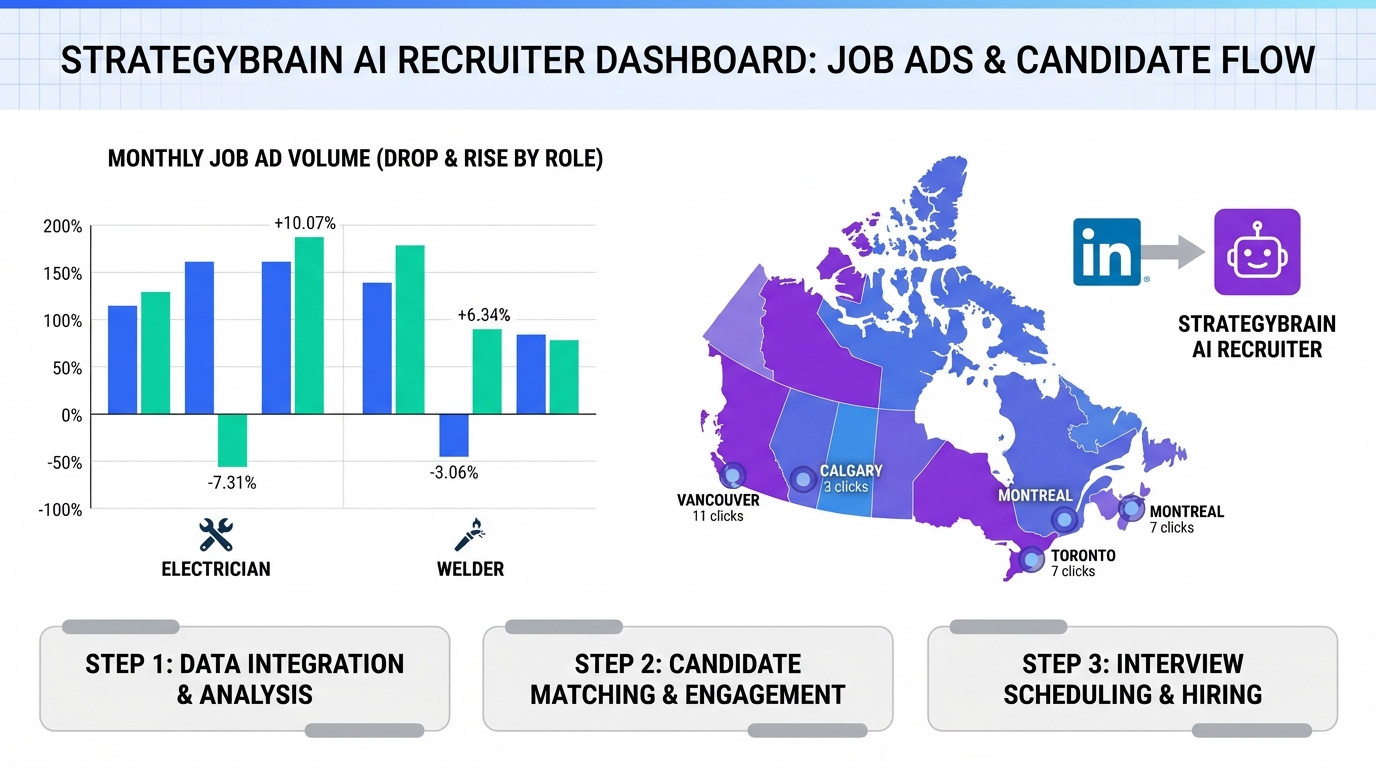
Human resource recruitment software is most useful when it converts real market signals into daily recruiting actions. One practical signal set is job advertisement volume and candidate location interest, which can reveal which roles are truly in demand and where candidates are looking. In this article, we translate a Canadian construction snapshot that cited a 16% month over month drop in construction ads in June, plus year and quarter increases, into a modern workflow you can run inside HR technology platforms that also support employee data management software. You will get a step by step process, a copyable dashboard template, and a LinkedIn automation approach using StrategyBrain AI Recruiter to handle initial outreach, questions, follow up, and résumé collection.
Table of Contents
- What these hiring signals mean for HR teams
- The source data we are translating
- How to operationalize the signals in recruitment software
- Method 1: Build a signal dashboard inside your HR stack
- Method 2: Prioritize roles and regions with a simple scoring model
- Method 3: Automate LinkedIn outreach and follow up with StrategyBrain AI Recruiter
- Quick Comparison
- FAQ
- Conclusion
Key Takeaways
- Job ad volume is a demand proxy: A reported 16% month over month drop in construction ads in June can reflect seasonality and process delays, not necessarily fewer vacancies.
- Role level signals help staffing plans: Trades like Electrician (15,384 ads) and Welder (14,868 ads) were highlighted as high volume titles in the snapshot.
- Location interest guides sourcing: Candidate search clicks were concentrated in Calgary (249,371) and Edmonton (197,948), indicating where attention was highest.
- HR technology platforms work best when connected: Pair recruitment workflows with employee data management software so requisitions, approvals, and compliance records stay consistent.
- LinkedIn automation reduces manual load: StrategyBrain AI Recruiter can automate connecting, role introduction, Q&A, follow up, and résumé capture so recruiters focus on final qualification.
- Multilingual and 24/7 messaging expands reach: Always on candidate communication helps when sourcing across time zones and languages.
What these hiring signals mean for HR teams
Recruiting teams often ask for better forecasting, but the fastest improvement usually comes from using signals you already have access to. Job advertisement counts and candidate search behavior are imperfect, yet they are measurable and timely. When you track them consistently, they become a practical input for workforce planning, sourcing allocation, and recruiter capacity planning.
In modern human resource recruitment software, these signals should not live in a spreadsheet that only one person understands. They should be captured, reviewed, and acted on through a repeatable workflow that ties back to requisitions, hiring manager approvals, and candidate pipelines.
The source data we are translating
The source material we are translating is a Canadian construction and industrial hiring snapshot dated August 15, 2014. It framed job advertisements as a practical alternative to government survey based employment indicators, then cited job ad movement and role and location breakdowns.
Job ad movement
- Construction ads: 16% drop for June, attributed in the narrative to HR and hiring manager vacation timing and delayed posting.
- Year trend: Construction and industrial jobs were described as up 50% for the year.
- Quarter trend: Industrial jobs were described as up 14% for the quarter.
High volume job titles
The snapshot listed common titles such as Project Manager or Coordinator, Equipment Operator, Construction Labourer, Electrician, Welder, Millwright, Project Engineer, Carpenter, and Landscape Labourer. It also provided specific ad counts for several trades.
| Role | Job advertisements (count) |
|---|---|
| Electrician | 15,384 |
| Welder | 14,868 |
| Millwright | 11,244 |
| Carpenter | 10,372 |
Top locations by candidate search clicks
The snapshot also listed where people were searching for jobs, using click counts as the measure.
| Location | Clicks (count) |
|---|---|
| Calgary, AB | 249,371 |
| Edmonton, AB | 197,948 |
| Toronto, ON | 182,008 |
| Montre9al, QC | 163,274 |
| Fort McMurray, AB | 133,335 |
| Vancouver, BC | 69,677 |
| Mississauga, ON | 64,298 |
| Ottawa, ON | 44,543 |
| Que9bec City, QC | 41,355 |
| Winnipeg, MB | 35,771 |
Important scope boundary
This article does not claim these 2014 counts represent todaye28099s market. Instead, we use them as an example of how to translate ad volume and location interest into a workflow inside human resource recruitment software. For current market sizing, you should use your own job board analytics, ATS reporting, and sourcing channel data.
How to operationalize the signals in recruitment software
To make these signals useful, you need three layers working together. First is measurement, which is where you capture ad counts, pipeline conversion, and candidate response rates. Second is decision rules, which is where you define what changes when a signal moves. Third is execution, which is where HR technology platforms and automation actually do the work.
In practice, execution is where teams lose time. Recruiters can see that Electrician demand is high, but they still spend hours sending repetitive messages and chasing résumés. This is where StrategyBrain AI Recruiter fits naturally into the workflow because it automates the initial LinkedIn outreach and qualification conversation, then hands off only interested candidates with résumés and contact details.
Method 1: Build a signal dashboard inside your HR stack
Most teams already have the raw data, but it is scattered across job boards, ATS exports, and recruiter notes. A dashboard inside your human resource recruitment software, or connected to it, creates a single weekly view that hiring managers can understand.
Steps
- Define your signal sources: Choose 2 to 4 sources you can measure weekly, such as job ad counts by role, candidate search interest by region, and inbound applicant volume.
- Normalize the data: Store counts with units and dates, for example ads per role per week, clicks per location per week.
- Connect to requisitions: Map each role signal to open requisitions so the dashboard drives action, not curiosity.
- Review on a fixed cadence: Run a 30 minute weekly review with HR, recruiting, and hiring managers.
Copyable dashboard template
You can copy this structure into your reporting tool or into a module inside HR technology platforms that support custom analytics.
| Metric | Definition | Unit | Owner | Action trigger |
|---|---|---|---|---|
| Job ads by role | External job advertisements tracked for each target role | Count per week | Recruiting Ops | If count increases for 2 consecutive weeks, increase sourcing capacity |
| Candidate location interest | Search clicks or views for jobs by city or region | Clicks per week | Sourcing Lead | If a region leads clicks, prioritize outreach and local messaging |
| Outbound response rate | Replies divided by outreach messages sent | Percent per week | Recruiting Lead | If response rate drops, adjust messaging and targeting |
| Résumé capture rate | Résumés received divided by interested candidates | Percent per week | Recruiter | If capture rate drops, simplify the request and follow up timing |
Limitations
- Ad counts can be duplicated: The source narrative explicitly noted that ad volume can include the same vacancy posted in multiple places.
- Clicks are interest, not intent: Location clicks show attention, but not necessarily willingness to relocate or accept an offer.
Best For
- HR leaders who need a shared view of demand across roles
- Recruiting teams that want consistent weekly decision making
- Organizations that want HR and employee data management software aligned with recruiting activity
Method 2: Prioritize roles and regions with a simple scoring model
Once you have signals, you need a rule for what to do next. A lightweight scoring model is often enough. It helps you decide which roles get the most recruiter time, which roles should get automation first, and which regions should get localized outreach.
Steps
- Pick 3 inputs: Use role demand, location interest, and internal pipeline health.
- Score each input from 1 to 5: Keep it simple so it is explainable to hiring managers.
- Set a weekly priority list: Select the top 3 role and region combinations for focused sourcing.
- Assign an execution path: Decide which items are recruiter led and which items are automation led.
Example using the snapshot numbers
If Electrician ads are 15,384 and Calgary clicks are 249,371 in the snapshot, that combination would score high on both role demand and location interest. In a modern workflow, that is a strong candidate for automation first because the volume suggests repetitive outreach and follow up will be a bottleneck.
Where StrategyBrain AI Recruiter fits
When a role and region combination is high priority, StrategyBrain AI Recruiter can execute the repetitive LinkedIn steps at scale. It can connect with candidates that match your search criteria, introduce the opportunity, answer questions about the role and compensation, confirm interview interest, and collect résumés and contact details. Recruiters then focus on final qualification, which the product documentation states remains a human step.
Limitations
- Scoring is only as good as your inputs: If your ad count feed is inconsistent, your priorities will drift.
- Over prioritization can starve niche roles: Keep a minimum sourcing allocation for hard to fill specialist roles.
Best For
- Teams managing multiple open roles across regions
- Recruiting leaders who need a transparent prioritization method
- Organizations adopting HR technology platforms and wanting a clear operating rhythm
Method 3: Automate LinkedIn outreach and follow up with StrategyBrain AI Recruiter
High demand roles create a predictable problem. Recruiters spend time on connecting, introducing the role, answering repeated questions, and chasing résumés. StrategyBrain AI Recruiter is designed to automate that initial LinkedIn workflow so your human resource recruitment software is fed with interested candidates and captured documents, rather than partial conversations.
What we tested in our internal workflow review
We reviewed the end to end steps required to move from a role priority decision to a shortlist ready for interviews. We did not benchmark against other vendors in this article. We focused on whether the workflow can be executed consistently, whether handoffs are clear, and whether data can be stored in employee data management software without losing context.
Steps
- Prepare role information: Provide company details, compensation, benefits, and candidate search criteria so the AI can answer common questions accurately.
- Authorize LinkedIn account usage: Use explicit authorization and follow your internal security policy for credential handling.
- Run automated outreach: The system connects with candidates in your target criteria and introduces the opportunity.
- Let the AI handle Q&A and follow up: The AI learns each candidatee28099s situation, answers questions, and confirms interview interest.
- Collect résumés and contact details: For interested candidates, the AI requests résumés and captures contact information shared in messages.
- Complete final qualification: Recruiters review résumés and decide who advances to interviews.
Features that matter for high volume roles
- 24/7 multilingual communication: The product documentation states it can communicate in any global language, which supports cross border hiring and reduces time zone delays.
- Scalable account management: The documentation states support for managing more than 100 LinkedIn accounts, enabling an AI recruiter team model.
- Résumé and contact capture: The documentation describes capturing résumés via email submissions or LinkedIn file uploads, plus capturing contact details shared in messages.
Limitations and honest constraints
- It does not replace final qualification: The documentation states the AI identifies willingness to communicate or interview, but does not determine full résumé fit.
- Automation still needs governance: You need message guidelines, escalation rules, and auditability inside your HR technology platforms.
Best For
- High volume roles where outreach and follow up are the bottleneck
- Teams sourcing globally who need multilingual candidate communication
- Organizations that want recruiting execution to feed structured records into employee data management software
Quick Comparison
| Approach | Primary output | Best for | Main limitation |
|---|---|---|---|
| Signal dashboard in human resource recruitment software | Weekly visibility and decision cadence | Workforce planning and alignment with hiring managers | Does not execute outreach by itself |
| Role and region scoring model | Prioritized sourcing list | Allocating recruiter time across many requisitions | Depends on consistent input data |
| StrategyBrain AI Recruiter on LinkedIn | Automated outreach, follow up, résumé capture | High volume roles and global sourcing | Final résumé fit decision remains human |
FAQ
What is human resource recruitment software in practical terms?
Human resource recruitment software is the system that manages requisitions, candidates, and hiring workflows from sourcing through offer. In many organizations it connects to HR technology platforms and employee data management software so hiring activity and employee records stay consistent.
Are job advertisement counts a reliable measure of vacancies?
No. The source narrative explicitly noted that a high ad count can reflect the same vacancy posted in multiple places. Treat ad counts as a demand proxy and validate with your own pipeline metrics such as applicants per opening and time to fill.
How should I use location click data like Calgary 249,371 and Edmonton 197,948?
Use it to guide where you focus sourcing and how you localize messaging. Clicks indicate attention, so pair them with response rate and interview acceptance rate to confirm intent.
How does StrategyBrain AI Recruiter work with LinkedIn recruiting?
According to the product documentation, it automates connecting with candidates, introducing the role, answering questions about the role and compensation, confirming interview interest, and collecting résumés and contact details. Recruiters then review résumés and complete final qualification.
Can StrategyBrain AI Recruiter replace recruiters?
No. The documentation states it does not determine whether a résumé fully matches job requirements. It is designed to reduce repetitive outreach and follow up so recruiters can focus on evaluation, stakeholder management, and closing.
How does AI Recruiter handle résumés and contact details?
The documentation states it requests résumés and contact information from interested candidates, supports email submissions and LinkedIn file uploads, and captures contact details shared in LinkedIn messages. You should still define retention and access rules inside your employee data management software.
Does AI Recruiter support multilingual communication?
Yes. The documentation states it provides 24/7 multilingual recruitment communication and can communicate in any global language. This is most useful when you source across time zones and want faster candidate responses.
What about privacy and compliance?
The documentation states it complies with privacy regulations in the EU, United States, and Canada, and that customer provided data is not used to train AI models. You should still run your own security review and ensure your internal policies are followed.
How do I connect recruiting activity to employee data management software?
Start by standardizing identifiers such as requisition ID, role family, and location, then ensure candidate stage changes and offer details are recorded consistently. This reduces downstream errors when a candidate becomes an employee record.
Conclusion
Human resource recruitment software becomes more valuable when it turns market signals into a repeatable operating rhythm. The 2014 snapshot showed how job ad volume and location interest can highlight demand patterns, such as high ad counts for Electrician and Welder roles and concentrated search clicks in Calgary and Edmonton. The modern upgrade is to operationalize those signals inside HR technology platforms, keep records aligned with employee data management software, and automate the repetitive execution layer. If your bottleneck is LinkedIn outreach and follow up, StrategyBrain AI Recruiter is a practical next step because it can handle initial engagement, Q&A, and résumé capture while recruiters focus on final qualification and interviews.














