


When urgent hiring stalls in calendar chaos, this article helps recruiting leaders evaluate an interview scheduling app to avoid costly delays.
That distinction matters because scheduling problems rarely begin with the calendar itself. They begin when a search moves faster than the team can coordinate, when a hiring manager wants immediate traction, or when a recruiter is trying to balance senior talent needs against a process that still depends on inbox back-and-forth. In a small agency, that means billable time disappearing into coordination. For an in-house recruiter, it can mean delayed interviews, uneven interviewer loads, and candidates reading the delay as disinterest. For hiring managers, it can weaken trust in the recruiting function before the shortlist is even complete.
In my own workflow, I have found that StrategyBrain AI Recruiter is most useful before the scheduling handoff, especially when candidate replies arrive after hours, across time zones, or in multiple languages. Its automated outreach, continuous candidate messaging, and résumé capture reduce the admin pile that usually lands on the recruiter right before interviews need to be booked. That does not replace recruiter judgment. I still review résumés, decide who moves forward, and choose when an interview should be scheduled, but it removes a lot of avoidable delay from the front end of the funnel.
The underlying decision is familiar to anyone who has built a hiring team under pressure. Sometimes the real business need is immediate, and you cannot spend the next six to twelve months developing less experienced hires while deadlines keep moving closer. In that situation, the choice is not just who to hire. It is whether your recruiting process can move fast enough to get a high-impact person into the business without creating friction between recruiters, hiring managers, and interviewers.
That is why automated interview scheduling deserves to be evaluated as an operational decision, not a convenience feature. The same logic used to decide between a senior hire who can ramp quickly and junior hires who need mentoring also applies to your tooling: if the role is urgent, the workflow is complex, and panel coordination matters, a generic booking link is usually not enough. You need an interview scheduling app that matches the hiring context, while a simpler book calendar app or even free room booking software may only solve one isolated part of the process.
Table of Contents
- Why Hiring Context Should Drive Scheduling Design
- What an Interview Scheduling App Should Actually Do
- When a Basic Booking Tool Stops Being Enough
- Key Features for Automated Interview Scheduling
- How to Handle Panels, Host Pools, and Fair Workload
- Where Free Room Booking Software Fits
- Implementation Checklist for Recruiting Teams
- Common Mistakes to Avoid
- FAQ
Why Hiring Context Should Drive Scheduling Design
One of the most useful lessons from team-building is that staffing decisions depend on complexity, timeline, and available support. If a department has an urgent gap and a complicated problem to solve, leaders usually prefer someone senior who can contribute quickly. If the team is larger, timelines are more forgiving, and experienced people are available to coach, then junior hires may make more sense because they can grow into the organization.
The same decision pattern appears in recruiting operations. Not every interview flow needs the same level of automation. A straightforward first-round conversation may work fine in a simple book calendar app. But if you are coordinating multiple interviewers, protecting stakeholder time, balancing panel workload, and trying to move quickly on a hard-to-fill role, the scheduling process has to match the business need.
That is also where many recruiting teams go wrong. They evaluate scheduling tools as if all interviews were equal. In practice, they are not. A recruiter screen, a hiring manager review, a technical panel, and an onsite sequence all demand different rules. When teams ignore that difference, they often buy convenience instead of control.
Key insight: The right scheduling setup depends on how urgent the hire is, how complex the interview process is, and how much internal mentoring or coordination capacity the team actually has.
What an Interview Scheduling App Should Actually Do
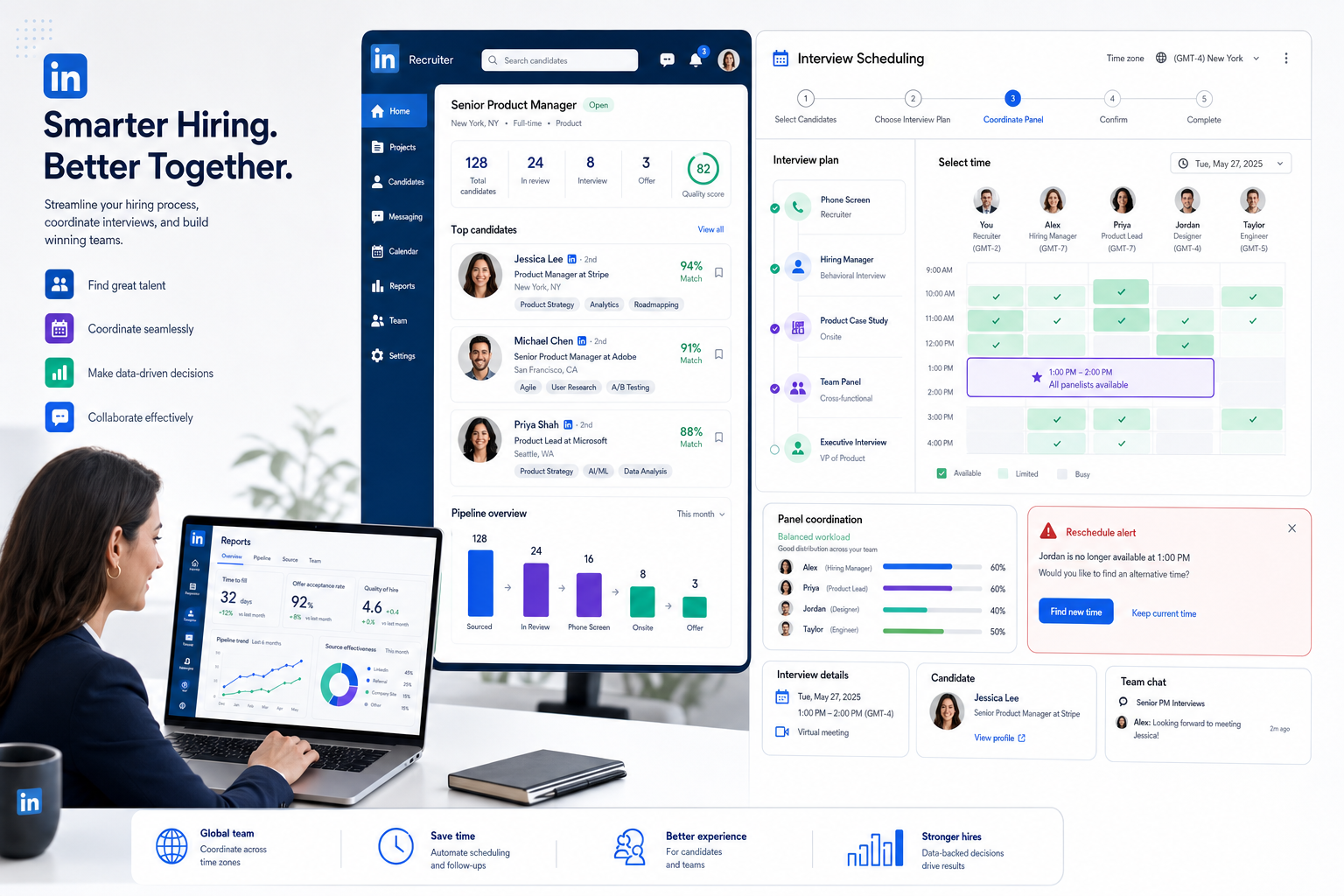
An interview scheduling app should automate the booking of interviews using real calendar data, role-based rules, and candidate-facing availability. In practical recruiting terms, that means a recruiter can approve the right interview format, expose only valid time slots, let the candidate choose from those slots, and trust that the system reflects actual interviewer calendars.
That sounds simple until you look at real hiring workflows. Recruiting teams often need stage-specific controls, interviewer pools, meeting buffers, rescheduling rules, and escalation paths if someone declines. A true interview scheduling system supports those realities. A generic meeting scheduler often does not.
From experience, the most valuable operational shift is not just fewer emails. It is better process reliability. When scheduling is handled manually, one outdated calendar, one missed decline, or one overloaded interviewer can create a chain reaction. When the process is governed inside a proper interview scheduling app, those risks become visible and easier to control.
When a Basic Booking Tool Stops Being Enough
A lot of teams start with a basic book calendar app, especially for screening calls. That is reasonable. The problem is that many teams keep using the same lightweight setup after their hiring process becomes more collaborative and time-sensitive.
You can usually tell the workflow has outgrown basic booking when one or more of these conditions show up:
- Multiple interviewers need to attend the same session
- Different interview stages need different booking rules
- Interviewer fatigue is becoming a quality issue
- Rescheduling creates manual cleanup work every week
- Hiring managers expect faster turnaround on high-priority roles
- Onsite or hybrid interviews require room coordination as well as people coordination
At that point, a basic booking tool may still work for isolated steps, but it stops being a complete solution. The recruiter ends up acting as the integration layer between calendars, candidate communication, interview panel fairness, and physical logistics.
I have seen this most clearly when using AI Recruiter to keep candidate conversations moving while I manage later-stage interview logistics manually. The outreach and follow-up side becomes much lighter, but if scheduling is still handled through a generic calendar link, the bottleneck simply shifts downstream. That experience is exactly why I treat candidate communication automation and interview scheduling automation as related but separate decisions.
Key Features for Automated Interview Scheduling
When evaluating an interview scheduling app, I suggest recruiting teams focus on workflow fit rather than feature volume. The real question is whether the system reflects the way your hiring process actually works.
1. Candidate self-scheduling with guardrails
Candidate self-scheduling is useful only when it is controlled properly. Candidates should see approved slots, not your entire internal calendar logic. Good systems let recruiters define stage-specific availability, interviewer combinations, and scheduling windows without requiring manual coordination every time.
2. Real-time calendar sync
Live calendar sync is foundational. If the system does not check actual availability through Google Calendar or Microsoft 365 Outlook, recruiters still have to verify conflicts manually. That defeats the purpose of automation and lowers trust in the tool.
3. Buffer time and daily limits
Strong teams protect interviewer quality, not just slot volume. Buffer settings allow note-taking, preparation, and recovery between sessions. Daily caps help prevent the same interviewers from carrying too much load, which is especially important in lean teams.
4. Automated invitations and clean rescheduling
Every automated booking flow should send invitations immediately and manage updates predictably when changes happen. Rescheduling is where many tools reveal their limits. Recruiters should understand whether the system preserves the original panel, looks for replacements, or escalates exceptions back to a coordinator.
5. Pool-based and collective scheduling
For team hiring, interviewer assignment logic matters. A solid interview scheduling app should support collective sessions, host pools, and fair distribution. Otherwise, the same people end up overloaded while others stay underused.
6. Permission and ownership clarity
One of the most overlooked setup questions is who needs to connect a calendar and who owns scheduling exceptions. If that is unclear, the rollout becomes messy fast.
How to Handle Panels, Host Pools, and Fair Workload
The moment hiring moves beyond one interviewer and one candidate, scheduling becomes a workload design problem. Recruiters are no longer just finding time. They are also protecting interviewer capacity, making sure the right people are involved, and keeping the process fair across the team.
This is where the earlier team-building logic becomes useful again. If a company has a larger team with experienced people available to mentor and support others, it can often distribute interview responsibilities more broadly. If the team is smaller or dependent on a few highly specialized interviewers, the scheduling tool needs tighter controls to avoid bottlenecks.
A practical panel workflow often looks like this:
- The recruiter sets the interview stage and required participant type.
- The system checks live availability across connected calendars.
- The candidate receives approved booking options.
- Interviewer assignment runs through fixed selections, collective rules, or host pools.
- Invitations are sent automatically.
- If someone declines, replacement logic or recruiter review is triggered.
That sequence matters because every step removes a common point of failure. Without it, recruiters end up chasing stakeholders one by one.
| Workflow Need | Basic Booking Tool | Recruiting-Focused Scheduling |
|---|---|---|
| Candidate self-scheduling | Usually yes | Yes, with stage controls |
| Multi-person interview panels | Limited | Designed for it |
| Round robin or host pools | Sometimes | Common requirement |
| Buffers and capacity limits | Basic | More configurable |
| Reschedule handling | Often manual | Better structured |
| Decline replacement logic | Weak | Important evaluation point |
Where Free Room Booking Software Fits
Not all interviews are virtual, and that matters. If your process includes onsite interviews, assessment days, or hybrid office coordination, you may also need free room booking software alongside your people-scheduling workflow.
The distinction is simple but important:
- An interview scheduling app manages candidate-facing booking, interviewer availability, and hiring-stage rules.
- A book calendar app handles simpler appointment-style scheduling.
- Free room booking software manages physical spaces, room availability, and sometimes check-in or display workflows.
For recruiting coordinators, this becomes critical during onsite panels. You can have all the right people booked and still create a poor experience if the room is double-booked, too small, or missing the required equipment. In other words, people coordination and room coordination are different operational layers.
If your organization runs only remote interviews, room software may not matter much. But if shared office space is part of the hiring process, do not assume a single scheduling link solves everything.
Implementation Checklist for Recruiting Teams
The best rollout plans are usually modest and disciplined. Recruiting teams do better when they start with clear rules instead of trying to automate every exception on day one.
Recommended rollout steps
- Map interview stages. Separate screening calls, manager reviews, panels, and onsite sequences.
- Rank roles by urgency. High-priority searches usually need tighter scheduling controls than slower-moving roles.
- Define who owns what. Decide when candidates can self-schedule and when recruiters must approve.
- Connect calendars early. Confirm which interviewers need live sync access.
- Set workload protections. Add buffers, limits, and protected blocks before opening candidate scheduling.
- Choose assignment logic. Decide when to use fixed interviewers, collective panels, or round robin distribution.
- Document exceptions. Plan for declines, reschedules, and room conflicts in advance.
- Test the candidate path. Book and reschedule a mock interview before launch.
If you are also using StrategyBrain AI Recruiter for outreach and candidate engagement, keep the ownership line clear: the AI can continue conversations, answer basic role questions, and collect résumés or contact details, while the recruiter reviews fit and controls when a candidate enters the interview scheduling stage.
Common Mistakes to Avoid
Most scheduling failures are not software failures first. They are process design failures that software exposes very quickly.
Using the same setup for every hiring scenario
A simple screening call and an urgent leadership panel should not be treated the same way. Workflow complexity should determine the tool and settings.
Ignoring the timeline behind the role
When a business need is immediate, scheduling delays become more expensive. Teams often underestimate how much coordination overhead slows urgent searches.
Assuming junior coordination capacity can absorb complexity
This mirrors the hiring lesson from the opening case. If your team lacks experienced coordination support, giving them a loose scheduling process usually creates even more cleanup work.
Failing to protect interviewer time
Without buffers and interview caps, good interviewers burn out quickly. The result is poorer notes, rushed evaluations, and more resistance to future interview requests.
Overlooking physical logistics
If onsite interviews are part of the process, free room booking software should be considered early, not after candidate scheduling is already live.
No clear handoff from sourcing to scheduling
When candidate communication, résumé capture, and scheduling are fragmented, people fall between stages. My best results have come from using AI Recruiter to keep candidate replies organized and then moving qualified candidates into a separate, structured scheduling workflow. That combination preserves recruiter control while removing repetitive front-end admin.
FAQ
What is the difference between an interview scheduling app and a book calendar app?
A book calendar app is usually designed for straightforward appointments. An interview scheduling app is better suited to recruiting because it can handle interview stages, multiple participants, assignment rules, and rescheduling logic.
When is automated interview scheduling most valuable?
It is most valuable when hiring is time-sensitive, the process involves multiple stakeholders, or recruiters are losing too much time to manual coordination.
Who should connect their calendars?
That depends on the tool and workflow. In many recruiting setups, every interviewer whose availability affects booking should have a connected calendar.
Can free room booking software replace interview scheduling software?
No. Free room booking software helps coordinate physical spaces, but it does not manage candidate-facing booking logic, interviewer assignment, or hiring-stage workflow rules.
How does candidate self-scheduling help recruiters?
It reduces unnecessary back-and-forth while still allowing recruiters to control which slots are visible and which interview rules apply.
Where does outreach automation fit into this process?
Outreach automation fits earlier in the funnel. Tools like StrategyBrain AI Recruiter can handle candidate messaging, multilingual follow-up, and résumé collection, while recruiters still make the final judgment on fit and decide who should move into interview scheduling.
Conclusion
The best way to evaluate an interview scheduling app is to start with hiring reality, not software features. If the need is urgent, the role is complex, and your team cannot afford coordination drag, scheduling has to be more than a booking link. It needs live calendar accuracy, controlled self-scheduling, fair interviewer distribution, and strong exception handling.
A basic book calendar app may still be useful for simpler stages, and free room booking software may be necessary for onsite logistics. But neither should be mistaken for a complete recruiting workflow. For most experienced hiring teams, the right answer is a process where candidate communication, recruiter judgment, and interview coordination each have a clear place.
That is the real lesson behind automated interview scheduling: the tool works best when it reflects the same decision logic good hiring leaders already use—urgency, complexity, support capacity, and long-term team quality.















