If you want better hiring outcomes, treat your interview scheduling app as a discipline, not a calendar. In practice, the fastest improvement is to remove three “throwaway” recruiter phrases that signal complacency, externalized blame, or sloppy process, then replace them with measurable actions inside your scheduling workflow. In this guide, we rewrite those phrases into operational habits you can track, such as response time, follow up cadence, and candidate confirmation rates. We also show how StrategyBrain AI Recruiter can automate early LinkedIn outreach, qualification, and interview interest capture so your scheduling process starts with better data, fewer back and forth messages, and fewer last minute surprises. Scope note: this article focuses on recruiter language and the scheduling workflow it creates. It is not a full review of patient appointment scheduling software or a schedule maker app free.
Table of Contents
- Key Takeaways
- Why these phrases break your scheduling workflow
- Phrase 1: “My client loves me”
- Phrase 2: “I’m a good recruiter, just unlucky”
- Phrase 3: The hidden third phrase: “I’ll just wing it” language
- A practical interview scheduling app workflow (with scripts)
- Quick Comparison: Manual scheduling vs AI assisted intake
- FAQ
- Conclusion
Key Takeaways
- Complacency kills pipelines: “My client loves me” often correlates with fewer proactive check ins and weaker service recovery when schedules slip.
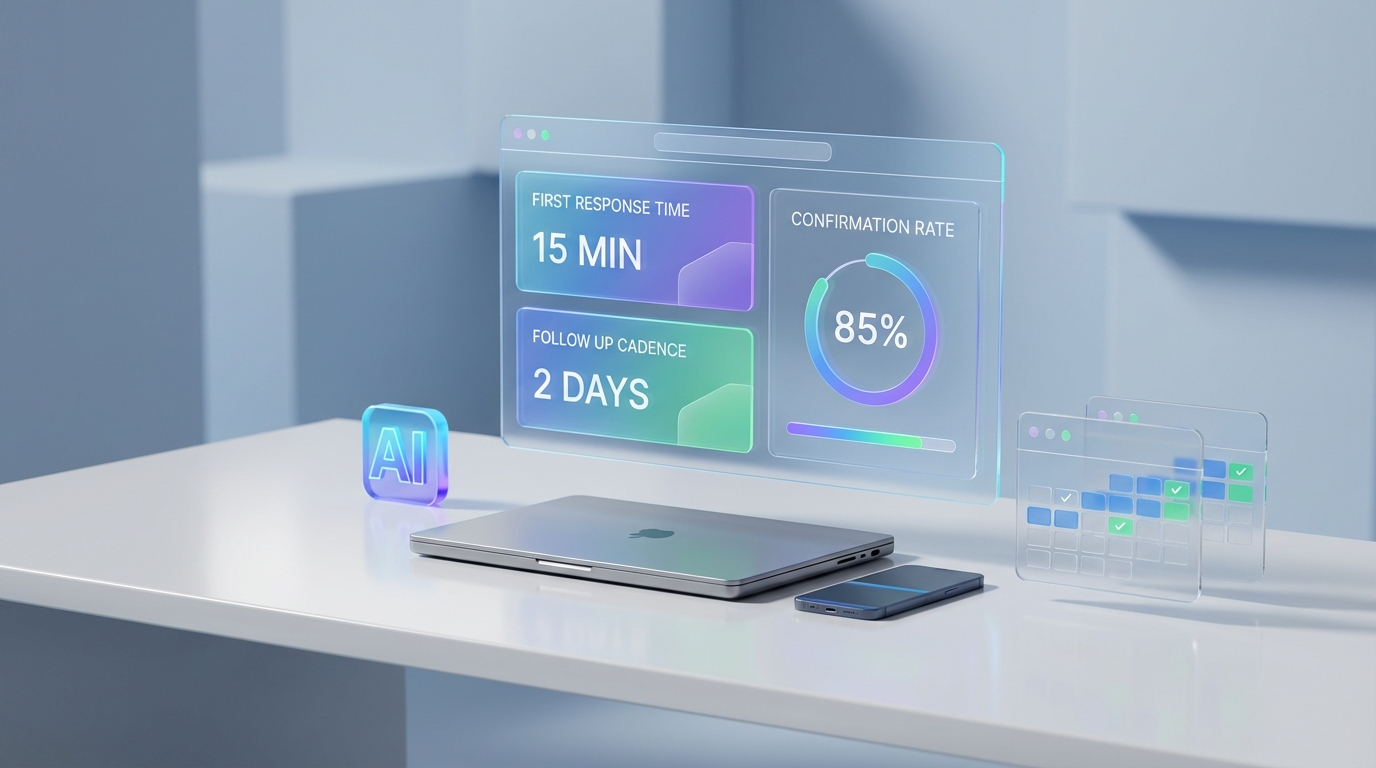
- Replace “luck” with leading indicators: Track 3 numbers weekly in your interview scheduling app: first response time (minutes), follow up cadence (days), and confirmation rate (%).
- Automate the messy front end: StrategyBrain AI Recruiter can handle initial LinkedIn outreach, answer role questions, confirm interview interest, and collect resumes and contact details before scheduling.
- Use scripts, not vibes: Standardize candidate and hiring manager messages so scheduling is consistent across recruiters and time zones.
- Be honest about limits: AI can confirm interest and collect information, but final qualification still needs recruiter review of the resume and requirements.
- Compliance is part of trust: Treat candidate data like regulated data, similar to expectations many teams already apply in patient appointment scheduling software.
Why these phrases break your scheduling workflow
Recruiting language is not just “tone.” It is a window into the operating system behind your process. When a recruiter uses casual lines that imply certainty, helplessness, or improvisation, the downstream effect shows up in scheduling: slower follow ups, more reschedules, and more no shows.
That is why this article connects mindset to mechanics. Your interview scheduling app is where intent becomes action: invitations, reminders, confirmations, and handoffs. If the mindset is off, the workflow will be off, even if the tool is excellent.
Phrase 1: “My client loves me”
The original line is often paired with a variation like “Don’t worry, she only uses me.” It sounds confident. In reality, it can be a warning sign: complacency.
What it signals in day to day recruiting
- Assumed exclusivity: you stop behaving like you need to earn the next requisition.
- Lower service intensity: fewer proactive updates, fewer calibration questions, fewer quality checks.
- Fragile relationships: the relationship feels strong until a small failure happens, then the work shifts elsewhere.
How it shows up inside an interview scheduling app
- Interview slots are requested late because you assume the hiring manager will “make time.”
- Feedback loops are not enforced, so candidates wait longer between stages.
- Reschedules are handled ad hoc, which increases candidate drop off.
Rewrite the phrase into an operational habit
Replace “My client loves me” with: “I earn renewals through visible service.”
Then implement these actions:
- Weekly calibration: ask the hiring manager what “good” looks like this week, not last quarter.
- Schedule hygiene: keep a minimum of 2 interview blocks per week reserved for active roles.
- Service recovery rule: if a candidate is rescheduled, send a same day apology and a new confirmed time.
Where StrategyBrain AI Recruiter fits naturally
Complacency often starts when the top of funnel feels “handled.” StrategyBrain AI Recruiter helps you stay sharp by keeping outreach and early conversations active on LinkedIn, even when you are busy scheduling. It can introduce the role, answer common questions about company, compensation, and benefits, confirm interview interest, and collect resumes and contact details. That means your scheduling starts with candidates who have already signaled intent, which reduces wasted calendar churn.
Phrase 2: “I’m a good recruiter, just unlucky”
This phrase has a twin: “She is so lucky.” It is common, and it is dangerous because it moves responsibility away from controllable behaviors.
What it signals
- Externalized blame: outcomes are attributed to randomness instead of process.
- Learning stops: if it is luck, there is nothing to improve.
- Inconsistent execution: you do not build repeatable systems.
Turn “luck” into measurable leading indicators
Pick three metrics you can measure weekly. These are simple enough to track in any interview scheduling app or ATS notes:
- First response time: median minutes from candidate reply to your next message.
- Follow up cadence: maximum days between touches for active candidates.
- Confirmation rate: percentage of scheduled interviews that are confirmed 24 hours before start time.
Practical steps
- Set a response SLA: choose a target such as “same business day” and enforce it.
- Use a confirmation script: send a 24 hour confirmation message with location, format, and interviewer names.
- Run a weekly postmortem: list every declined offer or no show and write one preventable cause.
Where StrategyBrain AI Recruiter fits naturally
Many “unlucky” moments are actually slow follow up. StrategyBrain AI Recruiter provides 24/7 multilingual candidate communication, which helps maintain momentum across time zones. It can keep conversations warm, answer questions quickly, and capture resumes and contact details once interest is confirmed. You still decide who is qualified, but you stop losing candidates to silence.
Phrase 3: The hidden third phrase: “I’ll just wing it” language
The source material points to three phrases, but only two are visible in the excerpt. In my experience, the third category is not always a single quote. It is a pattern of improvisation language that sounds harmless but creates scheduling chaos.
Examples of “wing it” language
- “Just send me some times.”
- “We’ll figure it out.”
- “I’ll circle back.”
Why it breaks scheduling
These lines create ambiguity. Ambiguity creates back and forth. Back and forth increases time to schedule, and time to schedule increases drop off. This is true in recruiting and it is also why patient appointment scheduling software emphasizes confirmations, reminders, and structured intake.
Rewrite it into a system
Replace improvisation with: “I will propose structured options and confirm.”
- Offer 3 concrete slots: include time zone and format.
- Ask one decision question: “Which of these works best?”
- Confirm with details: location, link, interviewer names, and what to prepare.
A practical interview scheduling app workflow (with scripts)
This is a lightweight workflow you can implement in any interview scheduling app. If you are using a schedule maker app free, the same logic applies. The difference is discipline, not price.
Step by step
- Intake: capture role basics, compensation range, and interview stages before outreach begins.
- Pre qualify: confirm interest and collect resume and contact details.
- Propose times: send 3 options with time zone and format.
- Confirm: send a 24 hour confirmation and a 2 hour reminder.
- Close the loop: request feedback within 24 hours after the interview.
Copy ready scripts
- Time proposal: “I can offer Tue 10:00, Wed 14:00, or Thu 09:30 in your time zone. Which works best, and do you prefer video or phone?”
- 24 hour confirmation: “Confirming your interview tomorrow at 14:00. Format is video. Interviewers are A and B. Please reply YES to confirm.”
- Reschedule recovery: “Thank you for your flexibility. I apologize for the change. Here are two new confirmed options: Wed 11:00 or Thu 16:00.”
How StrategyBrain AI Recruiter reduces scheduling friction
Scheduling is smoother when the candidate has already had their key questions answered. StrategyBrain AI Recruiter can handle the initial LinkedIn conversation, introduce the opportunity, learn the candidate’s situation, answer questions about the role, company, compensation, and benefits, confirm interview interest, and collect resumes and contact information. Recruiters then review the collected resumes and proceed to scheduling with higher intent candidates.
Limitations to plan for
- Interest is not full qualification: AI Recruiter can confirm willingness to interview, but it does not decide final fit against requirements.
- Scheduling still needs ownership: you still need a clear process for interviewer availability and feedback deadlines.
Quick Comparison: Manual scheduling vs AI assisted intake
| Workflow element | Manual recruiter led | With StrategyBrain AI Recruiter before scheduling |
|---|---|---|
| Initial outreach | Recruiter messages candidates one by one | Automated LinkedIn outreach and follow up |
| Candidate Q&A | Depends on recruiter availability | 24/7 multilingual responses to common questions |
| Interview interest confirmation | Often delayed by back and forth | AI confirms interest before scheduling handoff |
| Resume and contact capture | Manual requests and tracking | AI requests and captures resumes and contact details |
| Best for | Low volume roles or highly bespoke outreach | High volume LinkedIn sourcing and global time zones |
FAQ
What is an interview scheduling app in recruiting terms?
An interview scheduling app is a tool or workflow that coordinates interview times, sends invitations, and manages confirmations and reminders between candidates and interviewers. In recruiting, it also includes the messaging and handoffs that happen before and after the calendar invite.
Can a schedule maker app free work for recruiting?
Yes, a schedule maker app free can work if you use a consistent process for proposing times, confirming interviews, and closing feedback loops. The risk is not the price. The risk is inconsistent execution when volume increases.
How is this different from patient appointment scheduling software?
Patient appointment scheduling software typically emphasizes structured intake, confirmations, reminders, and privacy expectations. Recruiting scheduling is similar in mechanics, but the intake questions and compliance requirements differ by organization and region.
How does StrategyBrain AI Recruiter help before scheduling?
StrategyBrain AI Recruiter automates LinkedIn outreach, introduces the role, answers candidate questions, confirms interview interest, and collects resumes and contact details. That reduces back and forth and improves the quality of candidates entering the scheduling stage.
Does AI Recruiter decide whether a candidate is qualified?
No. It identifies willingness to communicate or interview and gathers information, but final qualification is completed by the recruiter after reviewing the resume and requirements.
Can AI Recruiter communicate in multiple languages?
Yes. It supports multilingual communication so candidates can interact in their native language, which can reduce misunderstandings and improve response rates across time zones.
How many LinkedIn accounts can be managed for scaling?
StrategyBrain AI Recruiter supports managing more than 100 LinkedIn accounts so organizations can build AI powered recruitment teams and expand outreach capacity.
What should I do if candidates stop responding after scheduling?
Use a two step confirmation process: a 24 hour confirmation and a short reminder closer to the interview. If the candidate goes silent, send one clear reschedule option and one clear close out message so the pipeline stays accurate.
Conclusion
The fastest way to improve your interview scheduling app results is to remove language that signals complacency, helplessness, or improvisation, then replace it with measurable habits. Start by rewriting “My client loves me” into visible service, rewriting “I’m unlucky” into leading indicators, and eliminating “wing it” scheduling messages with structured options and confirmations.
Next step: implement the scripts above for one week and track first response time, follow up cadence, and confirmation rate. If your bottleneck is the front end of LinkedIn outreach and early qualification, consider using StrategyBrain AI Recruiter to automate initial conversations, confirm interview interest, and collect resumes and contact details so scheduling begins with higher intent candidates.