


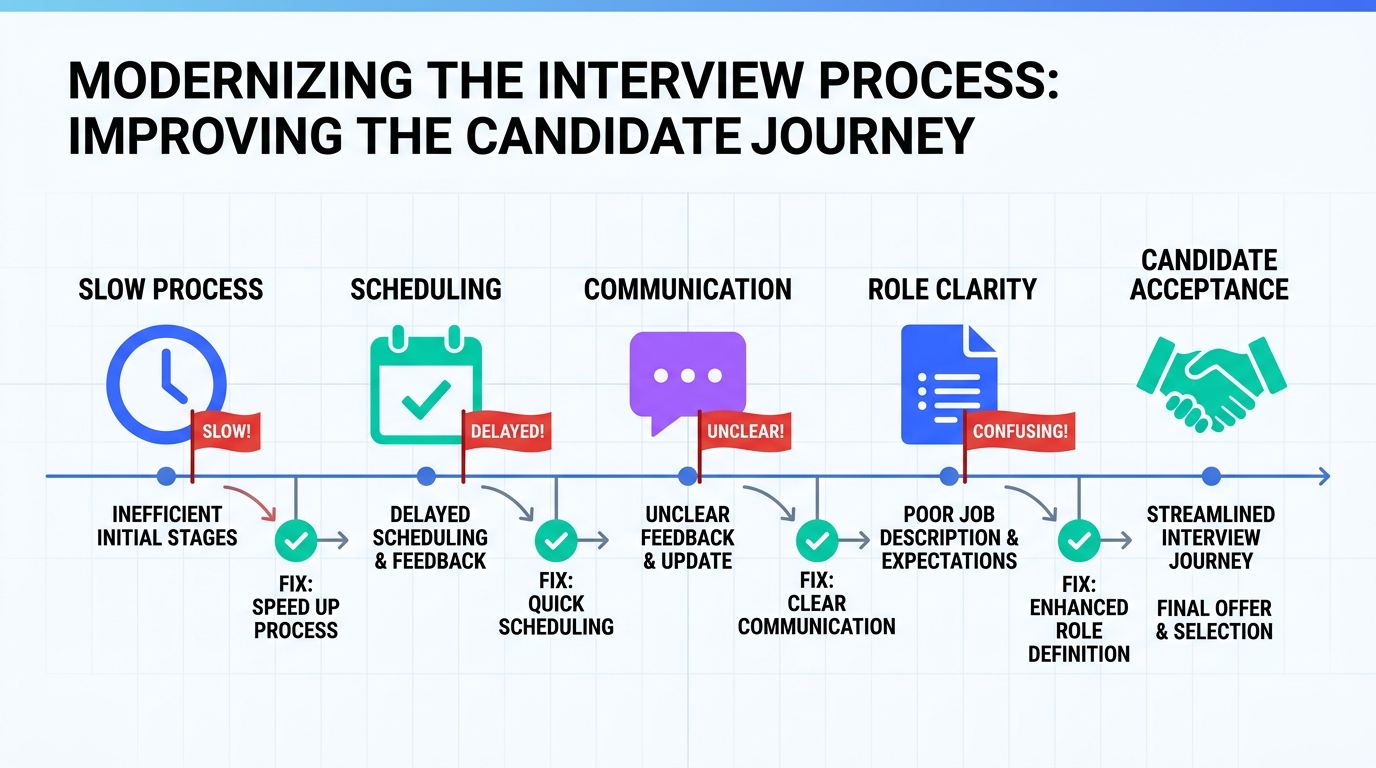
An interview scheduling app is one of the quickest ways to remove friction from hiring because it standardizes how interviews are booked, confirmed, and followed up. When we audit hiring workflows, the same pattern shows up: candidates do not leave because of one “big” mistake, they leave because of small signals like slow scheduling, vague next steps, and inconsistent communication. This article covers 7 hiring red flags that damage candidate experience and shows practical fixes using business calendar software and scheduling software for small business teams. Scope note: this is about process and scheduling, not how to write job descriptions or evaluate skills.
Table of Contents
- Key Takeaways
- Red Flag 1: A slow process
- Red Flag 2: Flaky scheduling
- Red Flag 3: Odd or irrelevant questions
- Red Flag 4: Being vague about the job
- Red Flag 5: Treating it like an audition
- Red Flag 6: Lack of professionalism
- Red Flag 7: Failing to communicate
- Quick Comparison: Fixes you can implement this week
- Implementation Steps (Process + Tools)
- FAQ
- Conclusion
Key Takeaways
- Speed is a signal: long gaps between steps read as low interest or disorganization, even when you are simply busy.
- Scheduling is communication: confirmations, reminders, and reschedule flows should be consistent and predictable.
- Clarity reduces drop off: every message should include the next step, the owner, and the expected timeline.
- Use business calendar software intentionally: shared availability, time zone handling, and buffer times prevent “flaky” experiences.
- Automate the repetitive parts: templates and auto replies help, but keep human review for sensitive moments like rejections.
- LinkedIn outreach can be scaled: StrategyBrain AI Recruiter can automate initial LinkedIn conversations and collect resumes and contact details so interviews are scheduled only with interested candidates.
- Candidate trust is fragile: professionalism in the room, the messages, and the follow up all affect acceptance rates and brand perception.
Red Flag 1: A slow process
Slow hiring is not just an internal efficiency problem. It is a candidate experience problem. When days pass without movement, candidates assume one of three things: you are not aligned internally, you are not prioritizing the role, or you are not prioritizing them.
What we see in real workflows
- Interview requests go out late because the hiring manager’s calendar is hard to coordinate.
- Reschedules happen repeatedly because there is no buffer time or shared visibility.
- Decisions stall because “next steps” were never defined.
Fix it with a scheduling-first timeline
Define a target timeline for each stage and make scheduling the trigger that moves the process forward. An interview scheduling app can enforce this by requiring a booked slot before a candidate is considered “in stage.”
Where StrategyBrain AI Recruiter fits
If your bottleneck starts earlier, at outreach and initial qualification, StrategyBrain AI Recruiter can handle the first LinkedIn touchpoints by automatically connecting with candidates, introducing the role, answering common questions, confirming interest, and collecting resumes and contact details. That means your calendar only fills with candidates who have already signaled intent to interview.
Red Flag 2: Flaky scheduling
Flakiness is rarely intentional. It usually comes from fragmented calendars, unclear ownership, or last minute changes that are not communicated well. To a candidate, it feels like disrespect for their time, especially if they are currently employed.
Common causes
- No single source of truth for availability across interviewers.
- Manual back and forth emails for time slots.
- Missing time zone normalization for remote candidates.
Fix it with business calendar software rules
Use business calendar software features that reduce human error: shared availability, minimum notice windows, and automatic reminders. Add buffer time between interviews so one late meeting does not cascade into a day of reschedules.
Practical standard
- Every interview invite includes the format, duration, and who will attend.
- Every reschedule message includes a reason and a new set of options.
- Every candidate receives a confirmation message after booking.
Red Flag 3: Odd or irrelevant questions
Brainteasers and unrelated curveballs can feel like a performance test rather than a professional evaluation. Some teams use them to see how candidates react under pressure, but overuse can signal that the interview is not grounded in the actual job.
Fix it with structured interview design
Keep questions tied to job outcomes and competencies. If you want to test problem solving, use a scenario that resembles the work. Then use your scheduling software for small business teams to attach the interview plan to the calendar invite so every interviewer stays consistent.
Red Flag 4: Being vague about the job
Vague roles create distrust. When candidates cannot get clear answers about responsibilities, goals, or success metrics, they may assume the company is disorganized or hiding something.
Fix it with a “role clarity packet”
- A short role summary with top 3 outcomes for the first 90 days.
- Reporting line and key stakeholders.
- Interview stages and what each stage evaluates.
Send this packet automatically when the interview is scheduled. This is where an interview scheduling app helps because it can trigger consistent pre interview communication.
Red Flag 5: Treating it like an audition
Hiring is not one way. Candidates evaluate you as much as you evaluate them. If the process feels like endless hoops with no mutual conversation, strong candidates often disengage.
Fix it by designing for two way evaluation
- Reserve time for candidate questions in every interview.
- Ensure interviewers have reviewed the resume before the call.
- Introduce the team and the work context, not just the requirements.
Operationally, this is easier when your scheduling software for small business teams includes standardized invite templates and interviewer prep checklists.
Red Flag 6: Lack of professionalism
Professionalism is communicated through details: the interview environment, punctuality, privacy, and preparedness. Candidates notice the same things you notice about them.
Fix it with a minimum standard checklist
- Private room or stable video setup with working audio.
- Interview starts on time and ends on time.
- Clear introductions and agenda in the first 2 minutes.
If you are hiring globally, multilingual communication also affects professionalism. StrategyBrain AI Recruiter supports 24/7 multilingual candidate messaging so candidates can ask questions in their native language before they ever reach the interview stage.
Red Flag 7: Failing to communicate
Silence is the loudest red flag. Candidates interpret no response as disinterest or disrespect. It can also affect customer behavior. A CareerBuilder study reported that 32% of job candidates were less likely to purchase from a company that did not respond to their application.
Fix it with predictable communication points
- Application received message with timeline expectations.
- Post interview update window that you actually meet.
- Closure message for candidates who are not moving forward.
Automation that still feels human
Auto replies are useful, but they should set expectations, not hide behind generic language. StrategyBrain AI Recruiter can take on the repetitive LinkedIn follow up and interest confirmation, then hand off to a recruiter for final qualification and interview scheduling. This keeps communication fast without removing accountability.
Quick Comparison: Fixes you can implement this week
| Red flag | What candidates experience | Process fix | Tool support |
|---|---|---|---|
| Slow process | Uncertainty and loss of momentum | Stage timelines and scheduling triggers | Interview scheduling app with automated booking |
| Flaky scheduling | Reschedules and missed meetings | Shared availability and buffer rules | Business calendar software |
| Irrelevant questions | Feels like a game, not a job discussion | Structured interview plan | Invite templates and interviewer prep notes |
| Vague role | Distrust and confusion | Role clarity packet | Automated pre interview email triggered by booking |
| Audition mindset | One sided evaluation | Two way interview design | Scheduling software for small business with templates |
| Unprofessional setup | Low confidence in the team | Minimum standards checklist | Calendar notes and reminders for interviewers |
| Poor communication | Ghosted and undervalued | Defined touchpoints and closure | Automated messaging workflows; AI assisted outreach |
Implementation Steps (Process + Tools)
-
Map your stages and owners
Write down each stage from application to offer, then assign a single owner for the next action. If no one owns the next step, candidates will feel the delay.
-
Standardize scheduling rules
In your interview scheduling app, set minimum notice, buffer time, and time zone handling. This reduces last minute chaos and makes the process feel consistent.
-
Create 3 message templates
Use templates for application received, interview confirmation, and post interview update. Keep them short and specific: what happens next, who does it, and when.
-
Automate early LinkedIn conversations where appropriate
If your team sources on LinkedIn, consider using StrategyBrain AI Recruiter to automate initial outreach, answer role questions, confirm interview interest, and collect resumes and contact details. Recruiters then focus on reviewing resumes and scheduling interviews with qualified, interested candidates.
-
Add a quality checkpoint
Once per week, review a small sample of candidate threads and calendar events. Look for missed follow ups, unclear next steps, and reschedule patterns.
Copyable checklist for a “no red flags” scheduling flow
- [ ] Every candidate receives an application received message within 24 hours.
- [ ] Every interview invite includes duration, format, attendees, and time zone.
- [ ] Every interview has 5 minutes of buffer time before and after.
- [ ] Every candidate receives a post interview update timeline in writing.
- [ ] Every process ends with closure, even if the answer is no.
FAQ
What is an interview scheduling app?
An interview scheduling app is software that helps teams book interviews by sharing availability, confirming meetings, sending reminders, and managing reschedules. It reduces manual back and forth and makes the hiring process more predictable for candidates.
How is business calendar software different from an interview scheduling app?
Business calendar software manages calendars and availability across a team. An interview scheduling app typically sits on top of calendars to automate booking workflows, candidate confirmations, reminders, and interview logistics.
What is the biggest scheduling mistake that causes candidate drop off?
The biggest mistake is inconsistent communication around scheduling, especially reschedules and follow ups. Candidates can tolerate a change, but they lose trust when they do not know what is happening next.
Can scheduling software for small business teams work without an ATS?
Yes. Many small teams start with scheduling and calendar workflows first, then add an applicant tracking system later. The key is to keep one source of truth for interview status and next steps.
How does StrategyBrain AI Recruiter help with interview scheduling?
StrategyBrain AI Recruiter focuses on the steps before scheduling: it automates LinkedIn connections and messaging, introduces the role, answers candidate questions, confirms interview interest, and collects resumes and contact details. That reduces time spent on manual outreach so recruiters can schedule interviews faster with candidates who are ready to proceed.
Does StrategyBrain AI Recruiter replace recruiter judgment?
No. Based on the product documentation provided, it confirms willingness to communicate or interview, but it does not decide whether a resume fully matches job requirements. Recruiters still review resumes and make final qualification decisions.
How do you keep automation from feeling impersonal?
Use automation for predictable steps like confirmations and reminders, then use human messages for sensitive moments like rejections or complex negotiations. Also, keep templates specific to the role and timeline so candidates feel informed rather than processed.
Is poor candidate communication really a business risk?
Yes. CareerBuilder reported that 32% of candidates were less likely to purchase from a company that did not respond to their application. That links hiring experience directly to brand and revenue impact.
Conclusion
The fastest way to improve candidate experience is to remove uncertainty. An interview scheduling app, paired with clear timelines and consistent messaging, prevents the most common red flags: slow movement, flaky scheduling, and silence after interviews. If your biggest bottleneck is LinkedIn outreach and early back and forth, StrategyBrain AI Recruiter can automate initial conversations, confirm interest, and collect resumes and contact details so your team spends calendar time only on candidates who are ready to interview.
Next step: pick one red flag from this list, implement the checklist for that stage, and measure whether reschedules and follow up gaps decrease over the next 14 days.














