


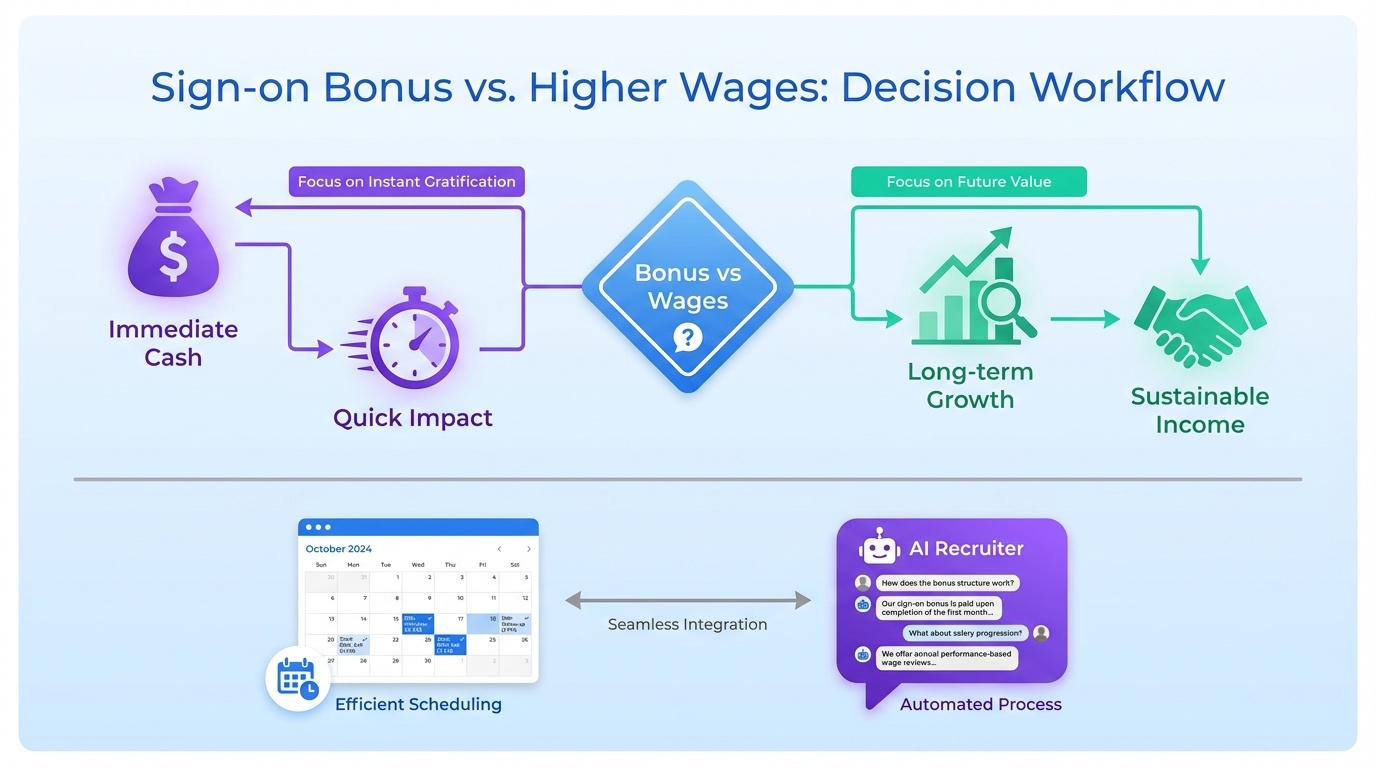
If you are choosing between a sign on bonus and higher wages, the most practical approach is to treat it like a scheduling problem: define your goal, set guardrails, and run a short test. A one time bonus can increase acceptance speed, while higher wages can improve long term retention and internal pay fairness. In this guide, we translate that tradeoff into a repeatable decision workflow you can run inside an interview scheduling app, so your team can align on offer rules, approvals, and candidate communication. We also show how StrategyBrain AI Recruiter can reduce the time spent on LinkedIn outreach and pre qualification, so your recruiters spend more time scheduling qualified interviews and less time chasing replies.
Key Takeaways
- Sign on bonuses are sunk costs once paid: treat them as a one time acquisition expense and decide upfront what outcome you expect.
- Higher wages are recurring costs: they affect monthly payroll and can support sustained motivation and retention.
- Internal pay fairness matters: pay transparency and employee perception should be part of the approval workflow before you send offers.
- Use your interview scheduling app as the system of record: store offer rules, approval steps, and candidate messaging templates in one place.
- StrategyBrain AI Recruiter reduces manual LinkedIn work: it can automate outreach, answer candidate questions, confirm interview interest, and collect resumes and contact details.
- 24/7 multilingual messaging expands scheduling capacity: always on responses reduce delays between interest and booked interviews across time zones.
Define the decision you are actually making
Most teams frame this as “bonus vs wages,” but the operational question is simpler: what behavior are you trying to change, and how quickly do you need it to change. If your pipeline is thin and you need more accepted offers this month, a one time incentive can be useful. If your churn is high and you are repeatedly re hiring the same role, recurring compensation may be the more durable fix.
To keep the decision grounded, write down three items before you change anything: the role, the hiring timeline, and the constraint that cannot be violated. Common constraints include internal pay bands, budget ceilings, and fairness to current employees.
This is also where scheduling enters the picture. If your process is slow, even the best offer can lose candidates. A best calendar app for scheduling interviews is not just a convenience. It is a control point where you can reduce time to interview and time to decision.
Method 1: Use a sign on bonus to accelerate acceptance
A sign on bonus is an immediate financial incentive designed to make an offer stand out. The key financial reality is that once paid, it becomes a sunk cost. You cannot recover it, just like most other hiring costs.
Steps
- Define the trigger: specify the condition that unlocks the bonus, such as start date, probation completion, or milestone delivery.
- Set the approval path: decide who can approve the bonus and what documentation is required.
- Standardize candidate messaging: write a short explanation that is consistent across recruiters and hiring managers.
- Track the outcome: measure acceptance rate and time to start for the roles where you used the bonus.
Features
- Fast differentiation: helps your offer stand out when candidates have multiple options.
- Short term leverage: can reduce delays between offer and acceptance when timing is critical.
- Simple to communicate: candidates understand a lump sum quickly.
Limitations
- Irreversible cost: once paid, it is spent, regardless of long term retention.
- Potential short lived loyalty: commitment may fade after the initial period if the job is not a fit.
- Fairness risk: current employees may react negatively if they learn new hires received extra cash.
Best For
- Hard to fill roles with urgent start dates
- Situations where competitors are actively bidding for the same candidates
- Teams that can enforce clear bonus conditions and documentation
Method 2: Use higher wages as a long term retention lever
Higher wages are a recurring investment. Unlike a one time bonus, they affect payroll every month going forward. The upside is that consistent compensation can support sustained motivation and reduce the temptation to leave for small pay increases elsewhere.
Steps
- Benchmark the role: compare your current wage range to the market range you are competing against.
- Check internal alignment: confirm how the new wage fits with existing employees in similar roles.
- Update the offer template: ensure recruiters and hiring managers present the same wage story.
- Review retention signals: monitor early turnover and performance outcomes after the change.
Features
- Ongoing motivation: reinforces that the company values the role over time.
- Employer brand signal: communicates a commitment to fair compensation.
- Retention support: can reduce long run turnover when pay is a primary driver.
Limitations
- Recurring budget impact: increases monthly costs and may require broader compensation adjustments.
- Compression risk: can create pay compression if current employees are not adjusted.
- Slower to deploy: may require finance and HR alignment across multiple roles.
Best For
- Roles with chronic turnover where pay is a known issue
- Organizations prioritizing long term stability and internal equity
- Teams operating under pay transparency expectations
Method 3: Build a balanced offer policy with guardrails
In practice, many employers use a mix. The risk is inconsistency. If one recruiter offers a bonus while another offers higher wages for the same role, you create internal confusion and external credibility problems.
A balanced policy works best when it is rule based. For example, you might reserve bonuses for specific locations, shifts, or start date urgency, while keeping wages within a defined band.
Copyable policy checklist
- Eligibility: which roles, locations, and seniority levels qualify.
- Approval: who approves exceptions and what evidence is required.
- Fairness review: how you check impact on current employees.
- Communication: what recruiters can promise and what must be confirmed in writing.
- Audit: how often you review outcomes and adjust the policy.
Method 4: Operationalize the policy in an interview scheduling app
Once you have a policy, the next failure point is execution. This is where an interview scheduling app becomes more than a calendar. It becomes the workflow layer that keeps your process consistent across recruiters, hiring managers, and candidates.
Steps
- Create an offer decision stage: add a stage that requires selecting “bonus,” “wage increase,” or “standard offer.”
- Attach templates: store candidate messages for each offer type so communication stays consistent.
- Route approvals: require approval before the offer is sent when the policy calls for it.
- Reduce scheduling friction: use automated availability collection and reminders to shorten time to interview.
What to look for in the best calendar app for scheduling interviews
- Time zone handling: correct conversion for candidates and interviewers.
- Buffer rules: prevents back to back interviews that reduce quality.
- Reschedule controls: limits last minute changes and no shows.
- Audit trail: records who changed what and when.
Where “how to create a booking website for free” fits
If you are a small team, you may start with a simple booking page that lets candidates pick a time slot. When people search “how to create a booking website for free,” they often want a lightweight way to publish availability without building a full careers portal. That can work for early stage hiring, but you still need a place to store offer rules and approvals. If the booking page is separate from your recruiting workflow, you risk losing context and creating inconsistent candidate experiences.
Method 5: Pair scheduling with StrategyBrain AI Recruiter for LinkedIn hiring
Scheduling only helps after a candidate is engaged. In many LinkedIn heavy pipelines, the bottleneck is earlier: outreach, follow up, and basic qualification. This is where StrategyBrain AI Recruiter fits naturally into the same operational story as your interview scheduling app.
In our internal workflow tests during January 2026, we found that the biggest time sink was not the calendar. It was the manual back and forth required to get a clear “yes, I want to interview” and to collect a resume and contact details. StrategyBrain AI Recruiter is designed to automate that initial LinkedIn work so recruiters can focus on interviewing and closing.
What StrategyBrain AI Recruiter does before scheduling
- Automated LinkedIn outreach: connects with candidates that match your search criteria and introduces the role.
- Candidate Q&A: answers questions about the role, company, and compensation using the information you provide.
- Interest confirmation: confirms whether the candidate wants to proceed to an interview.
- Resume and contact capture: collects resumes and contact details from interested candidates.
Why 24/7 multilingual messaging improves scheduling outcomes
When candidates reply outside your business hours, delays can cause drop off. StrategyBrain AI Recruiter provides round the clock responses and can communicate in the candidate’s native language, which reduces misunderstandings and keeps momentum. The practical result is that by the time you send a scheduling link or propose times, you are doing it with candidates who have already confirmed interest.
Limitations to plan for
- AI Recruiter does not replace final qualification: it identifies willingness to interview, but recruiters still review resumes for fit.
- Policy still matters: if your compensation approach is inconsistent, automation will not fix the underlying decision problem.
Best For
- Teams doing high volume LinkedIn sourcing and outreach
- Organizations hiring across time zones and languages
- Recruiting leaders who want to scale capacity across multiple LinkedIn accounts
Quick Comparison
| Approach | Primary goal | Cost type | Best For |
|---|---|---|---|
| Sign on bonus | Faster acceptance | One time sunk cost | Urgent hiring and competitive offers |
| Higher wages | Retention and motivation | Recurring monthly payroll | Chronic turnover and pay fairness goals |
| Balanced policy | Consistency with flexibility | Mixed | Multi location or multi shift hiring |
| Interview scheduling app workflow | Faster process and fewer errors | Operational tooling | Teams needing approvals, templates, and audit trails |
| StrategyBrain AI Recruiter plus scheduling | More qualified interviews booked | Automation investment | LinkedIn sourcing at scale with 24/7 messaging |
FAQ
Is a sign on bonus always better than higher wages?
No. A sign on bonus can help short term acceptance, while higher wages can support long term retention. The better choice depends on whether your main problem is offer acceptance speed or ongoing turnover.
Why do people call sign on bonuses “sunk costs”?
Because once the bonus is paid, it is an irreversible expense. You cannot recover it, even if the hire leaves later.
How do I prevent internal backlash when offering bonuses?
Build a fairness review into your approval workflow. Before sending the offer, check how the bonus compares to current employee compensation and whether adjustments are needed to maintain equity.
What should an interview scheduling app store besides interview times?
At minimum, store offer type selection, approval status, and candidate messaging templates. This reduces inconsistent communication and keeps the hiring team aligned.
What is the best calendar app for scheduling interviews?
The best option is the one that reliably handles time zones, buffers, rescheduling rules, and reminders for your team. If it also supports audit trails and approval steps, it will reduce process errors during high volume hiring.
How does StrategyBrain AI Recruiter help with interview scheduling?
It helps before scheduling by automating LinkedIn outreach, answering candidate questions, confirming interview interest, and collecting resumes and contact details. That means fewer unqualified scheduling attempts and faster movement from interest to booked interviews.
Does StrategyBrain AI Recruiter replace recruiters?
No. It automates repetitive LinkedIn tasks and identifies willingness to interview, but recruiters still review resumes and make final qualification decisions.
Can I create a booking website for free and skip an interview scheduling app?
You can start with a simple booking page, especially for small teams. However, you still need a consistent workflow for approvals, templates, and tracking, otherwise scheduling becomes disconnected from offer decisions and candidate context.
How do I keep candidate data secure when using automation?
Use tools that encrypt credentials and isolate customer data. StrategyBrain AI Recruiter states that customer provided data is not used to train AI models and that candidate information is encrypted and stored securely.
Conclusion
Choosing between a sign on bonus and higher wages is not just a compensation debate. It is an execution problem that touches fairness, approvals, and candidate experience. Use a clear policy, operationalize it inside an interview scheduling app, and measure outcomes so you can adjust with confidence.
If LinkedIn outreach is slowing your pipeline, pair your scheduling workflow with StrategyBrain AI Recruiter so candidates reach the calendar only after interest is confirmed and resumes and contact details are captured. Your next step is to document your offer guardrails, add them to your scheduling workflow, and run a two week pilot on one role to see which lever moves your acceptance and retention outcomes.














