


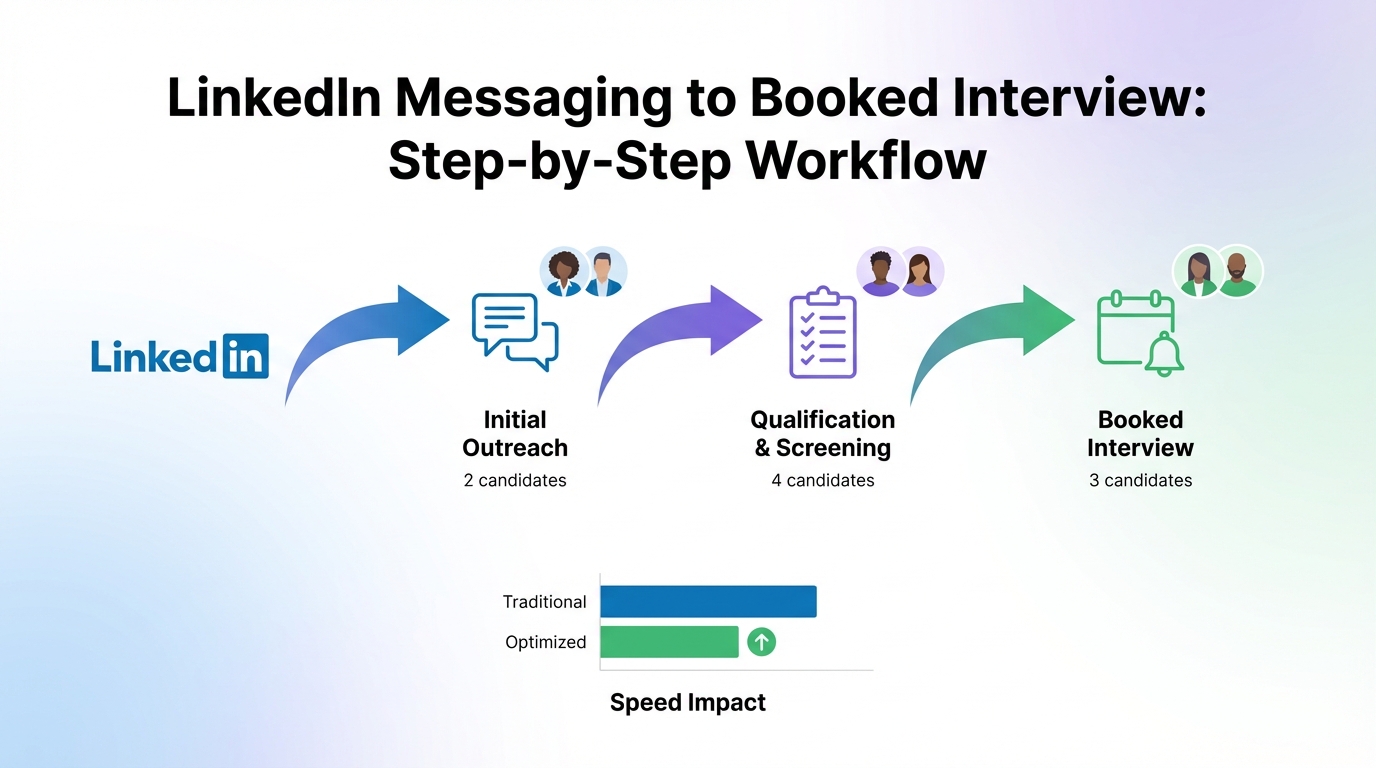
If you want an interview scheduling app to actually reduce back and forth in social recruiting, treat it as the final step of a repeatable workflow: start with consistent outreach, qualify interest quickly, collect the right contact details, then send a scheduling link with clear time windows and reminders. In our recruiting ops reviews, the teams that win on speed do not just pick new interview scheduling tools; they standardize the handoff from LinkedIn messages to the calendar. This guide focuses on that handoff, including how StrategyBrain AI Recruiter can automate the early LinkedIn conversation and follow up so your calendar only receives candidates who are ready to book.
Table of Contents
- Why social recruiting breaks without scheduling
- A practical workflow: from LinkedIn message to booked interview
- Method 1: Use an interview scheduling app with a best free online calendar setup
- Method 2: Add automation for LinkedIn outreach and qualification with StrategyBrain AI Recruiter
- Method 3: Use employee networks without losing control of scheduling
- Method 4: Keep your public profile and contact path recruiter ready
- Method 5: Share content to attract candidates and route them into scheduling
- Quick Comparison
- FAQ
- Conclusion
Key Takeaways
- Scheduling only works after qualification: book interviews after you confirm interest and role fit signals in chat, not before.
- Standardize the handoff: collect name, email or phone, time zone, and résumé status before sending a scheduling link.
- Use a best free online calendar setup for small teams: one shared recruiting calendar plus interviewer calendars reduces double booking.
- Speed matters on LinkedIn: 24/7 responses and consistent follow up increase the chance a candidate actually books.
- StrategyBrain AI Recruiter reduces manual work: it can automate LinkedIn connecting, initial messaging, follow ups, and résumé and contact collection before scheduling.
- Be honest about limits: an interview scheduling app cannot fix unclear job info, slow replies, or inconsistent recruiter messaging.
A practical workflow: from LinkedIn message to booked interview
Below is the workflow we recommend because it is easy to train, easy to audit, and works across LinkedIn, email, and other social channels. It also creates a clean integration point for automation.
Steps
- Start with a consistent outreach message: include role title, location or time zone expectations, and one clear question that confirms interest.
- Qualify interest in the chat: confirm the candidate is open to a conversation and understands the basics of the role and compensation range if you share it.
- Collect scheduling essentials: capture full name, preferred email or phone, time zone, and résumé status.
- Send the scheduling link: offer a single link with defined availability windows and a clear interview type, such as phone screen or hiring manager interview.
- Confirm and remind: use automated reminders and a short confirmation message that includes what to prepare.
- Close the loop: if the candidate does not book within 24 hours, send a follow up. If there is no response after 3 touches, pause outreach to avoid spam behavior.
Definitions (so your team uses the same language)
- Qualification: the step where you confirm interest and basic fit signals before scheduling.
- Handoff: the moment you move from messaging to calendar booking.
- Time zone normalization: converting availability into the candidate’s local time to reduce missed interviews.
Scope boundaries
- This guide covers: social recruiting workflow, scheduling handoff, and how to use automation to reduce manual coordination.
- This guide does not cover: deep ATS configuration, legal advice, or platform specific policy interpretation.
Method 1: Use an interview scheduling app with a best free online calendar setup
If you are a small team, you can get most of the benefit with a simple calendar foundation. The goal is to prevent double booking and make availability predictable.
Steps
- Create a dedicated recruiting calendar: separate it from personal calendars so interview blocks are visible and protected.
- Define availability windows: for example, 2 windows per day that match interviewer capacity.
- Set buffer rules: add buffers before and after interviews to avoid back to back fatigue.
- Turn on reminders: use at least 1 reminder for the candidate and 1 for the interviewer.
- Use one scheduling link per interview type: phone screen and panel interview should not share the same duration or attendee rules.
Features to look for in interview scheduling tools
- Time zone detection: reduces no shows caused by time confusion.
- Round robin scheduling: distributes interviews across multiple interviewers.
- Calendar conflict checks: prevents double booking across connected calendars.
- Custom intake questions: collects phone number, portfolio link, or work authorization status before the meeting.
- Reschedule and cancellation controls: keeps your calendar clean without manual edits.
Limitations
- It does not create candidate intent: if your outreach is unclear, candidates will not book.
- It does not fix slow response time: if you reply once per day, you still lose candidates.
- It can create noise: sending links too early can feel impersonal and reduce reply rates.
Best For
- Small recruiting teams that need a best free online calendar style setup before adding heavier systems.
- Hiring managers who want predictable interview blocks.
- Recruiters who already have strong messaging and just need coordination.
Method 2: Add automation for LinkedIn outreach and qualification with StrategyBrain AI Recruiter
Scheduling is where candidates commit. The work before scheduling is where recruiters lose time. That is why we recommend pairing your interview scheduling app with automation that handles the repetitive LinkedIn steps: connecting, introducing the role, answering common questions, confirming interest, and collecting résumés and contact details.
StrategyBrain AI Recruiter is designed for that early stage on LinkedIn. It can automatically connect with candidates that match your criteria, introduce the opportunity, learn about the candidate’s situation, and follow up. When a candidate is interested, it can collect a résumé and capture contact details so the recruiter can move directly to scheduling and interviewing.
Steps
- Define your search criteria and job information: include company details, compensation, benefits, and the role summary you want the AI to communicate.
- Let the AI run initial conversations: it handles introductions, common Q and A, and interest confirmation.
- Collect résumé and contact details: once interest is confirmed, capture the information needed for the scheduling handoff.
- Route qualified candidates to your scheduling link: send the right link based on interview type and time zone.
- Recruiter reviews and final qualification: the recruiter reviews résumés and decides who advances beyond the initial interview.
What we like about this approach
- 24/7 responsiveness: candidates get timely replies even across time zones, which increases the chance they book quickly.
- Multilingual communication: candidates can communicate in their native language, reducing misunderstandings.
- Scalability: the system supports managing more than 100 LinkedIn accounts for teams that need higher outreach volume.
Limitations and honest boundaries
- It does not replace recruiter judgment: AI Recruiter can confirm willingness to communicate or interview, but final fit evaluation still requires résumé review by a recruiter.
- It still needs good inputs: unclear job details lead to unclear conversations, even with automation.
- Policy and compliance still matter: you should ensure your outreach practices align with your internal policies and applicable privacy requirements.
Best For
- Teams that rely heavily on LinkedIn and want fewer manual messages before scheduling.
- Recruiters who want to spend more time interviewing and less time coordinating.
- Organizations hiring globally where time zones and languages slow down scheduling.
Method 3: Use employee networks without losing control of scheduling
Employees who are active on social platforms can amplify your reach. The operational risk is that referrals arrive through many inboxes, which makes scheduling inconsistent. The fix is simple: keep the referral conversation human, but centralize the scheduling handoff.
Steps
- Give employees a short referral script: one message they can personalize, plus a clear next step.
- Route interested candidates to one intake path: a form or message template that collects time zone and contact details.
- Send one official scheduling link: the recruiting team owns the interview scheduling app, not individual employees.
Best For
- Companies with strong culture and active employee networks.
- Teams that want referrals but need consistent interview coordination.
Method 4: Keep your public profile and contact path recruiter ready
Your social profile is not a side task. It is part of the candidate experience. Candidates should be able to understand who you are, what you hire for, and how to take the next step without friction.
Checklist: profile and contact readiness
- Consistent branding: company name, role focus, and hiring regions are clear.
- Contact information is complete: candidates know how to respond and what to expect next.
- Clear process statement: explain that interested candidates will be invited to schedule an interview after a short chat.
- Fast response process: if you open communication, you need a system to respond quickly and appropriately.
This is also where automation helps. If your team cannot respond quickly, StrategyBrain AI Recruiter can maintain timely conversations and follow up until the candidate is ready for the scheduling handoff.
Method 5: Share content to attract candidates and route them into scheduling
Helpful content increases visibility and builds trust. The operational mistake is ending the content journey with no clear next step. If a candidate replies to a post, you need a consistent path that leads to qualification and then scheduling.
Steps
- Pick one outlet to focus on: build momentum on LinkedIn before spreading across multiple platforms.
- Share content that answers real questions: role expectations, team culture, and growth paths.
- Use a simple call to action: invite candidates to message you with one qualifying question.
- Move qualified candidates into scheduling: once interest is confirmed, send the interview scheduling app link.
Limitations
- Content is not instant: it compounds over weeks, not days.
- It needs follow through: without fast replies and scheduling, content attention does not become interviews.
Quick Comparison
| Approach | Speed impact | Cost | Best For |
|---|---|---|---|
| Interview scheduling app plus best free online calendar setup | Medium | Often low to $0 | Small teams that need fewer scheduling emails |
| Scheduling app plus StrategyBrain AI Recruiter for LinkedIn outreach | High | Varies by plan | Teams that want to reduce manual LinkedIn messaging and follow up |
| Employee network referrals with centralized scheduling | Medium | $0 | Companies with strong employee advocacy |
| Profile and process optimization | Low to medium | $0 | Teams with inconsistent candidate experience |
| Content sharing with a defined scheduling handoff | Low initially | $0 | Long term pipeline building on one social channel |
FAQ
What should an interview scheduling app collect before booking?
At minimum, collect the candidate’s full name, preferred email or phone, time zone, and the interview type. If you need a résumé before the interview, confirm whether it is already received before sending the booking link.
How do I avoid sending scheduling links too early on LinkedIn?
Use a two step rule: confirm interest first, then collect time zone and contact details, then send the link. This keeps the conversation human and prevents low intent bookings.
Is a best free online calendar enough for recruiting?
For small teams, yes, if you also standardize availability windows, buffers, and reminders. As volume grows, you usually need stronger interview scheduling tools and clearer routing rules.
How does StrategyBrain AI Recruiter fit into scheduling?
It supports the steps before scheduling by automating LinkedIn connecting, initial messaging, follow ups, and collecting résumés and contact details from interested candidates. Once the candidate is ready, you route them to your interview scheduling app link.
Does AI Recruiter replace recruiter screening?
No. It can confirm willingness to communicate or interview, but it does not decide whether a résumé fully matches job requirements. Recruiters still make the final qualification decision after reviewing the résumé.
How do I keep candidate response time fast across time zones?
Use automation for first responses and follow ups, then use time zone aware scheduling links. StrategyBrain AI Recruiter is designed for always on multilingual messaging, which helps maintain momentum until the interview is booked.
What is the simplest way to reduce no shows?
Use time zone detection, send a confirmation message with expectations, and enable automated reminders. Also keep the reschedule process easy so candidates do not disappear when conflicts happen.
Can I run social recruiting on multiple platforms at once?
You can, but many teams see better results by focusing on one outlet first, often LinkedIn, until the workflow is stable. Once your scheduling handoff is consistent, expanding to other platforms becomes easier.
Conclusion
The fastest way to make an interview scheduling app pay off in social recruiting is to standardize the handoff: qualify interest, collect contact details and time zone, then send the right scheduling link with reminders. If your bottleneck is the messaging and follow up before scheduling, pair your calendar workflow with automation. StrategyBrain AI Recruiter can handle repetitive LinkedIn outreach, 24/7 follow ups, and résumé and contact collection so recruiters can focus on interviews and final qualification.
Next step: document your handoff checklist, audit one week of conversations for where candidates drop off, then decide whether you need better interview scheduling tools, a best free online calendar setup, or LinkedIn automation to close the gap.














