


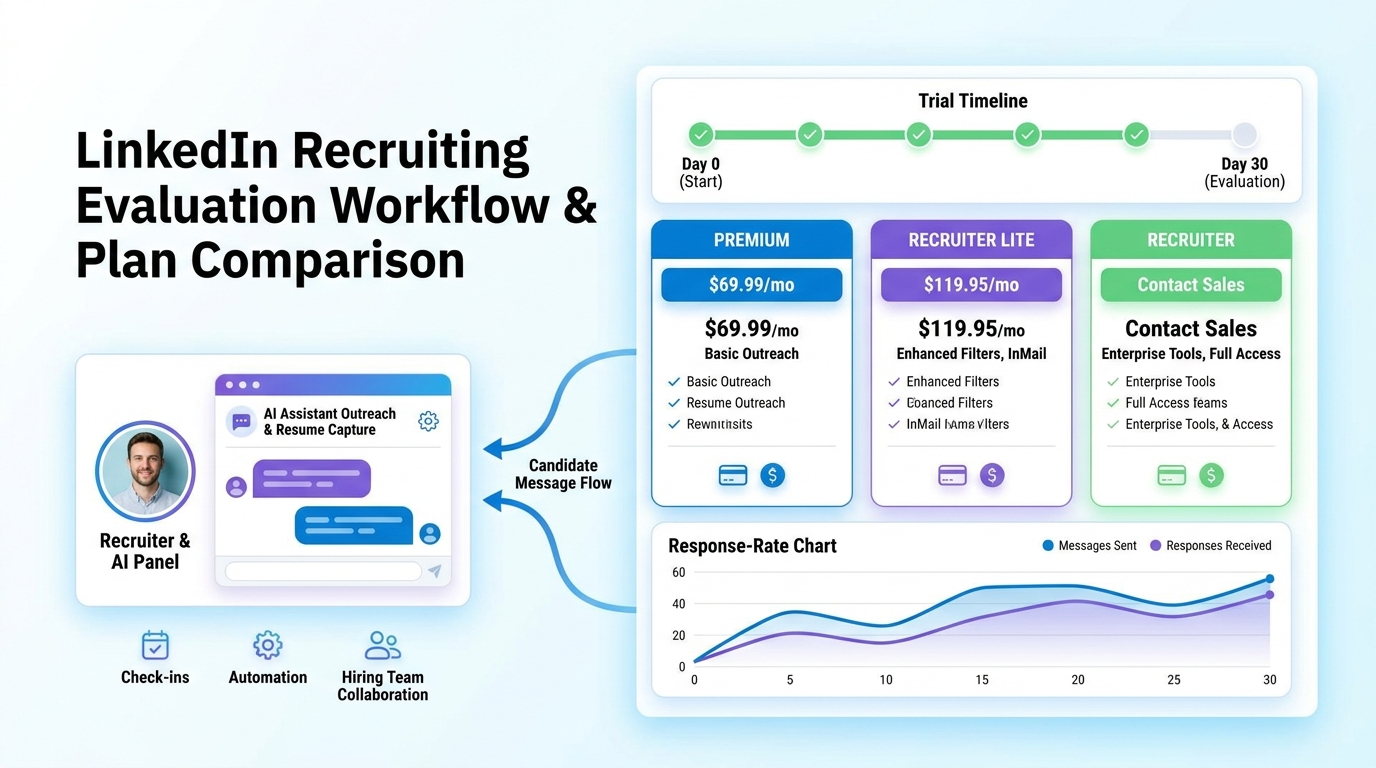
Instead of chasing a linkedin premium code blindly, recruiters can use this article to judge product fit, trial timing, and workflow risk before budget is wasted.
That sounds simple, but in practice it is where many hiring teams lose money. A solo headhunter can waste a paid month on the wrong seat, a small agency owner can buy access that does not match daily sourcing volume, and an in-house recruiter can start a trial without a real evaluation plan. The result is familiar: weak adoption, missed follow-up, unclear cancellation timing, and a lot of effort spent chasing a supposed linkedin discount code that never solved the underlying workflow problem.
In my own LinkedIn recruiting work, the issue is rarely just price. It is whether the team can use the seat well from day one, keep candidate conversations moving after hours, and avoid losing interested talent because nobody replied in time. That is where AI Recruiter can help: it automates the repetitive first-touch LinkedIn outreach, keeps candidate replies moving 24/7, and collects resumes and contact details from interested people, while the recruiter still owns final judgment, resume review, and next-step decisions.
A useful way to think about this comes from consultant onboarding rather than coupon hunting. When a company brings in a finance consultant for a project, the real risk is not only the contract cost. The bigger risk is paying for expertise that cannot get traction because access is not ready, the team does not understand why the person was hired, and no one has aligned on what success should look like in the first week or two.
The same pattern shows up when recruiters buy LinkedIn access. If a recruiter starts Premium, Recruiter Lite, or a larger Recruiter plan without clear setup, team expectations, measurable goals, and regular check-ins, the subscription underperforms no matter how attractive a linkedin premium discount coder result looked in search. That is why this article focuses less on coupon myths and more on how experienced hiring teams evaluate deals, trials, and recruiter tools in a way that actually protects budget.
- Quick answer: are LinkedIn recruiter discounts real?
- Before you chase a code, set up the evaluation properly
- LinkedIn Premium vs Recruiter Lite vs Recruiter
- Where a LinkedIn Premium code or discount may appear
- How AI-supported LinkedIn workflows reduce wasted spend
- Recruiter Lite pricing and billing expectations
- Common mistakes when chasing LinkedIn discounts
- FAQ
Quick answer: are LinkedIn recruiter discounts real?
Yes, sometimes, but usually not as a simple public coupon for every recruiter product. If you are searching for linkedin premium code, linkedin premium discount coder, or linkedin discount code, you are often seeing mixed-intent results that blend consumer subscriptions, recruiter seats, old trial pages, and unofficial coupon listings.
In actual recruiting operations, the more realistic savings paths are usually one of these:
| Product path | How savings usually appear | What recruiters should verify |
|---|---|---|
| LinkedIn Premium | Trial offers, account-based promotions, or self-serve signup terms | Whether Premium is enough for the hiring use case |
| Recruiter Lite | Self-serve billing choices, possible trial messaging, annual vs monthly savings | Who will use it daily and whether sourcing volume justifies the seat |
| Full LinkedIn Recruiter | Sales-led commercial terms rather than broad public promo code behavior | Seat count, team workflow, collaboration needs, and approval process |
For most hiring teams, the biggest savings do not come from a mystery coupon. They come from choosing the right product, starting the trial at the right time, and making sure the recruiter can use the seat effectively right away.
Before you chase a code, set up the evaluation properly
The consultant-onboarding lens is useful here because it exposes a truth recruiters know well: paying for access is easy, but creating value from the first week is harder. If you treat a new LinkedIn subscription the way a well-run company treats a new project consultant, your evaluation gets sharper.
1. Get organized before the first day of use
When a consultant joins a project, you do not want their first hours lost to access problems, missing documents, or an undefined schedule. The same rule applies to recruiter tools. Before activating a trial or paid seat, decide:
- Who will use the account
- Which open roles they will source first
- What candidate profile they are targeting
- How outreach, replies, and resume capture will be tracked
- What date the billing period begins and ends
If that prep work is missing, even a valid linkedin discount code will not make the purchase efficient.
2. Set the right tone with your internal team
Consultants often struggle when the team does not understand why they are there. Recruiter subscriptions fail for a similar reason. If a hiring manager expects casual networking but the recruiter expects structured sourcing output, adoption stalls fast. Clarify the purpose of the seat early: is it for pipeline building, one urgent search, employer branding outreach, or broad proactive sourcing?
3. Give the user full business context
Project specialists perform better when they understand the larger business goal, not just the task list. A recruiter using LinkedIn access needs that same context. They should know the hiring plan, priority roles, process bottlenecks, and what the business considers a good outcome. Without that, it is impossible to judge whether Premium, Recruiter Lite, or a larger recruiter package is worth the spend.
4. Define measurable goals in the first one to two weeks
The reference article stressed the importance of achievable goals early in the engagement. That is excellent advice for recruiter tool evaluation. In the first one to two weeks, set practical checkpoints such as:
- Number of relevant candidates identified
- Response rate from targeted outreach
- How quickly the recruiter can move interested people forward
- Whether hiring managers see stronger pipeline quality
- Whether the workflow justifies monthly or annual billing
5. Make feedback continuous, not one-and-done
One of the most expensive mistakes with any recruiter seat is buying it, trying it lightly, and then forgetting to review how it is performing. Short check-ins matter. If the recruiter is hitting friction with response handling, candidate follow-up, or collaboration, you want to catch that before the next billing date.
Practical takeaway: A deal only matters after your team has a usable setup, clear goals, and a review rhythm. Otherwise the discount just lowers the price of a poor-fit process.
LinkedIn Premium vs Recruiter Lite vs Recruiter
One reason the linkedin premium code query causes confusion is that “Premium” gets used as shorthand for several different products. In recruiting, those distinctions matter.
LinkedIn Premium
LinkedIn Premium is usually best viewed as an individual subscription. It can support networking, visibility, and some light recruiter-like activity, but it is not automatically the best fit for structured sourcing. If your search begins with a coupon mindset, Premium may look appealing, yet still be the wrong tool for an actual recruiting workload.
Recruiter Lite
For many solo recruiters, boutique agencies, founders, and small talent teams, Recruiter Lite is the more relevant starting point. It is closer to a real sourcing workflow and more likely to be available through a self-serve path. That makes it a better place to verify current terms than endlessly searching linkedin premium discount coder pages.
Full LinkedIn Recruiter
Larger organizations with multiple seats, reporting needs, and deeper collaboration requirements often move beyond self-serve paths. In those cases, the buying conversation is less about a visible coupon and more about commercial fit. That means user count, workflow complexity, and sourcing scale matter more than a public code.
| Option | Typical user | Buying path | Best evaluation question |
|---|---|---|---|
| Premium | Individual user or hiring manager with light needs | Public/self-serve | Do you need networking support or true sourcing workflow support? |
| Recruiter Lite | Small teams and hands-on recruiters | Public/self-serve | Will this seat be used consistently enough to justify recurring spend? |
| Recruiter | Larger teams and complex hiring operations | Often sales-led | What team structure and process requirements justify the investment? |
Where a LinkedIn Premium code or discount may appear
When recruiters search for a linkedin discount code, they often expect one universal answer. In reality, discounts tend to appear in narrower ways.
Free trials
Trial language is often more useful than promo-code language because it gives your team a chance to validate fit. But a trial only has value if you know exactly what you are testing and who owns the evaluation.
Account-based promotions
Some offers depend on account history, region, or current eligibility. That is why third-party code pages can be misleading. The live offer shown inside the official signup path is usually the only one that matters.
Annual billing savings
For teams that expect ongoing sourcing demand, annual billing can reduce effective monthly cost. That is not a coupon, but it is one of the most common and realistic forms of savings.
Sales conversations for bigger teams
Once you move into larger recruiter deployments, “deal” often means negotiated commercial terms rather than public promo mechanics. Enter those conversations with your seat needs, hiring plan, stakeholder structure, and workflow requirements already documented.
How AI-supported LinkedIn workflows reduce wasted spend
One lesson I have learned from managing recruiter tools is that wasted spend usually hides in workflow gaps, not just subscription line items. A seat looks expensive when replies go unanswered, sourcing happens inconsistently, or the recruiter spends too much time on repetitive outreach instead of evaluating actual interested candidates.
That is why I found AI Recruiter useful alongside LinkedIn recruiting work. I used it to keep first-touch candidate communication moving when I could not stay in LinkedIn all day, especially across time zones and after-hours reply windows. The strongest benefit was not replacing recruiter judgment. It was reducing the dead time between outreach, candidate response, and the moment someone actually shared a resume.
In practice, three capabilities mattered most for this kind of workflow:
- Automated LinkedIn outreach and follow-up: repetitive first-stage communication can keep moving without the recruiter manually sending every message.
- 24/7 multilingual response handling: candidates often answer after work hours or in another language, and delays can cool interest quickly.
- Resume and contact capture from interested candidates: once the person signals interest, the handoff becomes cleaner because the recruiter can review the collected information and decide the next step.
I would still never hand over final qualification to automation. The recruiter should remain responsible for resume review, fit assessment, and whether to move a candidate into interviews. But if your team is buying LinkedIn access and then struggling to sustain outreach volume or follow-up discipline, pairing that seat with a workflow layer such as AI Recruiter usage guidance can make the subscription itself perform better.
For teams evaluating whether the issue is tool cost or process friction, it is worth reviewing a few live conversation examples and testing where recruiter time is actually being lost.
Recruiter Lite pricing and billing expectations
Recruiter Lite is often the most practical pricing checkpoint for smaller recruiting teams because it is easier to evaluate through a self-serve path than larger recruiter contracts. Public pricing summaries frequently cite it at roughly $170 per month on annual billing, with month-to-month pricing often described as higher.
That number should be treated as directional, not permanent. Pricing can change, and any budgeting decision should be based on the live terms shown during checkout.
| Question | Recruiting takeaway |
|---|---|
| Is annual billing cheaper? | Often yes, but only if hiring demand and seat usage are stable. |
| Is monthly billing safer? | Usually yes for uncertain hiring volume or short-term tests. |
| Do I need a code to get value? | Not always. Trial timing, fit, and usage discipline often matter more. |
| Should small teams start with Lite? | Often yes, if they need practical sourcing access without enterprise procurement. |
If your team is not sure whether usage will stay consistent, it is usually better to validate the workflow first, then decide if annual savings make sense.
Common mistakes when chasing LinkedIn discounts
Assuming every “Premium” result fits recruiter use
Many search pages blend career, sales, and hiring intent. Experienced recruiters check the exact product before they evaluate any offer.
Starting a trial without a use plan
This is the recruiter version of onboarding a consultant without access, goals, or stakeholder alignment. The trial starts, but nobody is ready to measure value.
Trusting unofficial coupon pages over live account terms
Third-party listings may be outdated, expired, or never applicable to your account. The official signup flow is more reliable.
Looking only at seat price and not process cost
A cheaper subscription can still be more expensive if it creates manual follow-up gaps, missed candidate replies, or weak collaboration with hiring managers.
Ignoring feedback loops after purchase
As with a project consultant, regular check-ins matter. Review output early, adjust workflow quickly, and do not wait until after renewal to decide whether the seat was worth it.
FAQ
Does LinkedIn offer a public LinkedIn Premium code for recruiters?
Sometimes, but recruiter-oriented buying paths do not always work like consumer coupon checkouts. In many cases, a trial, billing option, or sales conversation is more relevant than a universal code.
Is there a real LinkedIn discount code for Recruiter Lite?
There may be promotions or trial eligibility, but teams should not assume there is always a public code for everyone. Verify the official checkout path directly.
What does linkedin premium discount coder usually mean in search?
It is usually a noisy search variation people use when they are trying to find discounts, promo terms, or public coupon-style offers. The challenge is that the results often mix unrelated LinkedIn products and outdated promotion pages.
Can a small recruiting firm start with Premium instead of Recruiter Lite?
It can, but only if the need is very light. For active sourcing, Recruiter Lite is usually the more relevant option to assess first.
How should a recruiting team test a trial properly?
Assign one owner, define target roles, set first-week goals, document candidate response patterns, and review progress before the billing date. That mirrors the same discipline you would use to onboard a project consultant successfully.
When does automation help with LinkedIn recruiting costs?
Automation helps when your real problem is process drag rather than seat price alone. If recruiters lose time on repetitive outreach, late replies, or collecting resumes manually, a tool like AI Recruiter can improve the return on the LinkedIn access you already pay for while leaving final candidate decisions to the recruiter.
Conclusion
The smartest response to a linkedin premium code search is not to assume every deal page has the answer. Good recruiting teams evaluate LinkedIn access the same way they onboard valuable specialist talent: they prepare the setup, align the team, define early goals, and create a feedback loop before cost turns into waste.
If you are reviewing LinkedIn recruiter discounts and deals, start with product fit, verify current official terms, and judge any offer against your actual sourcing workflow. That is a better path to savings than chasing a generic linkedin discount code with no plan for how the subscription will perform once the billing starts.














