


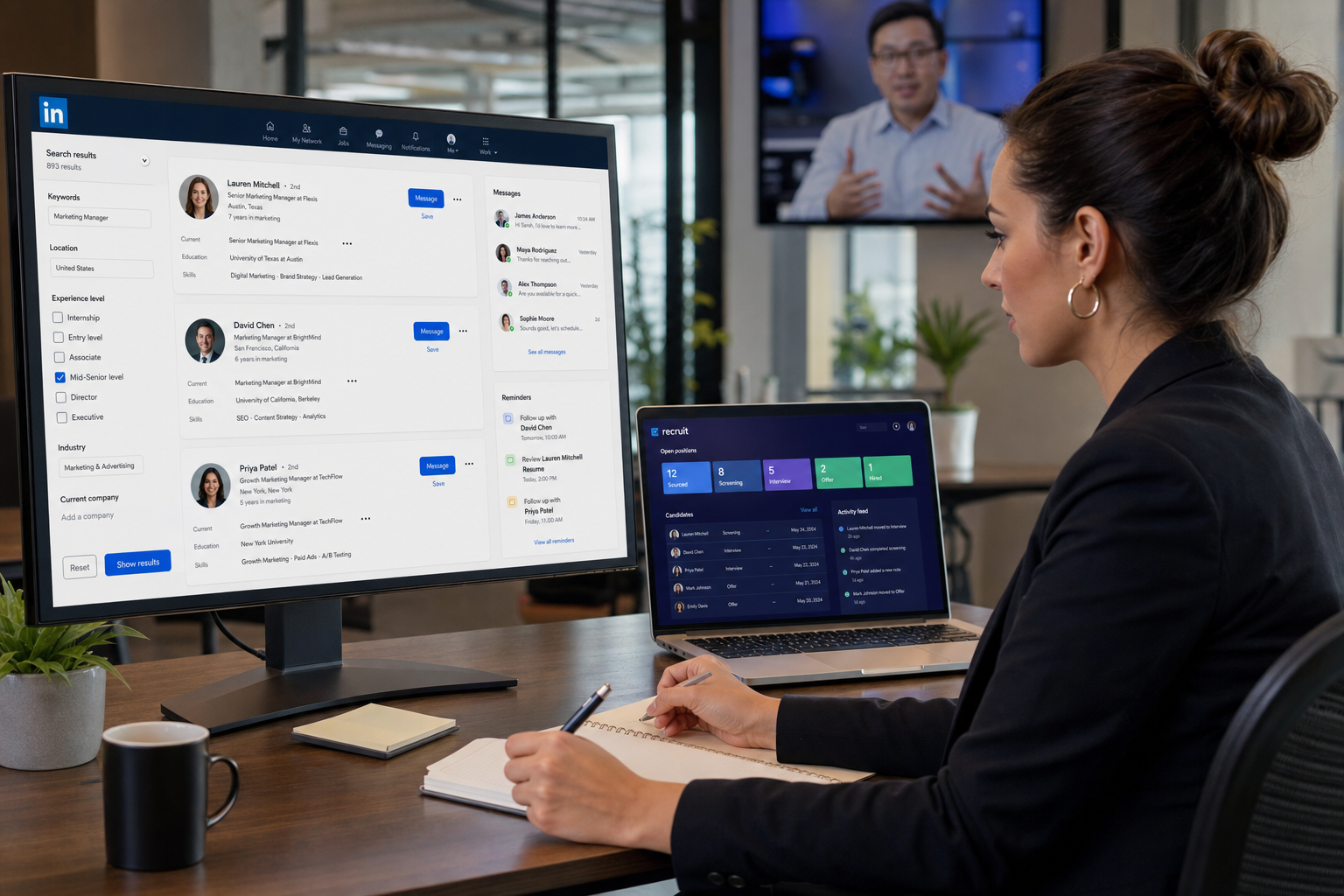
This recruiting and applicant tracking software guide helps headhunters judge system fit, avoid follow-up gaps, and keep hiring moving.
That matters because most recruiting breakdowns are not dramatic at first. They start as missed follow-ups, scattered notes, unclear ownership, slow manager feedback, and resumes sitting in inboxes while recruiters switch between sourcing, screening, scheduling, and stakeholder updates. For a solo recruiter, that means lost momentum and weaker candidate trust. For a small search firm, it means fewer placements per consultant. For an in-house talent team, it means slower hiring, strained manager relationships, and more admin work than real assessment.
In that gap between activity and control, I have found tools like StrategyBrain AI Recruiter useful when the problem is repetitive outreach and candidate follow-up rather than final selection. Its strongest fit is handling always-on candidate messaging, multilingual communication, and resume collection after initial interest, especially when recruiters are balancing live searches across time zones. What it does not replace is the recruiter's judgment. I still review resumes myself, decide who moves forward, and make the final call on fit, timing, and next steps.
The opening lesson is not really about software at first. It is about what capable HR managers and recruiters are expected to do at once. They have to stay organized across recruiting, training, employee relations, and process deadlines. They have to communicate clearly in writing and conversation, protect confidentiality when sensitive information appears, and make decisions even when facts arrive unevenly. In real hiring work, those traits are not abstract strengths. They show up when a recruiter is reviewing a shortlist, answering a candidate, updating a hiring manager, and documenting a decision trail without dropping any part of the process.
That is why recruitment automation tools deserve a more grounded evaluation. The real question is not only what is ATS; it is whether your system supports the same core disciplines strong HR operators rely on: organization, communication, confidentiality, multitasking, sound judgment, and enough reporting discipline to plan ahead. The same logic also explains why candidates worry about what is applicant tracking system resume formatting. If the process is messy, both recruiter execution and candidate experience suffer.
Table of Contents
- What Is ATS in Practical Recruiting Terms?
- The Six Operating Disciplines Good Software Should Support
- Why Teams Move Beyond Spreadsheets and Shared Inboxes
- Where Recruitment Automation Actually Helps
- How Recruiting and Applicant Tracking Software Works Day to Day
- What Is Applicant Tracking System Resume Guidance?
- How to Choose the Right System for Your Team
- Common Implementation Mistakes
- FAQ
What Is ATS in Practical Recruiting Terms?
What is ATS? ATS stands for applicant tracking system. In recruiter terms, it is the system that receives applications, stores candidate records, tracks movement through hiring stages, and gives recruiters, hiring managers, and HR one place to work from.
That basic definition is accurate, but incomplete. Most teams evaluating recruitment automation tools are not only buying a digital filing cabinet. They are trying to reduce repetitive admin, tighten response times, standardize collaboration, and create a hiring record that can survive real operating pressure. That is why recruiting and applicant tracking software is better understood as the operational center of hiring, not just a database for resumes.
When recruiters ask me whether they need an ATS or broader automation, my usual answer is to look at the failure points first. If applications are already centralized but follow-up is inconsistent, workflow automation may matter more than storage. If sourcing is active but handoff into hiring stages is weak, the system needs better coordination logic. If candidate communication is the recurring bottleneck, recruiter-facing automation can support the front end while the ATS keeps the decision process structured.
Practical takeaway: an ATS is useful when it protects process discipline. It becomes valuable when it also reduces the manual work surrounding that discipline.
The Six Operating Disciplines Good Software Should Support
The most useful way I know to assess recruiting and applicant tracking software is to ask whether it supports the six disciplines strong HR managers rely on every week. The reference point here is simple: good hiring operations are rarely just about filling jobs. They depend on organization, communication, trust, flexibility, judgment, and planning.
1. Organization
Recruiters and HR teams handle requisitions, resumes, interview loops, scorecards, approvals, and offer steps all at once. Software should make those moving parts visible instead of scattering them across email, spreadsheets, chat tools, and personal reminders.
If your recruiters still keep shadow spreadsheets because the ATS view is too limited, the system is not doing enough operational work.
2. Communication
Communication in hiring is more than sending emails. It includes application updates, recruiter notes, manager feedback requests, interview instructions, policy consistency, and candidate messaging. Strong tools make this clearer and easier to document.
I have also seen this matter in outbound recruiting. When I tested StrategyBrain AI Recruiter in sourcing-heavy work, the biggest benefit was not a claim of perfect qualification. It was that interested candidates could keep the conversation moving after business hours, ask practical questions, and share contact details or resumes without waiting for me to be online. That gave me cleaner handoff points back into my own review workflow.
3. Confidentiality and controlled access
Recruiting often touches salary history, personal data, references, internal approvals, and sensitive feedback. A system should help teams manage visibility and record handling responsibly. If too much candidate information is passed around loosely, the process becomes risky and harder to govern.
4. Multitasking without chaos
HR and recruiting teams are routinely interrupted by urgent departures, role reprioritization, hiring manager changes, and candidate availability issues. The right system should absorb that volatility by making next actions clear, not by forcing recruiters to rebuild the process manually every time something changes.
5. Decision quality
Recruiting software should support judgment, not flatten it. The best systems make it easier to compare candidates, capture rationale, and move decisively when the evidence is strong. They should not pressure teams into treating screening as fully automatic.
6. Budgeting and planning visibility
HR leaders and agency owners need more than candidate records. They need a view of volume, bottlenecks, workload, and where recruiter time is going. Without that, automation decisions become guesswork and hiring capacity is hard to forecast.
Why Teams Move Beyond Spreadsheets and Shared Inboxes
Most teams do not start searching for recruitment automation tools because they suddenly love software. They start because manual coordination stops scaling. Once open roles increase, or several recruiters and managers need to work from the same candidate pool, ad hoc methods create too many hidden costs.
- Recruiters lose time to duplicate updates and manual reminders.
- Hiring managers lose visibility and respond late because they cannot see what needs action.
- Candidates lose trust when communication becomes inconsistent.
- HR leaders lose control when there is no clean record of status, feedback, or approvals.
These are the real applicant tracking system benefits when the software is well matched to the team: not magic, but better control of daily execution.
For headhunters and agency recruiters, the pressure is often even more direct. Every hour spent chasing replies, rechecking resume receipt, or repeating the same introductory outreach is an hour not spent evaluating fit or advancing searches. This is one reason recruiter-led automation on the sourcing side has become more relevant. In my own experience, using AI Recruiter for LinkedIn-heavy outreach helped maintain continuity with prospects who replied late or from different regions, while my ATS remained the system of record for actual evaluation and stage movement.
Where Recruitment Automation Actually Helps
Automation is most useful when it removes repetitive handling around the parts of recruiting that still require human judgment. That distinction matters. Recruiters should not expect software to decide who is the best hire in any nuanced way. They should expect it to make the work around that decision faster and more reliable.
High-value automation areas
- Application intake: collecting resumes and creating structured records.
- Status movement: triggering reminders and next-step actions.
- Scheduling support: reducing back-and-forth coordination.
- Candidate communication: keeping follow-up timely and consistent.
- Record capture: storing notes, contact details, and decision history.
A good example is interest-based resume collection in outbound recruiting. If a candidate replies positively at 10:30 p.m., there is real value in a system that can continue the conversation, answer basic role questions, and collect a resume or contact information before attention drops. That is where StrategyBrain AI Recruiter can fit into a broader workflow. It helps keep the front-end conversation active, but the recruiter still handles qualification, resume reading, and the final choice about whether the candidate belongs in the pipeline.
Used this way, automation supports recruiter capacity without pretending that resume evaluation or stakeholder judgment has become push-button work.
How Recruiting and Applicant Tracking Software Works Day to Day
Once you move past the question of what is ATS, the practical issue is how the system supports daily hiring behavior. Most workflows follow the same broad sequence:
- Role setup and posting: a requisition is opened and job details are published.
- Application or prospect intake: resumes and candidate data enter the system.
- Profile creation: records are structured so recruiters can search and review them.
- Screening: recruiters assess relevance and decide who moves forward.
- Collaboration: managers and interviewers add feedback.
- Coordination: interviews, reminders, and approvals are managed.
- Offer and handoff: finalists move toward decision and onboarding.
The difference between average and strong software is usually not the list above. It is how much friction appears between those steps. If the recruiter has to keep rebuilding context, forwarding resumes manually, or chasing updates in external channels, the process is still too brittle.
This is also where the six HR disciplines return. Organization affects whether candidate records stay usable. Communication affects whether managers actually act. Confidentiality affects trust. Multitasking affects speed under pressure. Decision support affects quality. Reporting affects planning. Good software does not replace those disciplines; it amplifies them.
What Is Applicant Tracking System Resume Guidance?
What is applicant tracking system resume guidance? It refers to how candidates should format resumes so systems can read them reliably and recruiters can review them quickly. Candidates often frame this as a visibility question, but employers should care too because poor formatting slows review and introduces avoidable confusion.
What usually works best
- Single-column formatting that is easy to parse and scan.
- Standard headings such as Experience, Education, and Skills.
- Readable fonts and spacing instead of decorative design.
- Common file formats that open consistently.
- Role-relevant language used naturally rather than stuffed unnaturally.
What often creates problems
- Text boxes and tables that break information flow.
- Heavy graphics or icons that add visual noise.
- Complex multi-column layouts that can hide chronology or skills.
- Unclear section titles that make the resume harder to interpret quickly.
From the employer side, the point is straightforward: better resume structure reduces screening friction. Even the best applicant tracking system for recruiters cannot fully compensate for resumes built for design impact rather than hiring clarity. And even when parsing works, recruiters still need to make judgment calls on transferable skills, career changes, and nonstandard experience.
How to Choose the Right System for Your Team
Choosing the right recruiting and applicant tracking software is mostly a fit question, not a feature-count contest. The same is true for automation add-ons around the ATS. Start with the operating model your team actually uses.
Questions worth asking first
- Is our main pain point application organization, or follow-up and workflow speed?
- How many recruiters, coordinators, and managers need to use the system regularly?
- Where does process quality break down most often: sourcing, screening, scheduling, feedback, or handoff?
- Do we need stronger outbound communication support in addition to applicant tracking?
- What must remain firmly under recruiter judgment?
Selection criteria that matter in practice
| Selection Area | What to Evaluate | Why It Matters |
|---|---|---|
| Ease of use | Can recruiters complete common actions quickly? | Poor usability leads to workarounds. |
| Workflow fit | Do stages reflect your real hiring process? | Rigid systems create admin debt. |
| Communication support | Can outreach, updates, and follow-up stay consistent? | Speed and candidate trust depend on it. |
| Decision support | Does the system help comparison without oversimplifying judgment? | Recruiting quality depends on nuance. |
| Access control | Can candidate information be handled responsibly? | Confidentiality is operational, not optional. |
| Reporting | Can leaders see bottlenecks and workload clearly? | Planning requires visibility. |
If your work includes heavy outbound recruiting on LinkedIn, it can also make sense to assess a layered setup: ATS for pipeline governance, and conversational automation for outreach continuity and resume capture. That division tends to work best when the team is clear that the recruiter remains accountable for final assessment.
Common Implementation Mistakes
Even strong software underperforms when the hiring process itself is unclear. The mistakes I see most often map directly back to the HR operating traits discussed earlier.
1. Automating disorganization
If the team has inconsistent stages, vague ownership, and unclear approval rules, software will not fix that by itself. It will only make the confusion faster.
2. Underestimating communication design
Many teams focus on pipeline fields and ignore how candidates and managers actually receive updates. That weakens adoption and slows decision-making.
3. Treating confidentiality as a secondary setting
Access control, note visibility, and candidate data handling should be configured early, not left as an afterthought.
4. Confusing automation with evaluation
Resume collection, status changes, and outreach can be automated. Final qualification should not be assumed to happen perfectly without human review.
5. Ignoring manager behavior
An applicant tracking system for recruiters cannot carry the whole process if hiring managers still give feedback in side emails or fail to act inside the workflow.
6. Buying for rare scenarios
Teams often overvalue edge-case features and undervalue the boring fundamentals: response speed, searchability, resume readability, stage clarity, and collaboration.
FAQ
What is ATS in recruiting?
ATS means applicant tracking system. It is the software used to collect applications, organize candidate records, track hiring stages, and support collaboration across recruiters, HR, and hiring managers.
What are the main applicant tracking system benefits?
The biggest benefits are organization, visibility, workflow consistency, cleaner collaboration, and less manual admin around hiring stages.
Does an ATS automatically reject resumes?
Some systems help sort or surface applications, but recruiters should not treat outcomes as purely automatic. Human review still matters, especially for nuanced or nontraditional backgrounds.
What is applicant tracking system resume optimization?
It means formatting a resume so the system can read it clearly and the recruiter can review it efficiently. Simple layouts, standard headings, and relevant language usually work best.
Can recruitment automation tools replace recruiters?
No. They can reduce repetitive tasks such as follow-up, scheduling triggers, or resume collection, but judgment, qualification, and hiring decisions still belong to the recruiter and hiring team.
When does conversational automation help most?
It helps most when recruiters are handling high outbound volume, cross-time-zone communication, or after-hours candidate replies and want to keep momentum without losing control of final screening.
Conclusion
The best way to evaluate recruitment automation tools is to stop thinking only in feature lists and start thinking like an experienced HR operator. Strong hiring depends on organization, communication, confidentiality, flexibility, decision quality, and planning visibility. Recruiting and applicant tracking software should strengthen those disciplines, not complicate them.
If you came here asking what is ATS, the practical answer is that it is the system that keeps hiring structured. If you also wanted clarity on what is applicant tracking system resume, the answer is that resume readability affects both recruiter speed and candidate experience. And if your real challenge is balancing outbound recruiting activity with disciplined internal workflow, the right mix may be an ATS plus carefully used automation that keeps communication moving while leaving final judgment where it belongs: with the recruiter.















