


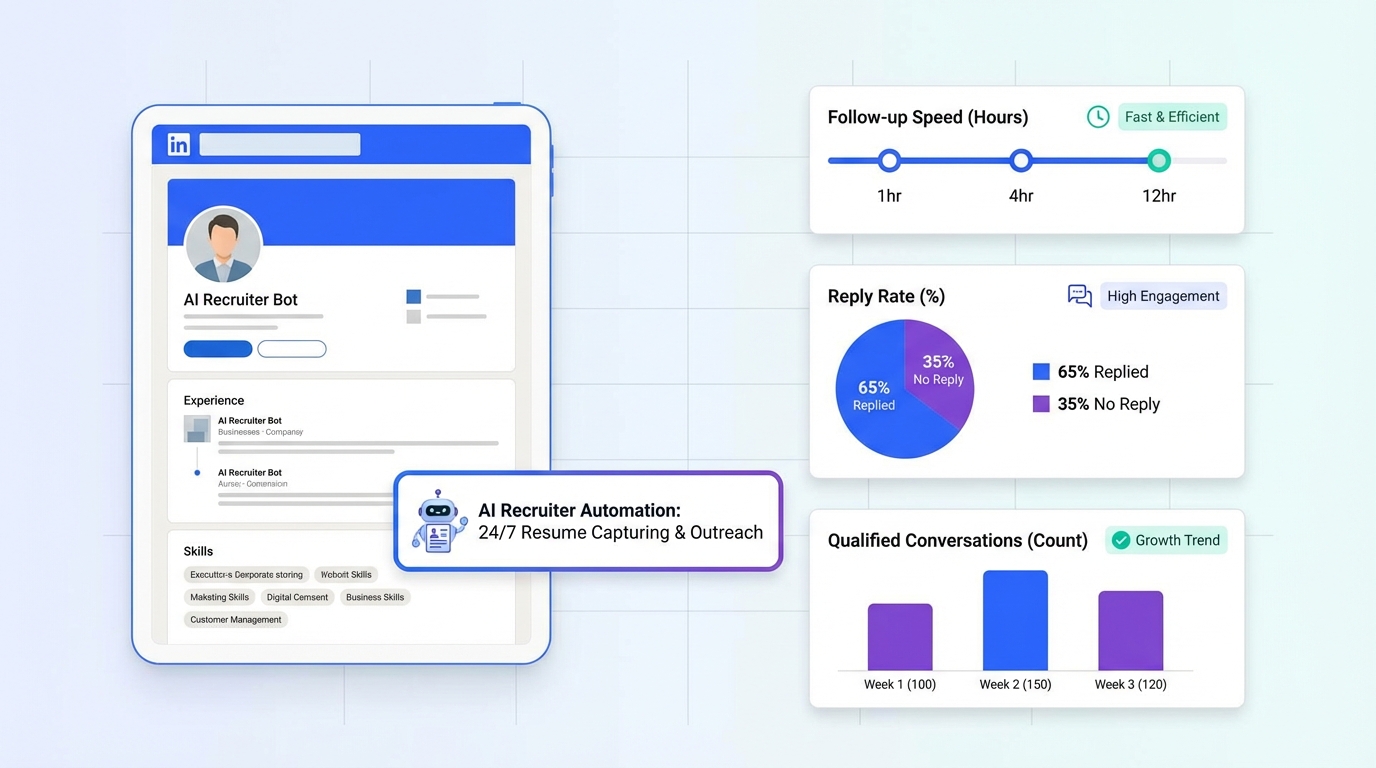
Recruitment monitoring during the holiday season works best when you track a small set of behaviors and outcomes from every networking touchpoint: who you met, what you offered, what you learned, and what follow up happened within 48 hours. In our recruiting ops work, we have found that a lightweight log plus 3 key recruitment metrics keeps teams consistent even when calendars are packed: follow up speed in hours, reply rate in percent, and qualified conversation count per event. If you recruit on LinkedIn, StrategyBrain AI Recruiter can automate first contact, handle candidate questions 24/7 in the candidate’s language, and capture re9sume9s and contact details, which makes your monitoring data more complete and easier to act on. The rest of this guide turns classic holiday networking advice into a measurable workflow with recruitment metrics examples you can copy.
Table of Contents
- Why holiday networking needs recruitment monitoring
- The core idea: listen and give back
- A simple recruitment monitoring workflow for events
- Key recruitment metrics to track after each event
- Recruitment metrics examples you can copy
- How StrategyBrain AI Recruiter supports LinkedIn monitoring
- Common pitfalls and fixes
- FAQ
- Conclusion
Why holiday networking needs recruitment monitoring
The holiday season is a peak networking season. You can attend more events in 3 weeks than you might in a typical quarter, which creates a predictable problem: conversations happen faster than follow up. Recruitment monitoring is the discipline of measuring and reviewing recruiting activity and outcomes so you can spot what is working, fix what is not, and keep your pipeline healthy.
When you treat networking like an untracked social activity, you lose signal. When you treat it like a monitored recruiting channel, you gain clarity on which events, introductions, and messages actually produce qualified conversations and interviews.
The core idea: listen and give back
A helpful reminder from career consultant J.T. O’Donnell is that if you dread networking, you are probably doing it wrong. The shift is simple: focus on listening and giving back to your network. That mindset is not just good etiquette. It also improves your recruitment monitoring data because it increases the chance of a real follow up, a referral, or a candidate who is willing to share context.
In other words, better conversations create better measurable outcomes. Your metrics improve because your inputs improve.
A simple recruitment monitoring workflow for events
This workflow is designed for recruiters and hiring teams who want structure without heavy tooling. It works for in person events, virtual meetups, and LinkedIn based networking.
Step 1: Capture the minimum viable event log
- Record the event name and date and note whether it was in person or virtual.
- List each meaningful contact with name, role, and where you met.
- Write one sentence of context about what they care about or what they asked.
Definition: An event log is a structured record of interactions that you can review later to measure outcomes and plan follow up.
Step 2: Decide the follow up path within 24 hours
- Referral path: you introduce them to someone or share a resource.
- Candidate path: you invite them to discuss a role or future opportunities.
- Community path: you keep the relationship warm without pushing a job.
Step 3: Send follow up within 48 hours and log it
- Send a message that references what you heard so it feels personal and accurate.
- Offer something useful such as a connection, a short answer, or a relevant resource.
- Log the timestamp so you can measure follow up speed in hours.
Step 4: Review weekly and adjust
Set a 20 minute weekly review. Look for patterns by event type, message style, and follow up timing. This is where recruitment monitoring becomes a feedback loop rather than a spreadsheet you never open.
Key recruitment metrics to track after each event
These are the key recruitment metrics we recommend for holiday networking because they are measurable, comparable across events, and directly tied to outcomes.
- Follow up speed (hours): hours between meeting and first follow up message.
- Reply rate (percent): replies divided by follow up messages sent, multiplied by 100.
- Qualified conversation count (number): count of conversations that meet your definition of qualified.
- Referral yield (number): number of introductions or referrals generated from the event.
- Interview intent rate (percent): candidates who confirm interview interest divided by candidates who engaged, multiplied by 100.
Definition: A qualified conversation is a discussion that reaches a clear next step, such as sharing a re9sume9, confirming interest, or scheduling a call. Your team should define this once and use it consistently.
Recruitment metrics examples you can copy
Below are recruitment metrics examples you can paste into your tracker. The goal is consistency, not perfection.
Example formulas
- Reply rate (percent) = (Replies f7 Follow ups sent) d7 100
- Interview intent rate (percent) = (Confirmed interview interest f7 Engaged candidates) d7 100
- Average follow up speed (hours) = Sum of follow up hours f7 Number of follow ups
Copyable event tracking template
| Field | What to record | Unit |
|---|---|---|
| Event name | Holiday mixer, industry meetup, virtual panel | Text |
| Event date | YYYY-MM-DD | Date |
| Contacts met | Total meaningful contacts | Number |
| Follow ups sent | Messages sent within 48 hours | Number |
| Follow up speed | Hours from meeting to first message | Hours |
| Replies | Replies received within 7 days | Number |
| Reply rate | (Replies f7 Follow ups) d7 100 | Percent |
| Qualified conversations | Conversations with a defined next step | Number |
| Referrals generated | Introductions made or received | Number |
A practical weekly review checklist
- Check follow up speed and identify any event where the average exceeded 48 hours.
- Compare reply rate by event type and keep the top 2 formats for next season.
- Audit qualified conversations and confirm each has a next step owner.
- Review referral yield and note which offers created introductions.
- Decide one change to test next week, such as a new follow up message structure.
How StrategyBrain AI Recruiter supports LinkedIn monitoring
Holiday networking often continues on LinkedIn, where the volume of messages can make monitoring difficult. StrategyBrain AI Recruiter is built to automate the early stage LinkedIn recruiting workflow so your recruitment monitoring has cleaner inputs and fewer gaps.
What we see teams monitor more reliably when automation is consistent
- First contact coverage (percent): when outreach is automated, you can measure how many targeted profiles received an initial message.
- Response handling time (minutes): AI Recruiter can respond 24/7, which reduces delays caused by time zones and holidays.
- Re9sume9 capture rate (percent): AI Recruiter requests re9sume9s and contact details from interested candidates and marks them as received.
How it works in plain terms
Recruiters provide the LinkedIn account and job information such as company details, compensation, benefits, and candidate search criteria. The system then connects with relevant candidates, introduces the opportunity, answers questions about the role and employer, confirms interview interest, and collects re9sume9s and contact information from candidates who want to proceed. Recruiters stay responsible for final qualification by reviewing the re9sume9.
Monitoring friendly outcomes you can track
- Manual work replaced (percent): StrategyBrain states it can replace up to 90% of manual LinkedIn recruiting work for the initial outreach and qualification steps.
- Cost per re9sume9 (USD): StrategyBrain states LinkedIn recruiting costs can be reduced to as little as USD 2.40 per re9sume9.
- Account scalability (number): supports managing more than 100 LinkedIn accounts for teams that need scale.
Scope note: Those figures are product claims from StrategyBrain materials. Your results will vary based on role type, market, messaging, and candidate responsiveness.
Privacy and compliance notes for monitoring
For monitoring to be trustworthy, data handling matters. StrategyBrain states it complies with privacy regulations in the EU, United States, and Canada, does not use customer provided data to train AI models, and encrypts LinkedIn credentials with customer specific isolation. Treat this as a starting point for your internal security review.
Common pitfalls and fixes
Pitfall 1: You track too many metrics
If your tracker has 25 columns, it will not survive December. Fix it by keeping 3 to 5 key recruitment metrics and adding notes for context.
Pitfall 2: Follow up is delayed until after the holidays
Delayed follow up reduces reply rate and makes your monitoring data look worse than it needs to. Fix it by setting a 48 hour follow up rule and using automation for first responses when appropriate.
Pitfall 3: Networking feels transactional
When messages feel like a pitch, people disengage. Fix it by returning to the J.T. O’Donnell principle: listen first, then give back. Your monitoring will show the difference through higher reply rate and more qualified conversations.
FAQ
What is recruitment monitoring in plain language?
Recruitment monitoring is the practice of tracking recruiting activities and outcomes with consistent metrics so you can improve performance over time. For holiday networking, it usually means logging contacts, follow ups, replies, and qualified next steps.
Which key recruitment metrics matter most for networking events?
The most useful metrics are follow up speed in hours, reply rate in percent, and qualified conversation count per event. These three show whether your process is timely, engaging, and producing real pipeline movement.
Can you share recruitment metrics examples for a small team?
Yes. A small team can track follow ups sent as a number, replies as a number, reply rate as a percent, and qualified conversations as a number. Add average follow up speed in hours if you want one operational metric.
How fast should I follow up after a holiday networking event?
A practical standard is within 48 hours. Tracking follow up speed in hours makes this measurable and helps you see which events are slipping through the cracks.
How does StrategyBrain AI Recruiter help with recruitment monitoring on LinkedIn?
It automates connecting and initial messaging, answers candidate questions 24/7 in the candidate’s language, and collects re9sume9s and contact details from interested candidates. That consistency makes it easier to monitor reply rate, interview intent, and re9sume9 capture without missing data.
Does AI Recruiter replace recruiter judgment?
No. StrategyBrain states the system confirms willingness to communicate or interview, but it does not decide whether a re9sume9 fully matches job requirements. Recruiters still do final qualification and selection.
Is it safe to use AI tools for candidate messaging?
It depends on your security review and compliance requirements. StrategyBrain states customer data is not used to train AI models and that data is encrypted and isolated per customer. You should still validate this against your internal policies and legal guidance.
What if I hate networking?
J.T. O’Donnell’s framing is useful: if you dread networking, you are probably approaching it the wrong way. Focus on listening and giving back, then use recruitment monitoring to see which behaviors lead to replies and qualified conversations.
Conclusion
Recruitment monitoring makes holiday networking worth the time because it turns conversations into measurable follow up and pipeline outcomes. Keep it simple: log the event, follow up within 48 hours, and track follow up speed in hours, reply rate in percent, and qualified conversation count per event. If LinkedIn is a major channel for you, StrategyBrain AI Recruiter can reduce manual outreach work, keep responses timely across time zones, and capture re9sume9s and contact details so your monitoring stays complete. Next step: copy the template above, run one week of tracking, and do a 20 minute review to decide what to change before your next event.














