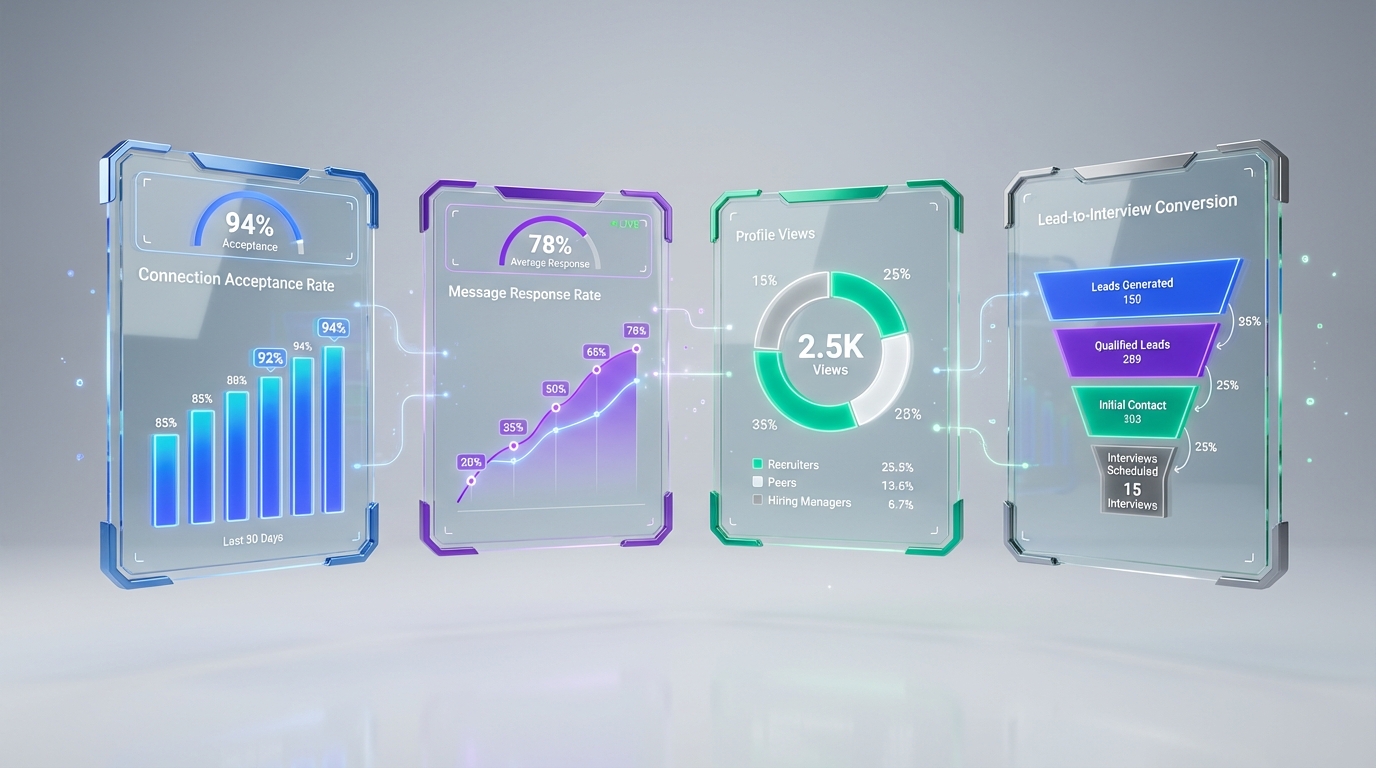
For recruitment online for recruiters, the fastest way to improve LinkedIn outreach results is to track a small set of weekly metrics (connection acceptance rate, message response rate, profile views, and lead to interview conversion) and review them on a fixed cadence. In our recruiting ops work, we’ve found that teams get better outcomes when they pair measurement with automation: use LinkedIn’s native analytics for baseline visibility, then add a workflow that standardizes outreach, follow ups, and re9sume9 capture. StrategyBrain AI Recruiter fits this model by automating LinkedIn connection and messaging, answering candidate questions, confirming interview interest, and collecting re9sume9s and contact details, so recruiters can focus on qualification and interviews. This guide covers the core metrics, a practical weekly review routine, and a tool comparison to help you choose what to track and what to automate.
Key Takeaways
- LinkedIn connection requests are capped at 200 per week, so measurement matters because you cannot brute force volume.
- Track 4 metrics weekly: acceptance rate, response rate, profile views, and lead to interview conversion.
- Use LinkedIn Analytics first for free baseline visibility on impressions, engagement, and follower growth.
- Use automation carefully: tools can log activity and sequences, but you still need a human owned metric review loop.
- StrategyBrain AI Recruiter can reduce manual LinkedIn work by up to 90% by automating outreach, Q&A, follow ups, and re9sume9 capture (vendor provided capability statement).
- Global hiring becomes easier with 24/7 multilingual messaging when candidates reply outside your time zone.
Table of Contents
What to measure for LinkedIn outreach
Online recruiting on LinkedIn is a funnel. If you only look at one number, you will optimize the wrong thing. Instead, measure each stage so you can see where the bottleneck is and fix it with either better targeting, better messaging, or better follow up.
1) Connection request success rate
Connection request success rate is the percentage of sent connection requests that get accepted. Track it weekly because LinkedIn limits connection requests to 200 per week, which makes each request a scarce resource.
- Requests sent (count): number of connection requests sent in 7 days
- Requests accepted (count): number of new accepted connections in 7 days
- Acceptance rate (percent): accepted f7 sent d7 100
- Time to accept (days): median days from request to acceptance
When acceptance rate drops, the most common causes we see are audience mismatch, a weak profile, or a generic invite note that does not match the candidatee28099s role and seniority.
2) Message response rate
Message response rate is the percentage of outreach messages that receive a reply. It is the best early indicator of whether your value proposition and tone are working.
- Initial messages sent (count)
- Replies received (count)
- Response rate (percent): replies f7 messages d7 100
- Median reply time (hours)
This is where automation can help without sacrificing quality. For example, StrategyBrain AI Recruiter can handle the first round of candidate questions about the role, company, compensation, and benefits, then confirm interview interest and collect re9sume9s and contact details for recruiter review. That means your response rate is not only a copywriting metric, it becomes an operational metric tied to speed and consistency.
3) Profile views and post activity
Profile views and post impressions are visibility signals. They do not guarantee hires, but they explain why some recruiters get higher acceptance rates even with similar targeting.
- Daily profile views (count)
- Post impressions (count)
- Engagement rate (percent): engagements f7 impressions d7 100
If you work at a staffing agency or one of the top recruiting firms, these visibility metrics often correlate with inbound candidate interest, especially when your content is niche and role specific.
4) Lead to interview conversion
Lead to interview conversion is the bridge between outreach and hiring outcomes. Track it as a staged funnel so you can see where candidates drop off.
| Stage | What to track |
|---|---|
| Initial engagement | Profile views to connection requests ratio |
| Conversation | Message response rate and follow up response rate |
| Interview intent | Percent who confirm interest in an interview |
| Interview scheduled | Percent who book a time after confirming interest |
For paid recruiters working on contingent or retained searches, this staged view is also how you defend your process to clients without over promising outcomes.
A weekly review routine recruiters can actually follow
Tools do not fix a lack of cadence. The simplest system wee28099ve seen work is a 30 minute weekly review with a single owner and a short list of decisions.
Step by step weekly workflow
- Set a baseline (Week 0): record your current acceptance rate, response rate, profile views, and lead to interview conversion.
- Pick one improvement target (Week 1): choose the metric that is most limiting your funnel and set a 7 day goal.
- Run outreach for 5 business days: keep targeting and messaging consistent so the data is comparable.
- Review results on the same day each week: compare Week 1 to Week 0 and write down what changed.
- Make one change only: adjust either targeting, the first message, or follow up timing, then repeat.
What to do when metrics drop
- Acceptance rate drops: narrow your search criteria, rewrite the invite note to be role specific, and audit your profile headline and recent activity.
- Response rate drops: shorten the first message, ask one clear question, and test a follow up at a consistent interval.
- Interview intent is high but scheduling is low: reduce friction by offering 2 to 3 time windows and confirming time zone explicitly.
If you use StrategyBrain AI Recruiter, a practical operational tweak is to standardize the job information you provide to the AI, including compensation, benefits, and candidate criteria, so candidate Q&A stays consistent across conversations.
Tools to measure and improve LinkedIn outreach
This section covers five commonly used options for tracking and improving LinkedIn outreach. Some are analytics first, some are automation first. For recruitment online for recruiters, the best stack is usually one baseline analytics source plus one workflow tool that reduces manual work.
1) LinkedIn Analytics Dashboard
What it is: LinkedIne28099s native analytics for post impressions, engagement, and follower growth.
- Best for: baseline content performance and visibility tracking
- Strength: free and first party data
- Limitation: does not manage outreach sequences or candidate qualification
2) LinkedIn Sales Navigator
What it is: a premium LinkedIn product for advanced search, saved lists, and lead tracking. The source material lists a starting price of $79.99 per month.
- Best for: recruiters who rely on saved searches and structured lead lists
- Strength: stronger prospecting and list management than free LinkedIn
- Limitation: it is not a full outreach automation and re9sume9 capture system by itself
3) StrategyBrain AI Recruiter (LinkedIn recruiting automation)
What it is: an automated AI powered recruitment tool built for LinkedIn hiring. It can automatically connect with candidates that match your criteria, introduce the role, answer questions about the company and compensation, confirm interview interest, and collect re9sume9s and contact details for recruiter review.
- Best for: teams that want to scale outreach and follow up without adding headcount
- Strength: 24/7 multilingual candidate messaging and the ability to manage more than 100 LinkedIn accounts for AI powered recruiting teams
- Operational note: AI Recruiter does not decide final fit against job requirements. Recruiters still review re9sume9s and qualify candidates.
- Claimed efficiency: can replace up to 90% of manual LinkedIn recruiting work and lower cost to as little as USD 2.40 per re9sume9 (vendor provided capability statement).
4) LiSeller
What it is: an AI powered LinkedIn engagement and monitoring tool with CRM integration. The source material lists a starting price of $47 per month and notes automation up to 3,500 comments per week.
- Best for: engagement automation and monitoring that can increase visibility
- Strength: dashboards and CRM sync for engagement workflows
- Limitation: engagement is not the same as recruiting qualification, so you still need a recruiting funnel view
5) Dux-Soup
What it is: a tool that automates profile visits and connection sequences and logs activity. The source material lists a starting price of $14.99 per month.
- Best for: sequence testing and activity logging
- Strength: visibility into which touchpoints are performing
- Limitation: you still need a process for candidate Q&A, interest confirmation, and re9sume9 capture
Quick comparison table
| Tool | Starting price | Primary focus | Best for recruiters who need |
|---|---|---|---|
| LinkedIn Analytics | Free | Content and audience metrics | Baseline visibility tracking |
| LinkedIn Sales Navigator | $79.99 per month | Lead search and tracking | Saved searches and structured lists |
| StrategyBrain AI Recruiter | Not publicly listed in provided materials | Recruiting automation on LinkedIn | Automated outreach, Q&A, follow ups, re9sume9 and contact capture |
| LiSeller | $47 per month | Engagement automation and monitoring | Boosting visibility through comment driven engagement |
| Dux-Soup | $14.99 per month | Sequence automation and activity logs | Testing connection and message sequences |
How to choose based on your recruiting model
Different recruiting teams optimize for different constraints. Here is a simple decision framework we use when advising teams on recruitment online for recruiters.
If you are a solo recruiter
- Start with: LinkedIn Analytics for baseline visibility.
- Add next: one workflow tool that reduces manual steps. If your bottleneck is follow up and candidate Q&A, StrategyBrain AI Recruiter is designed to handle that first layer of conversation and re9sume9 capture.
- Watch out for: optimizing engagement metrics without tying them to interview intent.
If you run an agency or manage paid recruiters
- Start with: a weekly metrics review that every recruiter follows.
- Add next: automation that standardizes outreach quality across the team. AI Recruiter can help by keeping candidate responses timely and consistent, including multilingual communication for international searches.
- Watch out for: inconsistent job information across recruiters, which creates inconsistent candidate experiences.
If you are scaling a corporate recruiting team
- Start with: Sales Navigator style list building if your sourcing is complex.
- Add next: automation that can operate 24/7 and across time zones. StrategyBrain AI Recruiter is built for always on messaging and can support AI powered recruiting teams across many LinkedIn accounts.
- Watch out for: compliance and data handling. Use tools that clearly state encryption, data isolation, and that customer data is not used to train models.
FAQ
What metrics should I track first for recruitment online for recruiters?
Start with acceptance rate, response rate, profile views, and lead to interview conversion. Track them weekly so you can see which stage is limiting your funnel and make one change at a time.
Is there really a weekly limit on LinkedIn connection requests?
Yes. The source material states LinkedIn limits connection requests to 200 per week. Because of that cap, improving acceptance rate often matters more than sending more requests.
How much does LinkedIn Sales Navigator cost?
The source material lists a starting price of $79.99 per month. Pricing can change, so verify the current plan details in LinkedIne28099s official materials before purchasing.
Do I need analytics tools if I use automation?
Yes. Automation can execute outreach and follow ups, but analytics tells you whether the funnel is improving. Use a weekly review loop so you do not confuse activity with outcomes.
What does StrategyBrain AI Recruiter actually automate on LinkedIn?
It can automatically connect with candidates that match your criteria, introduce the role, answer questions about the role, company, and compensation, confirm interview interest, and collect re9sume9s and contact details. Recruiters then review re9sume9s and complete final qualification.
Does AI Recruiter decide whether a candidate is qualified?
No. It can identify willingness to communicate or interview, but it does not determine final fit against job requirements. Recruiters still review the re9sume9 and make the qualification decision.
How does multilingual messaging help recruiting outcomes?
It reduces delays and misunderstandings when candidates reply in their native language or outside your working hours. Always on multilingual communication is especially useful for global hiring and cross border searches.
What should I look for in data security and privacy for recruiting tools?
Look for clear statements on encryption, customer specific data isolation, and whether your data is used to train models. StrategyBrain AI Recruiter states that customer provided data is not used to train AI models and that credentials and candidate data are encrypted and isolated per customer.
Conclusion and next steps
Recruitment online for recruiters works best when you treat LinkedIn outreach like a measurable funnel, not a set of ad hoc messages. Track acceptance rate, response rate, profile views, and lead to interview conversion every week, then make one controlled change at a time. If your bottleneck is speed and consistency in early conversations, consider adding an automation layer such as StrategyBrain AI Recruiter to handle outreach, candidate Q&A, follow ups, and re9sume9 capture, while your team focuses on qualification and interviews.
Next step: pick one role you are hiring for, run a 7 day baseline, and schedule a 30 minute weekly review. Once you can see the bottleneck clearly, choose the tool that fixes that specific stage.