


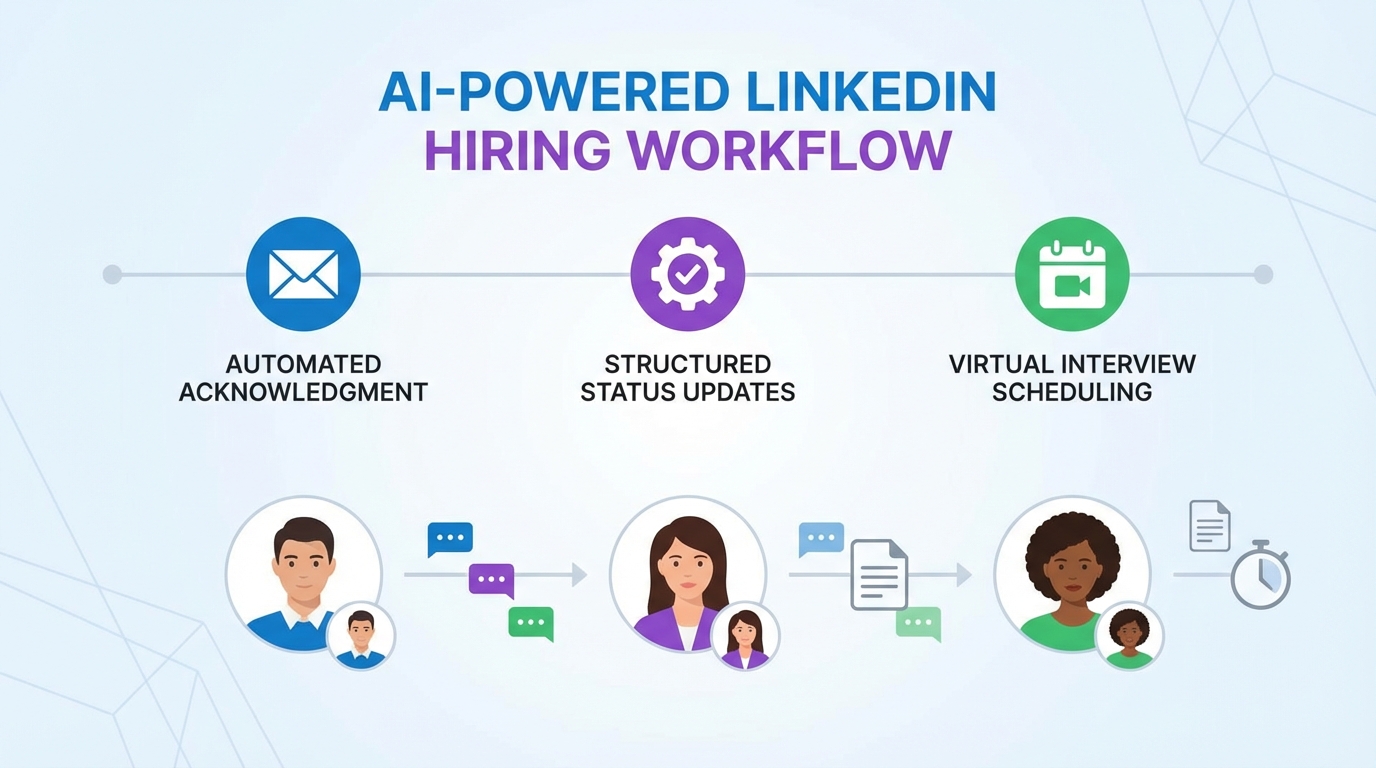
AI hiring software improves your company image when it ensures every candidate receives a prompt acknowledgment, clear expectations, and a final outcome message. The most reliable approach is to automate the first touch within minutes, then use structured follow ups and status updates so applicants never wonder where they stand. This guide focuses on response speed, candidate communication quality, and how to operationalize it with automation, including virtual interview platforms and a virtual interview app for scheduling and screening. It also explains how StrategyBrain AI Recruiter can reduce manual LinkedIn outreach and follow up by automatically connecting with candidates, answering role questions, and collecting résumés and contact details.
Key Takeaways
- Silence damages brand trust: 77% of job seekers think less of a company that does not respond to an application (Source: StartWire survey, cited in the source article).
- Revenue impact is real: More than half of U.S. and Canadian respondents said they are less likely to buy from a company if they did not hear back after applying (Source: CareerBuilder study, 2015, cited in the source article).
- Time cost is measurable: Candidates can spend 15 to 60 minutes on an online application, before any human review happens (Source: source article).
- Fast acknowledgment is the cheapest win: Auto responders and ATS workflows can close the loop without adding recruiter headcount (Source: source article).
- StrategyBrain AI Recruiter reduces manual outreach: It automates LinkedIn connecting, initial messaging, Q and A, and follow up, then collects résumés and contact details for recruiter review (Source: StrategyBrain product info provided).
- Global hiring needs 24/7 messaging: Multilingual, always on responses reduce delays across time zones (Source: StrategyBrain product info provided).
Why non response hurts your employer brand
In recruiting, one of the most frustrating experiences is sending something important and hearing nothing back. Candidates feel the same way after they apply. The brand damage is not abstract because applicants talk about it, remember it, and sometimes change buying behavior based on it.
The source article cites a 2015 CareerBuilder study stating that more than half of U.S. and Canadian respondents were less likely to buy from a company if they did not hear back after submitting a résumé or application. It also cites a StartWire survey where 77% of job seekers think less of a company that does not respond to a job application, 72% are less likely to recommend the company’s products or services, and 58% would think twice about buying a product from that company.
The disconnect starts after the candidate invests time
Before a résumé reaches your inbox, candidates often spend hours reading the job ad, researching the company, networking, and tailoring their résumé. If you also require an online application, the source article estimates an additional 15 to 60 minutes. When the process goes quiet, candidates interpret silence as disrespect or disorganization, even if your team is simply overloaded.
Word of mouth amplifies the damage
The source article cites CareerBuilder findings that 81% of candidates talked to friends and family about negative job search experiences, and 21% of those people told 10 or more others. Employer rating sites and social platforms can extend that impact further, which is why response workflows are now a brand protection measure, not just an HR task.
What to measure in an AI hiring software response system
AI hiring software is only as effective as the workflow you configure. In our experience, teams improve fastest when they track a small set of response metrics and enforce them with automation.
- First response time: Time from application or inbound message to the first acknowledgment.
- Status update cadence: How often candidates receive a meaningful update while waiting.
- Closure rate: Percentage of candidates who receive a final outcome message.
- Channel coverage: Email, SMS, and LinkedIn messages handled consistently.
- Language coverage: Whether candidates can communicate in their native language when needed.
Method 1: Automate acknowledgment and expectations
This is the highest leverage change because it prevents the first silence gap. An acknowledgment message should do two things: confirm receipt and set expectations.
Steps
- Define your acknowledgment SLA: Set a target such as “same business day” or “within 60 minutes” for inbound messages.
- Write one acknowledgment per channel: Email and LinkedIn need different tone and length.
- Include a timeline: State when the candidate should expect the next update.
- Route exceptions: Create a rule for urgent roles or executive candidates that triggers a human review.
Features to look for in AI hiring software
- Auto responders: Immediate confirmation messages.
- Workflow rules: Triggers based on stage, role, or location.
- Message templates: Consistent language across recruiters.
Limitations
- Automation can feel generic: If you do not personalize role and timeline fields, candidates notice.
- Inbox fragmentation: If LinkedIn messages are not centralized, follow up can still slip.
Method 2: Use structured status updates and close the loop
The source article’s core point is simple: do not let silence do the talking. Even when you cannot move fast, you can communicate clearly. Closing the loop means every candidate gets a final outcome message, not just the finalists.
Steps
- Map your stages: Applied, screening, interview, decision, closed.
- Assign a default update interval: For example, every 5 business days in screening.
- Send outcome messages: Rejection messages should be respectful and short.
- Log every touch: Ensure the system records what was sent and when.
Best for
- High volume roles where manual updates are unrealistic
- Teams that want measurable improvements in candidate experience
- Organizations protecting brand reputation in competitive markets
Method 3: Add virtual interview platforms for faster screening
Once you respond quickly, the next bottleneck is scheduling and early screening. This is where virtual interview platforms and a virtual interview app can reduce delays by standardizing scheduling, reminders, and basic screening steps.
Steps
- Standardize the first screen: Decide what can be assessed in a 15 minute call versus later rounds.
- Automate scheduling: Offer time slots and confirm automatically.
- Send reminders: Reduce no shows with automated reminders.
- Capture notes consistently: Use structured fields so decisions are auditable.
Limitations
- Speed can reduce warmth: Add a human tone in messages so candidates feel respected.
- Not every role fits: Some roles require portfolio review or practical tests before interviews.
Method 4: Automate LinkedIn outreach with StrategyBrain AI Recruiter
Many response problems start before the application because candidates message on LinkedIn and never hear back. StrategyBrain AI Recruiter is designed for LinkedIn hiring workflows where the initial outreach and qualification steps consume most recruiter time.
What StrategyBrain AI Recruiter does
- Smart LinkedIn recruitment automation: Automatically connects with candidates that match your search criteria, introduces the opportunity, asks about their situation, answers questions about the role, company, compensation, and confirms interview interest.
- Résumé and contact capture: Collects résumés and contact details from interested candidates, including email submissions and LinkedIn file uploads, then surfaces them for recruiter review.
- 24/7 multilingual communication: Responds around the clock and can communicate in the candidate’s native language to reduce misunderstandings across time zones.
- Scalable recruiting teams: Supports managing more than 100 LinkedIn accounts for organizations building an AI powered recruiting team.
Steps
- Provide role context: Share company details, compensation, benefits, and candidate search criteria.
- Enable automated outreach: Let the system connect and start conversations with relevant candidates.
- Review interested candidates: Focus recruiter time on reviewing collected résumés and contacting shortlisted candidates for interviews.
Honest boundaries
- It does not replace final qualification: StrategyBrain AI Recruiter can confirm willingness to interview and collect information, but résumé fit against requirements remains a recruiter decision (Source: StrategyBrain product info provided).
- Process design still matters: You still need clear stages and closure messages to fully protect candidate experience.
Quick comparison
| Method | Primary goal | Speed impact | Best for |
|---|---|---|---|
| Acknowledgment automation | Stop first silence | Minutes for first response | Any hiring team with inbound volume |
| Status updates and closure | Reduce uncertainty | Days saved in back and forth | High volume pipelines |
| Virtual interview platforms | Reduce scheduling delays | Hours saved per week | Teams doing frequent first screens |
| StrategyBrain AI Recruiter | Automate LinkedIn outreach and follow up | Always on messaging and faster candidate engagement | LinkedIn heavy sourcing and global hiring |
Copy and paste templates
These templates are designed to be used inside AI hiring software, ATS workflows, or LinkedIn messaging. Replace bracketed fields before sending.
Template 1: Application received acknowledgment
Subject: We received your application for [Role Title]
Hi [First Name],
Thanks for applying for [Role Title]. We have received your application and our team is reviewing candidates now. You can expect an update by [Date].
Regards,
[Company Hiring Team]
Template 2: Status update while waiting
Hi [First Name],
Quick update on your application for [Role Title]. We are still in the screening stage and have not made final decisions yet. Our next update will be sent by [Date].
Thank you for your patience,
[Name]
Template 3: Closure message
Hi [First Name],
Thank you for your interest in [Role Title]. We have decided to move forward with other candidates for this role. We appreciate the time you invested and encourage you to apply again when a role matches your goals.
Sincerely,
[Name]
Operational checklist
- [ ] Acknowledgment message is enabled for every application source
- [ ] Every stage has a default update interval
- [ ] Every closed requisition triggers a closure message
- [ ] LinkedIn inbound messages are covered by a response workflow
- [ ] Virtual interview scheduling includes reminders and confirmations
FAQ
What is AI hiring software in practical terms?
AI hiring software is a set of tools that automate parts of recruiting such as candidate messaging, screening workflows, and scheduling. In this article, we focus on using it to improve response speed and consistency so candidates are not left without updates.
How fast should we respond to applicants?
The source article does not define a universal SLA, but it shows that silence is the main frustration. A practical standard is to acknowledge receipt immediately and provide a dated next step so expectations are clear.
Does responding to rejected candidates really matter?
Yes. The source article cites a StartWire survey where 77% of job seekers think less of companies that do not respond. Closing the loop protects brand trust even when the answer is no.
How do virtual interview platforms help candidate experience?
Virtual interview platforms reduce delays by automating scheduling, confirmations, and reminders. That shortens the time between “we received your application” and “here is your next step,” which is where many candidates lose confidence.
What does StrategyBrain AI Recruiter automate on LinkedIn?
StrategyBrain AI Recruiter automates connecting with candidates, introducing the role, answering questions about the role and compensation, confirming interview interest, and collecting résumés and contact details. Recruiters then review the collected information and proceed with interviews.
Can StrategyBrain AI Recruiter qualify candidates for fit?
It can identify willingness to communicate or interview, but it does not decide whether a résumé matches job requirements. Final qualification remains a recruiter task (Source: StrategyBrain product info provided).
How does multilingual messaging reduce drop off?
When candidates can communicate in their native language, misunderstandings decrease and response cycles shorten. StrategyBrain AI Recruiter supports 24/7 multilingual communication, which is especially useful across time zones (Source: StrategyBrain product info provided).
What is the simplest first step if we are overwhelmed?
Enable an acknowledgment message that confirms receipt and gives a specific date for the next update. This single change reduces uncertainty even if your screening timeline stays the same.
Conclusion
If you want AI hiring software to improve your company image, start with the basics: respond, set expectations, and close the loop. The source article’s data points show that non response can reduce trust and even influence buying behavior, while simple automation can prevent silence from becoming your brand message. Next, add structured status updates, then use virtual interview platforms to reduce scheduling delays. If LinkedIn is a major sourcing channel, StrategyBrain AI Recruiter can automate outreach, follow up, multilingual communication, and résumé collection so candidates get timely engagement and recruiters spend more time on final evaluation and interviews.














