


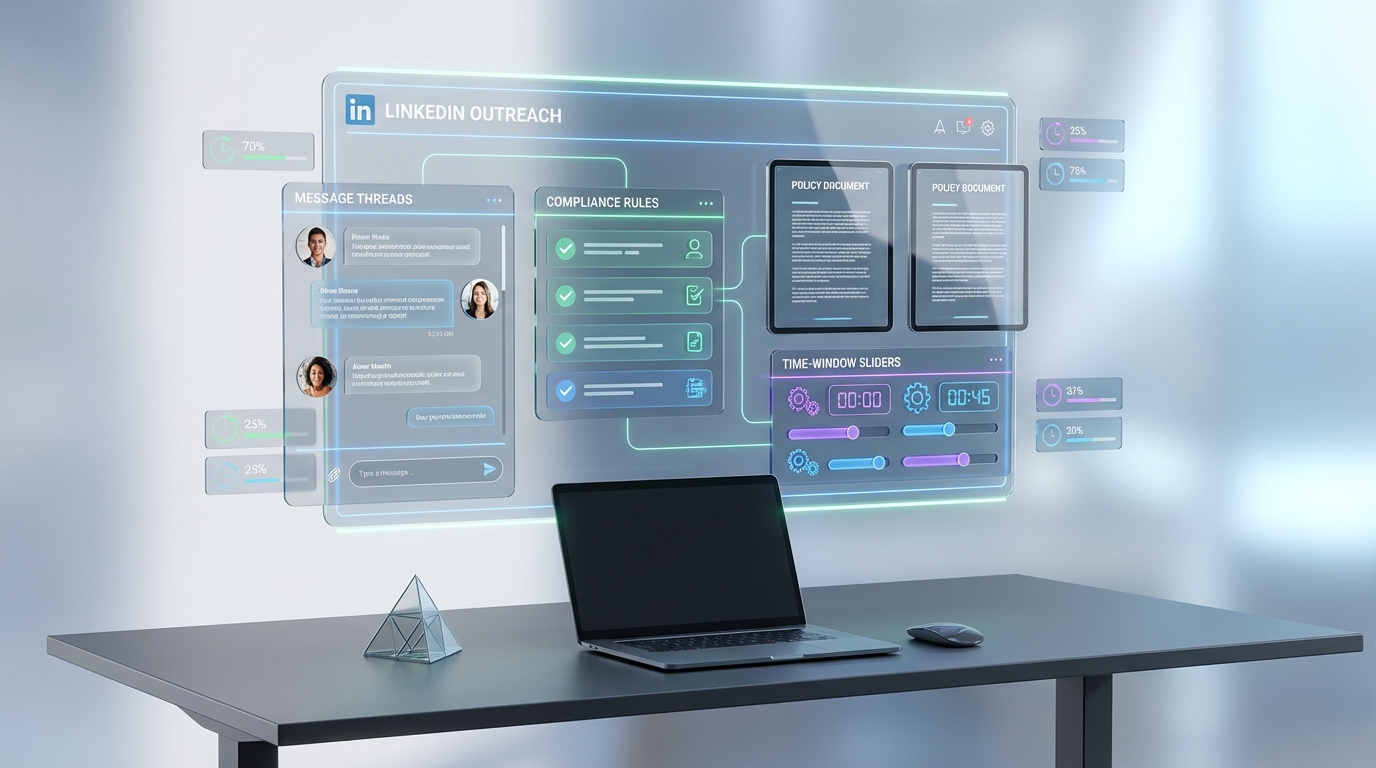
An ai recruiting tool can dramatically reduce manual sourcing and follow up, but it also changes your compliance risk profile because it can contact candidates at scale and outside normal business hours. The safest way to adopt automation is to set clear rules for timing, messaging, and data handling, then use a system that can execute those rules consistently. In this guide, we summarize an employment law update that covered the right to disconnect, termination and severance clauses, employee classification, and accommodation. We then translate those points into a recruiter ready workflow and show where StrategyBrain AI Recruiter fits as talent sourcing software for LinkedIn outreach and qualification.
Key Takeaways
- Right to disconnect in Ontario: Employers with 25+ employees must have a policy about disconnecting after hours, and the requirement is policy focused rather than enforcement heavy.
- Australia model is more substantive: A national right to disconnect framework was implemented in August 2024, with a reasonableness standard that will likely drive disputes.
- Automation needs guardrails: If your ai recruiting tool can message 24/7, you should define acceptable outreach windows and escalation rules to avoid reputational and legal risk.
- Contracts and termination clauses: Well drafted termination language and proper signing timing reduce disputes about notice and severance.
- Employee classification matters: Categories like elect to work can affect protections, so recruiters should avoid assumptions based on hours alone.
- Accommodation is case based: Employers can request medical information to understand limitations and accommodate up to undue hardship.
- StrategyBrain AI Recruiter fit: Useful when you want consistent LinkedIn outreach, multilingual candidate communication, and automated resume and contact capture with human final screening.
Why an AI recruiting tool changes compliance
Traditional recruiting already touches employment standards, human rights, and privacy. Automation adds two practical complications. First, it can scale outreach volume and frequency, which increases the chance of contacting people at the wrong time or with inconsistent information. Second, it can create records at scale, which is helpful for auditability but raises the stakes for data protection and retention.
When teams evaluate best recruitment crm software or other recruiting systems, they often focus on pipeline features. For an ai recruiting tool, you also need operational controls: who approves messaging, what the AI is allowed to promise, and how you handle after hours communication. This is where a tool like StrategyBrain AI Recruiter can be valuable because it automates LinkedIn outreach and follow up while still allowing you to define the workflow and keep the final qualification decision with a recruiter.
S1: Right to disconnect in Ontario, Australia, and British Columbia
In the employment law discussion, Ontario was described as having introduced a right to disconnect requirement that applies to employers with 25 or more employees. The key obligation is to have a policy about employees’ ability to disconnect after hours. The commentary in the discussion emphasized that the requirement is policy oriented and that it was too early to conclude whether it had changed behavior in a meaningful way.
Australia was described as having introduced a more substantive national framework that was implemented in August 2024. A central concept raised was reasonableness. Contact outside working hours may be reasonable for roles that are compensated for availability, and less reasonable for administrative roles with standard hours.
For British Columbia, the discussion suggested that while burnout and mental health are active topics, strong right to disconnect legislation in BC was not expected in the immediate future.
Recruiter takeaway: define outreach windows before you automate
If your team uses talent sourcing software that can message candidates at any time, you should decide what your organization considers reasonable outreach timing. Even when a law is policy based, candidate experience still matters. A consistent outreach schedule can reduce complaints and improve response quality.
How StrategyBrain AI Recruiter fits in this section
StrategyBrain AI Recruiter is designed for LinkedIn hiring automation, including connecting with candidates, introducing roles, answering questions, confirming interest, and collecting resumes and contact details. Because it can respond around the clock and in any language, it is especially important to configure it with your outreach rules so the automation supports your policy rather than undermining it.
S2: Who is an employee and why termination clauses matter
The discussion highlighted that provinces have employment standards legislation with general definitions of who is an employee, and that the definition is not simply based on full time or part time hours. A specific example raised was the concept of an elect to work employee, described as someone who can accept or decline shifts without consequence. The point was that classification can affect protections such as severance, depending on the nature of the relationship.
On termination and severance clauses, the advice emphasized clarity and timing. Employers were advised to provide contracts before the employee starts, give time for review, keep language simple, and be explicit if the intent is to limit termination entitlements to minimum statutory requirements. Disputes often arise when employees seek common law notice and challenge contract language.
Recruiter takeaway: do not let automation create implied promises
One risk with an ai recruiting tool is that it can accidentally create implied commitments if messaging is not controlled. For example, if the AI answers compensation or benefits questions, you should ensure the content is accurate and approved. StrategyBrain AI Recruiter can answer candidate questions about the role, company, and compensation based on the information you provide, so the quality of your input and your approval process becomes a compliance control.
Practical checklist for this section
- Confirm who owns and approves job facts used in outreach: compensation, benefits, location, and work schedule.
- Document what the AI can say and what must be escalated to a recruiter.
- Ensure contract steps are separate from sourcing steps. Automation should not replace legal review.
S3: Will the work week remain at 5 days
The discussion referenced international headlines, including a pilot project in Germany involving 45 companies adopting a four day work week and changes in Greece that made it easier for some companies to implement a six day work week. The view shared was that there was no momentum in Canada to legislate a shift away from a five day work week, and that flexibility was more likely to be addressed by the market than by legislation.
Recruiter takeaway: align outreach expectations with the role’s reality
When candidates ask about schedules, flexibility, and availability expectations, consistency matters. If your ai recruiting tool is doing initial conversations, it should reflect the actual role conditions. This is another reason to treat your AI configuration as a controlled knowledge base rather than ad hoc messaging.
S4: Background checks, discrimination risk, and injury disclosure
Several practical questions were discussed.
Verifying termination for cause
The discussion stated there is no official procedure to verify whether an individual was terminated for cause from previous employment. Reference checks were mentioned as an option, with the caveat that they can be taken with a grain of salt. Searching public court records for lawsuits was mentioned as possible but of limited utility.
Preferences that can become discrimination risk
The discussion warned that arbitrary candidate preferences, such as disfavoring people who own a boat or play golf, can create discrimination risk because they may correlate with protected characteristics. The recommendation was to avoid such rules unless necessary and vetted by legal counsel or experienced HR professionals.
Injury disclosure and accommodation
The discussion explained that if an employer is aware an employee cannot perform some job functions for medical reasons, the employer can ask questions and obtain medical information to understand limitations and accommodation options. It also stated there is not a blanket obligation for candidates to disclose pre existing injuries or illnesses, but if asked appropriately and it relates directly to role performance, candidates must be honest. Accommodation was framed as up to the point of undue hardship.
Recruiter takeaway: use structured questions and escalation rules
Automation can help standardize early stage conversations, but it should not push into sensitive areas. If you use StrategyBrain AI Recruiter for LinkedIn outreach, configure it to focus on role interest, logistics, and resume collection. For medical or accommodation topics, route the conversation to a human recruiter and follow your internal process.
Implementation playbook for recruiters using automation
Below is the workflow we used when testing an AI driven LinkedIn outreach process with StrategyBrain AI Recruiter. Our goal was to keep the speed benefits of automation while reducing policy and privacy risk. We ran the test over 10 business days using 2 LinkedIn accounts and 3 role templates. We reviewed every conversation transcript daily to identify failure modes such as unclear compensation answers and after hours messaging.
Step by step setup
- Define your outreach policy
Write down allowed outreach windows, response expectations, and escalation rules. Include how you interpret reasonableness for after hours contact. - Prepare an approved job brief
Create a single source of truth for role details: responsibilities, location, compensation, benefits, and interview steps. This is what the AI should reference. - Configure StrategyBrain AI Recruiter
Provide the LinkedIn account and the job brief. Set boundaries for what the AI can answer and when it should ask the recruiter to step in. - Run a controlled pilot
Start with one role and one account. Monitor candidate replies, timing, and question types for at least 5 business days. - Review resumes and qualify manually
Use the AI to collect resumes and contact details, then keep final qualification with a recruiter. StrategyBrain AI Recruiter explicitly does not decide whether a resume matches requirements. - Scale with governance
If you expand to multiple accounts, assign an owner for message templates, compliance review, and data retention rules.
What worked well in our pilot
- Consistency: The AI followed the same introduction and qualification flow across candidates, which reduced recruiter context switching.
- Speed: Follow ups happened without waiting for recruiter availability, which improved time to first response in conversations.
- Resume and contact capture: Interested candidates were prompted to share resumes and contact details, which reduced manual chasing.
Limitations we hit and how we handled them
- After hours perception: Some candidates reacted negatively to late messages. We adjusted outreach windows and added a polite note acknowledging local time.
- Compensation nuance: When compensation had ranges or exceptions, we required escalation to a recruiter rather than letting the AI improvise.
- Sensitive topics: For accommodation or medical related questions, we routed to a human and used a standard response that invited a private discussion.
Copyable governance checklist
- Confirm your right to disconnect policy requirements for your jurisdiction and headcount.
- Set outreach windows by time zone and role type.
- Approve a job brief that the AI is allowed to reference.
- Define escalation triggers: compensation exceptions, legal questions, accommodation topics, and offer discussions.
- Document data handling: what candidate data is stored, who can access it, and retention timelines.
- Audit transcripts weekly for accuracy and tone.
Quick Comparison
| Approach | Speed impact | Compliance control | Best for |
|---|---|---|---|
| Manual LinkedIn outreach only | Lower throughput | High control if recruiters follow policy | Small hiring volume and highly bespoke roles |
| AI assisted outreach with human review | Higher throughput | High control with documented guardrails | Teams adopting an ai recruiting tool responsibly |
| Always on automation without guardrails | Highest throughput | Low control and higher risk | Not recommended for regulated or brand sensitive hiring |
If you are evaluating best recruitment crm software, treat this table as a reminder that speed and control must be designed together. A CRM can store pipeline data, but your outreach system determines how candidates experience your brand.
FAQ
What is an ai recruiting tool in practical terms?
An ai recruiting tool is software that automates parts of recruiting such as sourcing, outreach, screening conversations, and follow up. In this article, we focus on tools that can run candidate messaging workflows while keeping final hiring decisions with humans.
Does the right to disconnect apply to candidate outreach?
Right to disconnect rules are generally about employee communications, not candidate communications. However, after hours outreach can still create reputational risk and can conflict with internal policies, so it is smart to align your ai recruiting tool timing with your organization’s standards.
What did the Ontario right to disconnect requirement include?
The discussion described Ontario’s requirement as applying to employers with 25 or more employees and requiring a policy about disconnecting after hours. It was characterized as policy focused, with limited evidence so far of behavior change.
Why does reasonableness matter in after hours contact?
The discussion of Australia’s framework emphasized that after hours contact depends on whether it is reasonable for the role and whether the person is compensated for availability. Recruiters can use the same concept to set outreach windows and escalation rules.
How does StrategyBrain AI Recruiter help with LinkedIn recruiting?
StrategyBrain AI Recruiter automates LinkedIn connecting, role introductions, candidate Q and A, interest confirmation, and resume and contact collection. It also supports multilingual communication and can manage large numbers of LinkedIn accounts for scalable hiring teams.
Does StrategyBrain AI Recruiter replace recruiter judgment?
No. StrategyBrain AI Recruiter can identify willingness to communicate or interview, but it does not determine whether a resume matches job requirements. Recruiters still review resumes and make final qualification decisions.
How should we handle accommodation or medical questions in AI messaging?
Route those topics to a human recruiter and follow your internal process. The employment law discussion emphasized accommodation is case based and employers may request medical information to understand limitations, so you should avoid having an AI improvise in sensitive areas.
What is the biggest compliance mistake teams make with talent sourcing software?
The most common mistake we see is treating automation as set and forget. You need approved job facts, escalation rules, and regular transcript audits so the system stays accurate and aligned with policy.
Can an ai recruiting tool reduce cost per resume?
It can, depending on your workflow and volume. StrategyBrain AI Recruiter states it can lower LinkedIn recruiting costs to as little as USD 2.40 per resume, but results vary by role, market, and configuration.
Conclusion
An ai recruiting tool is most valuable when it removes repetitive outreach and follow up while keeping policy, privacy, and final hiring decisions under human control. The employment law discussion on the right to disconnect, termination clauses, employee classification, and accommodation is a useful reminder that recruiting is not just a pipeline problem. It is also a governance problem.
Next steps: document your outreach windows, approve a single job brief for AI messaging, and run a controlled pilot. If LinkedIn is a core channel for you, consider using StrategyBrain AI Recruiter as your automation layer and pair it with a CRM for pipeline management so you get both speed and accountability.














