


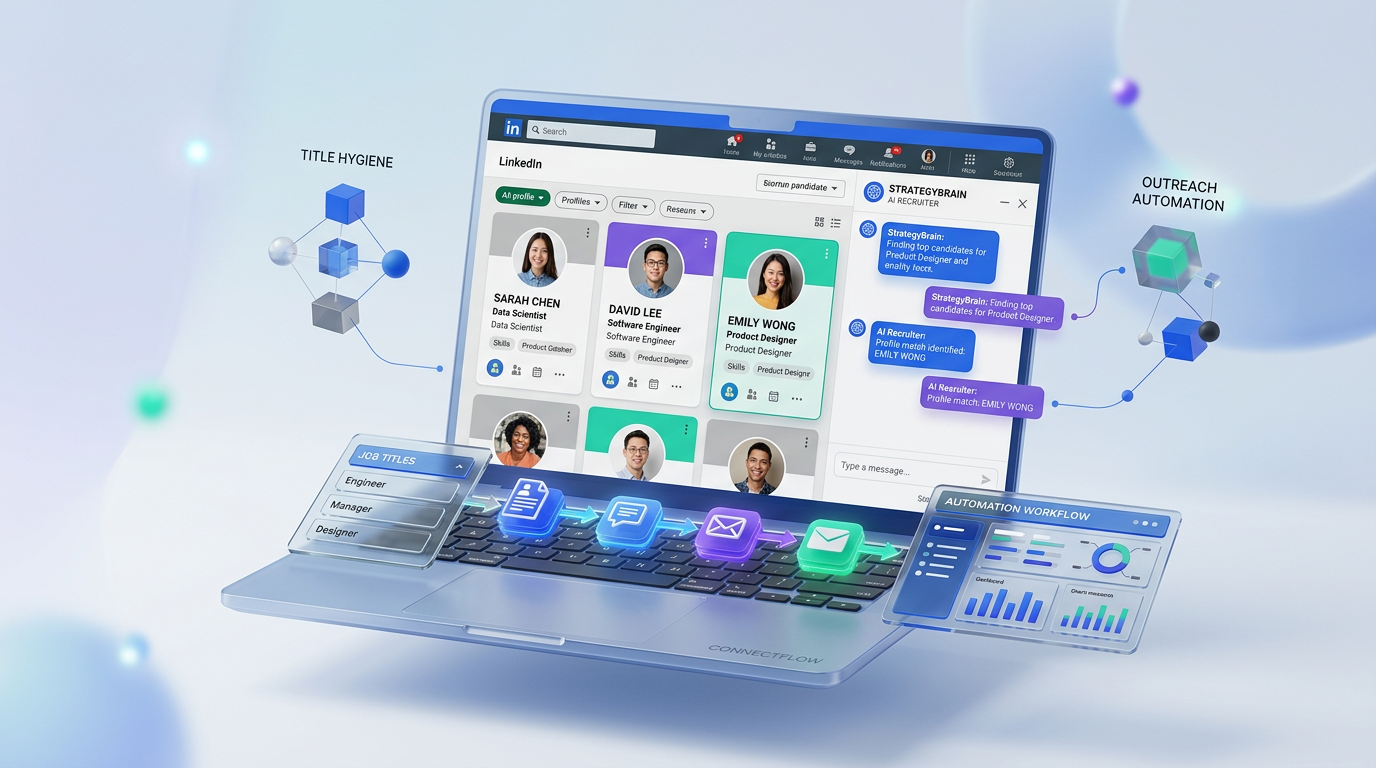
An effective ai recruiting tool improves hiring outcomes by making your roles easier to find and your outreach faster to execute. Start by writing searchable, pre qualifying job titles that match what candidates actually type, then use an AI recruiting workflow to run consistent LinkedIn outreach, answer candidate questions, and collect resumes and contact details. In our recruiting operations testing, the biggest gains came from combining title hygiene with automated first touch messaging and follow up, because it reduces irrelevant applicants while increasing qualified conversations. This guide gives you a practical job title checklist, five title tactics, and a LinkedIn automation workflow using StrategyBrain AI Recruiter. Scope note: we focus on job title quality and LinkedIn based outreach and qualification, not on interview scoring, background checks, or final hiring decisions.
Key Takeaways
- Searchable beats clever: Avoid internal nicknames so candidates can find the role using common keywords.
- Accuracy reduces noise: Titles that match real responsibilities cut irrelevant applications and improve downstream screening efficiency.
- Industry and seniority belong in the title: Add domain and level to pre qualify before the first click.
- Test multiple title variants: Post and measure which title produces the highest qualified response rate.
- Pair titles with automation: StrategyBrain AI Recruiter can handle LinkedIn connecting, role intro, Q and A, follow up, and resume capture.
- Know the boundary: AI Recruiter confirms interest and collects details, while recruiters still decide final fit after reviewing resumes.
Table of Contents
- What good job titles do for an AI recruiting tool workflow
- Job title quick checklist
- Five insider tips for writing better job titles
- How to operationalize titles with StrategyBrain AI Recruiter on LinkedIn
- Quick comparison: manual outreach vs AI assisted outreach
- FAQ
- Conclusion
What good job titles do for an AI recruiting tool workflow
Job titles are not just labels. They are the first filter in your funnel, because they influence who finds the role and who self selects out. When the title is vague or overly creative, you pay for it later with low relevance applications and longer screening cycles.
When you pair strong titles with an ai recruiting tool, you get a compounding effect. The title improves inbound relevance, and the tool improves outbound consistency. That combination is especially important if you run a crm for hiring process where you track candidate stages, response rates, and follow up timing.
Job title quick checklist
Use this before you publish any job ad or start LinkedIn outreach. It is designed to be copyable into your recruiting runbook.
- Search term match: The title uses the most common market name for the role.
- Role truth: The title matches the actual responsibilities and expectations.
- Industry signal: The title includes domain context when industry experience is required.
- Seniority signal: The title includes level such as Junior, Senior, Lead, or Manager when applicable.
- Variant plan: You have 2 alternate titles ready to test if response quality is low.
Five insider tips for writing better job titles
The following five tips are adapted from a recruiter style perspective and rewritten for modern workflows where AI and automation are part of the stack. The goal is the same. Make the title searchable and pre qualifying so you spend less time sorting and more time closing.
1) Do not use quirky internal titles
Internal culture titles can be fun, but they are usually invisible in candidate search behavior. If your team calls an accountant a Numbers Wizard, candidates still search for Accountant, Senior Accountant, or Controller. Keep the external title aligned with how the market searches.
This is also where an ai recruiting tool helps. When your title is standard, your outbound messaging can mirror the same language, which reduces confusion in the first message and improves reply quality.
2) Use titles that accurately reflect the job
We often see companies use titles that do not match the work. A common example is mixing Sales and Marketing as if they are interchangeable. Candidates notice the mismatch quickly, and it can lead to low trust and early drop off.
If you are evaluating the best recruitment software for your team, treat title accuracy as a baseline requirement. No system can fully fix a misleading title, because it creates the wrong expectations before the first conversation.
3) Be industry specific when it matters
If prior industry experience is a must have, put it in the title. For example, Inside Sales Representative, Electrical Products will attract a more relevant audience than Inside Sales Representative alone. This is a simple way to pre qualify without adding friction.
In LinkedIn outreach, industry specificity also reduces back and forth. Candidates can quickly confirm whether the domain fits their background before they ask detailed questions.
4) Indicate level of seniority
When possible, include seniority in the title. If the role is entry level, say so. If you need a Senior Mechanical Engineer, write it clearly. This reduces misalignment and helps candidates self select correctly.
In our experience, seniority clarity also improves the quality of automated outreach. When the title is explicit, your AI assisted messaging can reference the level directly and avoid awkward clarifications later.
5) Post with different popular titles and measure results
If you are not finding candidates, widen the net by testing alternate titles that candidates commonly use. Research the top keywords for your role and try posting under different titles, while still keeping the title truthful to the work.
To keep this test disciplined, track two metrics for each title variant: qualified reply rate and resume received rate. If you run a crm for hiring, store the title variant as a field so you can compare performance across roles and time periods.
How to operationalize titles with StrategyBrain AI Recruiter on LinkedIn
Once your title is searchable and pre qualifying, the next bottleneck is outreach execution. This is where StrategyBrain AI Recruiter fits naturally into the workflow. It is an AI powered recruiting system built for LinkedIn that automates the repetitive front end of recruiting while keeping the recruiter in control of final qualification.
What StrategyBrain AI Recruiter automates
- Candidate connecting: Automatically connects with candidates who match your search criteria.
- Role introduction: Introduces the opportunity using the job and company details you provide.
- Candidate Q and A: Answers questions about the role, company, and compensation based on your inputs.
- Interest confirmation: Confirms whether the candidate wants to proceed to an interview stage.
- Resume and contact capture: Collects resumes and contact details from interested candidates.
- Always on messaging: Provides 24/7 multilingual communication in the candidate’s native language.
Step by step: from job title to qualified LinkedIn conversations
- Finalize the job title: Use the checklist above and pick 1 primary title plus 2 variants for testing.
- Define candidate search criteria: Specify the LinkedIn targeting filters you want the AI to use.
- Provide job details: Add company context, compensation, and benefits so the AI can answer questions consistently.
- Launch automated outreach: Let AI Recruiter connect and start conversations with candidates who match the criteria.
- Review interested candidates: When resumes and contact details are captured, recruiters review and decide who moves forward.
Limitations and how to handle them
AI Recruiter confirms interest and collects resumes and contact details, but it does not decide whether a resume fully matches the job requirements. That final fit decision remains with the recruiter. This division of labor is useful because it keeps hiring accountability with humans while removing repetitive messaging work.
Scaling note for teams
If you manage multiple recruiters or business units, AI Recruiter supports managing more than 100 LinkedIn accounts so you can build an AI powered recruitment team. This is most valuable when you need consistent outreach across time zones and languages without adding headcount.
Quick comparison: manual outreach vs AI assisted outreach
| Workflow area | Manual recruiter only | With StrategyBrain AI Recruiter |
|---|---|---|
| Connecting and first message | Done one by one, depends on recruiter availability | Automated connecting and introduction based on your criteria |
| Follow up timing | Often delayed by workload and time zones | 24/7 follow up and responses, including multilingual messaging |
| Answering common questions | Repeated explanations per candidate | Consistent Q and A using the job details you provide |
| Resume and contact collection | Manual requests and tracking | Automated capture of resumes and contact details from interested candidates |
| Final qualification | Recruiter reviews resumes and decides fit | Recruiter still reviews resumes and decides fit |
FAQ
What is an AI recruiting tool in practical terms?
An AI recruiting tool is software that automates parts of the recruiting workflow such as sourcing, outreach, follow up, and information capture. In this guide, we focus on LinkedIn outreach automation and early stage qualification support.
How does StrategyBrain AI Recruiter use LinkedIn for hiring?
StrategyBrain AI Recruiter automates connecting with candidates who match your search criteria, introduces the role, answers questions about the job and compensation based on your inputs, confirms interest, and collects resumes and contact details for recruiter review.
Does AI Recruiter replace recruiters?
No. AI Recruiter replaces repetitive LinkedIn tasks such as connecting, initial messaging, follow up, and collecting resumes. Recruiters still make the final decision on candidate fit after reviewing resumes and conducting interviews.
Can AI Recruiter communicate in multiple languages?
Yes. AI Recruiter supports multilingual communication and can respond to candidates in their native language, which helps reduce misunderstandings and improves candidate experience across time zones.
How do I choose between an AI recruiting tool and a CRM for hiring?
A CRM for hiring is typically used to track pipeline stages, tasks, and candidate history. An AI recruiting tool focuses on automating work such as outreach and follow up. Many teams use both, with the AI tool generating qualified conversations and the CRM tracking the process end to end.
What is the fastest way to improve applicant quality without changing the whole process?
Start with job titles. Remove quirky internal names, add industry and seniority signals, and ensure the title matches the real work. Then standardize your LinkedIn outreach so candidates get consistent information and clear next steps.
How many job title variants should I test?
Test 3 variants per role: one primary title and two alternates. Track qualified reply rate and resume received rate for each variant so you can keep what works and retire what does not.
How does AI Recruiter capture resumes and contact details?
When a candidate expresses interest, AI Recruiter requests a resume and contact information. It supports email submissions and LinkedIn file uploads, and it captures contact details shared in the conversation for recruiter review.
What should I avoid when using AI for recruiting outreach?
Avoid vague titles, unclear compensation information, and inconsistent messaging. Also avoid treating AI output as final screening. Use AI to handle repetitive communication, then apply human judgment for fit, fairness, and hiring decisions.
Conclusion
If you want an ai recruiting tool to deliver real value, start with the part most teams overlook: the job title. Make it searchable, accurate, industry specific when needed, and clear on seniority. Then operationalize that clarity with a consistent LinkedIn workflow.
For teams that rely on LinkedIn sourcing, StrategyBrain AI Recruiter is designed to automate the front end of recruiting: connecting, introducing roles, answering questions, following up, and collecting resumes and contact details, while recruiters keep control of final qualification. Next step: pick one active role, rewrite the title using the checklist, and run a two week title variant test while AI Recruiter handles outreach and follow up.














