


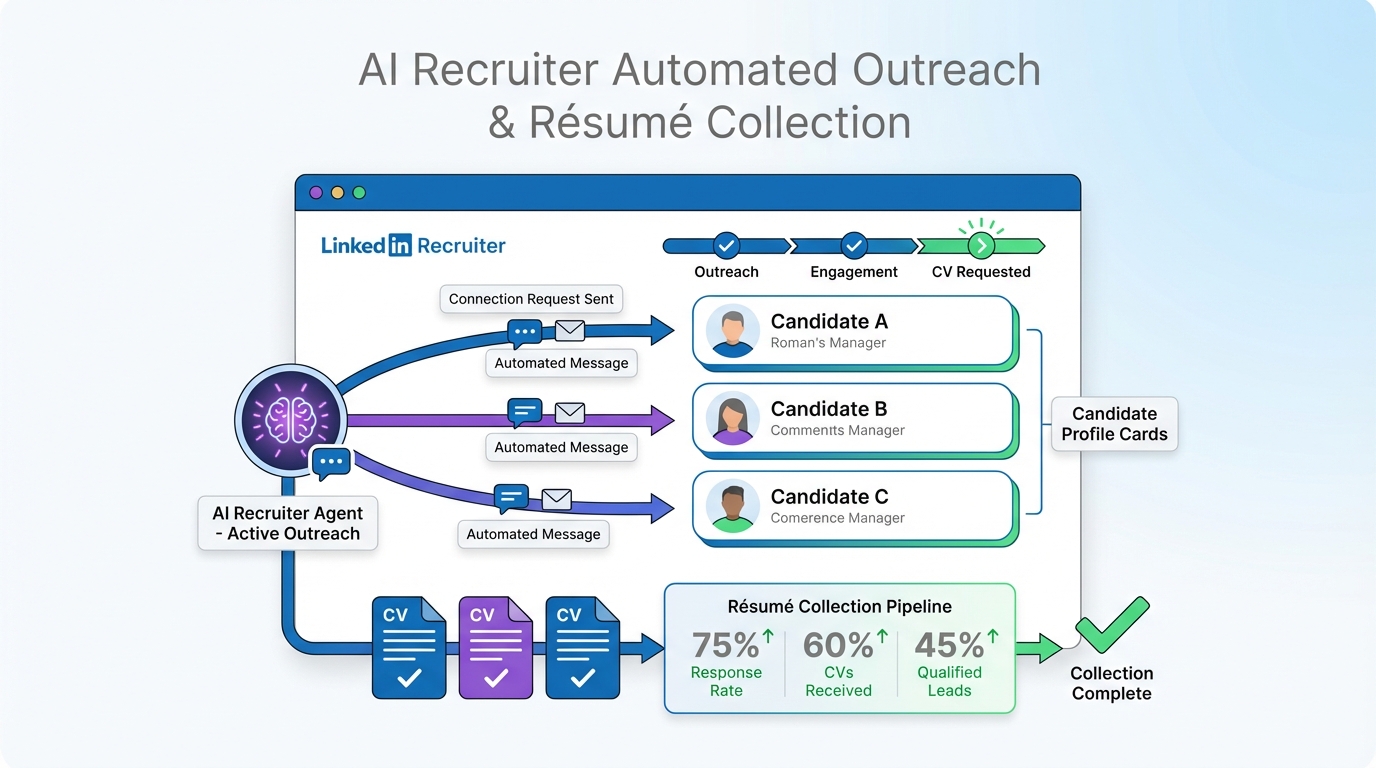
AI resume screening tools help recruiters triage applications by parsing your resume and scoring it against a job’s requirements, but they can down-rank qualified people when titles, skills, or achievements are phrased differently than the job description. The fastest way to improve your odds is to write for both machines and humans: use a clean, parseable layout; mirror the role’s core skills and job title language; and quantify outcomes. In our day-to-day recruiting operations, we also see a second lever that candidates often ignore: proactive LinkedIn engagement. On the recruiter side, StrategyBrain AI Recruiter automates the initial LinkedIn outreach and qualification conversation, answers candidate questions about role, company, and compensation, and then collects résumés and contact details from interested candidates so humans can focus on final evaluation.
Key Takeaways
- AI resume screening tools reward alignment: match job title, core skills, and measurable outcomes to the posting’s language.
- Automated CV screening is brittle: complex formatting and uncommon section labels can reduce parsing accuracy.
- Use a “skills to proof” pattern: list a skill, then prove it with a metric in the same role entry.
- LinkedIn outreach can change the funnel: a strong application plus a timely conversation beats “apply and wait.”
- StrategyBrain AI Recruiter scales the front end: it automates LinkedIn connecting, messaging, Q&A, and résumé collection so recruiters review a warmer shortlist.
- Global hiring needs always-on communication: AI Recruiter supports 24/7 multilingual messaging to reduce delays across time zones.
What AI resume screening tools actually do
Most AI resume screening tools sit on top of an ATS (Applicant Tracking System) or behave like one. They typically do three things: parse your resume into structured fields, extract entities like skills and job titles, and score your profile against a role’s requirements.
Resume parsing means converting a PDF or DOCX into fields such as employer, dates, titles, and bullet points. If parsing fails, the model cannot “see” your experience correctly, even if you are qualified.
Matching and ranking usually relies on a mix of keyword overlap, semantic similarity, and rule-based filters. That is why two candidates with similar experience can be ranked far apart if one uses the employer’s preferred terminology.
What automated CV screening misses
Automated CV screening is useful for speed, but it is not a perfect proxy for job performance. In practice, we see four recurring failure modes that affect both candidates and recruiters.
1) Formatting that breaks parsing
Multi-column layouts, text boxes, icons, and heavily designed templates can cause missing dates, scrambled bullets, or misread headings. If your “Experience” section is not recognized, the screening score can drop even when your content is strong.
2) Title mismatch and synonym gaps
A role might be posted as “Customer Success Manager,” while your resume says “Client Partner.” Humans can infer equivalence; models sometimes cannot, especially when the rest of the resume does not reinforce the same skill cluster.
3) Missing proof next to the skill
Many resumes list skills in one place and achievements elsewhere. Screening systems often score higher when the skill and proof appear together, such as “SQL” plus a bullet that shows what you did with it.
4) Context that only shows up in conversation
Availability, relocation, work authorization, compensation expectations, and motivation often matter, but they are rarely captured in a resume. This is where LinkedIn messaging and structured pre-qualification can outperform pure resume ranking.
How to get your resume noticed by AI
This section is written for candidates who want practical, reproducible changes. The goal is not to “game” AI resume screening tools. The goal is to make your experience legible to automated systems and persuasive to humans.
Step-by-step checklist
-
Use a parse-friendly layout
Stick to a single-column format, standard headings (Summary, Experience, Education, Skills), and simple bullets. Avoid tables, text boxes, and graphics that can be misread by automated CV screening.
-
Mirror the job’s core language
Reuse the posting’s exact skill names where truthful, especially for tools, certifications, and job titles. If the role says “Python,” do not hide it behind “scripting” if you actually used Python.
-
Convert responsibilities into outcomes
For each role, include 2 to 4 bullets that show measurable impact. Use units like %, $, hours, or counts. This helps both AI scoring and recruiter scanning.
-
Pair each key skill with proof
Use a “skill to proof” pattern: mention the skill, then show the result in the same bullet. Example: “Built dashboards in Tableau that reduced weekly reporting time by 6 hours.”
-
Reduce ambiguity in dates and titles
Use consistent date formats (for example, 2023-05 to 2025-01) and clear titles. If your internal title is uncommon, add a parenthetical that matches market language.
-
Make it easy to contact you
Place email and phone in plain text. Some parsers fail on headers with icons or images, which can hide contact details from the system.
A practical template you can copy
Use this structure to improve both AI readability and human persuasion.
- Headline: Target role title plus 2 to 3 specialty keywords.
- Summary: 2 to 3 sentences, then 3 bullets with measurable wins.
- Skills: 10 to 16 skills grouped by category (Tools, Methods, Domain).
- Experience: Each role includes 1 line scope statement and 3 to 6 outcome bullets.
Recruiter workflow: LinkedIn plus screening
From the recruiter side, the resume is only one signal. The fastest hiring loops combine screening with structured conversation, because conversation captures intent and constraints that a resume rarely includes.
StrategyBrain AI Recruiter is designed for that front-end workflow on LinkedIn. It automatically connects with candidates that match your search criteria, introduces the job opportunity, answers questions about the role, company, and compensation, confirms interview interest, and collects résumés and contact information from candidates who want to proceed. Recruiters then review the collected résumés and contact shortlisted candidates for interviews.
Where AI Recruiter fits relative to AI resume screening tools
- Before screening: AI Recruiter can gather résumés from interested candidates so you are screening a warmer pool, not just cold inbound applications.
- Alongside screening: It captures conversation context, such as willingness to interview, which complements automated CV screening scores.
- After screening: It keeps follow-ups running 24/7, including multilingual communication, which reduces drop-off caused by slow response cycles.
Scope boundary: what AI Recruiter does not do
AI Recruiter identifies willingness to communicate or interview, but it does not decide whether a candidate’s résumé fully matches job requirements. Final qualification remains a human decision after reviewing the résumé.
Operational notes we learned from real usage
When we run LinkedIn hiring at scale, the bottleneck is rarely “finding” candidates. The bottleneck is consistent outreach, timely replies, and collecting complete information. AI Recruiter helps by keeping the conversation moving, capturing résumés and contact details, and supporting management of more than 100 LinkedIn accounts for teams that need volume.
Quick comparison
| Approach | Primary goal | What it’s best for | Main limitation |
|---|---|---|---|
| AI resume screening tools | Rank and triage resumes | High-volume inbound applications | Can miss context and penalize formatting or wording differences |
| Automated CV screening plus resume optimization | Improve parse and match quality | Candidates who want higher pass-through rates | Still depends on the employer’s filters and workflow |
| LinkedIn outreach plus human review | Create conversation and intent signals | Roles where motivation and constraints matter | Manual outreach does not scale well |
| StrategyBrain AI Recruiter on LinkedIn | Automate outreach, Q&A, and résumé collection | Recruiters who need scalable sourcing and pre-qualification | Does not replace final résumé-to-requirements evaluation |
FAQ
Do AI resume screening tools read my PDF correctly?
Sometimes. If your PDF uses columns, text boxes, or unusual headings, automated CV screening may mis-parse dates, titles, or bullets. A single-column layout with standard section labels is the safest choice.
How many keywords should I add to get my resume noticed by AI?
Add only keywords that are true for your experience, and place them where they are supported by proof. A smaller set of accurate skills tied to outcomes usually performs better than a long list with no evidence.
Is it better to match the job title exactly?
If the title is accurate for your work, yes. Title alignment helps AI resume screening tools map your experience to the role. If your internal title is different, add a clarifying parenthetical that reflects market language.
What is the biggest formatting mistake for automated CV screening?
Multi-column resumes are the most common issue we see. They can cause parsers to read content out of order or drop fields entirely, which reduces match scores.
How does StrategyBrain AI Recruiter help if screening is the problem?
It helps upstream. AI Recruiter automates LinkedIn outreach and the initial qualification conversation, answers candidate questions, and collects résumés and contact details from interested candidates. That means recruiters spend more time reviewing relevant, responsive candidates instead of chasing replies.
Does AI Recruiter decide who is qualified?
No. It identifies willingness to communicate or interview and gathers the information needed to proceed. Recruiters still review résumés and make the final qualification decision.
Can AI Recruiter communicate in languages other than English?
Yes. It supports 24/7 multilingual communication so candidates can respond in their native language, which can reduce misunderstandings and speed up scheduling across time zones.
How does AI Recruiter handle data privacy?
According to StrategyBrain’s product documentation, customer-provided data is not used to train AI models, and candidate information is encrypted and isolated per customer. Recruiters should still confirm their own compliance requirements before deployment.
Conclusion
AI resume screening tools are not going away, so the winning strategy is clarity: a parseable resume, role-aligned language, and quantified proof. If you are a candidate, focus on making your experience easy for automated CV screening to interpret and easy for a recruiter to trust. If you are a recruiter, pair screening with structured conversation so you capture intent and constraints early. StrategyBrain AI Recruiter is built for that LinkedIn front end by automating outreach, Q&A, follow-up, and résumé collection, so your team can spend more time on human judgment where it matters.















