


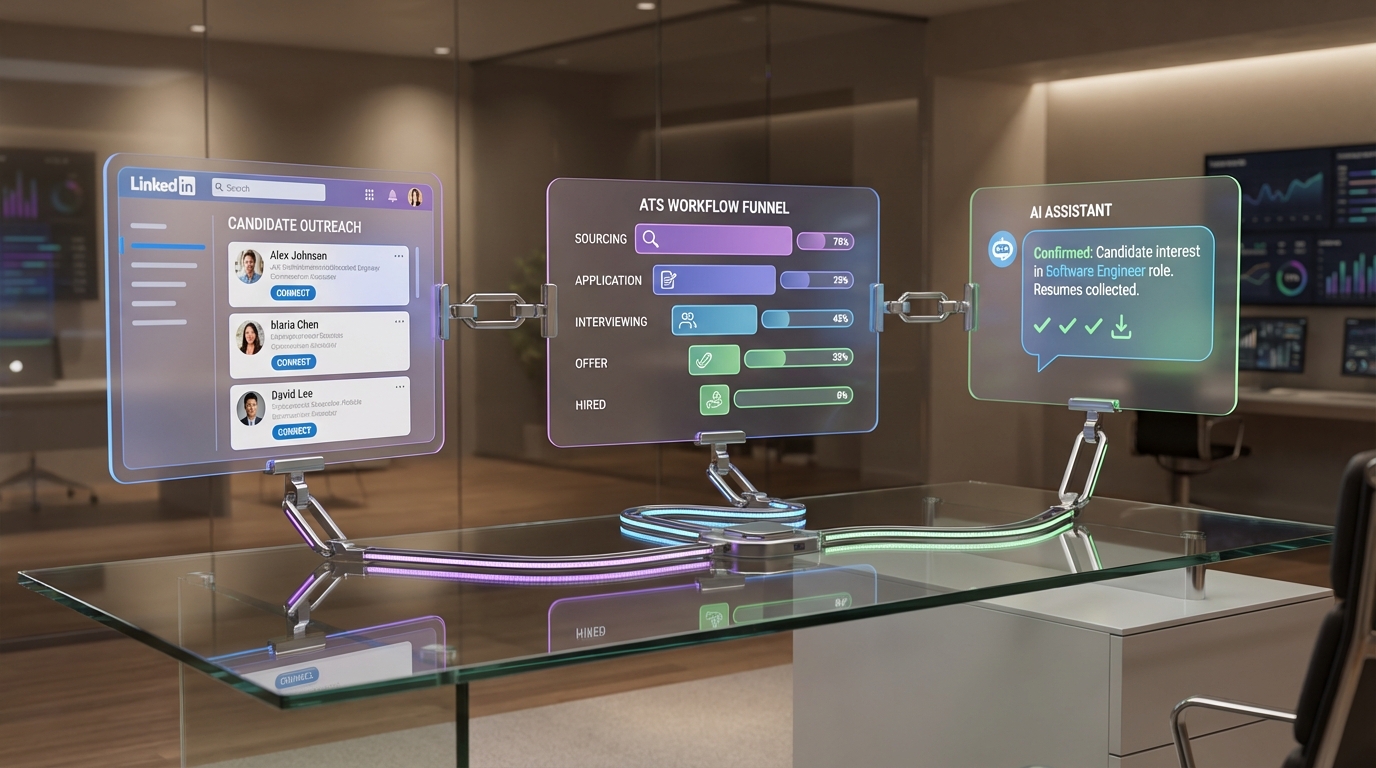
ATS systems for recruiting are software platforms that centralize job postings, applications, screening, and hiring workflows so teams can move candidates from application to offer with fewer manual steps. The most reliable way to choose and implement the best applicant tracking software is to start with your hiring stages and decision rules, then configure the ATS to enforce consistent intake, structured evaluation, and compliant record keeping. This guide focuses on practical selection criteria, an implementation plan you can reuse, and a modern workflow where an ATS is paired with StrategyBrain AI Recruiter to automate LinkedIn outreach, candidate Q&A, and resume collection before candidates enter your pipeline.
What an ATS is and what it is not
An Applicant Tracking System (ATS) is a system of record for recruiting. It stores candidate profiles, resumes, interview feedback, and hiring decisions, and it routes candidates through defined stages such as application review, phone screen, interview, and offer.
It helps most when it standardizes how your team evaluates candidates and documents decisions. That is why many teams searching for the best applicant tracking systems are really searching for consistency, speed, and auditability.
What an ATS typically does well
- Centralizes candidate data so recruiters and hiring managers see the same profile, notes, and attachments.
- Enforces workflow through stages, permissions, and required fields.
- Supports compliance by keeping a record of job postings, communications, and decisions.
- Improves reporting by tracking funnel conversion and time in stage.
What an ATS is not
- Not a sourcing engine by default. Many ATS tools integrate with job boards, but they do not automatically create warm conversations with passive candidates.
- Not a replacement for recruiter judgment. It can structure evaluation, but it cannot define what “good” means for your role.
- Not always a candidate engagement tool. Some ATS messaging is functional, but it is rarely optimized for high volume, personalized outreach.
What to evaluate in ATS systems for recruiting
When teams compare ATS systems for recruiting, they often over index on feature lists. In our experience implementing ATS workflows, the highest impact comes from a smaller set of decisions: how you define stages, how you evaluate consistently, and how you reduce manual coordination.
1) Workflow fit and stage design
Start by writing your pipeline stages in plain language. Then confirm the ATS can represent them without workarounds. A stage is only useful if it has a clear entry condition and exit condition.
- Entry condition: what must be true before a candidate enters the stage.
- Exit condition: what decision moves them forward or out.
- Owner: who is accountable for the decision.
2) Structured evaluation and feedback quality
Look for scorecards, required fields, and consistent interview feedback capture. The goal is not more forms. The goal is fewer ambiguous decisions and fewer “we liked them” conversations that cannot be explained later.
3) Reporting that matches how you run recruiting
Ask whether the ATS can report on time in stage, stage conversion, source performance, and offer acceptance. If you cannot measure it, you cannot improve it.
4) Integrations and data flow
Most ATS implementations fail at the seams. Confirm how the ATS connects to email, calendars, HRIS, background checks, and job boards. Also confirm what data is the source of truth when systems disagree.
5) Security, privacy, and retention controls
Recruiting data includes personal information. Evaluate encryption, access controls, audit logs, and retention policies. If you operate across regions, confirm the vendor’s approach to privacy regulation alignment.
6) Candidate experience and communication
Even the best applicant tracking software can create a poor candidate experience if templates are generic and response times are slow. Evaluate how quickly recruiters can respond, how candidates receive updates, and how easy it is to schedule interviews.
Implementation plan in 10 steps
This is the implementation sequence we use to reduce rework. It is designed to keep your process stable while you configure the system.
-
Define your hiring stages
Write 6 to 10 stages and define entry and exit conditions for each. Keep stage names consistent across roles unless there is a strong reason to diverge.
-
Define “qualified” for each role
Create a short rubric with 3 to 5 must haves and 3 to 5 nice to haves. This becomes the basis for screening and scorecards.
-
Standardize intake
Decide what information is required to open a requisition: compensation range, location, level, interview loop, and approvers.
-
Build scorecards and interview kits
Use consistent competencies and rating scales. Require written evidence for strong yes and strong no decisions.
-
Configure permissions and approvals
Limit who can move candidates to offer, who can see compensation, and who can export data.
-
Set up templates and response SLAs
Create candidate email templates and internal reminders. Define response time targets for each stage.
-
Integrate calendars and email
Confirm scheduling works end to end. Test with real accounts, not admin accounts.
-
Migrate data intentionally
Decide what to migrate and what to archive. Importing everything often creates duplicates and noise.
-
Run a pilot with 1 to 2 roles
Use a single department or role family. Collect feedback from recruiters and hiring managers weekly for 2 weeks.
-
Launch with training and governance
Train hiring managers on scorecards and stage definitions. Assign an ATS owner who maintains templates, fields, and reporting definitions.
Common implementation failure points and fixes
- Too many stages: collapse stages until each stage has a clear decision and owner.
- Unstructured feedback: require scorecards before a candidate can move forward.
- Slow scheduling: integrate calendars early and test with real interviewers.
- Low adoption: train managers on why consistency matters, not only on which buttons to click.
Workflow: ATS + StrategyBrain AI Recruiter for LinkedIn
If your ATS is the system of record, your sourcing and outreach workflow is the system of pipeline creation. This is where many teams feel the gap between “we have the best applicant tracking systems” and “we still spend hours on manual LinkedIn messages.”
StrategyBrain AI Recruiter is designed to complement ATS systems for recruiting by automating the repetitive front end of LinkedIn hiring. It can connect with candidates that match your search criteria, introduce the role, answer questions about the company and compensation, confirm interview interest, and collect resumes and contact details from interested candidates. Then your team can move qualified, interested candidates into the ATS with cleaner context and less back and forth.
Where AI Recruiter fits in the funnel
- Before the ATS: outreach, initial Q&A, interest confirmation, resume and contact capture.
- Inside the ATS: structured evaluation, interview coordination, approvals, offers, and reporting.
What we like about this pairing in real recruiting operations
When we test workflows like this, the biggest operational win is not “more automation.” It is fewer context switches. Recruiters spend less time writing first messages, chasing replies, and re answering the same questions, and more time reviewing resumes and running interviews.
Scope boundaries
AI Recruiter can identify willingness to communicate or interview, but it does not decide whether a resume fully matches job requirements. That final qualification remains a recruiter and hiring manager responsibility, and the ATS is still the right place to document that decision.
Manager lessons from Google’s re:Work and how they apply to ATS adoption
On 29 October 2015, Google launched re:Work, a resource that shares HR practices, research, and ideas, including guidance for managers. The point is not to copy Google. The point is to learn how strong management systems scale consistent behavior.
Google got rid of its managers, then brought them back
In 2002, Larry Page and Sergey Brin experimented with a flatter structure where employees managed themselves and managers lost authority for a month. The experiment did not last. Google reinstated its managerial tier, which is a useful reminder for ATS rollouts: tools do not replace leadership. A well configured ATS still needs accountable owners for stages, decisions, and feedback quality.
Celebrate great management with a repeatable process
Google’s annual Great Manager Award and its Manager Feedback Surveys highlight a practical adoption lesson. If you want consistent recruiting behavior, you need a feedback loop. In ATS terms, that means reviewing scorecard completion rates, time in stage, and candidate experience signals, then coaching managers who need support.
Coaching is key, and it maps directly to hiring quality
One coaching tip shared in re:Work is to practice active listening and ask open ended questions that start with what and how. That same approach improves recruiter and manager calibration. When a hiring manager says “this candidate is not senior enough,” a structured follow up question like “what evidence would demonstrate senior level impact in this role” leads to better scorecards and better hiring decisions.
An ongoing, growing resource mindset
re:Work was designed to grow over time. Treat your ATS configuration the same way. Your first version should be usable and consistent, then you iterate based on data. This is also where AI Recruiter can help. As your team learns which messages and questions produce higher quality conversations on LinkedIn, you can refine the outreach workflow while keeping the ATS stable as the system of record.
Copyable checklists
ATS selection checklist (copy and paste)
- Workflow: Can we model our stages with clear entry and exit rules?
- Scorecards: Can we require structured feedback before moving stages?
- Reporting: Can we measure time in stage and stage conversion by role and source?
- Integrations: Does it integrate with our email and calendar workflow?
- Security: Does it support role based access, audit logs, and retention controls?
- Candidate experience: Are communications and scheduling smooth for candidates?
ATS implementation readiness checklist
- Stages defined: 6 to 10 stages with owners and decision rules.
- Rubrics defined: 3 to 5 must haves per role family.
- Interview loop defined: who interviews and what they assess.
- Templates ready: outreach, rejection, scheduling, and offer communications.
- Governance assigned: one ATS owner and one backup owner.
LinkedIn pipeline checklist (ATS + AI Recruiter)
- Search criteria documented: titles, locations, seniority, and must have skills.
- Role information prepared: company details, compensation, benefits, and interview steps.
- Handoff rule defined: what qualifies a candidate to be created in the ATS.
- Resume capture process: confirm how resumes and contact details are stored and reviewed.
- Compliance check: confirm privacy and data handling expectations for your region.
Quick comparison: ATS vs CRM vs AI outreach
| System | Primary job | Best for | Limitations to plan for |
|---|---|---|---|
| ATS | System of record for applicants and hiring decisions | Structured evaluation, compliance record keeping, reporting | Often weaker at high volume personalized outreach |
| Candidate CRM | Nurture talent pools and relationships | Long term pipelines, campaigns, segmented messaging | Can create duplicate records if not governed |
| AI outreach tool | Automate repetitive sourcing and messaging steps | Scaling LinkedIn conversations and follow up | Still needs human qualification and ATS documentation |
FAQ
What are ATS systems for recruiting used for day to day?
They are used to collect applications, move candidates through stages, schedule interviews, capture feedback, and document hiring decisions. The ATS becomes the shared workspace for recruiters and hiring managers.
What is the difference between an ATS and the best applicant tracking software?
An ATS is the category. “Best applicant tracking software” is the shortlist that fits your workflow, reporting needs, integrations, and compliance requirements. The best choice is the one your team will actually adopt consistently.
How many stages should an ATS pipeline have?
Most teams do well with 6 to 10 stages. If you have more than 10, you often create confusion and slowdowns unless each stage has a clear decision rule and owner.
Do ATS systems for recruiting replace recruiters?
No. They reduce administrative work and standardize evaluation, but recruiters still define role requirements, assess fit, and manage stakeholder alignment. Tools support decisions, they do not own them.
How does StrategyBrain AI Recruiter relate to an ATS?
AI Recruiter complements an ATS by automating LinkedIn outreach, candidate Q&A, interest confirmation, and resume and contact capture. The ATS remains the system of record where you evaluate candidates and document decisions.
Can AI Recruiter qualify candidates automatically?
It can identify willingness to communicate or interview and collect resumes from interested candidates. It does not determine whether a resume fully matches job requirements, so recruiters still complete final qualification.
What should we measure after implementing an ATS?
Track time in stage, stage conversion rates, interview feedback completion, source performance, and offer acceptance. Use the data to coach managers and refine your process.
What is the biggest mistake teams make when choosing the best applicant tracking systems?
They buy features before defining workflow and decision rules. A simpler tool with clear stages and strong adoption often outperforms a complex tool that nobody uses consistently.
How do we keep candidate data secure?
Use role based access, audit logs, encryption, and retention policies. Also document who can export data and under what conditions, and review access quarterly.
Conclusion
ATS systems for recruiting work best when they enforce a clear hiring workflow, structured evaluation, and reliable record keeping. Start with stages and rubrics, implement in a small pilot, then scale with governance and coaching. If your bottleneck is LinkedIn sourcing and follow up, pair your ATS with StrategyBrain AI Recruiter so outreach, candidate Q&A, and resume collection happen faster, while your ATS stays the single source of truth for evaluation and hiring decisions.
Next step: copy the selection checklist above, run it against your current process, and identify the one stage where candidates stall the longest. Fix that stage first before adding more tools.















