


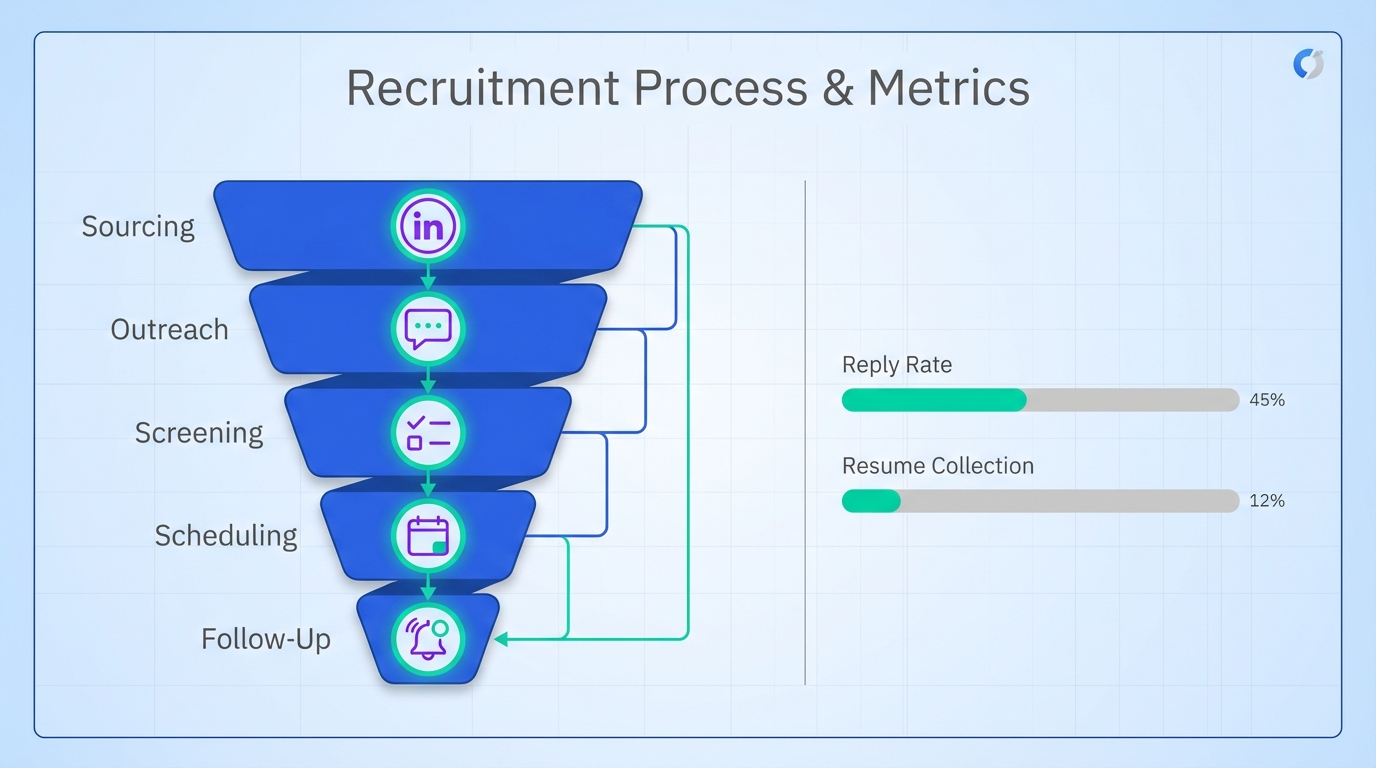
To automate recruitment, start by documenting your hiring workflow, then automate the repetitive, high volume steps: sourcing, outreach, screening, scheduling, and follow up. In our experience, the biggest gains come from automating the first conversations with candidates so recruiters spend time on decision making, not copy paste messaging. This guide covers 6 practical methods for recruitment automation and recruitment process automation in 2026, including how StrategyBrain AI Recruiter can run LinkedIn outreach and qualification conversations 24/7 in any language while collecting resumes and contact details for your team to review. This article focuses on early funnel operations, not final hiring decisions, compensation approvals, or legal review.
Key Takeaways
- Automate the first conversations: Use StrategyBrain AI Recruiter to connect, introduce roles, answer questions, and collect resumes and contact details before a recruiter steps in.
- Define “automation boundaries”: Automate sourcing, outreach, screening, scheduling, and updates, but keep final qualification and hiring decisions with humans.
- Use structured screening: Standard questions plus pass fail rules reduce inconsistent evaluation across recruiters.
- Protect candidate experience: Automated updates and timely follow ups reduce ghosting risk and improve employer brand consistency.
- Scale with account teams: AI Recruiter supports managing more than 100 LinkedIn accounts for scalable outreach operations.
- Compliance is a design choice: Build privacy and consent steps into the workflow, not as an afterthought.
Method 1: Automate LinkedIn outreach and follow up with StrategyBrain AI Recruiter
Recruitment automation often fails at the exact point where recruiters lose the most time: the first outreach, the back and forth questions, and the follow up. StrategyBrain AI Recruiter is designed to automate that early funnel work on LinkedIn while keeping recruiters in control of final evaluation.
What “AI Recruiter” means here
An AI recruiter in this context is an automated system that handles initial candidate engagement and qualification conversations. It does not make the final hiring decision and it does not replace your recruiter’s judgment. It replaces repetitive messaging and information collection.
Steps
- Provide role and company details: Share the job context, compensation, benefits, and candidate search criteria.
- Connect with candidates automatically: The system sends connection requests to candidates who match your targeting rules.
- Run the first conversation: It introduces the opportunity, learns the candidate’s situation, and answers questions about the role, company, and compensation.
- Confirm interview interest: It checks whether the candidate wants to proceed.
- Collect resumes and contact details: It requests a resume and captures contact information from interested candidates.
- Recruiter reviews and schedules interviews: Your team reviews the collected information and moves qualified candidates forward.
Features
- Smart LinkedIn recruitment automation: Connects, introduces roles, answers questions, and follows up automatically.
- 24/7 multilingual communication: Responds around the clock in the candidate’s native language.
- Scalable recruiting teams: Supports managing more than 100 LinkedIn accounts for high volume outreach.
Limitations
- Not a final evaluator: AI Recruiter can identify willingness to proceed, but it does not determine whether a resume fully matches requirements.
- Requires clear inputs: If compensation, role scope, or targeting criteria are vague, candidate conversations will be less effective.
Best For
- Teams that need to automate recruitment outreach on LinkedIn without adding recruiter headcount.
- Global hiring where time zones and languages slow down response times.
- Agency recruiters and headhunters who want to handle more searches in parallel.
Method 2: Standardize intake and job kickoff to prevent automation drift
Before you automate anything, you need a stable process. Recruitment process automation breaks when every hiring manager expects a different workflow. Standardizing intake is the cheapest automation you will ever implement because it reduces rework across every downstream step.
Steps
- Create a one page intake form: Role outcomes, must have skills, nice to have skills, compensation range, location rules, and interview stages.
- Define a “qualified lead”: A candidate is qualified to schedule when they meet your minimum criteria and confirm interest.
- Set response time targets: For example, first response within 24 hours and follow up within 48 hours.
Copyable intake template
- Role title:
- Top 3 outcomes in 90 days:
- Must have skills:
- Nice to have skills:
- Compensation:
- Location and work model:
- Interview stages:
- Deal breakers:
Limitations
- Standardization can feel slow at first because it forces decisions early.
- Hiring managers may resist unless you show how it reduces time to shortlist.
Method 3: Automate screening with structured questions and pass fail rules
Screening automation works when questions are consistent and scoring is transparent. This is where many teams accidentally introduce bias or inconsistency, so the goal is to make rules explicit and reviewable.
Steps
- Write 5 to 8 screening questions: Keep them job relevant and measurable.
- Define pass fail thresholds: For example, “must have 3 years of X” or “must be eligible to work in Y.”
- Route candidates automatically: Pass to scheduling, hold for recruiter review, or reject with a respectful update.
Example screening question set
- What is your current location and your preferred work model?
- How many years have you used the core tool or skill required for this role?
- What is your earliest start date?
- What compensation range are you targeting?
- Can you share a resume and the best email or phone number to reach you?
Limitations
- Over screening can reduce conversion if you ask too many questions too early.
- Some roles require portfolio review or work samples that cannot be fully automated.
Method 4: Automate interview scheduling and reminders
Scheduling is a hidden time sink. Automating it reduces back and forth messages and prevents drop off. The key is to automate logistics while keeping the human touch in the interview itself.
Steps
- Define scheduling eligibility: Only candidates who meet minimum criteria and confirm interest get a scheduling link or scheduling workflow.
- Offer 2 to 3 time windows: Provide clear options to reduce decision fatigue.
- Send reminders: One reminder 24 hours before and one reminder 2 hours before the interview.
Limitations
- Time zone handling must be correct or you will create no shows.
- High touch executive searches may require concierge scheduling.
Method 5: Automate candidate updates to protect employer brand
Candidate experience is part of your recruiting system. If you automate recruitment but leave candidates in the dark, you will pay for it in reputation and re sourcing later. Automated updates are one of the simplest ways to stay consistent.
Steps
- Define update triggers: Application received, moved to screening, interview scheduled, decision made.
- Write short message templates: Keep them clear and respectful.
- Set a maximum silence window: For example, no candidate should go more than 7 days without an update once engaged.
Copyable update templates
- Received: Thanks for your interest. We have received your information and will follow up with next steps.
- In review: We are reviewing your profile and will update you after the next review cycle.
- Not moving forward: Thank you for your time. We will not be moving forward for this role, but we appreciate your interest.
Limitations
- Templates must be reviewed for tone and legal requirements in your region.
- Automation should not promise timelines you cannot meet.
Method 6: Automate reporting with a simple funnel dashboard
If you cannot see the funnel, you cannot improve it. Reporting automation does not need to be complex. Start with a small set of metrics that explain where candidates drop off and where recruiters spend time.
Steps
- Pick 6 funnel metrics: Sourced, contacted, replied, interested, resume received, interviewed.
- Track time to response: Measure the time from candidate reply to your next message.
- Review weekly: One 30 minute review per week is enough to catch issues early.
Limitations
- Metrics can be misleading if definitions are inconsistent across teams.
- Do not optimize for volume alone. Quality and candidate fit still matter.
Quick Comparison
| Method | What it automates | Primary benefit | Human still required |
|---|---|---|---|
| StrategyBrain AI Recruiter on LinkedIn | Connect, outreach, Q&A, follow up, resume and contact capture | 24/7 multilingual engagement and scalable outreach | Final qualification and hiring decision |
| Standardized intake | Role kickoff consistency | Less rework and clearer screening rules | Hiring manager alignment |
| Structured screening | Early qualification | Consistent evaluation and faster routing | Edge case review |
| Scheduling automation | Interview logistics | Fewer no shows and less back and forth | Interview quality |
| Candidate updates | Status messaging | Better candidate experience | Final decisions and feedback |
| Funnel reporting | Dashboards and weekly review | Continuous improvement | Interpretation and action |
FAQ
What is recruitment automation?
Recruitment automation is the use of software and defined workflows to handle repetitive recruiting tasks such as sourcing, outreach, screening, scheduling, and follow up. It is meant to reduce manual work and improve consistency, not to remove human judgment from hiring decisions.
Can I automate recruitment on LinkedIn without losing personalization?
Yes, if your system uses role specific inputs and adapts to candidate questions. StrategyBrain AI Recruiter is designed to introduce the opportunity, answer questions about the role and compensation, and follow up based on the conversation while your team reviews interested candidates.
Does StrategyBrain AI Recruiter replace recruiters?
No. It automates the initial outreach and qualification conversation and collects resumes and contact details. Recruiters still review resumes, assess fit, and make interview and hiring decisions.
How does AI Recruiter handle resumes and contact details?
When a candidate is interested, AI Recruiter requests a resume and captures contact details shared in the conversation. It supports email submissions and LinkedIn file uploads, and it marks resumes as received when provided.
How do I avoid automating the wrong parts of the hiring process?
Automate high volume, rules based steps first, then keep human review for nuanced evaluation. A practical boundary is to automate outreach, screening, scheduling, and updates, while keeping final qualification and offers with humans.
What is the biggest risk when you automate recruitment?
The biggest risk is inconsistent rules or unclear role inputs, which can create poor candidate experiences at scale. Standardized intake and structured screening questions reduce that risk.
Can recruitment automation support global hiring?
Yes. StrategyBrain AI Recruiter includes 24/7 multilingual communication so candidates can receive timely responses in their native language across time zones.
How do I measure whether recruitment automation is working?
Track funnel conversion and speed metrics such as reply rate, interested rate, resumes received, time to first response, and time from interest to scheduled interview. Review the same definitions weekly so trends are comparable.
Conclusion
If you want to automate recruitment successfully, start with process clarity, then automate the steps that consume the most recruiter time: outreach, screening, scheduling, and follow up. For teams that rely on LinkedIn, StrategyBrain AI Recruiter is a practical way to automate early funnel conversations, respond 24/7 in any language, and collect resumes and contact details so recruiters can focus on final evaluation and interviews. Next step: pick one role, implement the intake template, and run a two week pilot where you automate outreach and screening while tracking reply rate, interested rate, and resumes received.














