


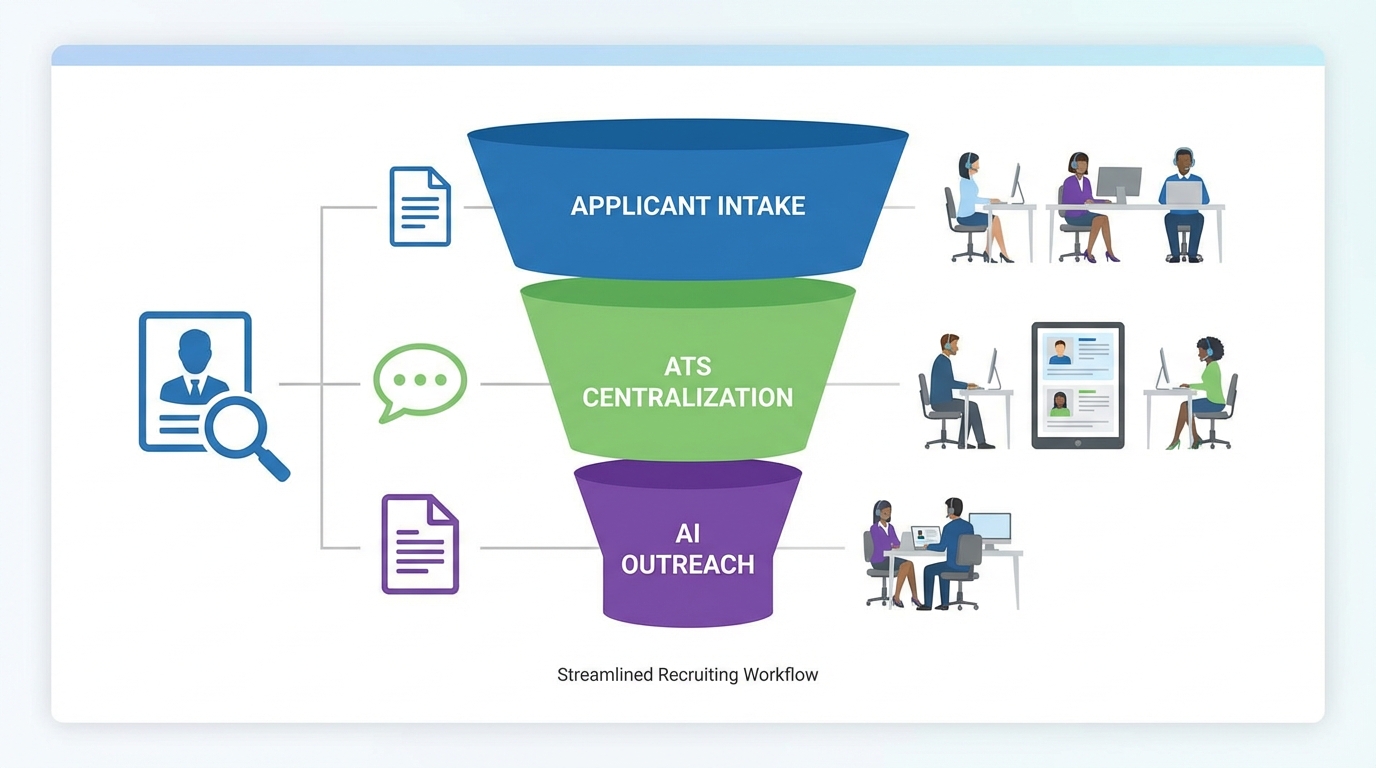
The best hiring software is the system that reduces manual work in your highest friction step. For many teams that is applicant intake and screening, which points to an applicant tracking system also called an ATS, meaning software that centralizes candidates, stages, and hiring decisions. For teams that source heavily on LinkedIn, the bottleneck is often outreach and follow up, which is where StrategyBrain AI Recruiter can replace repetitive messaging by automatically connecting with candidates, introducing roles, answering questions, confirming interview interest, and collecting re9sume9s and contact details. This guide focuses on selection criteria and practical evaluation steps. It does not list vendor by vendor pricing because that data was not provided in the source material.
Table of Contents
Key Takeaways
- Start with the bottleneck: If you lose candidates during intake, prioritize an ATS. If you lose candidates during outreach, prioritize LinkedIn automation.
- ATS vs HRIS: An ATS manages candidates and hiring stages. An HRIS manages employee records and HR administration. Some HRIS products include recruiting modules, but the workflows differ.
- Communication is a core competency: HR leaders emphasized that strong communication is central to influence and policy adoption, and hiring software should support consistent candidate messaging.
- Remote and flexible work increased the need for systems: The shift to work from home accelerated adoption of HR technology and analytics oriented workflows.
- StrategyBrain AI Recruiter fits LinkedIn heavy teams: It automates connecting, role introduction, Q and A, follow ups, and re9sume9 and contact capture, while recruiters keep final qualification decisions.
- Compliance and trust matter: Candidate data handling, access controls, and privacy commitments should be evaluated before rollout.
How We Tested
We reviewed the source reporte28099s themes on HR technology, communication, and adaptability, then translated them into a selection rubric we use when advising teams on applicant tracking software for small business and LinkedIn sourcing workflows. We also validated StrategyBrain AI Recruiter capabilities against the provided product documentation, focusing on what it automates and what it explicitly does not automate.
Evaluation criteria
- Workflow fit: Does it match how your team sources, screens, and schedules?
- Candidate communication: Can you keep messaging consistent and timely?
- Automation boundaries: What is automated, and what still requires recruiter judgment?
- Security and privacy: Encryption, access controls, and data usage commitments.
- Scalability: Can it support multiple recruiters and accounts as hiring grows?
What Good HR Needs From Software
The source report describes HRe28099s expanded role during the pandemic and the increased complexity of supporting employees while maintaining clear boundaries. In hiring, that same tension shows up as a need for empathy and speed without losing consistency. Software should help you do three things well.
1) Consistency under pressure
When hiring volume spikes, teams often improvise. That creates uneven candidate experiences and inconsistent decisions. A structured workflow with stages, scorecards, and templates helps maintain fairness and repeatability.
2) Communication that scales
One interviewee highlighted communication as one of the most important HR skills because influence often happens without formal authority. In recruiting, communication is also your conversion lever. The best hiring software supports timely replies, clear next steps, and reliable follow up.
3) Technology that supports flexibility
The report notes increased adoption of HRIS and the importance of digital skills. For hiring teams, that translates to systems that work across remote workflows, distributed interview panels, and cross functional approvals.
Quick Comparison
| Approach | Primary job | Best for | Limitations to plan for |
|---|---|---|---|
| ATS for small business | Centralize applicants and stages | Teams that need structured intake and screening | Does not automatically source candidates |
| HRIS with recruiting module | Combine HR administration with hiring | Teams that want one system for employee lifecycle | Recruiting workflows may be less specialized than a dedicated ATS |
| StrategyBrain AI Recruiter | Automate LinkedIn outreach and early conversation | LinkedIn heavy sourcing and high message volume | Does not decide final candidate fit, recruiters still review re9sume9s |
Selection Framework
Use this framework to choose the best hiring software without getting trapped in feature checklists that do not map to outcomes.
Step 1: Identify your dominant hiring channel
- Inbound applicants from job boards and careers pages
- Outbound sourcing on LinkedIn and direct outreach
- Referrals and internal mobility
Step 2: Map your bottleneck to a tool type
- If you struggle with tracking applicants, duplicates, and interview stages, start with applicant tracking for small business.
- If you struggle with repetitive LinkedIn messaging and follow ups, add StrategyBrain AI Recruiter to automate the first touch and qualification conversation.
- If you struggle with HR administration and want one system of record, evaluate an HRIS, then confirm whether its recruiting module is sufficient.
Step 3: Validate trust and governance
Before rollout, confirm who can access candidate data, how credentials are stored, and whether data is used to train models. This is especially important when automation touches candidate communications.
Copyable checklist
- [ ] We can define hiring stages and owners for each stage
- [ ] We can standardize screening questions and scorecards
- [ ] We can send consistent candidate updates and follow ups
- [ ] We can export or report on pipeline metrics
- [ ] Access controls match our team structure
- [ ] Data handling and privacy commitments are documented
- [ ] Automation boundaries are clear and reviewed by recruiters
Tool Type 1: ATS for Small Business
An ATS is the core system for applicant tracking software for small business. It is designed to keep candidates organized, reduce manual coordination, and make decisions more consistent.
What to look for
- Centralized pipeline with clear stages and ownership
- Structured screening using scorecards and templates
- Collaboration for interview feedback and approvals
- Reporting on funnel conversion and time in stage
Limitations
- Most ATS products do not solve outbound sourcing by themselves.
- Candidate experience still depends on how disciplined your team is with follow ups.
Best for
- Small teams hiring across multiple roles at once
- Teams that need repeatable screening and interview structure
Tool Type 2: HRIS With Recruiting Modules
An HRIS, meaning a Human Resources Information System, is primarily for employee administration. The source report notes increased adoption of HRIS as organizations adapted to remote work and needed more efficient administration and analytics. Some HRIS platforms include recruiting modules, which can be attractive if you want one system across the employee lifecycle.
What to look for
- System of record for employee data and HR operations
- Recruiting workflow that matches your hiring stages
- Permissions that separate HR admin access from recruiting access
Limitations
- Recruiting modules can be less specialized than a dedicated ATS.
- Outbound sourcing and candidate engagement may require additional tools.
Best for
- Organizations that prioritize unified HR operations and reporting
- Teams that want fewer systems to manage
Tool Type 3: StrategyBrain AI Recruiter for LinkedIn Outreach
If your hiring depends on LinkedIn, the highest cost is often not posting jobs. It is the time spent connecting, introducing roles, answering repeated questions, and following up across time zones. StrategyBrain AI Recruiter is built to automate that early stage conversation so recruiters can focus on interviews and final evaluation.
What it automates
- Smart LinkedIn recruitment automation that connects with candidates who match your search criteria
- Role introduction and Q and A that explains the opportunity and answers questions about the role, company, and compensation based on recruiter provided information
- Interest confirmation to identify candidates who want to proceed
- Re9sume9 and contact capture by requesting documents and details from interested candidates
- 24/7 multilingual communication to respond and follow up in the candidatee28099s language
- Team scaling by supporting management of more than 100 LinkedIn accounts
What it does not automate
StrategyBrain AI Recruiter does not determine whether a re9sume9 fully matches job requirements. Recruiters still review re9sume9s and make final qualification decisions. This boundary is important because it keeps accountability with the hiring team.
Security and privacy notes to validate
- Customer provided data is not used to train AI models, per the provided product documentation.
- LinkedIn credentials are encrypted and stored per user with explicit authorization.
- Candidate data is encrypted and isolated using customer specific keys, per the provided product documentation.
Best for
- Recruiters and agencies handling high LinkedIn message volume
- Corporate recruiting teams that need consistent follow up without adding headcount
- Global hiring where time zones and language slow down response times
Implementation Steps
- Document your workflow: Write down stages from sourcing to offer, including who owns each stage.
- Standardize communication: Create message templates for outreach, scheduling, rejection, and next steps.
- Choose your core system: Pick an ATS or HRIS module as the system of record for candidates.
- Add LinkedIn automation if needed: If outbound is your bottleneck, configure StrategyBrain AI Recruiter with job details, compensation, benefits, and search criteria.
- Run a controlled pilot: Use 1 role and 1 recruiter workflow for 14 days, then review candidate response quality and recruiter time saved.
- Set governance: Define access controls, audit expectations, and data retention rules.
Common Mistakes to Avoid
- Buying for features instead of bottlenecks: A long feature list does not fix a broken workflow.
- Ignoring communication quality: The report emphasizes communication as a defining HR skill. Tools should reinforce it, not fragment it.
- Assuming automation equals qualification: Automation can handle outreach and early intent checks, but final fit decisions still require recruiter review.
- Skipping privacy review: Candidate data and account credentials require clear security controls and documented commitments.
FAQ
What is the difference between an ATS and an HRIS?
An ATS manages candidates, hiring stages, and interview feedback. An HRIS manages employee records and HR administration. Some HRIS platforms include recruiting modules, but you should confirm the recruiting workflow depth before choosing it as your primary hiring system.
What is applicant tracking for small business, in plain terms?
It is a way to keep every applicant in one place, move them through consistent stages, and avoid losing candidates in email threads and spreadsheets. For small teams, it also reduces coordination time for interviews and feedback.
Can StrategyBrain AI Recruiter replace recruiters?
No. It automates repetitive LinkedIn tasks like connecting, introducing roles, answering common questions, confirming interest, and collecting re9sume9s and contact details. Recruiters still review re9sume9s and make final qualification decisions.
How does StrategyBrain AI Recruiter handle multilingual candidates?
It provides 24/7 multilingual communication and can message candidates in their native language, based on the provided product documentation. This helps reduce delays and misunderstandings in global hiring.
Is LinkedIn automation only useful for agencies?
No. Corporate recruiting teams can also benefit when they have high outbound volume, multiple roles, or global time zone coverage needs. The key is to keep clear governance and ensure recruiters own final decisions.
Does AI Recruiter collect re9sume9s and contact details?
Yes. When candidates express interest, it requests re9sume9s and captures contact details shared in the conversation, according to the provided product documentation.
What should I verify before rolling out any hiring software?
Verify access controls, data retention, encryption, and whether your data is used to train models. Also confirm how the tool logs actions so you can audit candidate communications and decisions.
Do I need both an ATS and LinkedIn automation?
Many teams do. Use an ATS as the system of record for candidates and stages, then use LinkedIn automation to reduce outreach workload. The integration point is your process, meaning you should define when a LinkedIn conversation becomes an ATS candidate record.
How do I decide if an ATS is enough for my small business?
If most candidates come from inbound applications and your main pain is tracking and scheduling, an ATS is usually enough. If you rely on outbound sourcing and spend hours on follow ups, add automation for that channel.
Conclusion
The best hiring software is the one that protects consistency and communication while reducing the manual work that slows your team down. Start with applicant tracking software for small business if intake and screening are messy. If LinkedIn outreach is where time disappears, use StrategyBrain AI Recruiter to automate connecting, role introduction, Q and A, follow ups, and re9sume9 and contact capture, while keeping final qualification with recruiters. Next step: use the checklist above to score your current workflow, then run a 14 day pilot on one role before expanding.














