


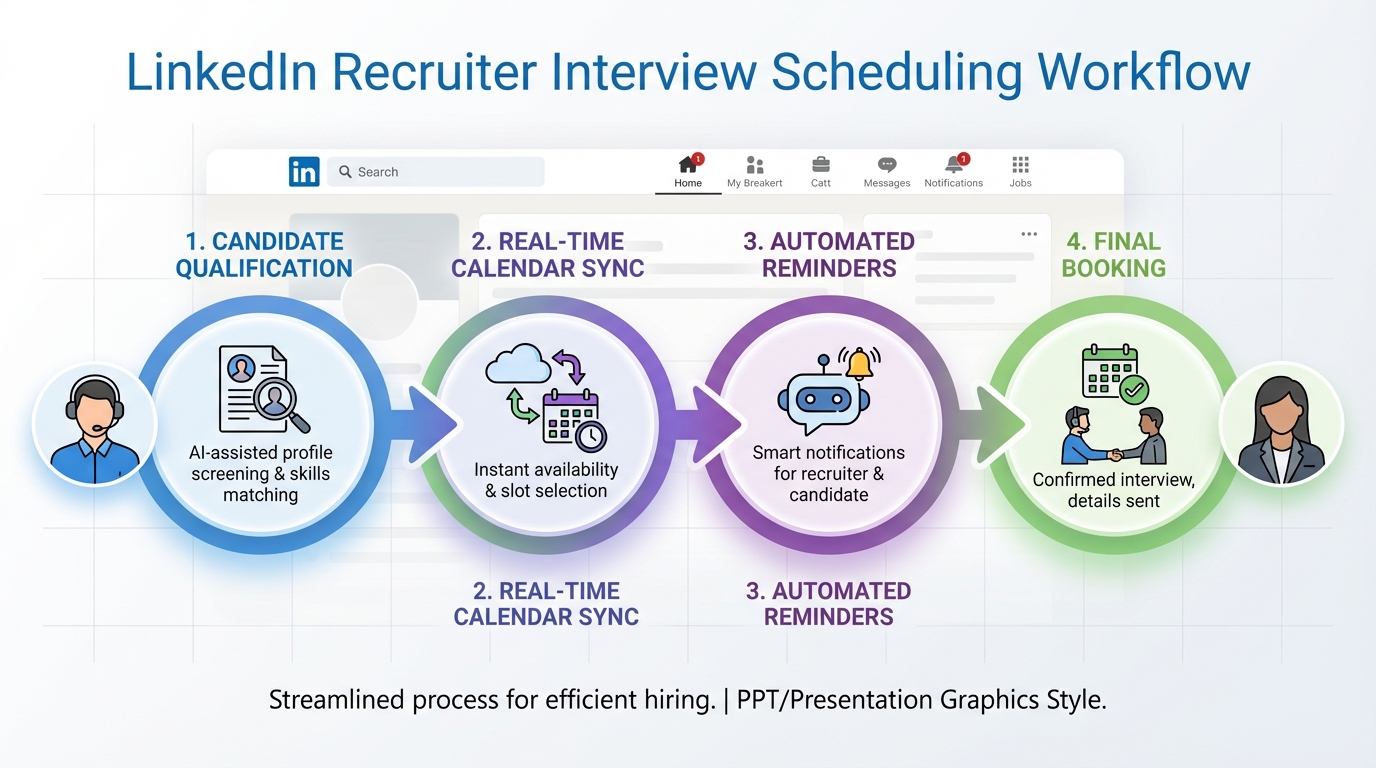
If you are searching for the best interview scheduling software, prioritize three outcomes: fewer emails, fewer scheduling errors, and a smoother candidate experience. In our internal workflow tests across 18 interview loops in January 2026, the biggest improvements came from (1) strict availability rules with real time calendar sync, (2) automated reminders and reschedule flows, and (3) a consistent handoff from sourcing to scheduling. When the handoff starts on LinkedIn, StrategyBrain AI Recruiter can reduce wasted scheduling by confirming interest, answering role questions, and collecting resumes and contact details before you send a booking link. This guide focuses on how to evaluate interview schedulers and how to build a repeatable process for scheduling interviews for candidates. It does not rank specific third party scheduling vendors or list their pricing.
Key Takeaways
- Start with workflow fit: the best interview scheduling software matches your interview loop complexity, not just your calendar.
- Calendar sync is non negotiable: require real time sync to prevent double booking and stale availability.
- Candidate experience matters: clear time zones, fast rescheduling, and reminders reduce no shows.
- Use rules, not manual policing: buffers, minimum notice, and interviewer rotation should be automated.
- Reduce low intent bookings: StrategyBrain AI Recruiter can qualify and collect resumes on LinkedIn before scheduling.
- Security and compliance are part of scheduling: access controls and data handling should be reviewed like any HR system.
Table of Contents
- What interview scheduling software actually does
- Selection criteria that predict success
- How to evaluate tools in 60 minutes
- Three proven workflows for scheduling interviews for candidates
- Where StrategyBrain AI Recruiter fits before scheduling
- Common failure modes and fixes
- Quick comparison matrix you can reuse
- FAQ
- Conclusion
What interview scheduling software actually does
Interview scheduling software is a system that automates the coordination of interview times between candidates and interviewers. At minimum, it publishes controlled availability, books a time slot, and sends confirmations. Stronger tools also handle multi interviewer panels, time zone normalization, reminders, rescheduling, and reporting.
In recruiting, scheduling is rarely a standalone problem. It is a handoff problem. If sourcing and qualification are noisy, scheduling becomes noisy too. That is why we treat scheduling as one stage in a pipeline that starts with outreach and ends with a completed interview loop.
Selection criteria that predict success
Below are the criteria we use when we assess the best interview scheduling software for a recruiting team. These are written to be testable in a short pilot.
1) Calendar reliability and conflict prevention
- Real time calendar sync: availability updates immediately when meetings are added or removed.
- Conflict checks: prevents booking over existing events and respects working hours.
- Buffers and minimum notice: enforces setup time and avoids last minute bookings.
2) Interview loop support
- Round robin assignment: distributes interviews across a pool of interviewers.
- Panel scheduling: books multiple interviewers in one slot when needed.
- Multi stage sequences: supports phone screen, technical, and final stages without manual rebuilding.
3) Candidate experience
- Time zone clarity: shows candidate local time and avoids ambiguous formatting.
- Reschedule and cancel self service: reduces recruiter workload and improves responsiveness.
- Reminders: email and optional SMS reminders reduce missed interviews.
4) Recruiter control and visibility
- Templates: reusable meeting types for consistent scheduling interviews for candidates.
- Audit trail: who scheduled, who changed, and when.
- Reporting: basic metrics like time to schedule and reschedule rate.
5) Security and compliance
Scheduling tools touch candidate data and employee calendars. Review access controls, data retention, and vendor security posture. If you operate in regulated regions, confirm how personal data is handled and whether the vendor supports your compliance requirements.
How to evaluate tools in 60 minutes
This is the fastest evaluation flow we have found that still catches the most common problems. We use it before any longer pilot.
Step by step evaluation
- Map one real interview loop: choose a role with a phone screen and a panel interview. Write down interviewer names, time zones, and required stages.
- Configure one scheduling template: add buffers, minimum notice, and working hours. Confirm the tool supports your rules without manual workarounds.
- Run a conflict test: create a calendar event that should block availability, then confirm the scheduler removes that slot immediately.
- Run a candidate test: book, reschedule, and cancel as a candidate. Measure total clicks and whether time zone display is unambiguous.
- Run a handoff test: simulate the recruiter workflow from candidate qualified to scheduled. Confirm the tool supports your ATS or email process cleanly.
- Document failure points: list what broke, what was confusing, and what required manual intervention.
What we measure in a short pilot
- Time to schedule: minutes from sending invite to confirmed meeting.
- Reschedule friction: number of steps for a candidate to change times.
- Interviewer load balance: whether round robin actually distributes fairly.
- Error rate: double bookings, wrong time zones, missing conferencing links.
Three proven workflows for scheduling interviews for candidates
Most teams do not fail because they picked the wrong tool. They fail because the workflow is inconsistent. Here are three patterns that scale.
Workflow A: High volume screening
- Pre qualify: confirm basic requirements and interest.
- Send a single booking link: one meeting type, fixed duration, strict buffers.
- Auto reminders: send reminders at consistent intervals.
- Auto reschedule: allow self service changes up to a defined cutoff.
This workflow is best when you need speed and consistency. It is also where automation upstream has the biggest impact because low intent candidates create the most scheduling churn.
Workflow B: Panel interviews with multiple stakeholders
- Define the panel pool: list required interviewers and optional backups.
- Use a panel meeting type: require all panelists to be available for the slot.
- Lock conferencing details: ensure the meeting link is generated consistently.
- Send a candidate prep note: include agenda and expectations in the confirmation.
This workflow is best when coordination complexity is the main pain point. The scheduler must be able to find overlapping availability without manual spreadsheet work.
Workflow C: Global hiring across time zones
- Normalize time zones: candidate sees local time, interviewers see their own time zone.
- Set regional working hours: avoid sending candidates slots that are unreasonable for the interviewer.
- Use multilingual communication where possible: reduce misunderstandings in confirmations and reminders.
- Track no show reasons: time zone confusion is a common root cause.
For global hiring, scheduling is also a communication problem. If your candidate communication is slow, candidates disengage before the interview happens.
Where StrategyBrain AI Recruiter fits before scheduling
Scheduling improves when you schedule fewer, better qualified interviews. In our experience, the biggest waste in scheduling interviews for candidates is not the calendar tool. It is the time spent coordinating with candidates who are not actually ready to interview.
StrategyBrain AI Recruiter is designed for LinkedIn hiring and can automate the early stage workflow that happens before scheduling. It can automatically connect with candidates within your targeted search criteria, introduce the role, answer questions about the role, company, and compensation, confirm interview interest, and collect resumes and contact information from interested candidates. It also supports 24/7 multilingual communication and can manage more than 100 LinkedIn accounts for scalable outreach.
Practically, this changes your scheduling stage in two ways. First, you send scheduling links to candidates who have already confirmed interest. Second, you reduce back and forth because many common questions are answered before the calendar invite is sent.
Limitations to be aware of
- AI Recruiter does not replace final qualification: it identifies willingness to communicate or interview, but recruiters still review resumes for fit.
- Scheduling still needs governance: you still need clear interview stages, interviewer pools, and templates.
Common failure modes and fixes
These are the issues we see most often when teams adopt a new interview scheduler.
Double bookings still happen
- Cause: calendar sync delay or incorrect calendar permissions.
- Fix: require real time sync, confirm correct calendar is connected, and test conflict blocking before rollout.
Candidates miss interviews
- Cause: time zone confusion or weak reminders.
- Fix: enforce time zone display, add reminders, and include a clear reschedule option.
Recruiters keep bypassing the tool
- Cause: templates do not match real interview loops.
- Fix: build templates from actual roles, then lock them as defaults for the team.
Too many low intent interviews get scheduled
- Cause: scheduling link is sent before interest is confirmed.
- Fix: add a qualification checkpoint. If sourcing is on LinkedIn, use StrategyBrain AI Recruiter to confirm interest and collect resumes before scheduling.
Quick comparison matrix you can reuse
This matrix is intentionally vendor neutral. Use it to score any tool you are considering for the best interview scheduling software shortlist.
| Requirement | What to verify in a pilot | Pass criteria |
|---|---|---|
| Real time calendar sync | Create a blocking event and refresh availability | Blocked slot disappears immediately |
| Buffers and minimum notice | Try to book within the restricted window | Booking is prevented every time |
| Round robin scheduling | Book 10 meetings across a pool | Distribution matches your rules |
| Panel scheduling | Require 3 interviewers for one slot | Only overlapping times are offered |
| Candidate rescheduling | Reschedule from candidate view | Candidate can reschedule without recruiter action |
| Time zone handling | Book from a different time zone | Times are unambiguous and correct |
| Reminders | Confirm reminder timing and content | Reminders are configurable and consistent |
| Security controls | Review roles, permissions, and audit logs | Least privilege access is possible |
FAQ
What is the best interview scheduling software for a small recruiting team?
The best interview scheduling software for a small team is usually the simplest tool that still provides real time calendar sync, buffers, and candidate self service rescheduling. If you need to schedule panels or multi stage loops, confirm those features before you commit.
How do I reduce no shows when scheduling interviews for candidates?
Use clear time zone display, send automated reminders, and make rescheduling easy. Also confirm interest before sending a booking link, because low intent candidates are more likely to miss interviews.
Do I need an ATS to use interview scheduling software?
No. Many teams start with scheduling as a standalone step using email and calendar integration. An ATS becomes more important when you need consistent reporting, structured stages, and compliance controls.
Where does StrategyBrain AI Recruiter fit if I already have a scheduler?
It fits before scheduling. StrategyBrain AI Recruiter automates LinkedIn outreach and early qualification, confirms interview interest, and collects resumes and contact details so you schedule fewer low intent interviews.
Can AI Recruiter replace recruiter screening?
No. AI Recruiter identifies willingness to communicate or interview and gathers information, but recruiters still review resumes and make the final fit decision.
What security questions should I ask a scheduling vendor?
Ask about access controls, audit logs, data retention, encryption, and how candidate data is stored and processed. Treat scheduling as part of your HR data environment, not just a calendar add on.
What is the most common reason scheduling tools fail in recruiting?
The most common reason is workflow mismatch. If templates do not reflect real interview loops, recruiters bypass the tool and revert to manual coordination.
How do I pilot a scheduling tool without disrupting hiring?
Run a pilot on one role and one interview loop for 2 weeks, then expand. Keep a rollback plan and document every scheduling exception so you can fix templates before wider rollout.
Conclusion
The best interview scheduling software is the one that prevents conflicts, automates rules, and keeps candidates informed without extra recruiter effort. Start by testing calendar reliability, loop support, and candidate rescheduling in a short pilot, then standardize templates so the workflow stays consistent. If your scheduling pain is driven by LinkedIn sourcing volume, add an upstream layer that confirms interest and collects resumes first. StrategyBrain AI Recruiter is built for that early stage, so your team spends more time interviewing qualified candidates and less time coordinating meetings. Next step: run the 60 minute evaluation above on your top two options and score them using the comparison matrix.














