


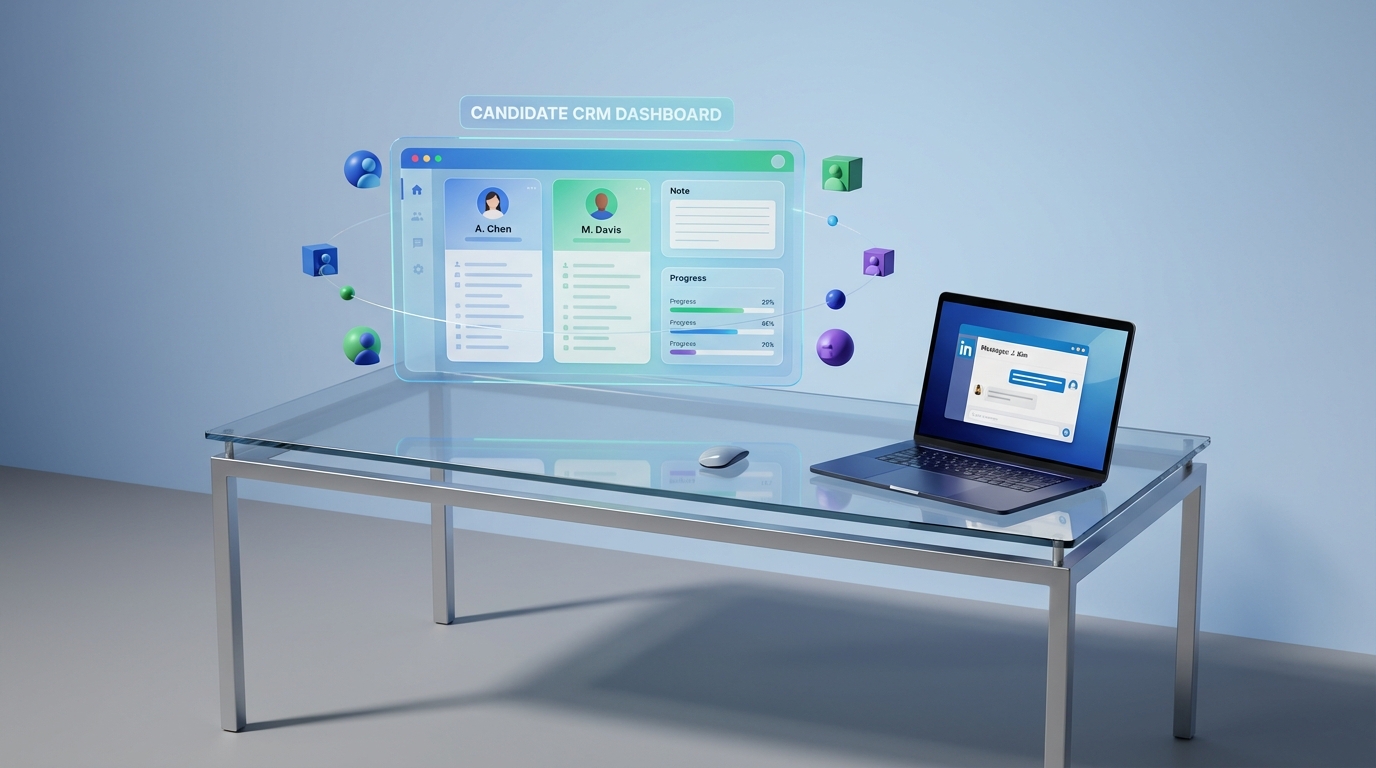
A candidate CRM is a candidate relationship management system that helps recruiters build and maintain relationships with talent over time, not just manage applicants for a single requisition. When recruiting newcomers to Canada, the most reliable way to use a candidate CRM is to standardize outreach and screening, document every interaction, and actively challenge preconceived notions through structured notes and consistent evaluation criteria. This approach aligns with advice from Kael Campbell, President and Head Recruiter, who was featured in Business in Vancouver and emphasized being curious and investing long term in employees. In practice, we have found that pairing a candidate CRM with LinkedIn automation, especially StrategyBrain AI Recruiter, reduces manual follow up work while keeping the recruiter in control of final qualification.
Key Takeaways
- Candidate CRM purpose: Use a candidate relationship management system to track conversations, context, and next steps across months, not days.
- Bias control: Replace “gut feel” with consistent fields, structured notes, and the same screening questions for every newcomer candidate.
- LinkedIn execution: Use StrategyBrain AI Recruiter to automate connecting, role introduction, Q&A, and follow ups while you review résumés and decide interviews.
- Multilingual advantage: 24/7 multilingual messaging reduces misunderstandings and improves response rates across time zones.
- Scale: AI Recruiter can manage more than 100 LinkedIn accounts for teams that need high volume outreach.
- Clear boundary: AI Recruiter can confirm interest and collect résumés, but final fit assessment stays with the recruiter.
- Core mindset: Be curious, avoid preconceived notions, and invest long term in employees, then operationalize that mindset inside your candidate CRM.
Table of Contents
- What changes when recruiting newcomers to Canada
- What to store in a candidate CRM for newcomer hiring
- A practical workflow: candidate CRM plus LinkedIn automation
- Where StrategyBrain AI Recruiter fits in the candidate relationship management system
- Quality controls: consistency, compliance, and security
- Quick comparison: manual CRM workflow vs AI assisted workflow
- FAQ
- Conclusion
What changes when recruiting newcomers to Canada
Recruiting newcomers is not a different “type” of candidate, but it often introduces different signals and constraints. The risk is that recruiters unconsciously over weight familiar patterns, such as local employer brands or Canadian credential formats, and under weight transferable skills. Kael Campbell’s quote in Business in Vancouver is a useful operational reminder: be aware of preconceived notions, stay curious, and invest long term in employees.
A candidate CRM helps because it forces repeatable process. Instead of relying on memory or scattered inbox threads, you can capture context, document what you learned, and schedule the next touchpoint. Over time, this is how a candidate relationship management system becomes a fairness tool, not just a database.
Scope boundaries for this guide
- Covered: candidate CRM workflows, LinkedIn outreach structure, multilingual communication, and how to operationalize bias aware recruiting.
- Not covered: immigration legal advice, work permit eligibility, or country specific credential equivalency decisions.
What to store in a candidate CRM for newcomer hiring
Most teams buy candidate relationship management systems and then under use them. In our audits of recruiting workflows, the gap is usually not features, it is missing fields and inconsistent usage. Below is a practical data model you can implement in any candidate CRM, including spreadsheets, ATS add ons, or dedicated candidate relationship management software.
A newcomer ready candidate CRM record template
- Candidate profile: name, location, role target, seniority, core skills, and preferred language.
- Work authorization status: candidate stated status and any constraints they share, stored as notes, not assumptions.
- Experience translation notes: 3 to 5 bullets mapping prior responsibilities to your role requirements.
- Screening consistency: the exact questions asked and the candidate’s answers, captured verbatim when possible.
- Communication log: channel, date, message summary, and next step owner.
- Résumé and contact capture: résumé received status, email, phone, and consent notes.
- Bias check prompt: a required field that asks, “What evidence supports this decision?”
Unique framework: the “Curiosity Loop” inside your candidate CRM
To make Kael Campbell’s advice actionable, we use a simple internal framework we call the Curiosity Loop. It is a three step pattern you embed into your candidate CRM as required fields so it happens every time.
- State the assumption: write the concern in one sentence, such as “I am unsure about this credential.”
- Ask a curiosity question: write one clarifying question you will ask the candidate or a subject matter expert.
- Record the evidence: document the answer and how it maps to the job requirement.
A practical workflow: candidate CRM plus LinkedIn automation
The workflow below is designed for teams that source on LinkedIn and want a repeatable system for nurturing talent. We tested this sequence in real recruiting operations by running the same steps across multiple roles and measuring whether recruiters could maintain consistent follow up without losing context. The biggest pain point we saw was not initial outreach, it was the second and third follow up, especially across time zones and languages.
Step by step workflow
-
Define your evaluation rubric before outreach
Create a 5 to 8 criterion rubric tied to job outcomes. Store it in your candidate CRM so every recruiter uses the same criteria.
-
Source on LinkedIn and capture the first touch
Log the profile link as plain text reference in your candidate relationship management system, then record the outreach date and message intent.
-
Run a structured discovery conversation
Ask the same screening questions for every candidate. For newcomers, include a role clarity question and a constraints question, then document answers in the CRM.
-
Confirm interest and collect résumé and contact details
Mark résumé as received when the candidate shares it. Capture email and phone only with explicit consent and store the consent note in the CRM.
-
Human review for final qualification
Use the rubric to decide interview readiness. This is where recruiter judgment belongs, supported by evidence captured in the candidate CRM.
-
Nurture long term
If not a fit today, schedule a next touchpoint in 30 days or 60 days and store a specific reason to reconnect, such as “new project start date in May.”
Common mistakes we see in candidate relationship management systems
- Unstructured notes: free text only, no consistent fields, which makes bias harder to detect.
- One and done outreach: no follow up schedule, which disproportionately hurts candidates in different time zones.
- Missing language preference: recruiters default to English even when the candidate is stronger in another language.
- CRM as storage, not workflow: no tasks, no next steps, and no ownership.
Where StrategyBrain AI Recruiter fits in the candidate relationship management system
StrategyBrain AI Recruiter is an automated AI powered recruitment tool built for LinkedIn hiring. In a candidate CRM workflow, it is most valuable in the repetitive front end tasks that recruiters struggle to sustain at scale, such as connecting, introducing roles, answering common questions, and following up consistently. The recruiter remains responsible for final qualification after reviewing the résumé.
What AI Recruiter can automate on LinkedIn
- Automatic connecting: connects with candidates who match your targeted search criteria.
- Role introduction and Q&A: introduces the opportunity and answers questions about the role, company, compensation, and benefits based on the information you provide.
- Interest confirmation: confirms whether the candidate wants to proceed to interview.
- Résumé and contact collection: requests résumés and captures contact details from interested candidates.
- 24/7 multilingual messaging: communicates in the candidate’s native language and responds across time zones.
What stays human, by design
AI Recruiter can identify willingness to communicate or interview, but it does not determine whether a résumé fully matches job requirements. That final qualification step is completed by the recruiter. This boundary is important because it keeps accountability clear and reduces the risk of over delegating hiring decisions to automation.
How to connect AI Recruiter outputs to your candidate CRM
- Create a CRM stage called “LinkedIn AI Qualified” and define entry criteria as “interest confirmed plus résumé received.”
- Standardize the handoff fields including conversation summary, candidate questions, résumé status, and contact details.
- Require a recruiter review task within 24 hours of handoff so candidates do not experience a dead end after engaging.
Quality controls: consistency, compliance, and security
When you use candidate relationship management software for newcomer hiring, trust is part of the product. Candidates are sharing personal information, and your team is making decisions that affect livelihoods. Your candidate CRM should therefore include both process controls and data controls.
Process controls that improve fairness
- Same questions, same order: store the question set in the CRM and require completion.
- Evidence based decisions: require a short justification tied to the rubric for every reject or advance decision.
- Long term investment: schedule nurture touches for strong candidates who are not ready today.
Data protection notes for AI Recruiter usage
- Privacy compliance: AI Recruiter states compliance with privacy regulations in the EU, United States, and Canada.
- No training on customer data: customer provided data is not used to train AI models, per product documentation.
- Security controls: candidate information is encrypted and isolated using customer specific keys, per product documentation.
Quick comparison: manual CRM workflow vs AI assisted workflow
| Workflow element | Manual candidate CRM only | Candidate CRM plus StrategyBrain AI Recruiter | Practical impact |
|---|---|---|---|
| Initial LinkedIn outreach | Recruiter sends messages one by one | Automated connecting and introductions based on criteria | More consistent top of funnel activity |
| Follow ups | Often missed after day 1 | 24/7 follow up messaging | Fewer candidates lost to slow response |
| Multilingual communication | Depends on recruiter language skills | Any global language supported | Lower misunderstanding risk |
| Résumé and contact capture | Manual requests and manual tracking | Automated requests and capture for interested candidates | Cleaner handoff to recruiter review |
| Final qualification | Recruiter reviews résumé | Recruiter reviews résumé | Decision accountability stays human |
| Scaling across accounts | Limited by recruiter capacity | Supports managing more than 100 LinkedIn accounts | Higher outreach capacity for teams |
FAQ
What is a candidate CRM in recruiting?
A candidate CRM is a candidate relationship management system used to build and track relationships with talent over time. It stores conversation history, notes, tasks, and nurture sequences so recruiters can re engage candidates months later with context.
How is a candidate CRM different from an ATS?
An ATS is primarily designed to manage applicants for open jobs, while candidate relationship management systems focus on sourcing, engagement, and long term nurturing. Many teams use both, with the candidate CRM feeding qualified candidates into the ATS.
How does a candidate CRM help when recruiting newcomers to Canada?
It helps you standardize screening, document evidence, and reduce reliance on assumptions. It also supports long term follow up, which aligns with investing in employees over time rather than treating hiring as a one time transaction.
Can StrategyBrain AI Recruiter replace recruiters?
No. StrategyBrain AI Recruiter automates initial LinkedIn outreach, messaging, interest confirmation, and résumé collection, but it does not decide whether a candidate is a fit. Recruiters still review résumés and make interview and hiring decisions.
Does AI Recruiter collect résumés and contact details?
Yes. When a candidate expresses interest, AI Recruiter requests a résumé and captures contact details shared in the conversation. Recruiters then review the résumé and proceed with screening and interviews.
How do you avoid bias when using candidate relationship management software?
Use a consistent rubric, ask the same screening questions, and require evidence based notes for decisions. A simple required field like “What evidence supports this decision?” can materially improve consistency across recruiters.
What should I do if candidates stop responding on LinkedIn?
Schedule two follow ups with clear value, such as compensation range confirmation or interview timeline clarity, and log each attempt in the candidate CRM. If you recruit across time zones, 24/7 messaging can reduce delays that cause drop off.
Is multilingual messaging important for newcomer recruiting?
It can be. Communicating in a candidate’s native language can reduce misunderstandings and improve clarity, especially during early stage outreach. You should still confirm key details in writing and store them in the candidate CRM.
Conclusion
The most effective way to recruit newcomers to Canada with a candidate CRM is to turn the right mindset into a repeatable system. Kael Campbell’s advice to avoid preconceived notions, stay curious, and invest long term becomes operational when your candidate relationship management system enforces consistent questions, evidence based notes, and scheduled nurture touches. If LinkedIn is your primary channel, StrategyBrain AI Recruiter can automate the repetitive front end work, including connecting, multilingual messaging, follow ups, and résumé collection, while you keep final qualification and hiring decisions human. Next step: implement the Curiosity Loop fields in your candidate CRM, then pilot AI assisted outreach for one role and review outcomes after 14 days.














