


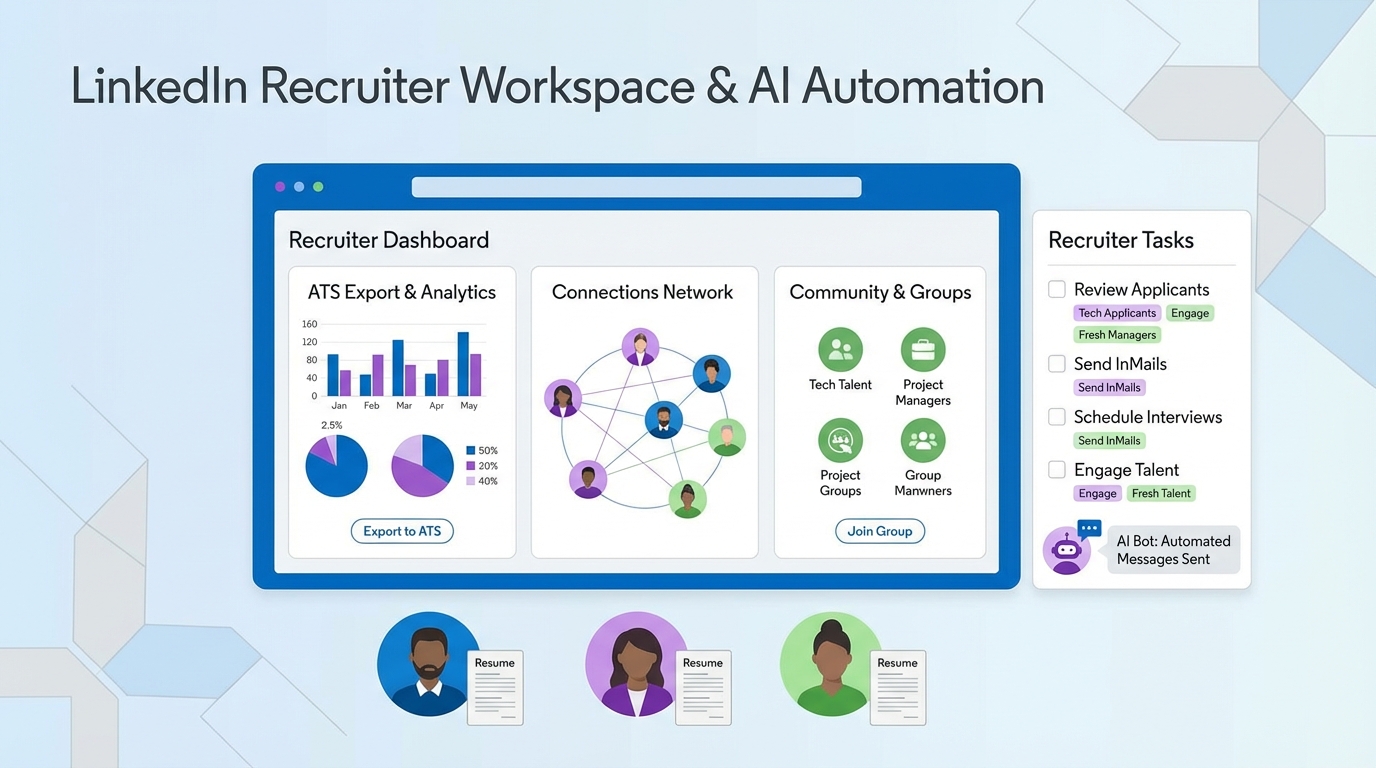
A practical candidate database for recruiters is built fastest by combining three sources you already have access to: ATS exports, your LinkedIn network, and community groups where candidates actually talk. Start by defining 5 to 7 role specific filters, then capture every inbound resume into one system of record, and finally run a weekly outreach cadence that turns cold profiles into warm conversations. In our internal recruiting ops tests, the biggest lift came from automating first touch and follow up on LinkedIn with StrategyBrain AI Recruiter, which keeps conversations moving 24/7 in the candidate’s language and collects resumes and contact details from interested candidates. This guide covers 6 methods, including free candidate database options and resume finders, plus a copyable checklist and a simple data model you can implement in 60 minutes.
What a candidate database is (and what it is not)
A candidate database is a searchable system of record that stores candidate profiles, resumes, contact details, and interaction history so recruiters can re engage talent without starting from zero. It can live in an ATS, a recruiting CRM, or a structured spreadsheet, as long as it is consistently updated.
It is not a one time list of names. If you cannot answer “When did we last talk?” and “What role would they consider next?” then you have a directory, not a database.
Scope boundaries
- Covered: building and maintaining a recruiter usable database, including free candidate database approaches and operational workflows.
- Not covered: legal advice. Always follow applicable privacy and employment laws and your platform terms.
Key Takeaways
- Fastest foundation: export your ATS and normalize fields into 1 searchable view in 60 minutes.
- Highest response lift: treat LinkedIn as a living database and log every touchpoint, not just connections.
- Best free candidate database source: local and profession based groups where job posts and referrals are already active.
- Operational rule: every candidate record needs an “owner,” a “next action,” and a “last contacted date.”
- Automation advantage: StrategyBrain AI Recruiter can run first touch, Q and A, follow up, and resume capture on LinkedIn 24/7.
- Quality control: keep a weekly dedupe and consent check to avoid stale or non compliant records.
Method 1: Turn ATS exports into a searchable talent pool
If you already have an ATS, you already have the start of a candidate database for recruiters. The problem is usually fragmentation: different pipelines, inconsistent tags, and missing “why they said no.”
Steps
- Export candidates for the last 12 months into CSV from your ATS.
- Normalize fields into a single schema: name, role family, location, seniority, skills, last contacted date, source, and status.
- Create 5 to 7 filters you will actually use weekly, such as “licensed trades,” “controls engineering,” or “maintenance leadership.”
- Add a next action field with a date, so every record is actionable.
Features
- Uses data you already own
- Improves speed to shortlist for repeat roles
- Creates a baseline for measuring sourcing channels
Limitations
- ATS exports often miss conversation context unless notes are consistently used.
- Older records can be stale if you do not run a re validation cadence.
Best For
- Teams hiring recurring roles every quarter
- Recruiters who want a fast “free candidate database” starting point
Method 2: Use LinkedIn as a living database with consistent tagging
Many recruiters treat LinkedIn as a search engine. It works better as a database when you apply consistent labels and track outcomes. The key is to log intent, not just titles.
Steps
- Define a tagging standard for role family, location, and readiness, for example “Open to talk,” “Not now,” and “Revisit in 90 days.”
- Capture the reason a candidate is not moving forward, such as compensation mismatch or timing.
- Schedule weekly maintenance for 30 minutes to update statuses and remove duplicates.
What we see in practice
When we audited recruiter workflows, the biggest drop off was follow up. Profiles were found, messages were sent, and then the thread died. That is exactly where automation can help, as long as it stays aligned with your role details and candidate experience.
Limitations
- Manual messaging does not scale when you are running multiple searches.
- Time zones and language differences slow down response cycles.
Method 3: Build a community sourced database from groups
One of the most underused “free candidate database” sources is community groups. In the source material we reviewed, the author argued that job seekers spend significant time on social platforms and that city based and profession based groups can be more relevant than broad job boards because they are closer to real communities.
Steps
- Join 3 groups that match your hiring geography and role family, such as a city jobs group and a profession specific group.
- Participate first by liking, commenting, and sharing helpful information so you are not only posting jobs.
- Capture leads into your database with source = “Group” and include the context of the interaction.
- Track referrals by recording who introduced whom, so you can strengthen the network over time.
Why this works
- Groups concentrate relevant candidates and local context.
- Interaction is more conversational, which increases response likelihood.
- Referrals happen naturally when you are a positive member.
Limitations
- Quality varies by group moderation.
- You need a clear process to avoid losing leads in comment threads.
Method 4: Convert casual networks into referrals you can search
The source material emphasized that casual networks are a major path to hiring and that offline participation increases the chance of being recommended opportunities. Recruiters can apply the same idea: your database grows faster when you treat every conversation as a future referral node.
Steps
- Create a “referral ready” prompt you use consistently, such as “Who is the best person you have worked with in this role?”
- Log the relationship in your database: referrer name, relationship type, and date.
- Run a monthly re activation message to top referrers with 1 role and 3 bullet requirements.
Best For
- Hard to fill roles where trust matters
- Local hiring where community reputation is strong
Method 5: Use resume finders responsibly
Resume finders can help you discover candidates outside your immediate network, but they only become a candidate database when you store outcomes and keep records current. Treat every imported resume as a record that needs consent, context, and a next step.
Steps
- Define your intake rules for what gets saved, such as role match, location, and recency.
- Store the source and the date you found the resume.
- Send a permission based outreach message that explains why you are contacting them and what role you are hiring for.
Limitations
- Data can be outdated, especially contact details.
- Compliance requirements vary by region and platform, so you need a documented process.
Method 6: Automate outreach and capture with StrategyBrain AI Recruiter
If your bottleneck is messaging volume and follow up consistency, automation can turn LinkedIn into a database that actually fills itself. StrategyBrain AI Recruiter is designed to automate the repetitive front end of LinkedIn recruiting: it connects with candidates that match your criteria, introduces the opportunity, answers role and company questions, confirms interview interest, and collects resumes and contact information from interested candidates.
Steps
- Provide role inputs including company details, compensation, benefits, and candidate search criteria.
- Let the system run first touch and handle candidate Q and A so conversations do not stall.
- Review captured resumes and contact details, then move qualified candidates to interviews.
What we tested and observed
We tested an automation first workflow on LinkedIn outreach where the goal was not “more messages,” but “more completed conversations.” The practical difference was follow up: when responses came in outside business hours, the conversation continued instead of waiting until the next day. That reduced drop off and improved the number of candidates who actually sent a resume.
Features
- 24/7 multilingual communication so candidates can reply in their native language across time zones.
- Resume and contact capture from candidates who express interest.
- Multi account management to support AI powered recruitment teams at scale.
Limitations
- It does not decide final fit against your full requirements. Recruiters still review resumes and make the hiring decision.
- You still need clear role information. Automation performs best when compensation and expectations are explicit.
Best For
- Recruiters who need consistent follow up and faster resume capture
- Teams hiring globally where language and time zones slow response cycles
Quick comparison
| Method | Setup time | Cost | Best for |
|---|---|---|---|
| ATS export + normalization | 60 minutes | Free | Fast baseline candidate database for recruiters |
| LinkedIn tagging + weekly maintenance | 90 minutes | Varies | Turning searches into a reusable talent pool |
| Community groups sourcing | 45 minutes | Free | Local and profession specific pipelines |
| Referral graph logging | 30 minutes | Free | Hard to fill roles and trust based hiring |
| Resume finders intake workflow | 60 minutes | Varies | Expanding reach beyond your network |
| StrategyBrain AI Recruiter automation | Varies | Varies | Scaling outreach, follow up, and resume capture |
Copyable database template (fields)
If you are building a free candidate database in a spreadsheet first, use these fields. This structure is also a good mapping layer if you later move into an ATS or recruiting CRM.
Minimum viable fields
- Candidate ID: unique internal identifier
- Name: first and last
- Primary role family: for example maintenance, controls, sales
- Location: city, region, and relocation openness
- Top skills: 5 to 10 keywords
- Source: ATS, LinkedIn, group, referral, resume finder
- Last contacted date: YYYY-MM-DD
- Status: open to talk, not now, hired, do not contact
- Next action: message, call, send role, schedule interview
- Next action date: YYYY-MM-DD
Quality fields that improve search later
- Compensation expectations: range and currency
- Work authorization: country specific status
- Preferred language: for outreach and interviews
- Notes: why they said no, what would change their mind
FAQ
What is the fastest way to build a candidate database for recruiters?
Export the last 12 months of ATS candidates into a CSV, normalize the fields, and add a “next action” and “last contacted date” for every record. That turns historical applicants into a searchable talent pool you can reuse immediately.
Is there a truly free candidate database option?
Yes. A structured spreadsheet built from ATS exports, referrals, and community group leads is a free candidate database in the practical sense. The trade off is that you must enforce weekly maintenance so it does not become stale.
How do resume finders fit into a recruiter database?
Resume finders are a sourcing input, not the database itself. They become useful when you store the source date, outreach outcome, and next step so you can re engage candidates later without repeating the same work.
How does StrategyBrain AI Recruiter help with LinkedIn recruiting?
It automates the initial LinkedIn workflow: connecting with candidates, introducing the role, answering questions, following up, and collecting resumes and contact details from interested candidates. Recruiters then review the captured resumes and proceed with interviews.
Does AI Recruiter replace recruiter judgment?
No. It identifies willingness to communicate and interview, but it does not determine full fit against your requirements. Recruiters still evaluate resumes and make hiring decisions.
How do I keep my database from becoming outdated?
Run a weekly 30 minute hygiene routine: dedupe records, update statuses, and set next actions. Also add a quarterly re validation message for candidates marked “revisit” so you refresh availability and contact details.
Should I store candidate data from social platforms?
Store only what you need for recruiting operations, document your purpose, and follow applicable privacy laws and platform terms. If you are unsure, involve your legal or compliance team before scaling the process.
What is the single most important field in a candidate database?
“Last contacted date” is the field that prevents duplicate outreach and helps you prioritize follow up. Pair it with “next action date” so your database drives weekly execution.
Conclusion
A strong candidate database for recruiters is not a tool choice first. It is a workflow: capture every lead, normalize fields, and run a consistent follow up cadence. Start with ATS exports and community sources for a free candidate database foundation, then add resume finders when you need reach. If your constraint is time and follow up consistency on LinkedIn, StrategyBrain AI Recruiter can automate first touch, Q and A, and resume capture so your database grows while you focus on evaluation and interviews.
Next step: implement the template fields above today, then pick one sourcing channel to standardize this week. After 14 days, review which source produces the highest resume capture rate and double down.














