


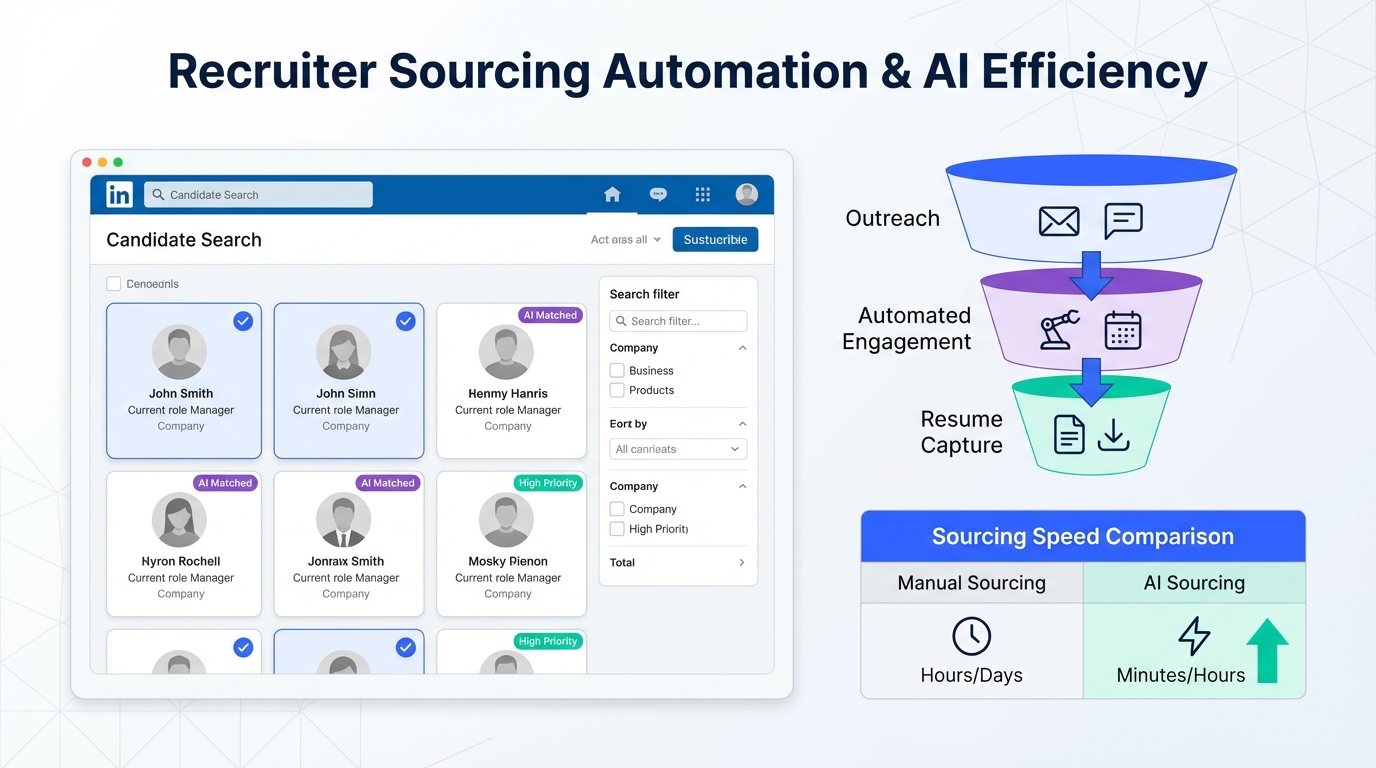
A candidate database for recruiters works best when it is built from consistent workflows that turn every sourcing touchpoint into structured, searchable records. In practice, that means you define what data you collect, how you tag it, and how you keep it current. If your team relies on LinkedIn, the quickest way to scale database growth is to automate the repetitive parts of outreach and early qualification so you can reliably capture resumes and contact details from interested candidates. In this guide, we share 7 field tested ways to build and maintain a recruiter ready database, plus a checklist and a comparison table. Scope note: this article focuses on workflow and data structure, not on buying third party lists or scraping.
Table of Contents
- Key Takeaways
- 1. Define what your candidate database is
- 2. Standardize candidate intake fields
- 3. Turn LinkedIn conversations into database records with StrategyBrain AI Recruiter
- 4. Build a tagging system recruiters will actually use
- 5. Add free CV search and resume finders without polluting your data
- 6. Keep the database fresh with lifecycle updates
- 7. Protect privacy and document consent
- Quick Comparison
- FAQ
- Conclusion
Key Takeaways
- Database first, tools second: define required fields, tags, and update rules before you add more sourcing channels.
- LinkedIn is a high yield input: automate outreach and early qualification to consistently capture resumes and contact details.
- StrategyBrain AI Recruiter can capture resumes: it requests resumes and contact info from interested candidates and records what is received.
- Use a small tag set: 12 to 20 tags beats 200 tags because recruiters will actually apply them.
- Free CV search and resume finders need guardrails: only import profiles that meet your minimum data standard.
- Lifecycle matters: add timestamps for last contact and next action so your database stays usable.
- Trust is operational: document consent, retention, and access controls so your database is defensible.
1. Define what your candidate database is
A candidate database is not just a folder of resumes. It is a system of records that lets a recruiter answer three questions quickly: who is this person, what roles fit, and what should we do next. If you cannot answer those questions from the record, you do not have a usable database yet.
Before you add more sources, write a one page definition that includes your minimum record standard. This prevents the common failure mode where teams collect lots of profiles but cannot search or reuse them later.
Minimum record standard
- Identity: full name and a unique identifier such as email or LinkedIn profile URL stored as plain text.
- Role fit: primary function, seniority, and 3 to 5 skills keywords.
- Context: location, work authorization status if applicable, and compensation expectations if shared.
- Activity: last contacted date, source, and next step.
2. Standardize candidate intake fields
Standardized fields are what make a recruiter database searchable. Without them, you end up with free text notes that cannot be filtered. We recommend you start with a small schema and expand only when you can prove the new field is used in searches or reporting.
Suggested intake fields for a recruiter ready database
- Source: LinkedIn outreach, referral, inbound application, event, or free CV search.
- Stage: contacted, replied, interested, resume received, screened, interviewed, offer, hired, rejected.
- Specialty: accounting and finance, operations, human resources, sales, marketing, engineering, information technology, legal, supply chain, construction, customer service, executive.
- Lifecycle status: active, passive, not looking, follow up later.
- Last updated: YYYY-MM-DD.
These specialties mirror how many recruiting teams segment their work across functions. The key is consistency. If one recruiter uses "IT" and another uses "Information Technology", your filters break.
3. Turn LinkedIn conversations into database records with StrategyBrain AI Recruiter
If LinkedIn is one of your primary sourcing channels, your database grows when your conversations become structured records. The bottleneck is usually not finding people. It is the manual work of connecting, introducing the role, answering questions, following up, and then collecting resumes and contact details.
We have used StrategyBrain AI Recruiter specifically for this early funnel work on LinkedIn. It is designed to automate the initial outreach and qualification steps so recruiters can focus on reviewing resumes and running interviews.
What AI Recruiter does in the workflow
- Connects with candidates that match your search criteria.
- Introduces the opportunity and asks about the candidate's situation and interest.
- Answers questions about the role, company, compensation, and benefits using the information you provide.
- Collects resumes and contact details from candidates who want to proceed.
How resume capture works
When a candidate expresses interest, AI Recruiter asks for a resume and contact information. If the candidate sends a resume, the system marks it as received. It supports email submissions and LinkedIn file uploads. Any contact details shared in the conversation, such as email or phone number, are captured and displayed in the system.
Limitations and how to handle them
- It does not replace final qualification: AI Recruiter can identify willingness to communicate or interview, but it does not decide whether the resume fully matches your requirements. Your recruiter still reviews the resume.
- Garbage in, garbage out: if you provide unclear job details or compensation ranges, candidate questions will be harder to answer. Use a standardized job brief.
- Database hygiene is still required: automation increases volume, so you need tagging rules and deduplication.
4. Build a tagging system recruiters will actually use
Tags are the difference between a resume archive and a candidate database for recruiters. The trick is to keep tags small, mutually understood, and tied to real decisions. If your tags do not change what you do next, they will not be applied.
A practical tag framework
- Role family: for example engineering, sales, operations.
- Seniority: junior, mid, senior, lead, executive.
- Skills: 3 to 5 skills max per candidate record.
- Availability: immediate, 30 days, 60 days, not looking.
- Engagement: replied, interested, no response, do not contact.
Unique value: the 3 question tag test
Before adding a new tag, we ask three questions. Can a recruiter apply it in under 5 seconds. Will it be used in a search filter at least once per week. Does it change the next action. If the answer is no to any question, we do not add the tag.
5. Add free CV search and resume finders without polluting your data
Many teams experiment with free CV search and resume finders to expand top of funnel sourcing. The risk is importing partial profiles that cannot be contacted or cannot be matched to roles later. The fix is to treat these sources as leads until they meet your minimum record standard.
Import rules that keep your database clean
- Do not import without a contact path: if you cannot message or email the person, keep it in a lead list, not your core database.
- Require a role fit snapshot: at least 1 role family, 1 seniority level, and 3 skills.
- Timestamp everything: record the date you found the profile so you can refresh later.
6. Keep the database fresh with lifecycle updates
Databases decay. People change jobs, relocate, and shift priorities. A recruiter database stays valuable when you treat it like a pipeline with scheduled updates, not a static library.
Lifecycle fields that prevent stale records
- Last contacted date: YYYY-MM-DD.
- Last response date: YYYY-MM-DD.
- Next action: follow up, schedule screen, request resume, close out.
- Next action date: YYYY-MM-DD.
Simple maintenance cadence
- Weekly: review new records and apply tags consistently.
- Monthly: deduplicate and close out dead leads.
- Quarterly: re engage high value segments with updated roles.
7. Protect privacy and document consent
Trust is part of database quality. If you cannot explain why you have a record, who can access it, and how long you keep it, you create risk for your team and your company.
Operational trust checklist
- Access control: limit database access to recruiting and HR stakeholders who need it.
- Retention policy: define how long you keep inactive records and when you delete them.
- Consent notes: store when and how the candidate engaged, such as replied on LinkedIn or sent a resume.
- Security basics: encrypt stored credentials and isolate customer data where possible.
StrategyBrain AI Recruiter states that it complies with privacy regulations in the EU, United States, and Canada, and that customer provided data is not used to train AI models. Use this as a starting point, then align with your internal legal and security requirements.
Quick Comparison
| Approach | Speed to add records | Data quality risk | Best for |
|---|---|---|---|
| Manual sourcing and manual data entry | Low | Medium | Low volume hiring and highly specialized roles |
| LinkedIn outreach with StrategyBrain AI Recruiter | High | Low to Medium | Teams that want consistent outreach, follow up, and resume capture |
| Free CV search and resume finders | Medium | High | Top of funnel discovery when you enforce import rules |
| Assessment first screening before interviews | Medium | Low | Reducing mis hires and improving role fit signals |
FAQ
What is a candidate database for recruiters?
A candidate database for recruiters is a structured set of candidate records that can be searched and reused across roles. It typically includes contact details, role fit tags, activity history, and next steps so recruiters can move quickly without re sourcing from scratch.
How do I build a candidate database quickly without sacrificing quality?
Start by defining a minimum record standard and a small tag set, then use repeatable workflows to capture consistent data. If LinkedIn is your main channel, automating outreach and follow up can increase record creation while keeping fields standardized.
Can StrategyBrain AI Recruiter help build my recruiter database?
Yes. StrategyBrain AI Recruiter automates LinkedIn connecting, role introduction, Q and A, and follow up, then requests resumes and contact details from interested candidates. Recruiters then review the collected resumes and proceed with interviews.
Does AI Recruiter replace recruiter screening?
No. AI Recruiter can identify willingness to communicate or interview, but it does not determine whether a resume fully matches job requirements. Final qualification remains a recruiter decision.
How should I use free CV search and resume finders safely?
Treat them as lead sources until the profile meets your minimum record standard. Only import candidates you can contact and tag, and always store a source label and a found date so you can refresh or remove stale records.
What fields matter most for search and reuse?
Role family, seniority, 3 to 5 skills, location, and last contacted date are the most consistently useful fields. Add next action and next action date to keep the database operational rather than archival.
How do I keep my database from becoming stale?
Use lifecycle fields and a maintenance cadence. Weekly tagging and deduplication, monthly cleanup, and quarterly re engagement of high value segments keeps records current and searchable.
What about privacy and compliance?
Document consent and engagement context, limit access, and define retention rules. If you use automation, ensure credentials and candidate data are encrypted and that your vendor states how data is used and protected.
Conclusion
A candidate database for recruiters is built by process, not by luck. Define your minimum record standard, standardize intake fields, and keep tags small enough that recruiters use them. If LinkedIn is your primary channel, StrategyBrain AI Recruiter can help you scale outreach and follow up while capturing resumes and contact details from interested candidates, which turns conversations into reusable database records. Next step: copy the checklist above into your team playbook, then run a two week pilot where you measure record completeness, deduplication rate, and time from first message to resume received.















