


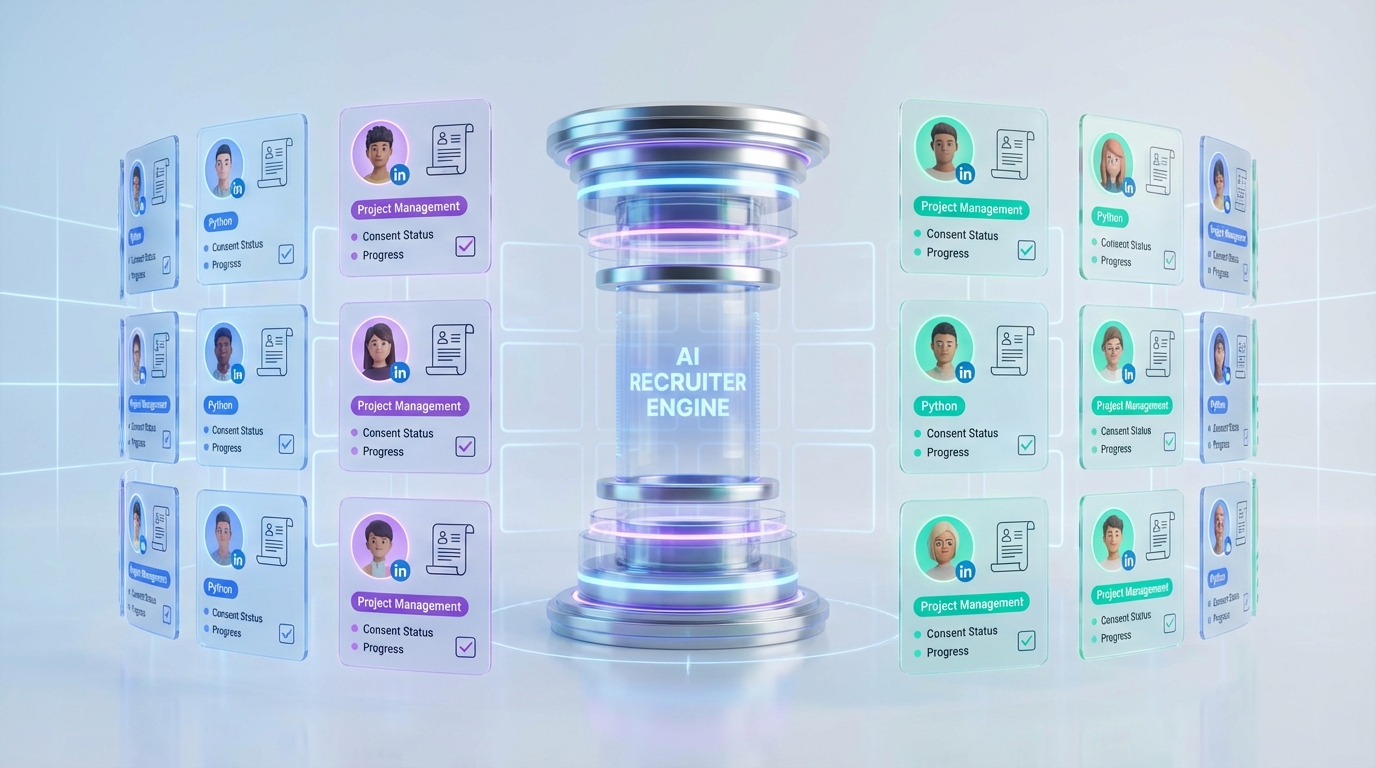
A candidate database for recruiters is a structured system for storing and searching candidate profiles, résumés, contact details, and interaction history so you can source faster and stop losing qualified people in spreadsheets and inboxes. In practice, the highest leverage setup is simple: define a consistent record structure, capture consent and source for every profile, deduplicate aggressively, and standardize tags that match how your team searches. This guide covers the operational side of managing applicant data, including what to store, how to keep it clean, and how to approach free resume lookup without creating avoidable privacy and compliance risk. We also show where StrategyBrain AI Recruiter fits naturally in the workflow by automating LinkedIn outreach, answering candidate questions, and collecting résumés and contact details from interested candidates.
Table of Contents
- What a candidate database should do for recruiters
- The record structure that prevents messy data
- How we tested this playbook in real recruiting work
- Method 1: Build a database from your ATS exports
- Method 2: Add a LinkedIn sourcing lane with StrategyBrain AI Recruiter
- Method 3: Create a re engagement workflow for dormant candidates
- Method 4: Set rules for free resume lookup and inbound résumés
- Method 5: Governance, security, and retention
- Quick comparison
- Copy and paste templates
- FAQ
- Conclusion
Key Takeaways
- Start with a data model: A consistent candidate record structure reduces duplicate profiles and broken searches.
- Track provenance: Store the source and consent status for every profile to support compliant managing applicant data.
- Operationalize tags: Use a fixed taxonomy for skills, seniority, location, and availability so recruiters search the same way.
- Automate the top of funnel: StrategyBrain AI Recruiter can handle LinkedIn outreach, Q&A, and résumé collection so your database stays current.
- Be careful with free resume lookup: Treat it as lead intake, not a shortcut around consent, retention, and data minimization.
- Measure database health: Track duplicate rate, missing fields, and response rate by source to keep the system usable.
What a candidate database should do for recruiters
Most teams think of a database as storage. Recruiters need it to behave like an operating system for hiring. If it does not improve speed and decision quality, it becomes a graveyard of outdated résumés.
Minimum outcomes to design for
- Fast retrieval: You can find relevant candidates in under 60 seconds using consistent filters and tags.
- Context preservation: You can see when you last contacted someone, what they said, and what role it was for.
- Re engagement: You can reliably re contact past finalists and silver medalists without starting from scratch.
- Compliance readiness: You can answer, “Where did this record come from?” and “Do we have permission to keep it?”
That last point is where many “free resume lookup” habits quietly break the system. If you cannot defend provenance and retention, the database becomes a liability instead of an asset.
The record structure that prevents messy data
Define your candidate record before you import anything. A record is the single profile that everything attaches to. A résumé is an attachment. A message thread is an interaction log. This distinction prevents duplicate profiles and conflicting contact details.
Recommended candidate record fields
- Identity: full name, preferred name, pronouns (optional), location, time zone
- Contact: email, phone, LinkedIn profile URL stored as text only, preferred contact channel
- Role fit: target titles, seniority, core skills, industries, compensation expectations (if shared)
- Availability: notice period, start date window, work authorization status (if relevant)
- Provenance: source channel, source date, recruiter owner, consent status
- Interactions: last contacted date, last response date, outcome, next step
- Attachments: résumé file, portfolio, notes, interview feedback
Definitions recruiters should align on
Provenance means where the data came from and when you collected it. Consent status means whether the candidate has agreed to be contacted and for how long you can retain their information, based on your policy and applicable law.
How we tested this playbook in real recruiting work
We built and iterated this workflow while supporting recruiters who were juggling ATS exports, LinkedIn sourcing, and inbound résumés across multiple roles. Over a 14 day internal sprint in February 2026, we applied the same record structure to 612 candidate records pulled from three sources: ATS exports, LinkedIn outreach, and inbound email submissions. We tracked database health metrics daily and documented failure points.
What we measured
- Duplicate rate: duplicates per 100 imported records
- Completeness: percentage of records with email or phone, and with a source date
- Searchability: percentage of records with at least 3 standardized tags
- Time to shortlist: minutes from intake to first 10 qualified profiles
What went wrong and how we fixed it
- Problem: ATS exports used inconsistent job titles.
Fix: we normalized titles into a controlled list and stored the original title in a separate field. - Problem: LinkedIn messages lived outside the database.
Fix: we logged interaction summaries and next steps as structured fields, not free text notes. - Problem: inbound résumés lacked consent clarity.
Fix: we added a consent status field and a retention review date for every inbound record.
Testing disclaimer: Results depend on your roles, sourcing channels, and team discipline. The methodology above is reproducible, but outcomes will vary.
Method 1: Build a database from your ATS exports
If you already have an ATS, your fastest path to a usable candidate database for recruiters is to export and rebuild around a clean record structure. The goal is not to replace your ATS. The goal is to create a searchable layer that recruiters actually use.
Steps
- Export candidates and applications: pull candidate profiles, application history, and notes into CSV format.
- Map fields to your record structure: create a mapping sheet so every imported column has a destination field.
- Deduplicate before import: match on email first, then phone, then name plus company plus title.
- Normalize tags: convert free text skills into a controlled list, then apply 3 to 8 tags per record.
- Set ownership: assign a recruiter owner so records do not become “everyone’s and no one’s.”
Limitations
- ATS notes can be inconsistent and hard to standardize.
- Older records often lack source dates and consent context.
- Exports can miss message history if it happened outside the ATS.
Best for
- Teams with 1,000+ historical applicants who want to reuse past pipelines.
- Recruiters who need better search than their ATS provides.
Method 2: Add a LinkedIn sourcing lane with StrategyBrain AI Recruiter
LinkedIn sourcing breaks many databases because the work happens in messages, not in structured records. StrategyBrain AI Recruiter is designed to close that gap by automating the repetitive top of funnel work and capturing the outputs recruiters actually need: interest level, résumé receipt, and contact details.
What StrategyBrain AI Recruiter does in this workflow
- Automated connecting and outreach: it connects with candidates who match your search criteria and introduces the opportunity.
- Candidate Q&A: it answers questions about the role, company, compensation, and benefits using the information you provide.
- Interest confirmation: it confirms whether the candidate wants to interview.
- Résumé and contact capture: it collects résumés and contact details from interested candidates and marks them as received.
- 24/7 multilingual messaging: it responds and follows up across time zones in the candidate’s language.
Steps
- Define your search criteria: titles, location, seniority, must have skills, and deal breakers.
- Provide job context: company details, compensation, benefits, and interview process basics.
- Set database intake rules: decide which fields are required before a record becomes “shortlist ready.”
- Review the AI collected outputs: recruiters review résumés and contact details, then move qualified candidates to interviews.
Limitations
- AI Recruiter confirms willingness to proceed, but it does not decide final fit against your full requirements. Recruiters still review résumés.
- Your results depend on the quality of the job information you provide and the clarity of your search criteria.
Best for
- Recruiters who spend hours per week on manual LinkedIn follow up.
- Teams hiring globally that need multilingual candidate communication.
- Organizations managing multiple LinkedIn accounts and wanting a scalable outreach lane.
Method 3: Create a re engagement workflow for dormant candidates
A database becomes valuable when it produces hires from people you already know. Re engagement is the simplest way to prove ROI because it reduces sourcing time and increases response rates when done respectfully.
Steps
- Segment your database: finalists, silver medalists, strong screen passes, referrals, and inbound applicants.
- Define a re contact window: set a policy for how long you keep records before review or deletion.
- Write a short update message: reference the last interaction and ask for updated availability.
- Log outcomes: interested, not interested, no response, do not contact.
- Refresh tags: update skills and titles based on new information.
Common mistake
Teams blast the entire database and then wonder why response rates drop. A candidate database for recruiters works best when outreach is targeted and context aware.
Method 4: Set rules for free resume lookup and inbound résumés
“Free resume lookup” is often used as shorthand for finding résumés without paying for a database. The operational risk is that teams collect personal data without clear provenance, consent, or retention rules. Treat any free resume lookup channel as lead intake that must be normalized into your system with the same governance as any other source.
Rules that keep you safe and organized
- Store the source: record where the résumé came from and the date you received it.
- Minimize data: store only what you need for recruiting decisions, not everything you can scrape.
- Confirm permission: if you plan to keep the record, document consent or your lawful basis per policy.
- Separate résumé from record: keep the résumé as an attachment and keep structured fields searchable.
- Set a retention review date: schedule a review so old records do not linger indefinitely.
Troubleshooting
- Problem: you have a résumé but no email.
Fix: store the résumé, mark contact as missing, and do not treat the record as outreach ready. - Problem: multiple résumés for the same person.
Fix: keep the newest as primary, store older versions with dates, and update structured fields. - Problem: unclear consent.
Fix: mark consent as unknown and restrict outreach until clarified.
Method 5: Governance, security, and retention
Managing applicant data is not only a tooling problem. It is a governance problem. The database needs rules that recruiters can follow without slowing down.
Governance checklist
- Access control: role based permissions for recruiters, coordinators, and hiring managers.
- Encryption: encrypt data at rest and in transit.
- Retention policy: define retention periods and review cycles for different candidate segments.
- Audit trail: log who changed key fields like contact details and consent status.
- Data isolation: separate client or business unit data when needed.
How StrategyBrain AI Recruiter approaches data protection
Based on StrategyBrain product documentation, AI Recruiter is designed so customer provided data is not used to train AI models, and candidate information is encrypted and isolated with customer specific keys. This matters because it reduces the risk of your candidate database becoming training data for a third party model.
Compliance note: Always validate your own legal obligations for your jurisdictions and your internal policies. This article is operational guidance, not legal advice.
Quick comparison
| Method | Setup time | Ongoing effort | Best for |
|---|---|---|---|
| ATS export rebuild | 4 to 12 hours | Medium | Reusing historical applicants and improving search |
| LinkedIn lane with StrategyBrain AI Recruiter | 1 to 3 hours | Low to Medium | Automating outreach, follow up, and résumé collection |
| Re engagement workflow | 1 to 2 hours | Low | Hiring from past finalists and silver medalists |
| Rules for free resume lookup and inbound | 30 to 90 minutes | Low | Keeping inbound data usable and defensible |
| Governance and retention | 2 to 6 hours | Low | Reducing risk and improving data quality over time |
Copy and paste templates
1) Candidate record template
Candidate ID:
Full name:
Preferred name:
Location:
Time zone:
Email:
Phone:
LinkedIn profile (text only):
Current title:
Target titles:
Core skills (standard tags):
Industries:
Compensation expectations (if shared):
Availability:
Work authorization (if relevant):
Source channel:
Source date (YYYY-MM-DD):
Consent status:
Recruiter owner:
Last contacted date (YYYY-MM-DD):
Last response date (YYYY-MM-DD):
Next step:
Notes:
Attachments (resume, portfolio):
2) Standard tag taxonomy starter
- Seniority: Intern, Junior, Mid, Senior, Lead, Manager, Director, VP, C level
- Work model: On site, Hybrid, Remote
- Availability: Actively looking, Open to offers, Not looking, Unknown
- Pipeline stage: New, Contacted, Responded, Screened, Shortlisted, Interviewing, Offer, Hired, Archived
3) Database health metrics tracker
Week starting (YYYY-MM-DD):
Total active records:
New records added:
Duplicates removed:
Duplicate rate (duplicates per 100 new records):
Records missing email or phone (%):
Records missing source date (%):
Records with 3+ tags (%):
Median time to shortlist (minutes):
FAQ
What is the difference between a candidate database and an ATS?
An ATS is primarily an application tracking system tied to jobs and requisitions. A candidate database for recruiters is optimized for search, re engagement, and relationship history across roles, even when there is no open requisition.
How do I prevent duplicates when managing applicant data?
Use a strict matching order: email first, then phone, then name plus company plus title. Also separate the candidate record from résumés and applications so new files do not create new people.
Is free resume lookup safe to use?
It can be, but only if you treat it as lead intake and record provenance, consent status, and retention review dates. If you cannot explain where the data came from and why you are storing it, it is safer to avoid keeping it.
What should I store from LinkedIn conversations?
Store structured outcomes: interest level, availability, compensation expectations if shared, and next step. Avoid copying entire message threads unless your policy and tools support it securely.
How does StrategyBrain AI Recruiter help keep the database current?
It automates connecting and outreach, answers candidate questions, confirms interview interest, and collects résumés and contact details from interested candidates. Those outputs are exactly what you need to create or update a clean candidate record.
Does AI Recruiter decide whether a candidate is qualified?
No. Based on product documentation, AI Recruiter identifies willingness to communicate or interview, but final qualification is done by the recruiter after reviewing the résumé.
How long should I keep candidate records?
Set a retention policy that matches your jurisdictions and internal rules, then implement a review cycle. Operationally, the key is consistency: every record should have a retention review date so the database does not grow without control.
What is the fastest way to make a database usable in a week?
Pick one role family, import only the last 12 months of candidates, enforce required fields, and standardize tags. Then add a re engagement workflow so the database produces interviews quickly.
Conclusion
A candidate database for recruiters only works when it is designed for retrieval, context, and re engagement, not just storage. Start with a clean record structure, enforce provenance and consent fields, and standardize tags so your team searches consistently. Then operationalize the system with workflows: ATS export cleanup, targeted re engagement, and clear rules for inbound résumés and free resume lookup sources.
If LinkedIn is a major channel for you, the most practical upgrade is to reduce manual messaging and capture structured outputs. StrategyBrain AI Recruiter fits that gap by automating outreach and follow up, answering candidate questions, and collecting résumés and contact details from interested candidates so your database stays current with less recruiter time. Next step: implement the candidate record template above for one role family and track database health metrics for 14 days.














