


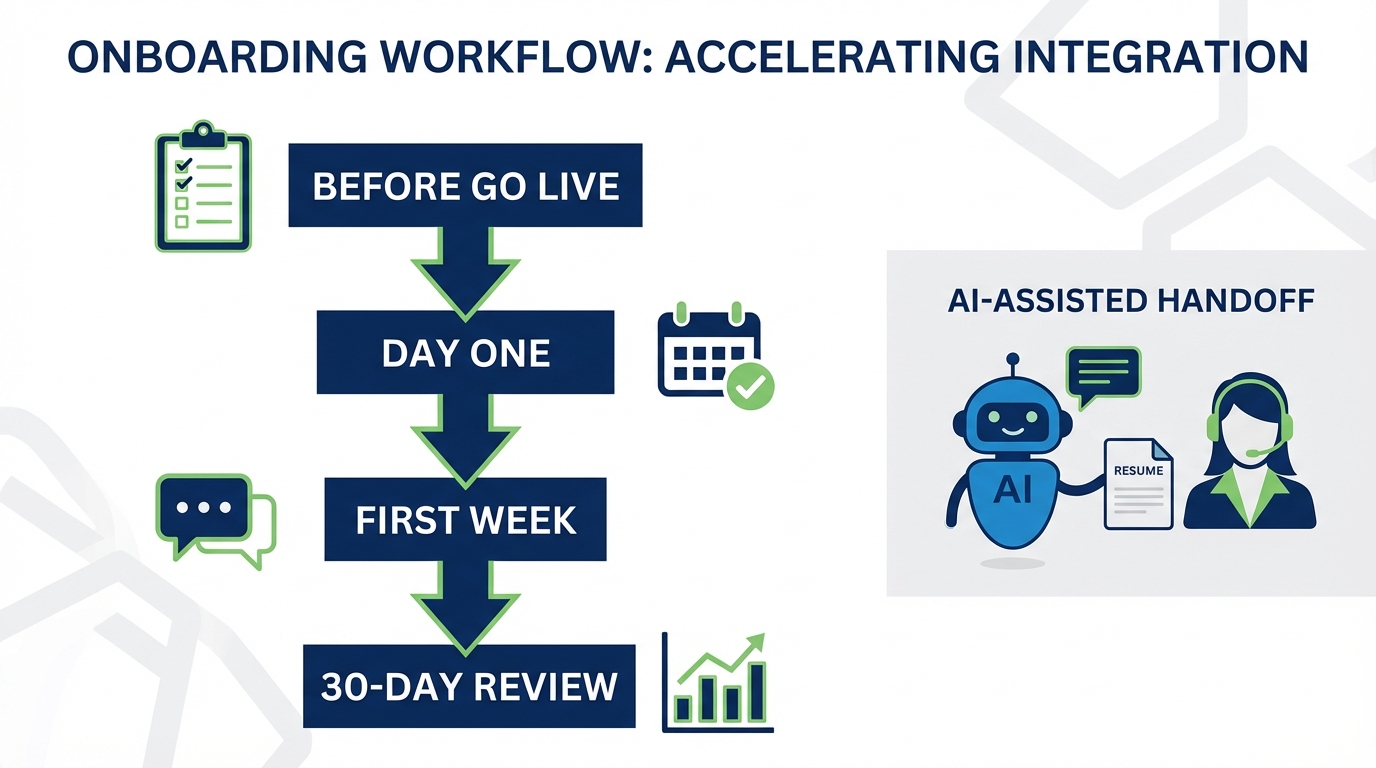
Candidate tracking software works best when you treat onboarding like a structured project: prepare your process before day one, run a consistent first day workflow, and measure adoption in the first 30 days. In this guide, we turn a proven onboarding checklist into a recruiting operations checklist you can use to implement applicant tracking system software and a candidate tracking system without missing critical steps like access control, data privacy, workflow ownership, and follow up. We also show where StrategyBrain AI Recruiter fits naturally in the workflow by automating LinkedIn outreach, candidate questions and answers, resume collection, and multilingual follow up so your team spends less time on repetitive messaging and more time on interviews and hiring decisions.
Key Takeaways
- Start with ownership: assign one process owner for your candidate tracking system and one technical owner for integrations and permissions.
- Define the workflow before configuring tools: stages, required fields, and handoffs should be written down before you touch settings.
- Make day one repeatable: use a standard first day checklist for access, templates, and communication norms.
- Use automation where it is safe: StrategyBrain AI Recruiter can handle LinkedIn connecting, initial outreach, Q and A, and resume collection while recruiters focus on final qualification.
- Plan for accommodations and accessibility: include process and tooling adjustments for candidates and internal users who need them.
- Measure adoption in 30 days: track stage completion, response time, and template usage to catch drift early.
What this candidate tracking software onboarding covers
This checklist is designed for teams implementing or re implementing candidate tracking software, including applicant tracking system software used by recruiters, hiring managers, and HR operations. It focuses on process readiness, communication consistency, and operational follow through.
It does not cover vendor selection, contract negotiation, or detailed API development. If you are still choosing tools, treat this as the operational standard you will require any candidate tracking system to support.
Before you go live
In our implementations, the biggest failures happen before the tool is even turned on: unclear ownership, missing templates, and no agreement on what “done” looks like at each stage. Use this section to lock the process before configuration.
Process and people setup
- Send any necessary paperwork for internal users and stakeholders, including access requests and role definitions.
- Officially welcome the internal launch group with a short kickoff call after the plan is approved, so everyone knows the timeline and responsibilities.
- Provide first day instructions for the go live, including where to log in, who to contact, and what to test.
- Plan for accommodations for internal users and candidates when applicable, such as accessibility needs, ergonomic equipment, or alternate communication formats.
- Assign a point of contact for questions prior to go live, ideally the process owner for the candidate tracking system.
- Assign an onboarding peer mentor for recruiters who are new to the workflow, so adoption does not depend on one administrator.
- Create an onboarding schedule and allocate tasks to team members, then share it with relevant staff.
Technology setup
- Provision accounts and permissions based on role, including recruiters, hiring managers, interviewers, and HR admins.
- Set up core systems such as email, calendar, and any required software applications used in the recruiting workflow.
- Prepare templates for outreach, interview scheduling, rejection messages, and offer steps so the team does not improvise in production.
- Define required fields for each stage, including contact details, resume status, and interview interest, so reporting is reliable.
Workflow readiness checklist you can copy
- Stages defined: sourced, contacted, replied, screened, interview, offer, hired, rejected.
- Handoffs defined: recruiter to hiring manager, hiring manager to interview panel, HR to payroll.
- Service levels defined: response time expectations for candidate messages and internal feedback.
- Privacy rules defined: what can be stored, who can see it, and retention expectations.
Day one go live
Day one is about consistency. Your goal is not to use every feature. Your goal is to run one complete candidate journey end to end inside the candidate tracking software.
Communication and introductions
- Send an internal announcement to introduce the new workflow and confirm where recruiting activity should be tracked.
- Introduce key team members and clarify who owns each stage, including who approves offers and who schedules interviews.
Core documents and policies
- Confirm employment agreement steps and where the final documents live in your process.
- Confirm payroll and benefits handoff so hired candidates do not stall after acceptance.
- Review handbook and conduct policies that affect recruiting communications, privacy, and confidentiality.
Access and orientation
- Provide access credentials and confirm multi factor authentication if required.
- Run a short tool orientation covering candidate profiles, stage movement, notes, and task assignment.
- Agree on communication tools used internally, such as chat and video meetings, and how decisions are documented.
First day test scenario
- Create a test requisition with a clear title, location, and compensation range.
- Add 3 test candidates and move them through at least 3 stages.
- Send 1 message template and confirm it is logged correctly.
- Assign 1 task to a hiring manager and confirm they can complete it.
First week
The first week is where teams either build habits or revert to spreadsheets and inboxes. Focus on expectations, feedback loops, and a shared definition of quality.
Operational expectations
- Review job responsibilities and expectations for each role in the recruiting workflow.
- Explain the feedback process for candidate evaluation and how interview notes should be recorded.
- Review standards of conduct including privacy, confidentiality, and IT policies.
- Review mission and org context so recruiters can communicate consistently with candidates.
- Schedule recurring check ins weekly or monthly between recruiters and the process owner.
- Schedule time for questions at the end of week one and capture issues as a backlog.
Where StrategyBrain AI Recruiter can reduce week one load
Week one often creates a messaging bottleneck: recruiters are learning the system while still needing to contact candidates. StrategyBrain AI Recruiter can take over the repetitive LinkedIn steps that usually consume the most time, including connecting with candidates that match your criteria, introducing the role, answering common questions about the company, compensation, and benefits, and collecting resumes and contact details from interested candidates. Recruiters then review the collected resumes and proceed with interviews, which keeps the final qualification decision with humans.
First month
By day 30, you should be able to answer two questions with confidence: are we using the candidate tracking system consistently, and is it improving speed and quality of follow up.
Month one checklist
- Clarify performance objectives for recruiters and hiring managers, including what must be tracked in the system.
- Review training progress and adjust the schedule or revisit topics as needed.
- Audit templates and update messaging based on candidate responses and hiring manager feedback.
- Check data completeness for required fields so reporting is not compromised.
30 day adoption metrics to track
- Stage hygiene: percentage of candidates with a current stage and next step.
- Response time: median time to first reply after a candidate message.
- Template usage: percentage of outbound messages sent from approved templates.
- Resume capture rate: percentage of interested candidates with a resume attached or marked as received.
Month 3
Month 3 is the first real checkpoint where you can evaluate whether the workflow is producing consistent outcomes across roles and teams.
- Conduct a 3 month performance review focused on process adherence and quality of documentation.
- Review training progress and revisit any steps that are still being done outside the system.
Months 5 to 6
This period is ideal for tightening standards and scaling what works across more roles, locations, or business units.
- Review performance objectives and progress and update the workflow if hiring needs changed.
- Review coaching implications and how different work styles affect recruiting collaboration.
- Review training progress and update documentation so new team members can ramp quickly.
Month 12
At one year, you should treat your applicant tracking system software as a living system: policies, templates, and automation should be reviewed and refreshed.
- Conduct an annual performance review for the recruiting process and the system usage.
- Set objectives for the coming year such as improved response time, better pipeline visibility, or expanded sourcing channels.
- Review coaching and managing implications and update training for new leaders.
Where StrategyBrain AI Recruiter fits
A candidate tracking system is only as good as the data and communication that flows into it. In practice, the hardest part is consistent outreach and follow up, especially across time zones and languages. StrategyBrain AI Recruiter is designed to automate the LinkedIn front end of recruiting: it connects with candidates that match your criteria, introduces job opportunities, learns about each candidate’s situation, answers questions about the role, company, and compensation, confirms interview interest, and collects resumes and contact information from interested candidates.
In our experience, this division of labor is the safest way to use automation: the AI handles repetitive messaging and information capture, while recruiters keep control of final qualification and hiring decisions. StrategyBrain AI Recruiter also supports 24/7 multilingual communication and can be managed across more than 100 LinkedIn accounts for teams that need scalable hiring capacity.
Limitations to plan for
- Final qualification is still human: StrategyBrain AI Recruiter can identify willingness to communicate or interview, but it does not decide whether a resume matches job requirements.
- Governance still matters: you still need clear messaging guidelines, approval rules, and privacy controls in your candidate tracking software.
Security and privacy notes
- Data usage: customer provided data is not used to train AI models and is used to personalize communication for the customer’s AI instance.
- Credential handling: LinkedIn account credentials are encrypted and stored independently per user with explicit authorization.
- Candidate data: resumes, contact details, and conversation history are encrypted and not shared with third parties.
Quick comparison
This table helps you separate what your candidate tracking software should do versus what an outreach automation layer can do. Use it to avoid forcing one tool to solve every problem.
| Need | Candidate tracking software or ATS | StrategyBrain AI Recruiter | Best practice |
|---|---|---|---|
| Pipeline visibility and stages | Yes | No | Define stages first, then configure the system. |
| LinkedIn outreach and follow up | Sometimes | Yes | Automate repetitive messaging, keep final decisions human. |
| Candidate Q and A about role and compensation | Limited | Yes | Use approved information so answers stay consistent. |
| Resume and contact detail collection | Yes | Yes | Standardize how resumes are marked as received. |
| 24/7 multilingual candidate communication | Varies | Yes | Use native language messaging to reduce misunderstandings. |
FAQ
What is candidate tracking software?
Candidate tracking software is a system used to store candidate profiles, track pipeline stages, and coordinate recruiting tasks across recruiters and hiring managers. Many teams use it as part of applicant tracking system software, which standardizes how candidates move from sourcing to hire.
What is the difference between a candidate tracking system and an ATS?
A candidate tracking system typically emphasizes pipeline management and candidate records. An ATS often includes broader capabilities such as requisition management, compliance workflows, and reporting, but the terms are frequently used interchangeably in practice.
What should we set up first in applicant tracking system software?
Set up your workflow stages, required fields, and ownership rules first. If you configure the tool before agreeing on the process, you will end up with inconsistent data and unreliable reporting.
How can we keep candidate communication consistent during onboarding?
Use approved templates for outreach, scheduling, and rejections, and require that messages are logged in the system. If you use StrategyBrain AI Recruiter for LinkedIn outreach, provide it with accurate role details, compensation, and benefits so candidate questions are answered consistently.
Can StrategyBrain AI Recruiter replace recruiters?
No. StrategyBrain AI Recruiter automates initial LinkedIn outreach, follow up, and information capture, but final qualification and hiring decisions remain with recruiters and hiring managers.
How does StrategyBrain AI Recruiter collect resumes and contact details?
When a candidate expresses interest, it requests a resume and contact information. It supports email submissions and LinkedIn file uploads, and it captures contact details shared in messages so recruiters can proceed with screening and interviews.
How do we measure whether our candidate tracking software onboarding worked?
Within 30 days, measure stage hygiene, response time to candidate messages, template usage, and resume capture rate. If those metrics are stable, you have a strong foundation for scaling.
What privacy and security practices should we require?
Require encryption, role based access, and clear rules for data retention and sharing. For AI assisted workflows, confirm whether customer data is used to train models and how credentials are stored and authorized.
Do we need a separate tool for LinkedIn recruiting if we already have an ATS?
It depends on your volume and response time expectations. Many ATS platforms track candidates well but do not handle high volume LinkedIn outreach and follow up efficiently, which is where an automation layer like StrategyBrain AI Recruiter can help.
Conclusion
The fastest way to get value from candidate tracking software is to onboard it like a repeatable operating system: prepare the workflow before go live, run a consistent day one process, and measure adoption in the first 30 days. If LinkedIn outreach and follow up is your bottleneck, StrategyBrain AI Recruiter can automate connecting, initial messaging, candidate Q and A, resume collection, and multilingual follow up while your recruiters focus on interviews and final qualification.
Next step: copy the “Before you go live” checklist into your project plan, assign owners, and schedule a 30 day adoption review meeting before you launch.















