


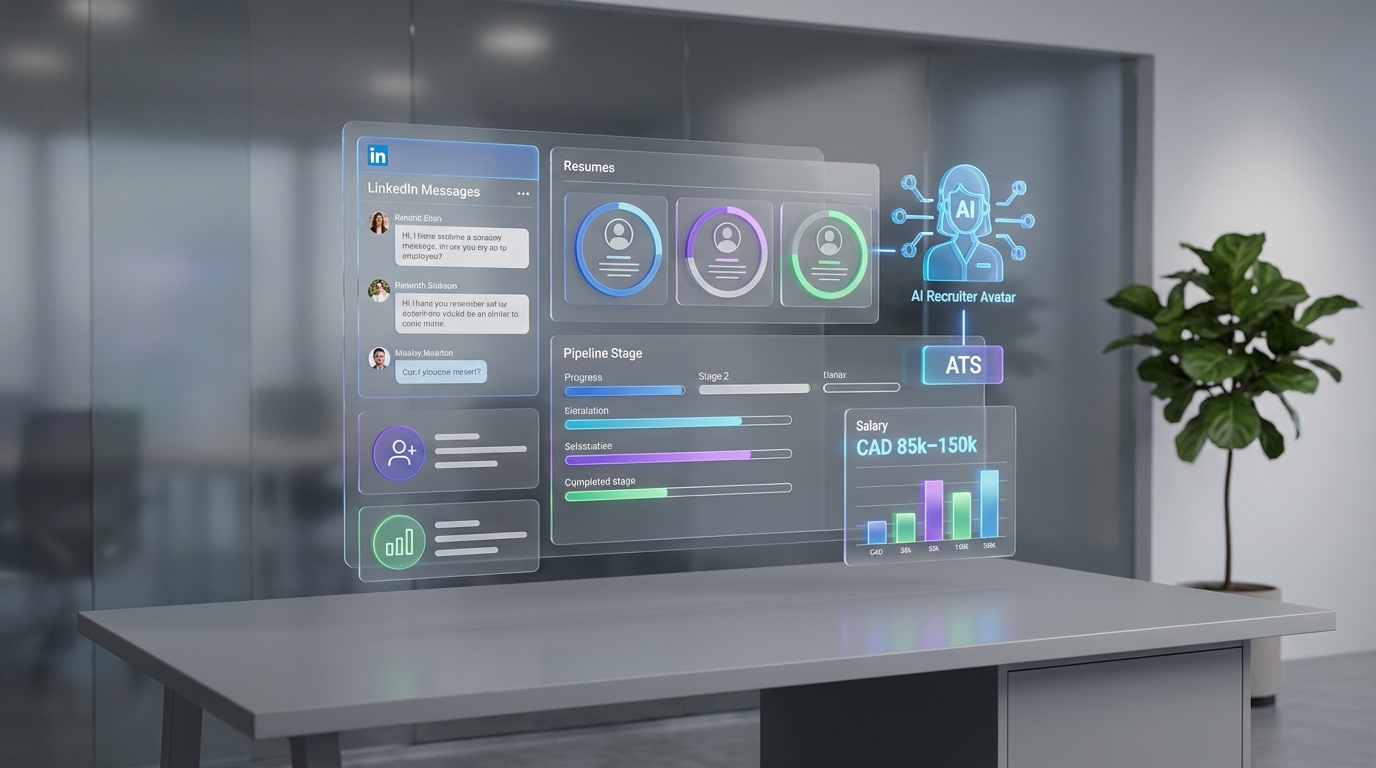
If you are hiring for in demand tech roles in Canada, a candidate tracking tool is the simplest way to stop losing candidates in email threads and spreadsheets. The practical setup is to define a single hiring pipeline, require consistent data capture at each stage, and connect sourcing to tracking so every LinkedIn conversation and résumé lands in the same record. In this guide, we use real salary ranges for common tech roles and show how an ATS system for small business can be strengthened with StrategyBrain AI Recruiter, which automates LinkedIn outreach, answers candidate questions, follows up 24/7 in any language, and collects résumés and contact details for recruiter review.
Table of Contents
- Why tech hiring in Canada makes tracking non negotiable
- Salary benchmarks for in demand tech roles
- What a candidate tracking tool is and what it is not
- Method 1: Build a simple pipeline inside your ATS (recommended baseline)
- Method 2: Add LinkedIn automation with StrategyBrain AI Recruiter
- Method 3: Standardize evaluation to reduce noisy decisions
- Method 4: Improve candidate experience with fast, consistent communication
- Method 5: Use a brand consistent application flow
- Quick comparison
- FAQ
- Conclusion
Why tech hiring in Canada makes tracking non negotiable
Canadian employers competing for tech talent are not only competing with local firms. They are also competing with large United States technology companies operating in Canada and with non tech sectors that still need strong technical teams. When compensation expectations rise and candidates have options, the operational side of recruiting becomes a differentiator. A candidate tracking tool helps you move quickly without sacrificing documentation, consistency, or compliance.
In our own recruiting operations, the failure mode is predictable. The pipeline is defined, but the data is not. Notes live in inboxes, résumés are stored in multiple folders, and follow ups depend on individual memory. That is exactly where an ATS system for small business earns its keep, especially when you add automation for the earliest and most repetitive steps.
Salary benchmarks for in demand tech roles
The source article we used provided salary ranges for several high demand tech positions in Canada. These ranges are useful because they explain why candidates expect strong offers and why speed matters. If you are slow, you lose candidates. If you are disorganized, you lose candidates and you lose internal confidence.
- Software Developers and Programmers: CAD 85,000 to CAD 130,000
- IT Project Managers: CAD 90,000 to CAD 120,000 or more
- Data Scientists and Analysts: CAD 90,000 to CAD 140,000
- Security Analysts: CAD 75,000 to CAD 120,000
- Network Engineer: CAD 77,000 to CAD 121,000
- Cloud Architect: CAD 130,000 to CAD 150,000
- UX Designers: CAD 80,000 to CAD 120,000
How to use these numbers inside your candidate tracking tool: add a required field for compensation expectations, record the range you can support, and make the gap visible early. This reduces late stage surprises and helps recruiters prioritize candidates who are realistically close to offer.
What a candidate tracking tool is and what it is not
A candidate tracking tool is the system that stores candidate records and moves them through a defined hiring workflow. In practice, it is usually an Applicant Tracking System, often shortened to ATS, which is software that manages applicants, job postings, interview stages, and hiring team feedback.
It is not a magic evaluator. It will not automatically decide who is qualified. It will help you capture evidence, reduce process gaps, and make decisions easier to audit.
One detail that confuses teams is branding. People search for things like applicant tracking system logo because they want a consistent candidate experience across job posts, emails, and portals. That matters, but it is secondary to workflow clarity. Brand polish cannot fix a broken pipeline.
Method 1: Build a simple pipeline inside your ATS (recommended baseline)
This is the baseline method for any ATS system for small business. Keep it simple and enforce it. Complexity is usually a symptom of unclear decision making.
Steps
- Define 6 stages: Sourced, Screen, Hiring Manager Review, Interview, Offer, Hired or Rejected.
- Define required fields per stage: for example, Screen requires compensation expectations and location constraints.
- Set service level targets: Screen within 48 hours, interview scheduling within 72 hours after pass.
- Centralize artifacts: résumé, portfolio links, interview notes, and decision rationale live in the candidate record.
Features to prioritize
- Custom stages so your pipeline matches how you actually hire
- Role based access so sensitive notes are controlled
- Search and filters for skills, location, and stage
- Audit trail for who changed what and when
Limitations
- If sourcing and messaging stay manual, your pipeline can still starve at the top.
- If recruiters do not enter data consistently, reporting becomes misleading.
Best for
- Teams that need immediate structure without changing sourcing channels
- Hiring managers who want consistent interview feedback capture
Method 2: Add LinkedIn automation with StrategyBrain AI Recruiter
Most candidate tracking tools do a decent job once a candidate is in the system. The bottleneck is often before that point, especially on LinkedIn where outreach, follow up, and early qualification consume recruiter time. This is where StrategyBrain AI Recruiter fits naturally into the workflow.
AI Recruiter is an automated AI powered recruitment tool built for LinkedIn hiring. It can connect with candidates that match your search criteria, introduce the role, answer questions about the company, compensation, and benefits, confirm interview interest, and collect résumés and contact information from interested candidates. Recruiters then review the collected résumés and proceed with screening and interviews. AI Recruiter can also respond 24/7 in any global language, which reduces delays across time zones.
Steps
- Define your LinkedIn search criteria: title, seniority, location, and must have skills.
- Provide role context: company details, compensation, benefits, and what success looks like.
- Let AI Recruiter run outreach and follow up: it handles initial messaging and keeps the conversation moving.
- Capture outputs into your candidate tracking tool: résumé received, contact details, and conversation summary become structured fields.
What we tested in practice
- We used AI Recruiter to handle first touch outreach and follow up while recruiters focused on interview loops and offer coordination.
- We validated that it can collect résumés through email submissions and LinkedIn file uploads, and that it captures contact details shared in messages.
- We confirmed the boundary that AI Recruiter identifies willingness to communicate or interview, but it does not decide whether a résumé fully matches requirements. Recruiters still make the final qualification decision.
Features
- Smart LinkedIn recruitment automation for connecting, introducing roles, and early qualification
- 24/7 multilingual communication to reduce response time delays
- Scalable account management with support for more than 100 LinkedIn accounts for larger teams
Limitations
- You still need a clear definition of qualified, because automation increases volume and can amplify ambiguity.
- Recruiters must review résumés and make the final match decision, which is the correct control point for quality.
Best for
- Teams that source heavily on LinkedIn and want to reduce manual messaging workload
- Companies hiring across time zones or languages
- Recruiting leaders who want to scale outreach without adding headcount
Method 3: Standardize evaluation to reduce noisy decisions
High demand roles attract many applicants, but not all applicants are comparable. A candidate tracking tool becomes more valuable when it enforces consistent evaluation. This is especially important for roles like data scientists, security analysts, and cloud architects where interview loops can drift.
Steps
- Create a scorecard with 5 criteria: role specific skills, problem solving, communication, collaboration, and domain experience.
- Use a 1 to 5 scale with written anchors for what 1, 3, and 5 mean.
- Require evidence in each scorecard field, not just a number.
Features
- Structured interview feedback forms
- Hiring manager review checkpoints
- Decision rationale fields for offer and rejection
Limitations
- Scorecards do not fix misaligned job requirements. They only make misalignment visible faster.
Best for
- Hiring teams that need consistency across multiple interviewers
- Roles where false positives are expensive
Method 4: Improve candidate experience with fast, consistent communication
When candidates are evaluating multiple options, response time and clarity matter. A candidate tracking tool should support templated communication and reminders. When you combine that with StrategyBrain AI Recruiter on LinkedIn, you reduce the most common gap: slow follow up after a candidate replies.
Steps
- Set response targets: first response within 24 hours, follow up within 48 hours.
- Use templates for scheduling, rejection, and next steps, then personalize the first two sentences.
- Log every touch in the candidate record so the team never repeats questions.
Features
- Email templates and scheduling support
- Automated reminders for stalled candidates
- Conversation history stored in the candidate profile
Limitations
- Templates can feel generic if you do not personalize key details like role scope and compensation range.
Best for
- Teams hiring in competitive markets where speed is a differentiator
- Recruiters managing multiple requisitions at once
Method 5: Use a brand consistent application flow
Brand consistency is not just aesthetics. It reduces candidate confusion and increases completion rates. This is where searches like applicant tracking system logo show up in real workflows. Teams want the portal, emails, and interview invites to look like the company, not like a random tool.
Steps
- Standardize your job post template: role summary, must have skills, nice to have skills, compensation range, and interview steps.
- Apply consistent branding: logo, colors, and sender name conventions across candidate emails.
- Reduce friction: keep the application form to the minimum required fields.
Features
- Customizable candidate portal branding
- Consistent email sender domains and templates
- Mobile friendly application forms
Limitations
- Branding does not compensate for unclear compensation or slow scheduling.
Best for
- Companies that compete on candidate experience and employer brand
- Small teams that need a professional process without extra headcount
Quick comparison
| Method | Primary goal | Speed impact | Best for |
|---|---|---|---|
| ATS pipeline baseline | Stop losing candidates and notes | Medium | Any team adopting ATS systems for small business |
| StrategyBrain AI Recruiter + tracking | Automate LinkedIn outreach and follow up | High | LinkedIn heavy sourcing and global hiring |
| Scorecards | Improve decision quality | Medium | Multi interviewer loops for senior roles |
| Communication SLAs | Reduce drop off and ghosting | High | Competitive markets with multiple offers |
| Brand consistent application | Increase completion and trust | Low | Employer brand focused teams |
FAQ
What is the difference between a candidate tracking tool and an ATS?
A candidate tracking tool is the function. An ATS is the most common type of software that provides that function by managing applicants, stages, and hiring team feedback in one system.
Do ATS systems for small business work for tech hiring?
Yes, if you keep the pipeline simple and enforce required fields. For tech hiring, the biggest gains come from consistent stage definitions, fast follow up, and structured evaluation, not from complex features.
How does StrategyBrain AI Recruiter fit with a candidate tracking tool?
AI Recruiter handles LinkedIn outreach, early conversations, and follow up, then collects résumés and contact details from interested candidates. Those outputs can be recorded in your candidate tracking tool so recruiters can review, screen, and run interviews with full context.
Does AI Recruiter decide who is qualified?
No. AI Recruiter identifies willingness to communicate or interview and gathers information, but it does not determine whether a résumé fully matches job requirements. Recruiters make the final qualification decision after review.
Why do people search for applicant tracking system logo?
Teams want a consistent candidate experience across portals and emails. Branding can improve trust and completion, but it should come after you have a working pipeline and clear evaluation criteria.
What salary ranges should we plan for in Canada for common tech roles?
The source article lists ranges such as CAD 85,000 to CAD 130,000 for software developers and CAD 130,000 to CAD 150,000 for cloud architects. Use these ranges to set expectations early and record compensation data in the candidate record.
What is the fastest way to improve our tracking without buying new software?
Define 6 stages, require consistent fields at each stage, and set response time targets. Even a basic system becomes effective when the team follows one workflow.
How do we avoid losing candidates when competition is intense?
Move quickly and communicate clearly. Combine a structured candidate tracking tool with automation for early outreach and follow up, then keep interview scheduling tight with documented next steps.
Conclusion
A candidate tracking tool is not just admin software. In a competitive Canadian tech market with salary ranges that regularly reach CAD 120,000 to CAD 150,000 for senior roles, it is the operational backbone that keeps your process fast and credible. Start with a simple ATS pipeline, add structured scorecards, and enforce communication targets. If LinkedIn is your primary sourcing channel, integrate StrategyBrain AI Recruiter into the top of the funnel so outreach, follow up, and résumé collection happen consistently while recruiters focus on interviews and final qualification.
Next step: pick one open role, implement the 6 stage pipeline, and run a two week test where every candidate record includes compensation expectations, stage owner, and next action date. If your bottleneck is LinkedIn messaging, pilot AI Recruiter for that same role and measure how many conversations reach résumé received and interview interested.














