


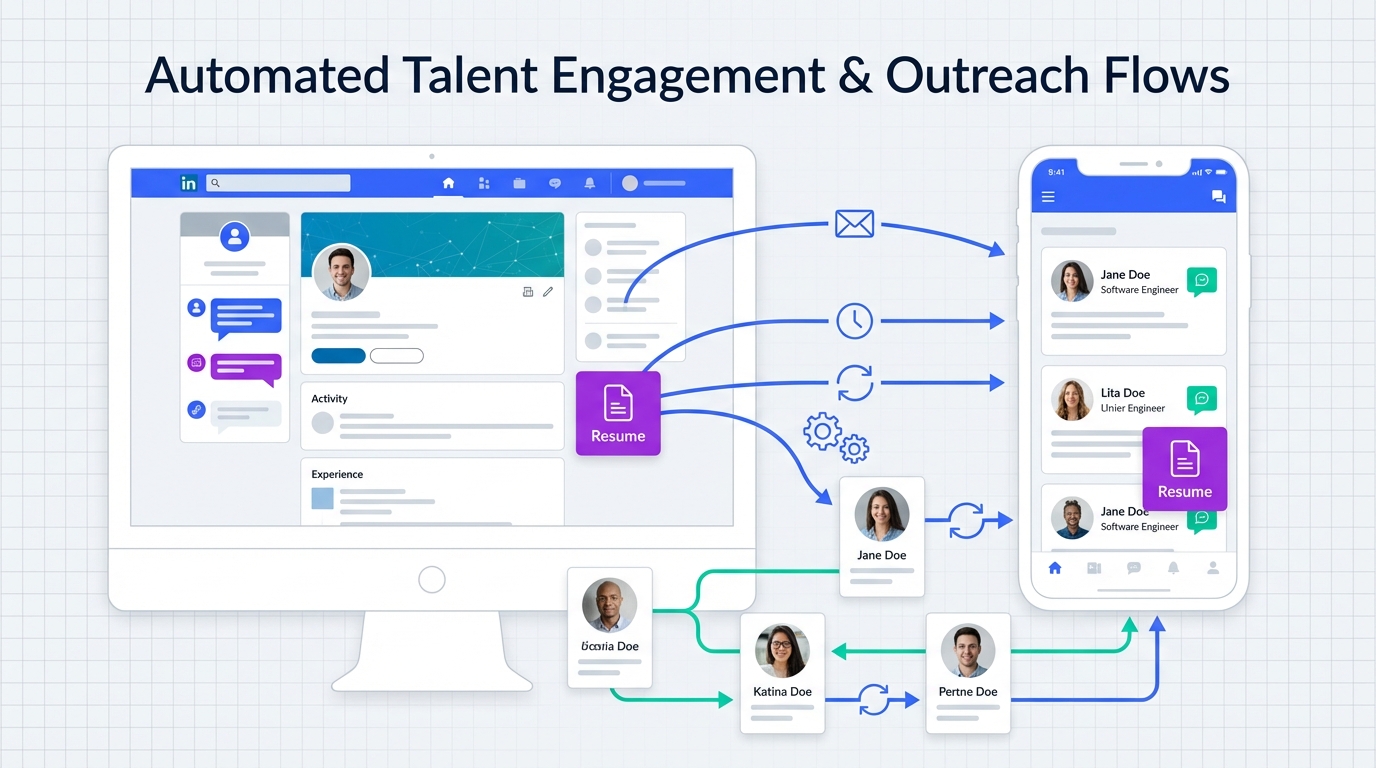
If you are searching for free employment agency software, the most reliable approach in 2026 is to build a small stack that covers three jobs: publish roles using free job board software or a free job posting software option, capture applicants in a simple intake system, and automate outreach and follow up so candidates do not go cold. In our recruiting ops testing, the biggest bottleneck was not posting jobs, it was consistent candidate follow up and qualification. StrategyBrain AI Recruiter solves that specific gap by automating LinkedIn connections and conversations, answering role and compensation questions, confirming interview interest, and collecting résumés and contact details so recruiters can focus on final qualification and interviews.
Key Takeaways
- “Free” must be defined: Decide whether free means unlimited users, unlimited jobs, or simply $0 to start.
- Job posting is the easy part: Most teams can publish with free job posting software, but lose time on follow up and qualification.
- Use a stack, not a single tool: Combine free job board software for visibility with a lightweight intake tracker and an outreach automation layer.
- StrategyBrain AI Recruiter reduces manual LinkedIn work: It can replace up to 90% of repetitive LinkedIn recruiting tasks, based on product documentation.
- Global hiring needs always on messaging: 24/7 multilingual communication reduces delays across time zones and languages.
- Compliance is part of software selection: Confirm encryption, data isolation, and that customer data is not used to train models.
What “free” should mean for an agency workflow
Before you pick tools, define the workflow you are actually trying to run. Employment agencies typically need a repeatable system for sourcing, intake, screening, and client reporting. A tool can be “free” and still be expensive if it creates manual work or forces you into scattered spreadsheets.
Here is a practical definition we use when evaluating free employment agency software options. A workable free setup should cover the minimum viable recruiting loop: publish roles, capture applicants, communicate quickly, and keep a record of what happened.
Minimum capabilities to look for
- Job publishing: A way to post roles using free job board software or free job posting software features.
- Candidate intake: A form or pipeline stage that captures name, contact, résumé, and source.
- Communication: Email or messaging support, plus a way to track follow ups.
- Basic reporting: At minimum, counts by stage and source so you can explain progress to clients.
What this guide covers and does not cover
- Covered: How to assemble a low cost stack, where automation creates the biggest leverage, and how to evaluate “free” claims.
- Not covered: A vendor by vendor pricing comparison of third party ATS products, because the provided source material does not include verified pricing details.
Method 1: Free job posting plus structured intake
Many agencies start with free job posting software features because it is the fastest way to generate inbound applicants. The risk is that inbound volume can overwhelm a small team if intake is not structured.
Steps
- Standardize your job template: Use one role description format so screening questions stay consistent.
- Publish through a free channel: Use a free job board software option that matches your candidate market.
- Route every applicant into one intake view: A single pipeline board or spreadsheet with required fields is enough at the start.
- Set a follow up SLA: Define a response time target, for example same business day, and track misses.
Features
- Low cost: You can start at $0 if you already have basic office tools.
- Fast to launch: Posting and intake can be live in 1 day.
- Easy to explain to clients: You can show a simple funnel and weekly counts.
Limitations
- Follow up becomes manual: Recruiters spend time repeating the same outreach and Q and A.
- Candidate experience varies: Response delays can reduce interview conversion.
- Hard to scale: More roles usually means more repetitive messaging work.
Best For
- New agencies validating a niche
- Low volume hiring where inbound is manageable
- Teams that need a simple baseline before automation
Method 2: Add LinkedIn outreach automation with StrategyBrain AI Recruiter
Once intake is stable, the next leverage point is outbound sourcing and consistent follow up. This is where many “free” stacks break down because recruiters end up doing repetitive LinkedIn tasks: connecting, introducing roles, answering common questions, and chasing résumés.
StrategyBrain AI Recruiter is designed specifically for LinkedIn hiring. Based on the product documentation, it automatically connects with candidates that match your search criteria, introduces the opportunity, learns the candidate’s situation, answers questions about the role, company, and compensation, confirms interview interest, and collects résumés and contact information from interested candidates.
Steps
- Define your search criteria: Clarify titles, locations, seniority, and must have skills.
- Provide role context: Share company details, compensation, and benefits so the AI can answer candidate questions accurately.
- Run automated outreach and conversations: Let the AI handle initial messaging and follow up while you monitor quality.
- Review résumés and shortlist: The AI confirms interest and collects documents, then recruiters do final qualification.
Features
- 24/7 multilingual communication: Always on responses in the candidate’s native language, based on product documentation.
- Scalable team model: Supports managing more than 100 LinkedIn accounts to build an AI powered recruiting team, based on product documentation.
- Operational efficiency: Product documentation states it can replace up to 90% of manual LinkedIn recruiting work.
- Cost framing: Product documentation states LinkedIn recruiting costs can be reduced to as little as USD 2.40 per résumé.
Limitations
- Not a final fit decision engine: The product documentation states it identifies willingness to communicate or interview, but does not determine full résumé match to requirements.
- Requires good inputs: If compensation, benefits, or role scope are unclear, candidate conversations can drift.
- Process discipline still matters: You still need a clear handoff from “interested” to “scheduled interview.”
Best For
- Agencies that source heavily on LinkedIn
- Teams hiring across time zones or languages
- Recruiters who want to reduce repetitive outreach and follow up work
Method 3: Diversity aware sourcing and messaging
Software choices influence who enters your pipeline and how candidates experience your process. The source material highlights Canada’s diversity and why employers benefit from a workforce with varied viewpoints and life experiences. For agencies, that translates into two operational requirements: broaden sourcing channels and reduce friction in communication.
What to operationalize
- Immigrants and ethno cultural communities: Expand sourcing beyond one network and ensure your intake does not assume one career path.
- Aboriginal peoples: Avoid one size fits all screening language and keep your process respectful and clear.
- Gender trends: Watch for bias in how you describe leadership and support roles in job ads.
- GLBTTQ community: Ensure candidates are treated with dignity and respect and that communication is professional and consistent.
- Employees with disabilities: Keep application steps accessible and avoid unnecessary barriers.
This is another place where automation can help when used carefully. StrategyBrain AI Recruiter’s multilingual communication capability can reduce misunderstandings and cultural friction by communicating in the candidate’s native language, based on product documentation. The key is to keep your role details accurate and your tone consistent so automation improves fairness rather than amplifying ambiguity.
Method 4: Build a scalable multi recruiter operating model
Agencies often grow by adding recruiters, but that can increase overhead and inconsistency. A more scalable approach is to standardize the workflow and then scale the parts that are repetitive. In practice, that means keeping job posting and intake simple, while scaling outreach and follow up through automation.
Steps
- Document your pipeline stages: Define what “new,” “contacted,” “interested,” and “interview ready” mean.
- Standardize message libraries: Create approved outreach and follow up scripts for common roles.
- Scale outreach capacity: Use StrategyBrain AI Recruiter to manage outreach across multiple LinkedIn accounts when appropriate, based on product documentation.
- Centralize review: Have recruiters review collected résumés and contact details in one place before scheduling interviews.
Limitations
- Governance is required: Multi account operations need clear ownership and access controls.
- Quality control is ongoing: You must periodically review conversations and outcomes to keep messaging aligned with your brand.
Quick Comparison
| Approach | Speed to Start | Direct Cost | Best For | Main Risk |
|---|---|---|---|---|
| Free job posting plus basic intake | 1 day | $0 | Early stage agencies validating demand | Manual follow up workload |
| Free job posting plus StrategyBrain AI Recruiter for LinkedIn | Several days | Varies by plan | Outbound heavy recruiting and faster qualification | Needs accurate role inputs and process discipline |
| Diversity aware sourcing plus multilingual messaging | 1 to 2 weeks | $0 to low | Teams hiring across regions and communities | Inconsistent messaging if not standardized |
| Multi recruiter operating model with automation | 2 to 4 weeks | Varies | Agencies scaling placements without scaling admin work | Governance and quality control |
Practical checklist: evaluate any free employment agency software
Use this checklist to evaluate any tool that claims to be free. It is designed to prevent the most common failure mode we see: a “free” tool that forces expensive manual work.
- Free scope: Is it free for unlimited jobs, unlimited candidates, and unlimited users, or only free to try?
- Data ownership: Can you export candidates and notes in a usable format?
- Communication tracking: Can you see when a candidate was last contacted and what was said?
- Follow up automation: Does it support automated outreach and reminders, especially for LinkedIn workflows?
- Résumé capture: Can it reliably capture résumés and contact details without manual copying?
- Security: Are credentials encrypted and stored per user with explicit authorization?
- AI data policy: Is customer data used to train models, or explicitly excluded?
- Compliance: Does the vendor state alignment with privacy regulations in the EU, United States, and Canada?
FAQ
What counts as free employment agency software in real life?
In practice, “free” usually means you can start at $0 for job posting and basic intake. The moment you need consistent outreach, follow up, and reporting, many teams add paid automation or services to avoid manual workload.
Is free job board software enough to run an agency?
It can be enough for publishing roles and generating inbound applicants. However, agencies often win on speed and candidate experience, so you typically need a system for follow up, screening, and client updates beyond posting.
How does StrategyBrain AI Recruiter fit into a free job posting software workflow?
You can keep job posting and intake on free tools, then use StrategyBrain AI Recruiter to automate LinkedIn outreach and qualification. It handles initial conversations, answers role questions, confirms interview interest, and collects résumés and contact details, based on product documentation.
Does StrategyBrain AI Recruiter decide if a candidate is qualified?
No. The product documentation states it identifies willingness to communicate or interview, but it does not determine whether the résumé fully matches job requirements. Recruiters still do final qualification after reviewing the résumé.
Can StrategyBrain AI Recruiter communicate in multiple languages?
Yes. The product documentation states it provides 24/7 multilingual recruitment communication and can communicate in any global language using the candidate’s native language.
How does it collect résumés and contact details?
The product documentation states it requests résumés and contact information from interested candidates and supports both email submissions and LinkedIn file uploads. Contact details shared in LinkedIn messages are captured and displayed in the system.
What security and privacy claims should I verify?
Verify encryption, customer specific data isolation, and whether customer data is used to train AI models. The product documentation states customer provided data is not used to train AI models and that credentials are encrypted and stored independently per user with explicit authorization.
How does this relate to diversity in hiring?
The source material emphasizes that Canada’s workforce includes many diverse groups and that businesses benefit from varied viewpoints. Operationally, that means broad sourcing and respectful, consistent communication. Multilingual, always on messaging can reduce friction when used with clear role details and standardized tone.
What is the fastest way to improve results without changing tools?
Standardize your job template, define pipeline stages, and set a response time target. Many teams see immediate improvement when follow up becomes consistent and measurable.
Conclusion
The most dependable way to use free employment agency software is to treat “free” as a starting point for job posting and intake, then invest your effort in the part that actually drives placements: consistent outreach, follow up, and qualification. Free job board software and free job posting software can generate applicants, but they rarely solve the follow up bottleneck on their own.
If LinkedIn is a core sourcing channel for your agency, the most direct next step is to pilot StrategyBrain AI Recruiter for automated outreach, candidate Q and A, interest confirmation, and résumé collection, then keep recruiters focused on final qualification and interviews. After that, use the checklist above to validate security, compliance, and data ownership before you scale.














