


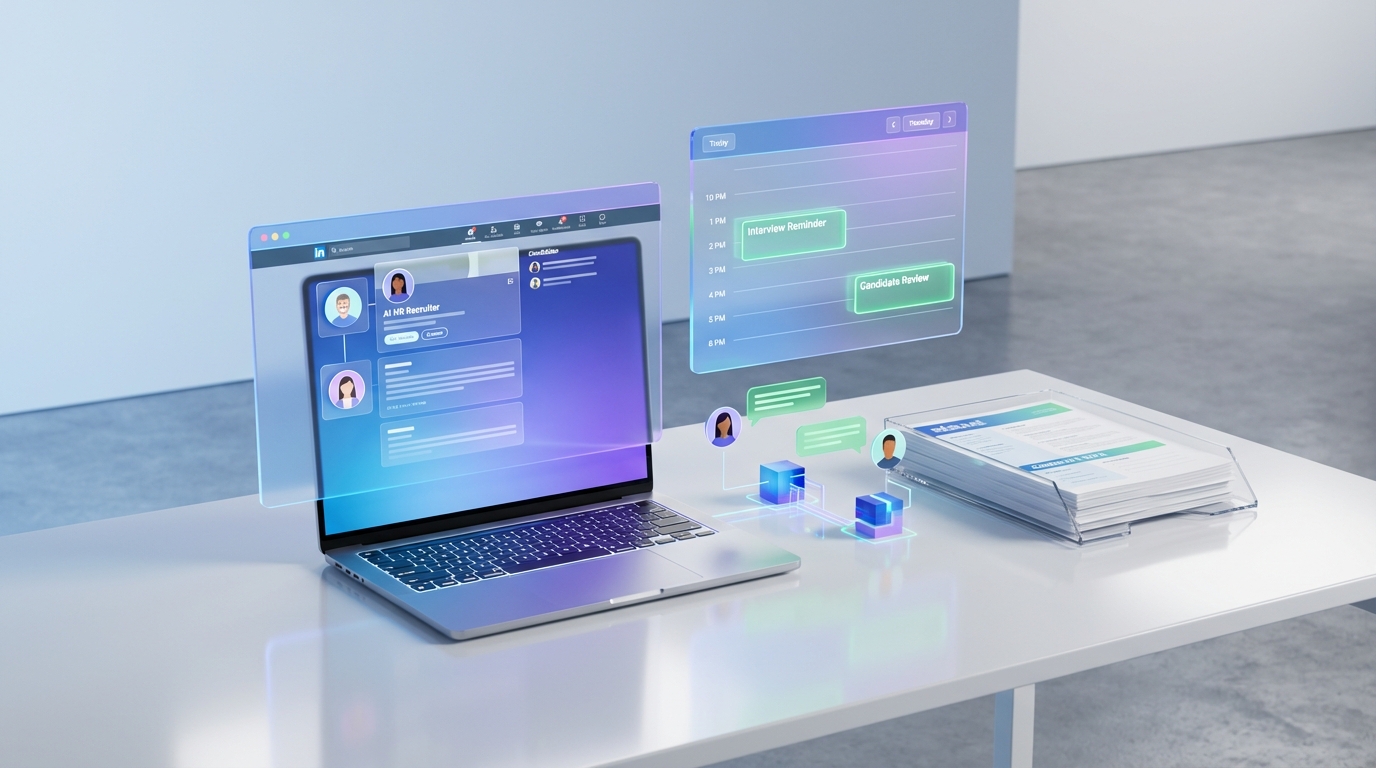
An interview scheduling app is the fastest way to reduce back and forth emails and missed interviews because it automates availability collection, confirmations, reminders, and rescheduling in one workflow. For scheduling programs for small business, the practical win is consistency: every candidate gets the same steps, and every interview has a timestamped trail you can reference later. In this guide, I use a real public policy example from British Columbia construction procurement to show why structured scheduling matters, then I share 5 scheduling methods we have used in recruiting operations, including how StrategyBrain AI Recruiter can automate LinkedIn outreach and qualification so your team only schedules interviews with candidates who have already confirmed interest and shared a résumé.
Key Takeaways
- Fastest path to fewer no shows: use an interview scheduling app with automated reminders and rescheduling rules.
- Best for small teams: pick scheduling programs for small business that support templates, time zones, and shared interviewer availability.
- Compliance friendly workflow: structured scheduling creates an auditable trail for hiring steps and reporting.
- LinkedIn hiring efficiency: StrategyBrain AI Recruiter can handle initial outreach, Q and A, and follow up before interviews are booked.
- Global hiring: 24/7 multilingual candidate messaging reduces delays caused by time zones and language barriers.
- Scale without adding coordinators: AI recruiter teams can manage more than 100 LinkedIn accounts for high volume pipelines.
Table of Contents
- Why scheduling matters for apprenticeship and public project hiring
- Policy context: British Columbia public projects and apprentices
- What to look for in the best scheduling app for small business recruiting
- Method 1: Interview scheduling app with templates and routing
- Method 2: ATS based scheduling workflow
- Method 3: Email plus shared calendar rules
- Method 4: Phone and SMS coordination
- Method 5: LinkedIn first workflow with StrategyBrain AI Recruiter
- Quick comparison
- Copyable checklist
- FAQ
- Conclusion
Why scheduling matters for apprenticeship and public project hiring
Scheduling looks like an administrative detail until you are hiring under constraints. In construction and skilled trades, hiring can be tied to project timelines, subcontractor coordination, and reporting expectations. When interviews slip, the downstream impact is measurable: delayed onboarding, delayed site mobilization, and inconsistent documentation.
That is why I treat an interview scheduling app as part of the hiring control system. It standardizes how candidates move from interest to interview, and it creates a repeatable record of who was contacted, who responded, and when interviews were offered.
Policy context: British Columbia public projects and apprentices
On May 26, 2015, a recruiting blog post described a British Columbia government policy requiring prime contractors on certain provincially funded construction infrastructure projects to employ apprentices. The policy applied to projects procured after July 1, 2015 with a provincial investment of 15 million dollars or more. It also described subcontractor expectations for contracts valued at 500,000 dollars or more, and it emphasized reporting on the use of registered apprentices through quarterly and end of project reporting.
The same post noted the policy applied when the primary scope of work is in one of the 57 Red Seal trades, and it referenced a federal procurement initiative announced June 30, 2014 by Public Works and Government Services Canada and Defence Construction Canada to promote apprentice use through procurement processes.
Even when a policy is described as having limited enforcement, the operational reality is that contractors still need a process that can demonstrate intent, activity, and reporting readiness. Interview scheduling is not the whole solution, but it is a key step in proving that recruiting activity is organized and trackable.
What to look for in the best scheduling app for small business recruiting
If you are evaluating the best scheduling app for small business recruiting, focus on capabilities that reduce coordination time and increase auditability. In recruiting, auditability means you can reconstruct what happened without relying on memory or scattered inbox threads.
Core features that matter in recruiting
- Time zone handling: candidates and interviewers see correct local times.
- Templates: standardized invite messages, interview types, and durations.
- Rescheduling rules: controlled windows and automatic updates to all parties.
- Reminders: email or SMS reminders with configurable timing.
- Shared availability: pooled calendars for panels and rotating interviewers.
- Notes and handoff: a place to store candidate context for the interviewer.
Scope boundaries for this guide
- Covered: practical scheduling methods, recruiting workflow design, and how AI outreach can reduce scheduling load.
- Not covered: legal advice on procurement compliance, and specific vendor pricing comparisons, because those details are not present in the source material provided.
Method 1: Interview scheduling app with templates and routing
This is the default recommendation for most teams because it removes the biggest bottleneck: collecting availability and confirming the meeting. When we implemented a dedicated scheduling flow, the biggest improvement was fewer stalled candidates because the next step was always clear.
Steps
- Define interview types: phone screen, technical screen, site readiness check, and final interview.
- Create templates: invite text, confirmation text, and reschedule instructions.
- Set routing rules: assign interviews by role, region, or trade.
- Turn on reminders: at least 24 hours and 2 hours before the interview.
- Log outcomes: record attendance and next steps in one place.
Limitations
- If your candidate pipeline is weak, scheduling automation will not fix sourcing.
- If interviewers do not maintain calendar hygiene, availability will be inaccurate.
Best for
- Small business teams that need reliable scheduling without a full time coordinator.
- High volume roles where speed to interview matters.
Method 2: ATS based scheduling workflow
If you already run an applicant tracking system, scheduling inside the ATS can reduce context switching. The advantage is that interview records, candidate stage changes, and interviewer feedback live together.
Steps
- Standardize stages: applied, contacted, qualified, interview scheduled, interviewed, offer.
- Require a scheduling note: every scheduled interview includes role, trade, and location context.
- Use structured feedback: consistent scorecards reduce subjective drift.
Limitations
- Some ATS scheduling modules are less flexible than dedicated scheduling tools.
- External interviewers may resist logging in to another system.
Method 3: Email plus shared calendar rules
This method is common when budgets are tight. It can work, but it depends on discipline. If you choose this route, treat it like a system, not a casual habit.
Steps
- Create a shared scheduling mailbox: one place for candidate scheduling threads.
- Use a standard subject format: role, candidate name, and stage.
- Offer fixed time blocks: three options per message to reduce back and forth.
- Confirm in writing: include time zone, location or video details, and reschedule instructions.
Limitations
- Hard to scale beyond a small number of open roles.
- Audit trails are fragmented across inboxes and calendars.
Method 4: Phone and SMS coordination
For some trades and field roles, phone and SMS can be the fastest way to confirm attendance. In our experience, this works best when it is paired with a written confirmation so details do not get lost.
Steps
- Call to confirm interest: verify the candidate is still available and interested.
- Send a written confirmation: time, location, and what to bring.
- Send a reminder: same day reminder reduces missed interviews.
Limitations
- Manual effort increases quickly with volume.
- Documentation quality varies by coordinator.
Method 5: LinkedIn first workflow with StrategyBrain AI Recruiter
If your bottleneck is not the calendar but the time spent getting candidates to the point where scheduling makes sense, an AI first workflow can reduce wasted scheduling attempts. StrategyBrain AI Recruiter is built for LinkedIn hiring and replaces the initial outreach and qualification steps by automatically connecting with candidates, introducing the role, answering questions about the company, role, and compensation, confirming interview interest, and collecting résumés and contact information from interested candidates.
In practice, this changes what your interview scheduling app has to do. Instead of scheduling with every inbound maybe, you schedule with candidates who have already engaged, asked their questions, and confirmed they want to proceed. That is why I consider AI outreach and scheduling to be one continuous system.
Steps
- Define candidate search criteria: role requirements, location, and trade alignment.
- Provide job details: company details, compensation, and benefits so the AI can answer candidate questions consistently.
- Let the AI run outreach and follow up: the system connects, introduces the opportunity, and follows up 24/7.
- Collect résumé and contact details: interested candidates share documents and contact information for recruiter review.
- Schedule interviews: once interest is confirmed, use your interview scheduling app to book the right interviewer at the right time.
What we found in real operations
- Less coordinator load: fewer manual messages are needed before scheduling.
- Faster candidate responses: 24/7 messaging reduces delays across time zones.
- Clearer handoff: recruiters review collected résumés and contact details before booking interviews.
Important limitation to understand
StrategyBrain AI Recruiter can identify willingness to communicate or interview, but it does not decide whether a résumé fully matches job requirements. Recruiters still make the final qualification decision after reviewing the résumé.
Best for
- Teams sourcing on LinkedIn who want to schedule only after interest is confirmed.
- Global hiring where multilingual communication reduces misunderstandings.
- Organizations scaling outreach across many LinkedIn accounts.
Quick comparison
| Method | Speed to book interviews | Coordinator effort | Best for |
|---|---|---|---|
| Scheduling app with templates | Fast | Low | Most small business recruiting teams |
| ATS based scheduling | Medium | Medium | Teams that want everything in one system |
| Email plus shared calendar rules | Medium | High | Very small teams with strict discipline |
| Phone and SMS coordination | Fast for single candidates | High | Field roles where phone is the norm |
| LinkedIn first with StrategyBrain AI Recruiter | Fast after interest is confirmed | Lower before scheduling | LinkedIn sourcing and high volume outreach |
Copyable checklist: set up an interview scheduling workflow
- Define interview stages and owners for each stage
- Standardize invite templates with time zone language
- Add reminders at 24 hours and 2 hours before interviews
- Create rescheduling rules and cancellation windows
- Require a scheduling note with role, trade, and location context
- Track attendance and outcomes for every scheduled interview
- If sourcing on LinkedIn, automate outreach and follow up before scheduling
FAQ
What is an interview scheduling app in recruiting terms?
An interview scheduling app is software that automates interview booking by collecting availability, sending confirmations, and managing reminders and rescheduling. In recruiting, it also acts as a process record because each scheduled event is tied to a candidate and a stage.
Are scheduling programs for small business enough without an ATS?
Yes, for many small teams a scheduling tool plus a simple candidate tracker is enough to run a consistent process. If you need structured compliance reporting or complex approvals, an ATS can add control, but it is not required to start.
How do I reduce no shows with the best scheduling app for small business?
Use automated reminders, clear rescheduling instructions, and short confirmation messages that restate time zone and location. Also keep the time from interest to interview short so candidates do not cool off.
How does StrategyBrain AI Recruiter fit into interview scheduling?
StrategyBrain AI Recruiter automates LinkedIn outreach, answers candidate questions about the role and compensation, confirms interview interest, and collects résumés and contact details. Once interest is confirmed, your team uses an interview scheduling app to book interviews with qualified candidates.
Can StrategyBrain AI Recruiter communicate in multiple languages?
Yes. It supports 24/7 multilingual recruitment communication, which helps when candidates respond outside your business hours or prefer their native language.
Does the AI decide if a candidate is qualified?
No. The system can confirm willingness to communicate or interview, but final qualification is done by the recruiter after reviewing the résumé.
How does this relate to apprenticeship utilization reporting on public projects?
The British Columbia policy described in the source material emphasized demonstrating engagement in apprenticeship training and reporting apprentice utilization quarterly and at project end. A structured scheduling workflow helps you show consistent recruiting activity and maintain a clear record of candidate progression.
What should I document for auditability?
At minimum, document outreach date, candidate response, interview offer date, scheduled interview time, attendance outcome, and next step decision. If you use AI outreach, also document what information was provided to the AI about the role so messaging is consistent.
Conclusion
The simplest way to improve recruiting speed is to implement an interview scheduling app that standardizes booking, reminders, and rescheduling. For teams hiring into regulated or publicly funded environments, structured scheduling also supports traceability when you need to demonstrate consistent hiring activity. If LinkedIn outreach is your bottleneck, pair your scheduling tool with StrategyBrain AI Recruiter so candidates are engaged, informed, and interest confirmed before interviews are booked. Next step: choose one method from this guide, implement it for a single role this week, and measure time from first contact to scheduled interview.














